

Be more productive today by doing fewer things better: prioritize your Most Important Tasks, protect uninterrupted focus, and manage your energy like it’s a limited resource, because it is. Those three moves account for most of the gap between people who feel busy and people who actually finish things. The rest, from apps to habit trackers, just supports those three pillars.
Here’s a two-minute start:
- Write down your single Most Important Task (MIT) for today, right now, before you read further.
- Block 90 minutes on your calendar this week to do only that task, no email tab open.
- Track one number this week (deep-work hours, tasks finished before noon) to see if the change actually moves anything.
None of this works as a rigid formula. Treat every tip below as an experiment on yourself, not a rule to follow forever.
Key Takeaways
Productivity improves most reliably when you prioritize a small number of tasks, protect uninterrupted focus for them, and manage energy well enough that the work sustains itself past a single good day.
| Point | Details |
|---|---|
| Pick one to three MITs daily | Choose your Most Important Tasks the night before, not the morning of. |
| Protect your first 90 minutes | Schedule your MIT at your personal energy peak before meetings intrude. |
| Recovery is not optional | Sleep, real breaks, and movement determine whether other tactics even work. |
| Cut context switching | Every interruption costs roughly 23 minutes to fully refocus, according to UC Irvine research. |
| Use Optiostation to hold the system | Time-block MITs, color-code priorities, and build accountability groups inside one app built for students and young professionals. |
Table of Contents
- Tips to Being More Productive: 20 Habits Grouped by What They Fix
- How to Protect a 90-Minute Deep-Work Block
- How to Start When a Task Feels Too Big
- Build Routines That Sustain Progress Over Weeks, Not Days
- Productivity Traps That Quietly Cost You Hours
- How Optiostation Turns These Habits Into a Daily Workflow
- Sources
Tips to Being More Productive: 20 Habits Grouped by What They Fix
The tips below are grouped into four categories because random advice doesn’t stick, but a system does. Pick two or three from each group instead of trying all 20 at once.
Prioritize the right work
1. Pick one to three MITs before you open your inbox. Your Most Important Tasks are the ones that would still matter if the rest of the day disappeared. Writing them down before checking email stops the day from being hijacked by other people’s priorities.
2. Run everything through the Eisenhower Matrix once a week. Sort tasks into urgent/important, important/not urgent, urgent/not important, and neither. The second box, important but not urgent, is where long-term goals quietly die if you never schedule time for them.
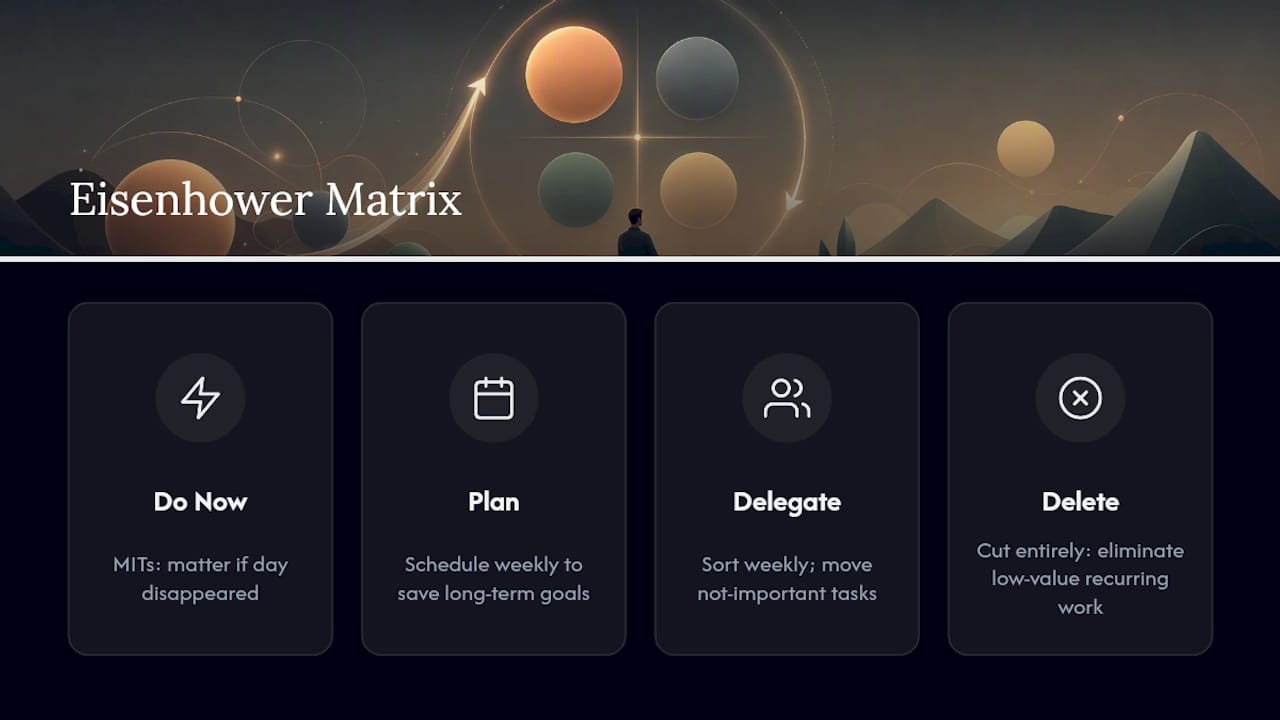
**3. Look at last week’s completed tasks and ask which ones actually moved something forward versus which ones that just felt productive.
4. Prioritize the night before, not the morning of. Deciding what matters when you’re tired and unhurried produces better judgment than deciding when you’re already behind. This single habit is one of the most repeated recommendations in time management guidance from Slack, and for good reason: it removes a decision from your most vulnerable hour.
**5. They deserve to be cut entirely. Work efficiency research from Make10000Hours makes the case that eliminating low-value recurring work multiplies the leverage of everything else you keep. If you want a structured way to sort what stays and what goes, prioritizing assignments effectively is worth a closer look.
Protect your focus
6. Time-block your calendar like it’s rent you already paid. A task on a to-do list is a suggestion. A task on your calendar, with a start and end time, is a commitment you’re less likely to bump.

7. Put your MIT in the first 90 minutes of your workday. Evidence-based guidance on protecting uninterrupted focus consistently points to the first stretch of the day as the highest-leverage window for deep work, before meetings and messages accumulate.
8. Use Pomodoro-style intervals when a task feels heavy. Twenty-five minutes of focused work followed by a five-minute break keeps attention from decaying the way it does during long unbroken stretches. The APA’s coverage of structured breaks backs the idea that short recovery periods sustain attention better than pushing through.
9. Turn off notifications during any block longer than 20 minutes. Every phone buzz is a decision point. Removing the decision removes the temptation.
10. Try body-doubling when self-directed focus feels impossible. Working alongside someone else, even silently on a video call, can anchor your attention in a way solo willpower doesn’t. Body doubling and why it helps you focus explains the mechanism, and it’s a tactic that shows up repeatedly in advice for people who struggle with sustained attention, including people with ADHD.
11. Design your environment so single-tasking is the default, not a choice. Close the extra tabs before you start, not while you’re tempted to open them. Environment design tends to outperform pure willpower because it removes the moment where you’d have to talk yourself out of a distraction.
12. Test low-level background noise if silence isn’t working. Some people focus better with a consistent hum masking disruptive sounds. Neuroscience-informed coverage of productivity habits notes that video game soundtracks are often cited as effective precisely because they’re engineered not to demand attention.
Manage your energy
13. Protect your sleep before you protect your schedule. A peer-reviewed overview of sleep and cognitive performance confirms what most people already suspect: sleep debt degrades the exact mental functions productivity techniques depend on. No amount of time-blocking fixes a brain running on five hours of sleep.
14. Match your hardest task to your personal peak, not to a productivity guru’s schedule. Some people think sharpest at 7 a.m., others at 4 p.m. Energy-focused productivity advice argues that copying someone else’s 5 a.m. routine matters less than identifying your own peak and defending it.
15. Move during the day, even briefly. A short walk between tasks does more for alertness than another cup of coffee in many cases, and it costs nothing but ten minutes.
16. Eat and hydrate on a schedule, not an afterthought. Skipping lunch to “power through” usually backfires by early afternoon. Stable blood sugar supports the same focus you’re trying to protect with time blocks.
17. Save low-energy tasks for your natural dip. Every day has a slump. Fighting it with your hardest task is a losing bet; filling it with email, filing, or routine admin work respects it instead.
Build systems and use the right tools
18. Keep one single source of truth for tasks. Splitting your to-do list across sticky notes, a notes app, and your memory guarantees something falls through. One list, checked daily, beats three lists checked occasionally.
19. Batch similar tasks instead of switching between them all day. Answer all your emails in two windows, not fifty. Grouping similar work reduces the number of times your brain has to reload context.
20. Build templates for anything you repeat weekly. A recurring status update, a weekly report, a meeting agenda, all can be templated once and reused indefinitely. Every template is a decision you never have to make again.
Pro Tip: Audit your task list once a month and ask which item has been carried over the most times without getting done. That’s usually not a priority problem, it’s a task that needs to be broken down, delegated, or deleted.
How to Protect a 90-Minute Deep-Work Block
Protecting focus sounds simple until a Tuesday happens. Here’s a repeatable sequence that holds up on ordinary days, not just ideal ones.
- Choose your MIT the night before, then schedule a 90 to 120 minute block at your personal energy peak, not just whatever’s open on the calendar.
- Clear your environment before the block starts. Close unrelated tabs, put your phone in another room, and pre-open every file or document you’ll need so the first five minutes aren’t spent hunting for materials.
- Set a visible timer for the full block. A countdown creates a mild sense of urgency that a vague “I’ll work until I feel done” never does.
- Work only on the MIT. If something else urgent surfaces, write it on a separate pad rather than switching to it. It’ll still be there in 90 minutes.
- Take a genuine break when the timer ends, away from a screen if possible. Five to ten minutes of real recovery matters more than a scroll through your phone, which isn’t actually rest.
- Run a 10-minute task audit at the end of the block. Note what got done, what didn’t, and why. This single habit turns one good session into a repeatable pattern instead of a lucky day.
Pro Tip: If 90 minutes feels impossible on day one, start with 45 and add 15 minutes each week. A deep-work habit built gradually survives longer than one you force from the start.
How to Start When a Task Feels Too Big
The biggest productivity killer isn’t laziness, it’s the gap between “I should start this” and actually starting. Lowering that gap matters more than any amount of motivation.
- Use the two-minute rule. Commit to just two minutes of the task. Starting is almost always harder than continuing, so trick yourself past the starting line.
- Chunk the task into its first physical action. “Write the report” is vague. “Open the document and write one sentence” is a task your brain can’t talk you out of.
- Set a micro-deadline shorter than the real one. Give yourself 20 minutes to produce a rough draft outline, not the whole assignment. Urgency, even artificial urgency, beats an open-ended timeline.
- Turn the task into a small competition with yourself. Beat yesterday’s page count, beat your own timer, anything that adds a game layer to otherwise dull work.
- Text a friend before you start, and text them when you finish. A public, casual commitment creates just enough social pressure to follow through, especially on tasks you’d otherwise put off.
- Schedule a co-work session instead of relying on willpower alone. A 90-minute block with someone else working nearby, in person or on video, tends to outperform a solo attempt on the exact same task.
Momentum, once it starts, tends to carry itself. The hard part is always the first two minutes.
Build Routines That Sustain Progress Over Weeks, Not Days
A single great day of productivity means nothing if the next five collapse. Routines are what turn a good day into a good month.
- Plan tomorrow tonight, in under ten minutes. Pick your one to three MITs, put them on the calendar as time blocks, and close your laptop. This ritual shows up repeatedly in time management strategies from Slack because it removes the morning’s biggest decision before the morning even starts.
- Run a weekly review every Friday or Sunday. Look at what got finished, clear the backlog of anything that’s been sitting untouched for two weeks, and set next week’s MITs based on what actually happened, not what you hoped would happen.
- Track your deep-work ratio. Divide hours of genuinely focused work by total hours worked. A ratio under 30% usually means meetings, notifications, or context switching are eating more than they should.
Context switching alone can cost roughly 23 minutes to fully regain focus after an interruption, according to research from UC Irvine. If your calendar has four interruptions a day, that’s potentially over an hour and a half lost to refocusing, not to the interruptions themselves.
For structured examples of what a week of MITs should look like, time management goal examples offer a useful template to adapt.
Productivity Traps That Quietly Cost You Hours
Some habits feel productive while doing the opposite. These are the ones worth catching early.
- Multitasking isn’t two things done at once, it’s two things done worse. Every switch between tasks carries that same 23-minute refocus cost, which means answering a text mid-task is rarely as quick as it feels.
- Meeting bloat drains hours that never show up on a to-do list. Fix it with a hard rule: no agenda, no meeting. Cap meetings at 25 or 50 minutes instead of the default hour, and default to async updates when a live conversation isn’t strictly necessary.
- Inbox addiction turns reactive work into your whole day. Checking email continuously feels productive but rarely is. Batch it into two or three set windows instead.
- Decision overhead adds up faster than most people notice. Structural fixes like eliminating low-value recurring tasks and building templates for repeated decisions free up mental energy for the choices that actually matter.
- Delegating a low-value task feels like giving something up, but it’s usually a trade up. Handing off a task that eats an hour of your time for something that takes someone else fifteen minutes is a net win, not a loss.
How Optiostation Turns These Habits Into a Daily Workflow
Knowing the tips is one thing. Actually running them every day without a system to hold them is the part most people skip. Optiostation was built around exactly that gap, structured for students and young professionals managing coursework, jobs, and everything between.
- MITs become time blocks inside the app, not a separate sticky note you forget by 10 a.m.
- Color-coded life aspects let you separate school, work, and personal tasks at a glance, so your weekly review takes minutes instead of a half hour of scrolling.
- Team features support accountability groups and body-doubling style co-work, turning a solo habit into a shared one with classmates or coworkers.
- Google Calendar integration keeps your time blocks visible everywhere you already look, so the “commitment on the calendar” principle actually holds.
For a deeper walkthrough of specific tactics, Optiostation’s guide to 7 essential productivity hacks for students and professionals breaks down prioritization workflows step by step, and the workplace efficiency tactics guide covers the transition from student habits to early-career work.
Pro Tip: If you’re a Centurion just starting out, set up your first three color-coded categories before you add a single task. Structure first, tasks second, always works better than the reverse.
What actually happened when I tried the 90-minute block for real
I picked time-blocking as my one experiment for a month, mostly because it seemed like the tip with the lowest chance of failure. The first week was rough. Ninety minutes felt long, and I cut two sessions short. By week three, the block had stopped feeling like a rule and started feeling like a habit, and my deep-work ratio noticeably improved.
That’s really the whole point. Not every tip on this list will fit your week, your energy, or your job. Test one, measure it honestly, and keep only what survives contact with your actual life.
— Optiostation
Turning these habits into a system you’ll actually keep
Reading a list of productivity tips is easy. Keeping them running past the second week is where most people fall off, usually because the system holding the habits together doesn’t exist yet. That’s the specific gap Optiostation is built to close: MITs that live on your calendar instead of a sticky note, focus blocks that sync with Google Calendar so they’re not a second system to maintain, and team spaces built for the group check-ins and accountability partnerships that make focus stick.

If prioritization is the piece you struggle with most, Optiostation’s task management software guide walks through how the app structures MITs, color-coded categories, and reminders so nothing important gets buried under busywork. Download it, set up your first three categories, and block tomorrow’s MIT before the day starts.
Sources
- Gloria Mark — Research on interruptions and task switching (UC Irvine)
- How to Be More Productive: An Evidence-Based Guide — Sharper Human
- APA — The value of breaks
- Peer-reviewed overview of sleep and cognitive performance (NCBI/PMC)
Recommended
- Increase Workplace Efficiency and Productivity: Practical Tactics – Optio Station: Best Project Management App for Prioritization
- Work efficiency tips: proven strategies for students – Optio Station: Best Project Management App for Prioritization
- Time-Saving Tips for Professionals That Actually Work – Optio Station: Best Project Management App for Prioritization
- 10 Ways to Improve Efficiency for Students and Pros – Optio Station: Best Project Management App for Prioritization
