

TL;DR:
- Most project failures stem from unclear planning rather than bad ideas, emphasizing the need for detailed implementation plans. Using a structured template ensures roles, timelines, risks, and communication are clearly defined, enabling teams to execute more effectively. Regularly revisiting and collaboratively updating the plan keeps the project aligned, increasing the likelihood of success.
Most projects don’t fail because of bad ideas. They fail because nobody wrote down who does what, by when, and why it matters. Research consistently shows that unclear planning is one of the top reasons teams miss deadlines, duplicate work, or lose momentum halfway through. If you’ve ever been stuck in a group project where half the team doesn’t know what’s happening, you already understand this pain. The good news is that a project implementation plan template solves most of that confusion before it starts. This guide breaks down exactly what it includes, how to fill it out, and how to use it to run a tighter, smarter team.
Table of Contents
- What is a project implementation plan template?
- Core sections of a winning template
- How to fill out your project implementation template
- How to organize team roles and communication for project success
- The truth about templates: what most guides leave out
- Bring your project plans to life with the right tools
- Frequently asked questions
Key Takeaways
| Point | Details |
|---|---|
| Template essentials | Every great project implementation plan template covers goals, timelines, resources, risks, roles, and communication. |
| Drive collaboration | Structured plans clarify responsibilities so teams work together smoothly and avoid mistakes. |
| Boost time management | Breaking work into steps with deadlines helps you stay organized and reduces stress. |
| Live document | The best results come when you update your plan as your project evolves—not just once at the start. |
What is a project implementation plan template?
A project implementation plan template is a structured document that guides a team from project kickoff to completion. Think of it as a pre-built map. Instead of figuring out every turn from scratch, you fill in the relevant details for your specific project and follow the path it creates.
For students and young professionals, this matters more than most guides admit. You’re often managing multiple responsibilities at once, working with people you barely know, and racing against deadlines set by someone else. A template removes the guesswork and gives every person on the team a shared understanding of the plan.
Here are the core benefits of using one:
- Structure: Everyone knows the sequence of tasks and how each one connects.
- Time management: Milestones and timelines are built in from the start.
- Role clarity: No one has to wonder who’s responsible for what.
- Risk reduction: Known obstacles are identified before they become real problems.
- Communication alignment: Everyone agrees on how and when to update each other.
One of the biggest misconceptions about templates is that they make projects feel rigid or robotic. That’s the opposite of reality. A well-built template actually frees up your creativity because the structural thinking is already done. You focus your energy on execution and problem-solving, not on figuring out the basics.
“Templates are often misread as bureaucratic tools meant for managers. For students and young professionals, they’re actually the fastest path to organized, high-functioning group work.”
Another misconception is that templates only work for complex, large-scale projects. Not true. A class presentation with four people still benefits from a shared scope and a clear timeline. As outlined in Simplilearn’s step-by-step guide, a solid template includes measurable success criteria, scope, resource plan, risk analysis, timeline and milestones, and defined team roles. These elements work for a two-week school project just as much as a six-month workplace initiative.
If you want to see how this connects to broader planning strategy, check out this project portfolio template guide for a wider view of how plans stack together.
Core sections of a winning template
With a clear definition in mind, it’s time to unpack what makes up an effective project implementation plan template.
According to Simplilearn’s framework, a complete plan covers nine essential sections: Project Goal, Project Objectives, Success Criteria, Scope Statement, Resource Plan, Risk Analysis, Timeline and Milestones, Team Roles and Responsibilities, and a Communication and Monitoring Plan. Each one carries weight.
Here’s a breakdown of what each section does and why it matters:
| Section | Purpose |
|---|---|
| Project goal | The big-picture outcome the team is working toward |
| Project objectives | Specific, measurable results that define success |
| Success criteria | How you’ll know the project actually worked |
| Scope statement | What’s included and, critically, what’s not |
| Resource plan | Time, tools, people, and budget allocated to the project |
| Risk analysis | Known obstacles and how to handle them |
| Timeline and milestones | Dates, deadlines, and progress checkpoints |
| Team roles and responsibilities | Who owns which tasks and decisions |
| Communication and monitoring plan | How the team stays informed and how progress is tracked |
Now compare a typical student project approach to a structured template approach:
| Standard student project | With a structured template |
|---|---|
| Goals are verbal or assumed | Goals are written, specific, and shared |
| Timelines are vague (“we’ll figure it out”) | Milestones are dated and agreed upon |
| Roles shift or overlap randomly | Each person has defined ownership |
| Risks are ignored until they hit | Risks are mapped before they become problems |
| Communication happens when someone remembers | Check-in schedule is pre-planned |
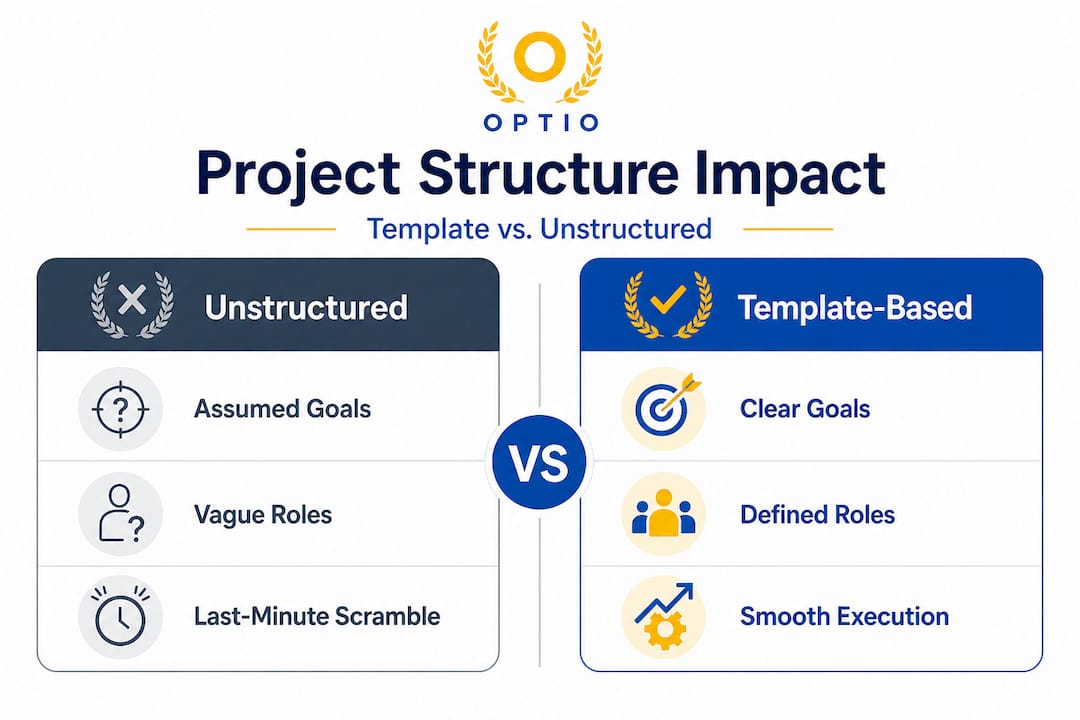
The contrast is stark. One approach sets you up to scramble. The other sets you up to execute.
Pro Tip: Don’t try to make every section perfect before moving forward. A short, clear statement in each section beats a long, vague paragraph. Clarity beats length every time.
For a real-world example of how these sections come together, check out this project plan example to see what a completed plan looks like.
How to fill out your project implementation template
Knowing the sections is one thing. Here’s how to actually complete your template for real-world use.
Follow these steps to move from blank template to working plan:
-
Start with the project goal. Write one sentence that describes the end result. Example: “Launch a student-run podcast with five published episodes by the end of the semester.”
-
Define your objectives. Break the goal into three to five specific, measurable outcomes. Example: “Record and edit two episodes per month” or “Grow listener base to 200 by week eight.”
-
Write your success criteria. Ask yourself: how will we prove this worked? Tie each objective to a number or an observable outcome.
-
Nail the scope statement. List what the project includes. Then list what it doesn’t include. This step alone prevents most mid-project conflicts.
-
Build your resource plan. List every person, tool, and asset the project needs. Note who controls each resource and any constraints.
-
Run a risk analysis. Brainstorm what could go wrong. For each risk, write a one-line plan for how you’d handle it.
-
Create your project management timeline. Map out major milestones with specific dates. Work backward from your final deadline.
-
Assign team roles. Be specific. “John handles research” is weak. “John delivers a three-page research summary by April 10th” is strong.
-
Set up a sample group communication plan. Decide on a meeting schedule, a preferred communication channel, and how decisions get made when there’s disagreement.
Here’s a quick comparison of strong versus weak content in a template:
| Section | Weak example | Strong example |
|---|---|---|
| Project goal | “Make a good presentation” | “Deliver a 15-minute pitch to a panel of judges by May 5th” |
| Success criteria | “Everyone likes it” | “Score 85% or above on the rubric across all five criteria” |
| Risk analysis | “Something might go wrong” | “If two members miss deadlines, we’ll redistribute tasks by Tuesday review” |
| Timeline | “End of semester” | “Draft complete by April 1st, final review April 10th, submit April 15th” |
| Communication plan | “We’ll text each other” | “Weekly check-in every Sunday at 7pm via video call, decisions documented in shared notes” |
As outlined by Simplilearn, each section serves a distinct function, and skipping even one creates gaps that teams feel later. The timeline and milestones section, in particular, is what keeps time management on track throughout the full life of the project.
Pro Tip: Fill out the template together as a team during your first meeting. Don’t complete it alone and send it for approval. Co-creating it builds shared ownership and reduces conflicts down the line.
How to organize team roles and communication for project success
Once the plan is filled in, seamless teamwork depends on clear roles and communication.
This is where many teams fall apart, even when the template is completed. Writing down roles isn’t enough. Everyone needs to truly understand what they own, what decisions they can make independently, and how to escalate when something’s stuck.

Defined roles and delegated tasks are the backbone of every project that actually finishes on time. When responsibilities blur, people either double up on work or quietly assume someone else is handling it. Both outcomes hurt the team.
Here are the elements of a solid team setup inside your implementation plan:
- Role chart: A simple table listing each team member, their title or function, and the specific tasks they own
- Decision ownership: Who has final say on design, content, scheduling, or budget
- Meeting schedule: Recurring check-ins with agendas set ahead of time
- Check-in method: Whether you use a shared doc, app, or group thread, everyone needs to report progress in the same place
- Escalation path: If a team member is blocked or behind, who do they tell and how fast?
- Accountability checkpoint: A mid-project review where each person reports on their section’s progress
Team collaboration strategies that work in real group settings always circle back to one principle: reduce ambiguity. The more clear the expectations, the less energy the team wastes on conflict or catch-up.
“Teams that establish clear communication norms from the start of a project are significantly more likely to meet their goals and report higher satisfaction with the group experience.”
When you document this inside your implementation plan, it becomes a reference point for the whole team. Nobody can claim they didn’t know who was responsible. Nobody can say they never agreed to that deadline. The plan becomes your shared source of truth.
The truth about templates: what most guides leave out
Here’s the uncomfortable reality: most teams fill out a project implementation template, file it away, and never look at it again. That’s not a template problem. That’s a behavior problem.
The biggest mistake teams make is treating the template as a one-time administrative task. They complete it, share it, and assume the work is done. But a plan that doesn’t get revisited doesn’t actually guide anything. It just becomes a document nobody reads.
What we’ve seen is that templates deliver the most value when they’re treated as living tools. That means updating the timeline when a milestone shifts. It means revising the risk analysis when a new obstacle surfaces. It means checking back on team roles when someone’s workload changes unexpectedly.
The teams that consistently succeed are the ones who pull up the plan at every meeting. Not to review it for approval, but to ask: “Does this still reflect where we are and where we’re going?”
There’s also a deeper issue most guides miss. Templates are often completed by one person, usually the most organized member of the group, and then distributed to everyone else. That kills shared ownership immediately. When only one person builds the plan, the rest of the team feels like passengers. When everyone contributes to it, they feel like drivers.
The planning conversation is the collaboration. The discussion about scope, the debate over who owns what, the honest assessment of risks. Those conversations are what build a team. The document is just the record of decisions made together.
For more insight on the human side of project leadership, read this piece on real project manager insights and how leading a team differs from just organizing one.
Bring your project plans to life with the right tools
A solid template gives you the framework. The right tools give you the momentum to follow through. For students and young professionals managing class projects, internship deliverables, or side ventures, there’s a real gap between planning on paper and actually executing as a team.

Optio is your second-in-command, a mobile app built specifically for Centurions like you who need to manage tasks, track deadlines, and coordinate teams without the complexity of enterprise software. Whether you’re setting up a task management system for the first time or looking for smarter ways to manage tasks effectively, Optio gives you the structure of a seasoned project manager in your pocket. Stop relying on scattered texts and missed reminders. Build your plan, assign your roles, and execute with your whole team in one place.
Frequently asked questions
What should be included in a project implementation plan template?
A project implementation plan template should always include objectives, success criteria, scope, resources, risk analysis, timeline, team roles, and a communication plan. Simplilearn’s framework outlines all nine of these as essential components for any project.
How can project templates help with time management?
Templates break projects into actionable pieces so you can set deadlines and priorities for each stage, which reduces last-minute stress. The timeline and milestones section specifically ensures that every phase of the project has a clear target date attached.
Are project implementation templates only for big projects?
No, even small projects benefit from planning templates by improving clarity and group communication. A structured implementation plan works just as well for a two-person class assignment as it does for a multi-month professional initiative.
How do you ensure your team actually uses the plan?
Assign clear owners for each section and schedule regular check-ins to review and adapt the plan together. Making it a visible part of every team meeting, rather than a document created once and ignored, keeps everyone accountable and aligned.
Recommended
- Project management plan example PDFs: templates for students – Optio Station: Best Project Management App for Prioritization
- How to create personal action plans: Boost success by 42% – Optio Station: Best Project Management App for Prioritization
- Build a communication plan that drives team success – Optio Station: Best Project Management App for Prioritization
- Project Management Plan Checklist: Powering Team Productivity – Optio Station: Best Project Management App for Prioritization
- A Product Launch Checklist Template for Omnichannel Growth – Reddog Consulting Group
