

TL;DR:
- Effective workflow fixes are rooted in self-assessment and clear, specific goal-setting.
- Using the right tools and establishing a consistent daily routine enhances productivity.
- Regular review and simplicity prevent common pitfalls and ensure continuous workflow improvement.
You open your laptop, stare at a list of 30 tasks, and somehow end your day feeling like you accomplished nothing. Sound familiar? That cycle of being busy but never fully caught up is one of the most common frustrations for college students and young professionals. The good news: it’s not a motivation problem. It’s a workflow problem. With the right strategies and task management apps, you can shift from reactive chaos to intentional, focused execution. This guide walks you through every step, from diagnosing what’s broken to building a system that actually sticks.
Table of Contents
- Assess your current workflow and set clear goals
- Choose the right task management apps and essential tools
- Design your optimized daily workflow: step-by-step plan
- Troubleshooting common workflow mistakes
- Measure and adjust: ensuring your workflow pays off
- Why most workflow advice misses the mark—and what actually works
- Optimize your workflow with expert-approved tools
- Frequently asked questions
Key Takeaways
| Point | Details |
|---|---|
| Start with assessment | Knowing your workflow bottlenecks and setting clear goals is the first step to productivity. |
| Choose the right tools | Selecting apps with the right features streamlines organization and helps you stay on track. |
| Consistency matters most | Building repeatable habits around planning, execution, and review is the key to long-term workflow success. |
| Measure and iterate | Use app data and regular self-reviews to adjust your approach and ensure ongoing improvement. |
Assess your current workflow and set clear goals
Before you can fix anything, you need to know what’s actually broken. Most people skip this step and jump straight to downloading a new app. That’s like buying a faster car when the real problem is that you don’t know where you’re going.
Start with a quick self-assessment. Ask yourself: What tasks eat up the most time each day? Where do you lose focus? Do you regularly miss deadlines, or do you just feel overwhelmed even when you meet them? Identifying bottlenecks and distractions is the foundation of effective workflow optimization.
Common bottlenecks for students and young professionals include:
- Notification overload pulling attention every few minutes
- Unclear priorities leaving you unsure what to work on first
- Vague deadlines that feel distant until they suddenly aren’t
- Task switching between assignments, emails, and meetings without a clear plan
Once you’ve spotted the pain points, set goals using the SMART framework: Specific, Measurable, Achievable, Relevant, and Time-bound. Vague intentions don’t drive change. Specific time management goals do.
| Vague intention | SMART goal |
|---|---|
| “Be more productive” | Complete 3 priority tasks before noon daily |
| “Manage time better” | Reduce task switching to 2 focused blocks per day |
| “Stay on top of deadlines” | Review upcoming deadlines every Sunday evening |
| “Stop procrastinating” | Start each assignment within 24 hours of receiving it |
You can also explore scheduling types to find what structure fits your life best. Pairing goal-setting with workflow templates and checklists gives you a ready-made structure to build on.
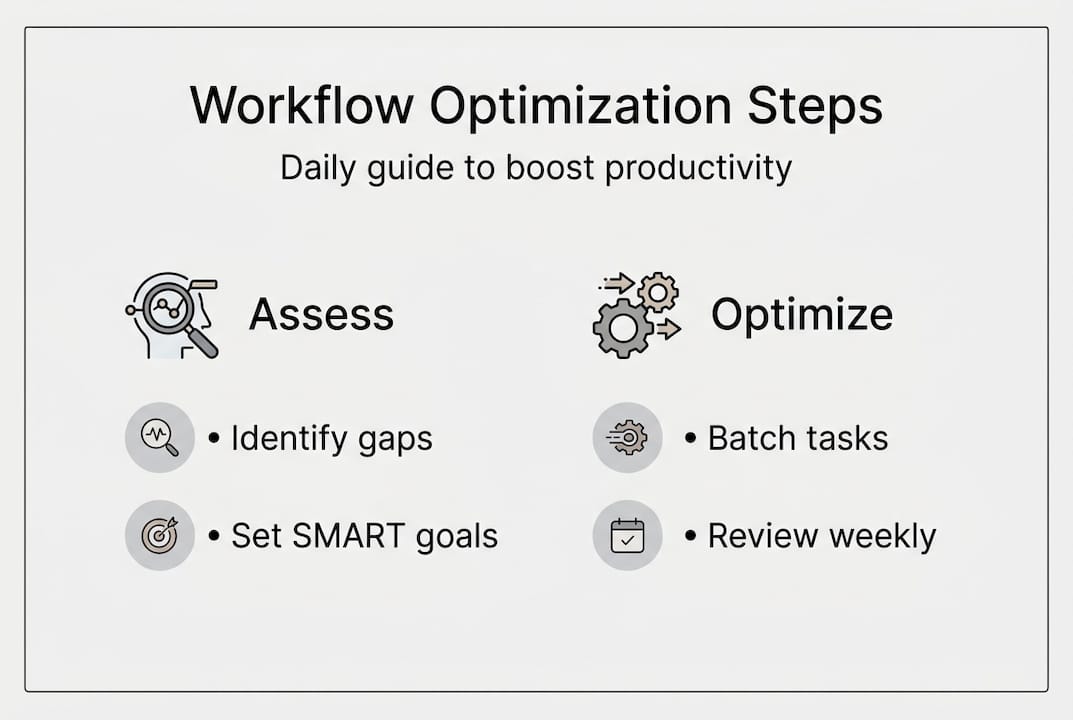
Pro Tip: Journal your workflow for one week before changing anything. Write down every task you do, how long it takes, and how you feel afterward. You’ll spot hidden time drains you never noticed.
Choose the right task management apps and essential tools
With your goals mapped out, it’s time to match your needs to the right digital tools. Not every app is built for every person, and using the wrong one wastes more time than it saves.
The right organization tools can dramatically streamline your daily routine. When evaluating any task management app, look for these core features:
- Reminders and alerts so nothing slips through the cracks
- Calendar sync to see tasks and events in one view
- Prioritization options like labels, flags, or urgency levels
- Checklists and subtasks to break big projects into manageable steps
Here’s a quick comparison of popular tools:
| App | Best for | Key feature | Free plan? |
|---|---|---|---|
| Optio | Students and young professionals | Roman-themed task, team, and time management | Yes |
| Todoist | Individual task tracking | Priority levels and recurring tasks | Yes |
| Notion | Note-heavy workflows | Flexible databases and templates | Yes |
| Trello | Visual project management | Kanban board layout | Yes |
Beyond the app itself, think about integrations. The best setups connect your tools so data flows automatically. Must-have integrations include:
- Calendar apps (Google Calendar, Apple Calendar) for deadline visibility
- Note-taking tools (Notion, Apple Notes) for capturing ideas fast
- Cloud storage (Google Drive, iCloud) so files are always accessible
For deeper guidance on building your [daily planning routine](https://optiostation.com/daily-planning routine-how-to-boost-productivity), check out resources that walk through habit-based scheduling. You can also explore project management e-learning if you want to sharpen your organizational skills further.
Pro Tip: Use free trials before committing. Spend one week with an app doing your actual tasks, not demo tasks. If it feels clunky by day three, move on.
Design your optimized daily workflow: step-by-step plan
Tools alone won’t change habits. You need a repeatable daily structure that turns your app into a real productivity engine. A consistent daily routine builds sustainable productivity over time.
Here’s a practical six-step daily workflow you can start using today:
- Plan (morning, 10 minutes): Open your app and review today’s tasks. Confirm deadlines and identify your top three priorities.
- Break it down: Split any large task into smaller subtasks. If a task takes more than 90 minutes, it needs to be divided.
- Prioritize: Use your app’s priority or urgency feature to rank tasks. Do the hardest or most important one first.
- Schedule: Block time on your calendar for each task. Assign realistic durations, not wishful ones.
- Execute: Work in focused blocks. Silence non-essential notifications during each block.
- Review (evening, 10 minutes): Check what you completed, what rolled over, and why. Update tomorrow’s task list.
“The review step is where most people drop the ball. Skipping it means you wake up tomorrow with no clear starting point, and the cycle of feeling behind starts all over again.”
For collaborative work, team motivation workflow strategies can help you apply the same structure to group projects. Refer to digital workflow best practices for additional frameworks.
Pro Tip: Set your app to send notifications only at two or three scheduled times per day, not constantly. Batch-checking tasks reduces interruptions and keeps you in flow longer.

Troubleshooting common workflow mistakes
Even the best plans hit walls. Recognizing the mistakes that quietly kill productivity is just as important as building good habits in the first place.
The most common workflow mistakes include:
- Tool overload: Using five apps for what one could handle, creating confusion and wasted time
- Skipping the review: Without a daily or weekly check-in, tasks pile up and priorities blur
- Multitasking: Splitting focus between tasks reduces quality and increases time spent on both
- Unclear priorities: When everything feels urgent, nothing gets done well
Each of these disrupts your momentum in a different way. Tool overload fragments your attention. Skipping reviews means you lose situational awareness. Multitasking creates a false sense of productivity while actually slowing you down.
Here’s how to course-correct:
- Simplify your tools: Consolidate to one primary task app and one calendar. Less is more.
- Automate the repetitive stuff: Automating repetitive tasks is one of the most effective ways to reclaim time and mental energy.
- Use reminders strategically: Set them for tasks you consistently forget, not for everything.
- Schedule your review: Put it in your calendar like any other meeting. It’s not optional.
You can also use tracking task completion features within your app to spot patterns in what you’re finishing versus what keeps rolling over.
Pro Tip: Don’t add a new tool until you’ve used your current setup consistently for at least 30 days. New tools feel exciting but rarely solve the real problem, which is usually habit, not software.
Measure and adjust: ensuring your workflow pays off
With your workflow running, the next move is making sure it’s actually delivering results. Feeling productive and being productive are not the same thing.
Regular evaluation is essential to sustaining real productivity improvements. Start by deciding which metrics actually matter to you. Good options include:
- Tasks completed per day versus tasks planned
- Deadlines met versus missed over a two-week period
- Time estimated for tasks versus actual time spent
- Number of tasks rolled over from the previous day
Most task management apps include dashboards or logs that surface this data automatically. Use them. A weekly five-minute audit of your app data tells you more than a month of guessing.
| Metric | What it reveals |
|---|---|
| Tasks completed vs. planned | Whether you’re over-scheduling or under-executing |
| Deadlines met | Overall reliability and planning accuracy |
| Time estimated vs. actual | How well you understand your own pace |
| Rollover tasks | Where friction or avoidance is hiding |
When and how to adjust:
- Weekly review: Check completion rates and flag recurring rollover tasks
- Monthly overhaul: Reassess your goals, tool setup, and daily structure
- After stress spikes: If a deadline nearly broke you, analyze why and fix the upstream cause
The goal isn’t a perfect workflow. It’s a workflow that improves over time because you’re paying attention to what the data is telling you.
Why most workflow advice misses the mark—and what actually works
Here’s something most productivity guides won’t say out loud: the problem is rarely the tool. We’ve seen Centurions switch apps four times in a semester and still feel behind. The app changes. The habits don’t.
Real workflow improvement comes from two things: honest self-review and boring consistency. Not the newest feature, not the prettiest interface. The Centurions who make the most progress are the ones who commit to a building an effective workflow process and stick to it, even when it feels slow.
The uncomfortable truth is that most people want a tool to fix a behavior problem. But no app can make you review your tasks if you keep skipping that step. No reminder system works if you dismiss every alert without acting on it.
Start small. Pick one habit, like a five-minute morning planning session, and do it every day for two weeks. Once that sticks, add the next layer. Consistency compounds. A simple system you actually use beats a sophisticated one you abandon by week three every single time.
Optimize your workflow with expert-approved tools
You’ve got the strategy. Now it’s time to put the right tools behind it. Optio was built specifically for Centurions like you, students and young professionals who need a second-in-command that keeps tasks, teams, and time in order without the clutter.

Explore the best task management software guide to compare options side by side and find what fits your workflow. If you’re just getting started, the task management for students guide walks you through the fundamentals. And if you’re still on the fence about whether this is worth your time, the reasons to manage tasks breakdown makes the case clearly. Your next great day starts with a plan. Let Optio help you build it.
Frequently asked questions
What is the first step to optimizing my daily workflow?
Goal-setting is the foundation of any workflow optimization process. Start by auditing your current routine, pinpointing your biggest time drains, and writing down specific, measurable goals you want to hit.
Which app features should I prioritize for workflow optimization?
Focus on scheduling, task prioritization, reminders, and calendar integration first. The right organization tools streamline task management and reduce the mental load of tracking everything manually.
How do I avoid common workflow optimization mistakes?
Build habits before adding tools, keep your app setup simple, and schedule a weekly review. Regular reviews and tool simplicity prevent the kind of workflow breakdowns that sneak up on you over time.
How often should I review and adjust my workflow?
Do a short review every week and a deeper one every month. Consistent, scheduled reviews are what separate workflows that improve from ones that slowly fall apart.
Recommended
- Essential productivity hacks for students and young pros – Optio Station: Best Project Management App for Prioritization
- Streamline academic productivity: build a workflow that works – Optio Station: Best Project Management App for Prioritization
- 7 Essential Productivity Hacks for Students and Professionals – Optio Station: Best Project Management App for Prioritization
- 7 Essential Organization Tips for Busy Professionals – Optio Station: Best Project Management App for Prioritization
- Home Office Cleaning Tips for a Productive Workspace
