

You know the feeling. A syllabus drops, deadlines stack up, and suddenly your brain is juggling readings, group projects, and part-time work all at once. Inefficient time use is the top academic complaint among students, and it’s not because they’re lazy. It’s because nobody teaches you how to organize the chaos. A structured academic productivity workflow changes that. This guide breaks down exactly what a workflow is, what it’s made of, how to pick the right tools, and how to build one that actually sticks, even when the semester gets brutal.
Table of Contents
- What is an academic productivity workflow?
- Key components of a powerful academic workflow
- Choosing the right tools for your workflow
- Optimizing your academic productivity: step-by-step setup
- Overcoming real-world workflow challenges
- Amplify your workflow with Optio Station
- Frequently asked questions
Key Takeaways
| Point | Details |
|---|---|
| Structure saves time | Organized workflows help you use each study session efficiently. |
| Right tools boost productivity | Matching your needs to digital or paper tools makes routines easier to follow. |
| Consistency is critical | Sticking to a routine matters more than the complexity of your system. |
| Review and adapt | Regularly checking and adjusting your workflow ensures continued success. |
What is an academic productivity workflow?
An academic productivity workflow is a repeatable system for organizing, prioritizing, and completing academic tasks efficiently. Think of it as your personal command structure. Instead of reacting to whatever feels most urgent, you follow a process that keeps you moving forward with intention.
A solid workflow has five core components:
- Task capture: Every assignment, idea, or reminder gets written down immediately so nothing lives rent-free in your head.
- Prioritization: You decide what matters most, not your inbox.
- Planning: You block time for focused work before the week starts.
- Execution: You follow the plan with minimal distraction.
- Review: You check in regularly to see what’s working and what needs adjusting.
Here’s where most students go wrong. They think a to-do list is a workflow. It’s not. A to-do list is just task capture, which is only one piece of the puzzle. Structured workflows directly correlate with improved learning outcomes, and that gap between a list and a system is exactly why some students consistently outperform others with the same workload.
“A system doesn’t make you work harder. It makes sure your effort goes to the right places.”
If you’re new to this, explore what a productivity system for students actually looks like in practice, or start by understanding what is a productivity app and how it fits into your routine.
Pro Tip: Start with the simplest version of a workflow you can imagine. One tool, one daily check-in, one weekly review. Complexity is the enemy of consistency.
Key components of a powerful academic workflow
Now that you have the definition, let’s look at what each component actually does for you in real academic life.
Task collection is your safety net. Use one place, whether it’s an app or a notebook, to capture everything. Assignments, ideas for papers, reminders to email professors. If it’s not captured, it’s forgotten.
Prioritization is where most students lose time. The Eisenhower Matrix is a simple framework that sorts tasks into four boxes: urgent and important, important but not urgent, urgent but not important, and neither. Most students spend too much time in the “urgent but not important” box. Shifting focus to “important but not urgent” is where real academic progress happens.

Scheduling means blocking actual time on your calendar for focused work, not just hoping you’ll find time. Treat study blocks like class. They’re non-negotiable.
Execution is about protecting that time. Silence notifications. Use a focus timer. Tell your roommate you’re unavailable. Breaking big goals into smaller steps increases completion rates, so chunk your work into 25 to 50 minute sessions.
Review is the most skipped step and the most valuable. A 15-minute weekly review catches problems before they become crises.
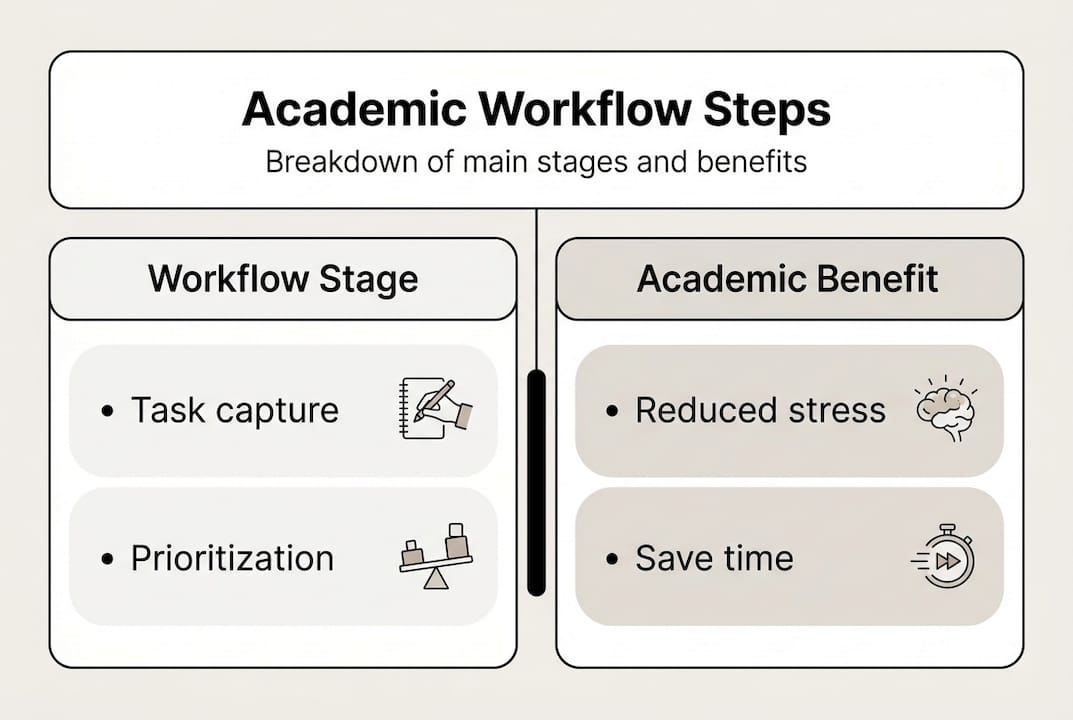
| Workflow stage | Academic benefit | Time investment |
|---|---|---|
| Task capture | Reduces mental load | 5 min/day |
| Prioritization | Focuses effort on high-impact work | 10 min/day |
| Scheduling | Prevents deadline panic | 15 min/week |
| Execution | Increases deep work output | Varies |
| Review | Improves system over time | 15 min/week |
Pro Tip: Block 15 minutes every Sunday to review the week ahead. This one habit alone can prevent most deadline surprises. Check out these organization tools for students to support each stage, and learn why use productivity apps if you’re still on the fence about going digital.
Choosing the right tools for your workflow
Once you understand the building blocks, the next step is matching tools to each stage. The best tool is the one you’ll actually use, not the most feature-packed one.
Here’s what every student’s toolkit should include:
- Calendar app: For scheduling and time blocking (Google Calendar, Apple Calendar).
- Task manager: For capturing and prioritizing tasks (Optio, Todoist, Notion).
- Note-taking app: For class notes and research (Notion, Obsidian, OneNote).
- File organizer: For keeping assignments and resources accessible (Google Drive, Dropbox).
- Collaboration tool: For group projects and shared deadlines.
Digital note-taking improves information retention for 74% of surveyed students, which makes your note-taking app choice more important than most people realize.
| Tool | Best for | Cost | Usability | Student rating |
|---|---|---|---|---|
| Optio | Task and team management | Free tier available | High | 4.8/5 |
| Notion | Notes and project planning | Free | Medium | 4.6/5 |
| Todoist | Simple task tracking | Free/Premium | High | 4.5/5 |
| Google Calendar | Scheduling | Free | Very high | 4.7/5 |
| Trello | Visual project boards | Free/Premium | High | 4.4/5 |
When evaluating any tool, look for these must-have features:
- Cross-device sync so your workflow travels with you.
- Reminders and deadline alerts.
- Integration with other apps you already use.
- Offline access for library or commute sessions.
Explore top time management apps for a curated breakdown, and review your collaboration tool options if group work is a regular part of your semester.
Optimizing your academic productivity: step-by-step setup
With your tools selected, here’s how to put everything together into a routine that runs on autopilot.
- List all your regular academic responsibilities. Classes, readings, assignments, office hours, study groups. Get everything out of your head and onto paper or into your app.
- Assign tools and time blocks for each part. For example, class notes go into Notion, weekly readings get scheduled in Google Calendar, and tasks live in your task manager.
- Create recurring weekly and daily routines. A morning check-in (5 minutes) and a Sunday planning session (15 minutes) are the two most impactful habits you can build.
- Build in review and reflection time. At the end of each week, ask yourself: What got done? What didn’t? Why? This is where your system improves.
- Tweak your setup after 2 to 3 weeks. Don’t overhaul everything at once. Make one small change, test it, then adjust again.
Students who test and adjust their routines report a 30% productivity boost compared to those who set a system and never revisit it. Your workflow is a living document, not a one-time setup.
Pro Tip: Start with one workflow for your hardest class. Once it feels natural, replicate it for everything else. Trying to set up your system for every class at once is a fast track to abandoning it.
Overcoming real-world workflow challenges
Even the best plans hit bumps. Here’s how to handle the most common ones without losing momentum.
The three biggest workflow killers for students are digital distractions, unclear goals, and fluctuating motivation. Distractions are manageable with environment design. Close unnecessary tabs, use a focus app, and work in spaces that signal “study mode” to your brain. Unclear goals are fixed by breaking every project into specific next actions. “Work on essay” is not a task. “Write the introduction paragraph” is.
Motivation is trickier. It’s not reliable, so your system can’t depend on it. Build routines that run even on low-energy days. Short sessions beat no sessions every time.
For group work, collaboration and accountability increase project completion and reduce procrastination. Set shared deadlines, assign clear roles, and use a tool everyone can access.
Effective accountability strategies include:
- Sharing your weekly goals with a study partner.
- Using a shared task board for group projects.
- Scheduling brief check-ins (10 minutes) before major deadlines.
- Tracking your own completion rate each week to spot patterns.
“Accountability isn’t about pressure. It’s about creating a structure where follow-through becomes the path of least resistance.”
When you feel yourself falling off track, don’t restart from scratch. Just return to the review step. One honest check-in is usually enough to get back on course. Explore collaboration best practices for group-specific strategies, and check out focus app tips to protect your execution time.
Amplify your workflow with Optio Station
Building a workflow is one thing. Having the right command center to run it is another. Optio is built specifically for students and young professionals who need task management, team coordination, and time tracking in one place. As your second-in-command, Optio handles the logistics so you can focus on the mission.

Whether you’re starting from scratch or upgrading an existing system, Optio Station has the resources to guide every step. Browse the full list of time management apps to find what fits your style, compare options with the best task management software guide, or go deep with the complete productivity system guide. Your workflow deserves tools built for the way you actually work.
Frequently asked questions
What is the fastest way to set up an academic productivity workflow?
Starting simple makes workflows more sustainable. List all your tasks, pick one tool to track them, and schedule a 5-minute daily planning session to keep things moving.
Which tools are best for managing group projects?
Digital collaboration tools with shared task boards and built-in messaging work best. Collaboration increases efficiency in group work, especially when everyone can see deadlines and responsibilities in one place.
How do I stay consistent with my workflow during a busy semester?
Set small, repeatable routines that don’t require motivation to start. A weekly review session helps you catch problems early and make quick adjustments before they snowball.
Can productivity apps really make a difference for students?
Absolutely. Productivity apps support student success through better organization, fewer missed deadlines, and clearer priorities. The right app removes friction from your workflow so you spend less time managing and more time doing.
Recommended
- 7 Types of Productivity Techniques Every Centurion Should Know – Optio Station: Best Project Management App for Prioritization
- 7 Time Management Goals for Employees Examples to Boost Productivity – Optio Station: Best Project Management App for Prioritization
- Time Management Time Blocking for Focused Productivity – Optio Station: Best Project Management App for Prioritization
- How to Keep Track of Multiple Tasks at Work Easily – Optio Station: Best Project Management App for Prioritization
- Top Student Time Management Strategies to Succeed – Luxury Apartments for Rent in Boca Raton | Premium Boca Raton Apartments | Aapartments Boca Raton
- How to Organize Workflows for Effective Team Management | Gammatica
