
{
“@type”: “Article”,
“image”: “https://csuxjmfbwmkxiegfpljm.supabase.co/storage/v1/object/public/blog-images/organization-4842/1761613395188_image_1761613394731.png”,
“author”: {
“url”: “https://optiostation.com”,
“name”: “Optiostation”,
“@type”: “Organization”
},
“@context”: “https://schema.org”,
“headline”: “Best Student Time Management Tools – Expert Comparison 2025”,
“publisher”: {
“url”: “https://optiostation.com”,
“name”: “Optiostation”,
“@type”: “Organization”
},
“inLanguage”: “en”,
“articleBody”: “This article provides an expert comparison of the best student time management tools available in 2025, analyzing six products designed to enhance productivity and academic success.”,
“description”: “Discover the top student time management tools in 2025. Compare 6 products to boost your productivity and academic success.”,
“datePublished”: “2025-10-28T01:03:17.908Z”
}

Balancing classes, work, and personal life can feel like a puzzle with a few missing pieces. Whether you want an easy way to manage projects, stay on top of deadlines, or simply keep your day in order, the right tool can make a real difference. Some options focus on smooth task lists while others mix big-picture planning with helpful reminders or creative collaboration. From simple to all-in-one solutions, each tool takes a different approach to helping you stay organized and get things done. Curious to see which one matches your style? Read on to find out how they compare.
Table of Contents
Optio Station
At a Glance
Optio Station is a focused project management mobile app that helps you prioritize, organize, and manage goals and tasks across work, school, health, and personal projects. Built specifically for students and young professionals, it offers a clean, flexible workflow with color-coded life aspects and simple collaboration tools. The app is currently in early development with a planned Android and Samsung launch; that early-stage status is a deliberate choice to iterate with real Centurions. Bottom line: Optio Station gives you clarity without clutter and grows with your needs.
Core Features
Optio Station centers on straightforward, student-friendly features: color-coded life aspects (work, school, health, hustle) make it easy to scan priorities at a glance; goals-to-tasks breakdowns turn big outcomes into actionable steps; and solo or collaborative modes support task assignment and progress tracking. Smart reminders include deadlines and nudges, hashtag search speeds up information retrieval, and Google Calendar sync keeps your schedule aligned. The app’s minimal interface prioritizes speed of input and clarity of output—design choices that reduce friction when life gets busy.
Pros
- Customizable for different life aspects: Color-coded categories let you visually separate classes, a side hustle, and health routines so nothing blends together on the screen.
- Supports collaboration and task management: You can assign tasks and track progress across small teams, making group projects and study sessions easier to coordinate.
- Integrated calendar with Google Calendar sync: Syncing removes double-entry and ensures deadlines and reminders live where you already check your day.
- Early user-inspired development approach: The team builds from real feedback, which accelerates meaningful updates and keeps features practical.
- Focus on simplicity and user feedback: The app intentionally avoids feature bloat to preserve clarity and speed for busy students and young professionals.
Who It’s For
Optio Station is ideal for college students, interns, and early-career professionals who juggle classes, part-time work, health routines, and side projects. If you need a flexible, simple prioritization tool that supports quick input, collaborative assignments, and cross-aspect scheduling, this app fits. It’s especially helpful for anyone who wants to keep academics, work, and personal life visible in one elegant view.
Unique Value Proposition
Optio Station’s strength is the combination of focused simplicity with collaborative depth: it converts goals into tasks across clearly labeled life aspects, adds intelligent nudges and calendar sync, and evolves directly from early-user feedback. The Roman-themed identity—where Optio positions itself as your dependable second-in-command and you as the Centurion—reinforces a productivity mindset without gimmicks. Compared to generic task apps, Optio Station trims irrelevant complexity and delivers tools tailored to student and young-professional workflows: fast task capture, visual aspect separation, and team-aware progress tracking. That targeted design reduces setup time, increases consistency, and helps you actually complete goals rather than just organize them.
Real World Use Case
A student uses Optio Station to manage class assignments, a part-time job shift schedule, and weekly gym sessions: tasks break down from course goals, group project tasks are assigned to teammates, and reminders nudge the student before deadlines—while everything syncs to Google Calendar so nothing slips.
Pricing
From free for early beta users.
Website: https://optiostation.com
Notion
At a Glance
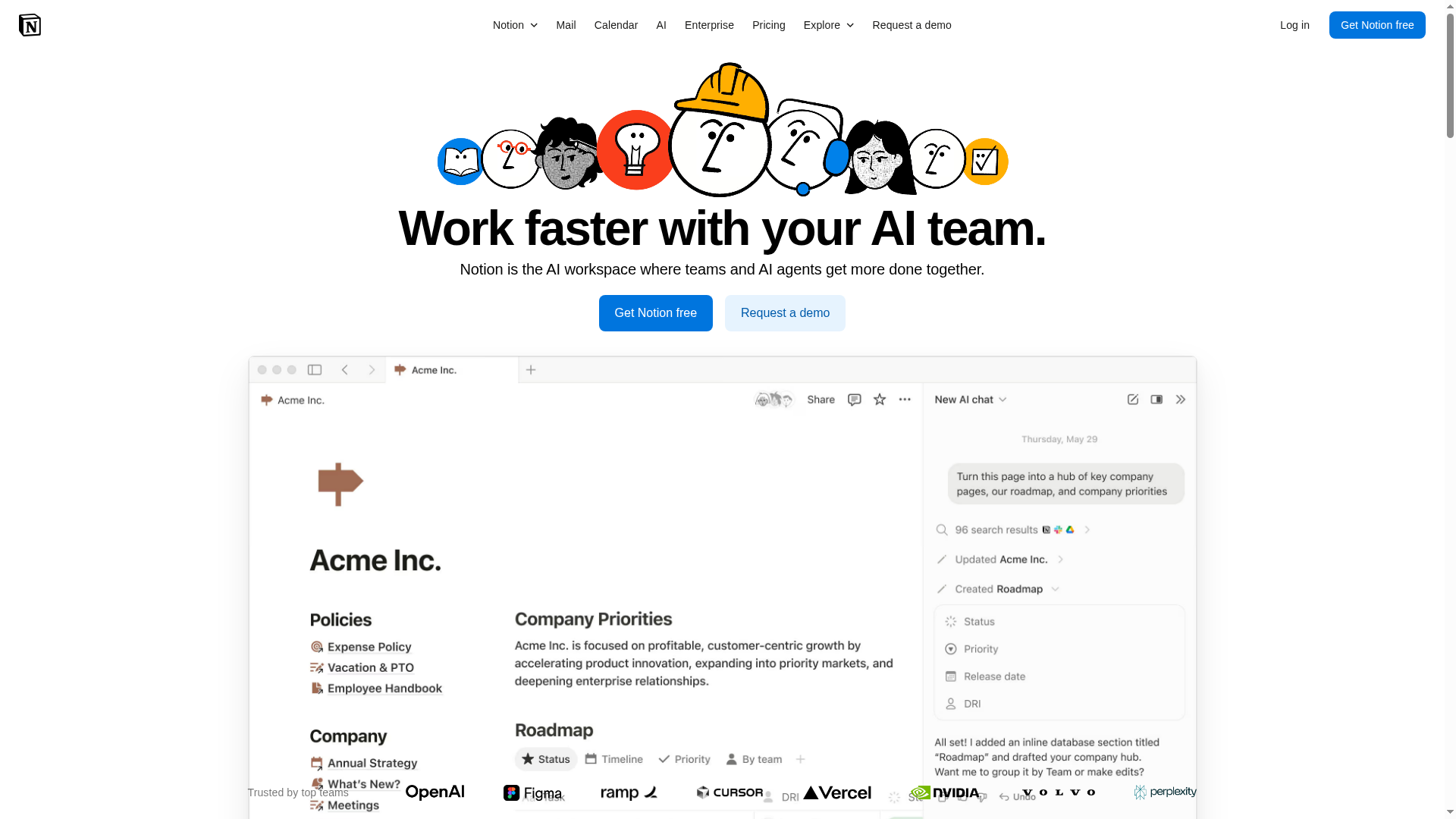
Notion is an AI-powered workspace that combines notes, tasks, databases, and AI tools into a single platform to help individuals and teams collaborate and automate work. Its strength lies in flexible project workflows and integrated AI features—like meeting notes, enterprise search, and task automation—that aim to reduce manual overhead. It’s powerful, customizable, and built for teams that want a unified place for documentation and project management.
Core Features
Notion’s core capabilities center on an AI workspace for team collaboration, with task automation powered by AI agents and enterprise-wide search across content. It offers AI meeting notes and summaries, flexible project workflows using databases, and integrations with external apps such as Slack and Google Drive. These elements work together so you can capture research, link tasks to documentation, and automate repetitive steps inside one environment.
Pros
- All-in-one platform combining notes, tasks, databases, and AI tools, which reduces tool switching and centralizes work in one place.
- Enhanced productivity through automation and AI features, helping teams turn repetitive work into automated flows and faster summaries.
- Customizable workspace with flexible workflows, enabling teams to design databases and pages that map to their exact processes.
- Supports team collaboration with permissions and sharing features, so stakeholders can safely access the right documents and tasks.
- Rich integration options with external apps, allowing Notion to fit into an existing toolset rather than forcing a full rip-and-replace.
Cons
- Pricing can be high for larger teams or advanced features, which may limit adoption for budget-conscious student groups or early-stage startups.
- Complexity may be overwhelming for new users who need a simpler, out-of-the-box workflow to get started quickly.
- Some features are in beta or coming soon, which means you might wait for full releases before relying on certain AI capabilities.
Who It’s For
Notion is best for organizations, teams, and individuals who want a highly customizable, AI-integrated workspace for managing projects, documents, and workflows. If you value customization, shared documentation, and integrated AI tools—and you’re comfortable investing time to configure the workspace—Notion will reward you with a single place to run product plans, research, and team processes.
Unique Value Proposition
Notion’s unique value is its combination of flexible databases and embedded AI tools inside a single workspace: you don’t need separate note apps, task managers, and research tools. This tight integration lets teams automate onboarding, summarize meetings, and search across documentation without leaving the platform.
Real World Use Case
A tech startup uses Notion to manage product development: shared roadmaps in databases, automated onboarding checklists for new hires, and AI-generated meeting notes that keep dispersed teams aligned. Everything—requirements, tasks, and knowledge—lives in one place for faster decision-making.
Pricing
Free tier available; Plus from $10/user/month; Business from $20/user/month; Enterprise pricing is custom.
Website: https://notion.so
Todoist
At a Glance
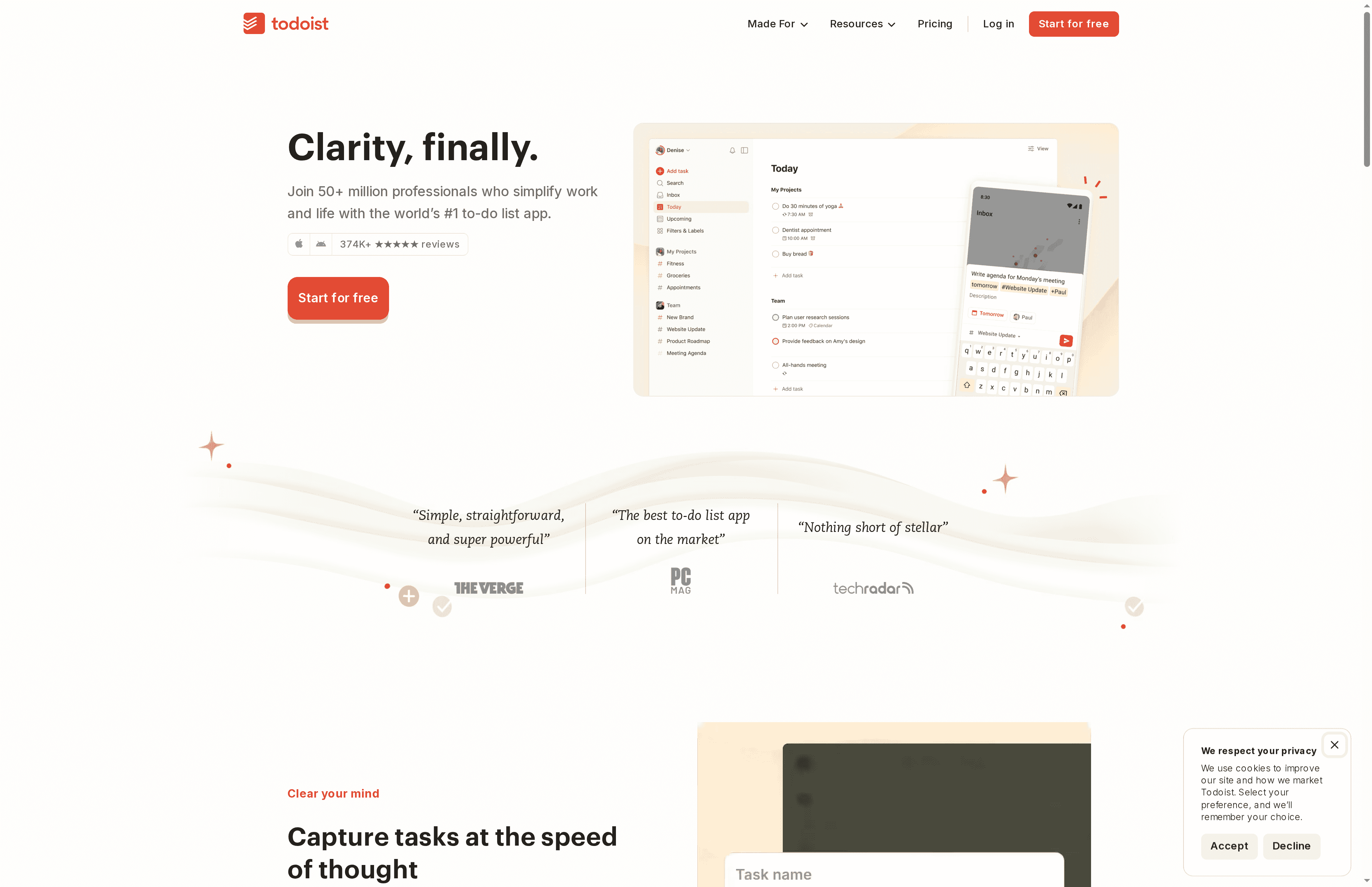
Todoist is a streamlined, widely adopted to-do app built to help you capture tasks quickly and keep projects organized. It combines natural language task entry, calendar scheduling, and shared workspaces to support both solo use and team collaboration. For students and young professionals who need a reliable, no-nonsense task hub, Todoist delivers powerful features without being bulky — though some advanced tools require paid plans. Bottom line: strong for focused task management, economical for light users, and scalable for teams that can justify the cost.
Core Features
Todoist centers on fast task capture and clear organization: enter tasks using natural language, sort them into projects, and view them via Today, Upcoming, or custom filters. Scheduling options include due dates, recurring tasks, and a calendar view so deadlines don’t sneak up on you. Team collaboration works through shared workspaces and templates that accelerate onboarding and repeatable workflows. The platform also leans on integrations and AI-assisted features to reduce manual planning and keep recurring processes tidy.
Pros
- Widely trusted and well-rated: Todoist boasts over 50 million users and 374k+ reviews, which shows broad adoption and consistent satisfaction.
- Flexible task management: The app supports natural language input, recurring schedules, and project hierarchies, which makes organizing even complex workflows manageable.
- Suitable for individuals and teams: Shared workspaces and templates make it easy to move from personal lists to group projects without switching tools.
- Templates for common workflows: Ready-made templates speed up setup for typical use cases like study plans, onboarding, or project sprints.
- Strong integrations and AI assistance: Integrations and AI features help automate task creation and reduce manual overhead when coordinating calendars and third-party apps.
Cons
- Some capabilities are gated behind paid plans: Access to advanced features and heavier team use often requires upgrading to a Pro or Business subscription.
- Can be overkill for very simple lists: If you only need a basic checklist, Todoist’s structure and options can feel more complex than necessary.
- Pricing may be an issue for large teams or power users: While individual plans are affordable, costs add up for larger teams or those needing premium features across many accounts.
Who It’s For
Todoist is ideal for students, professionals, and small-to-medium teams who want a dependable, everyday task manager that scales. If you value quick task capture, calendar-aware scheduling, and the ability to share projects with classmates or colleagues, Todoist fits cleanly into that workflow.
Unique Value Proposition
Todoist’s edge is the blend of instant task entry (natural language), cross-device reliability, and a compact feature set that supports both solo productivity and collaborative projects. It’s not the most feature-heavy project platform, but it’s exceptionally good at turning ideas into actionable tasks fast.
Real World Use Case
A study group uses Todoist to coordinate deadlines, share an onboarding template for new members, and sync assignments to a shared calendar so everyone sees upcoming exams and project milestones in one place.
Pricing
Starting at $4 per user/month (billed yearly); Free basic plan available; Business plan from $6 per user/month with additional team features.
Website: https://todoist.com
Trello
At a Glance
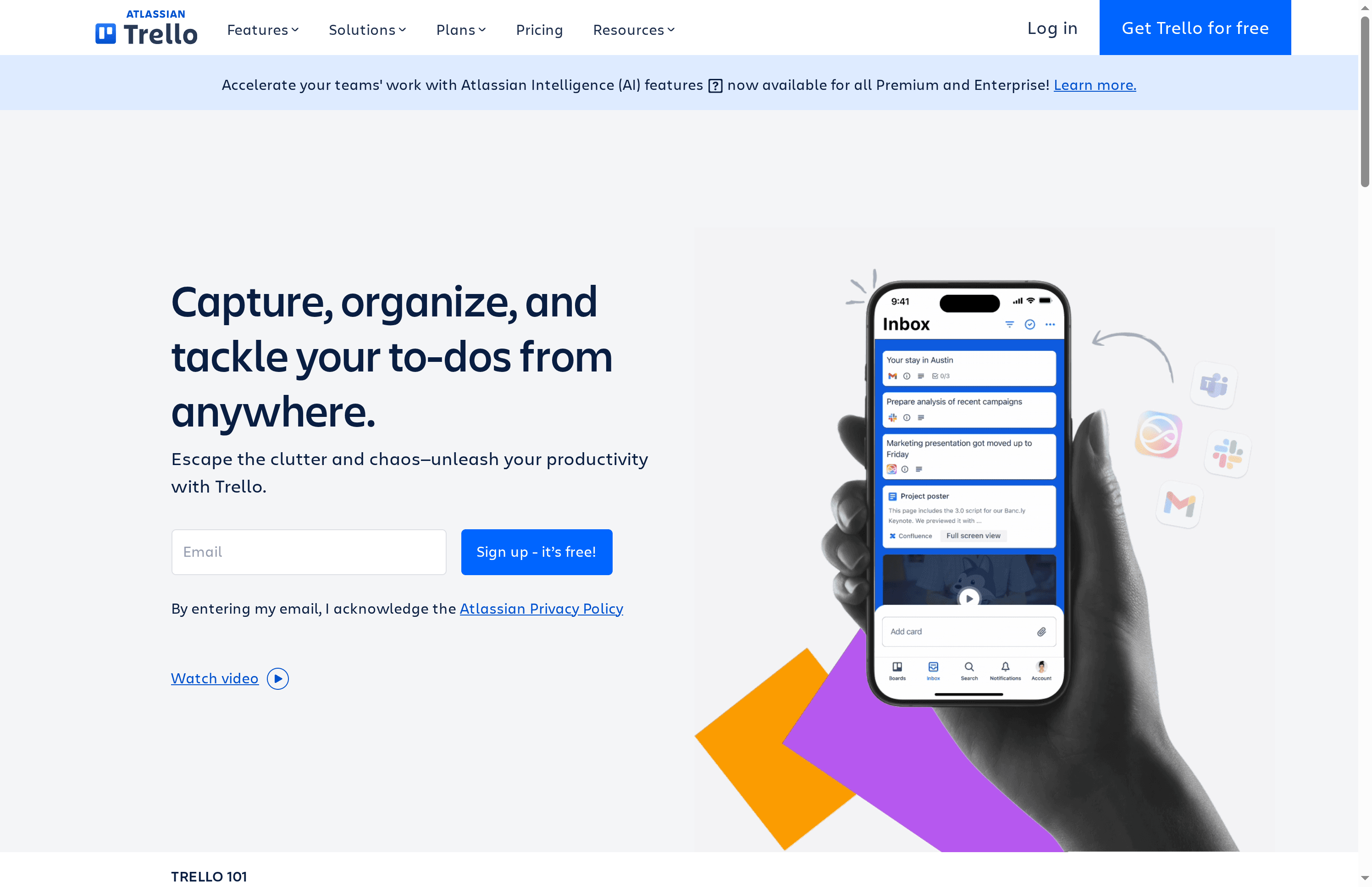
Trello is a visual collaboration tool that uses boards, lists, and cards to help you capture, organize, and tackle to-dos from anywhere. It’s simple enough for an individual student to plan a semester and flexible enough for a small team to run a marketing campaign. If you want a low-friction, visual task manager with useful automation, Trello delivers — but very large or highly complex projects can expose limits.
Core Features
Trello’s core revolves around boards and cards that represent projects and tasks, respectively. You can drag-and-drop cards, apply templates for fast setup, mirror cards across boards to track the same task in different contexts, and sync deadlines to Planner and Timeline views. Built-in automation lets you reduce repetitive work, and a broad plugin/integration ecosystem connects Trello to calendars, file storage, and other apps so information stays in one place.
Pros
- Easy-to-use interface with drag-and-drop functionality: New users can create boards and move cards in seconds without training.
- Flexible for different team sizes and types: Trello adapts from solo task lists to multi-person project boards with minimal reconfiguration.
- Powerful automation capabilities without coding: Automation rules remove repetitive steps so you spend time doing, not clicking.
- Wide range of integrations with popular apps and services: Connecting calendars, file systems, and messaging tools keeps work centralized and visible.
- Templates and pre-built frameworks for various teams and projects: Templates accelerate setup for marketing, product work, or class projects, so you don’t start from scratch.
Cons
- Some advanced features require paid plans: To access premium views and advanced automation, you’ll likely need to upgrade from the free tier.
- Can become cluttered or complex with large projects or many boards: Without disciplined board hygiene, information can spread across too many cards and lists, making it harder to find what matters.
- Limited offline capabilities in mobile apps: Mobile use is convenient, but offline functionality is constrained, which can be frustrating when you’re between Wi‑Fi or transit.
Who It’s For
Trello fits students, freelancers, and small to medium teams who want a visual, low-friction system for organizing tasks and projects. If you value clarity, templates, and automation over heavyweight project control features, Trello is a solid choice. Large enterprises with deep dependency management needs might find it less suitable. fucked baldblondebaddiee
Unique Value Proposition
Trello’s unique value lies in combining visual simplicity with scalable features: easy boards for rapid setup plus power-ups, templates, and automations that grow as your workflows become more sophisticated. In short: minimal setup, maximal clarity.
Real World Use Case
A marketing team uses Trello to map campaigns: boards for each campaign, cards for assets and tasks, templates for recurring workflows, and automation to move cards once assets are approved — keeping deadlines visible and cross-functional collaborators aligned.
Pricing
Starting at Free; paid plans begin at $5 per user/month for Standard and $10 per user/month for Premium, with custom pricing for enterprise solutions.
Website: https://trello.com
mystudylife
At a Glance
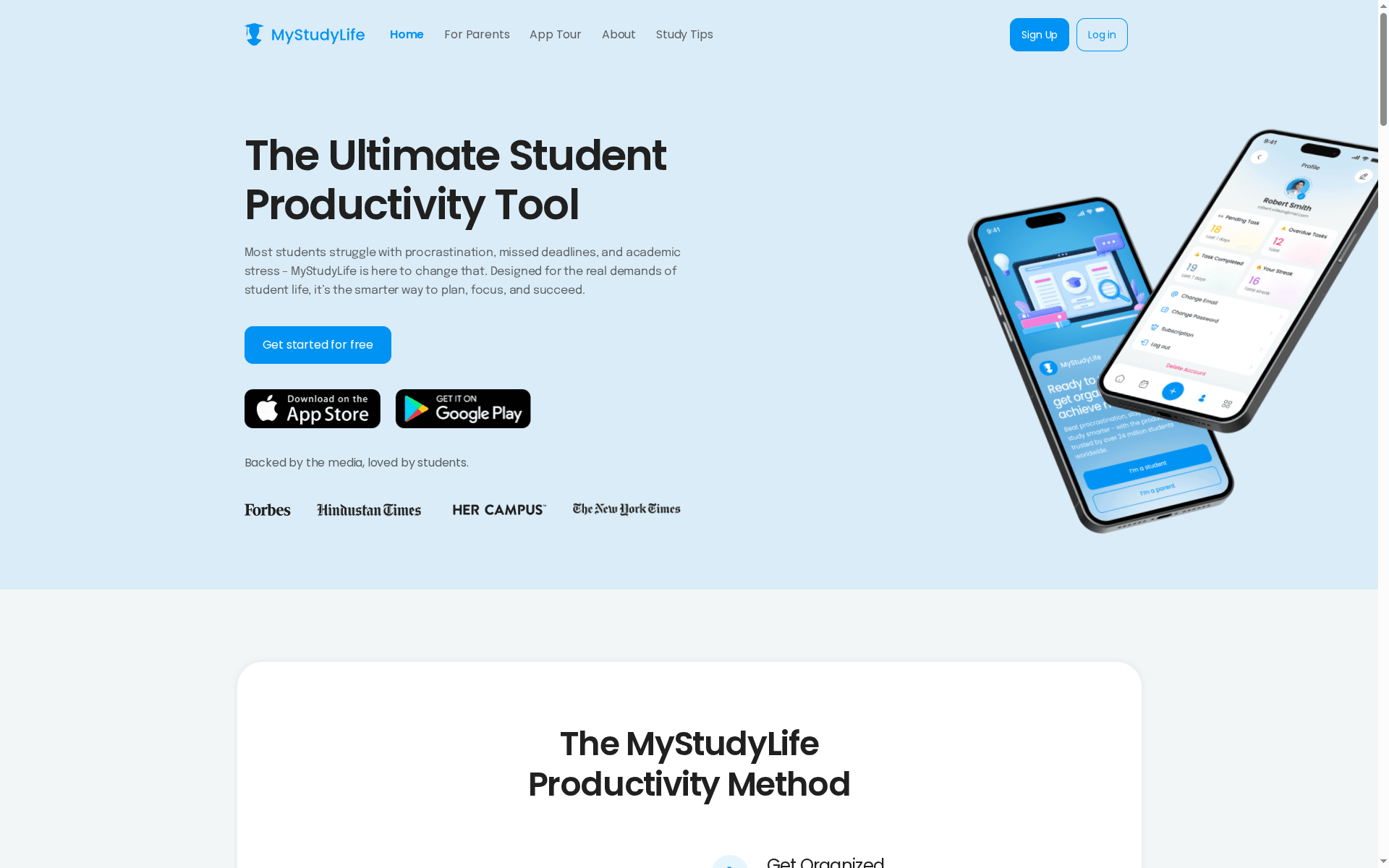
mystudylife is a student-first productivity hub that groups schedules, tasks, reminders, and focus tools into one synced app across web, iOS, and Android. It’s designed for students who need a single place to track rotating and block timetables, receive smart reminders, and use pomodoro-style focus sessions. The platform also supports parents and educators with family and school features, and offers a premium upgrade (mystudylife+) that unlocks advanced grading and personalization tools. Bottom line: a focused, cross-platform planner built around student workflows, with a few caveats around premium features and setup.
Core Features
At its core, mystudylife provides a smart calendar that handles rotating, block, and custom schedules alongside smart reminders for tasks, exams, and study sessions. An all-in-one dashboard pulls schedules, deadlines, and tasks into a single view, while instant sync keeps everything current across web, iOS, and Android. Built-in focus tools include pomodoro timers and subtasks to structure study sessions, and visual customization (colors, images, views) helps students personalize their workspace. For families and schools there are features like family connect, school-wide rollouts, and LMS integration, and the mystudylife+ tier adds subtasks, advanced grade tracking, enhanced personalization, and an AI schedule scan to speed up timetable setup.
Pros
- Designed specifically for students: The app’s features are tailored to academic rhythms like rotating timetables and exam cycles, which makes it more relevant than generic task apps.
- Cross-device sync: Instant syncing across web, iOS, and Android ensures your schedule and reminders keep pace with your day regardless of device.
- Built-in focus tools: Pomodoro timers and subtasks help structure study time and reduce distraction during dedicated focus sessions.
- Family and school support: Options for parents and educators mean students get coordinated support without juggling multiple apps.
- Personalization options: Colors, images, and view settings allow students to tailor the interface to their preferences and needs.
Cons
- Lack of explicit limitations: The publicly provided information doesn’t detail potential technical or feature limitations, leaving some uncertainty about edge cases.
- Premium features behind a paywall: Important capabilities such as advanced grade tracking and subtasks are part of mystudylife+, which requires an upgrade and additional cost.
- Effectiveness depends on setup and use: Features like smart reminders and AI schedule scan require proper setup and consistent engagement to deliver real results.
Who It’s For
mystudylife is ideal for high school and college students who juggle complex timetables and deadlines, plus families and educators who want a shared view of academic plans. If you value a student-tailored planner with parental and institutional support, this fits the bill.
Unique Value Proposition
Unlike general productivity apps, mystudylife focuses on academic structures—rotating schedules, exam reminders, grade tracking—and pairs that with family and school features, making it a specialized hub for student life management.
Real World Use Case
A college student uses mystudylife to import a rotating timetable, set smart reminders for assignments and exams, and run 25-minute pomodoro sessions for focused revision; the result is fewer missed deadlines and a clearer study routine.
Pricing
Free tier available; mystudylife+ premium features are offered as an upgrade (pricing details not specified).
Website: https://mystudylife.com
ClickUp
At a Glance
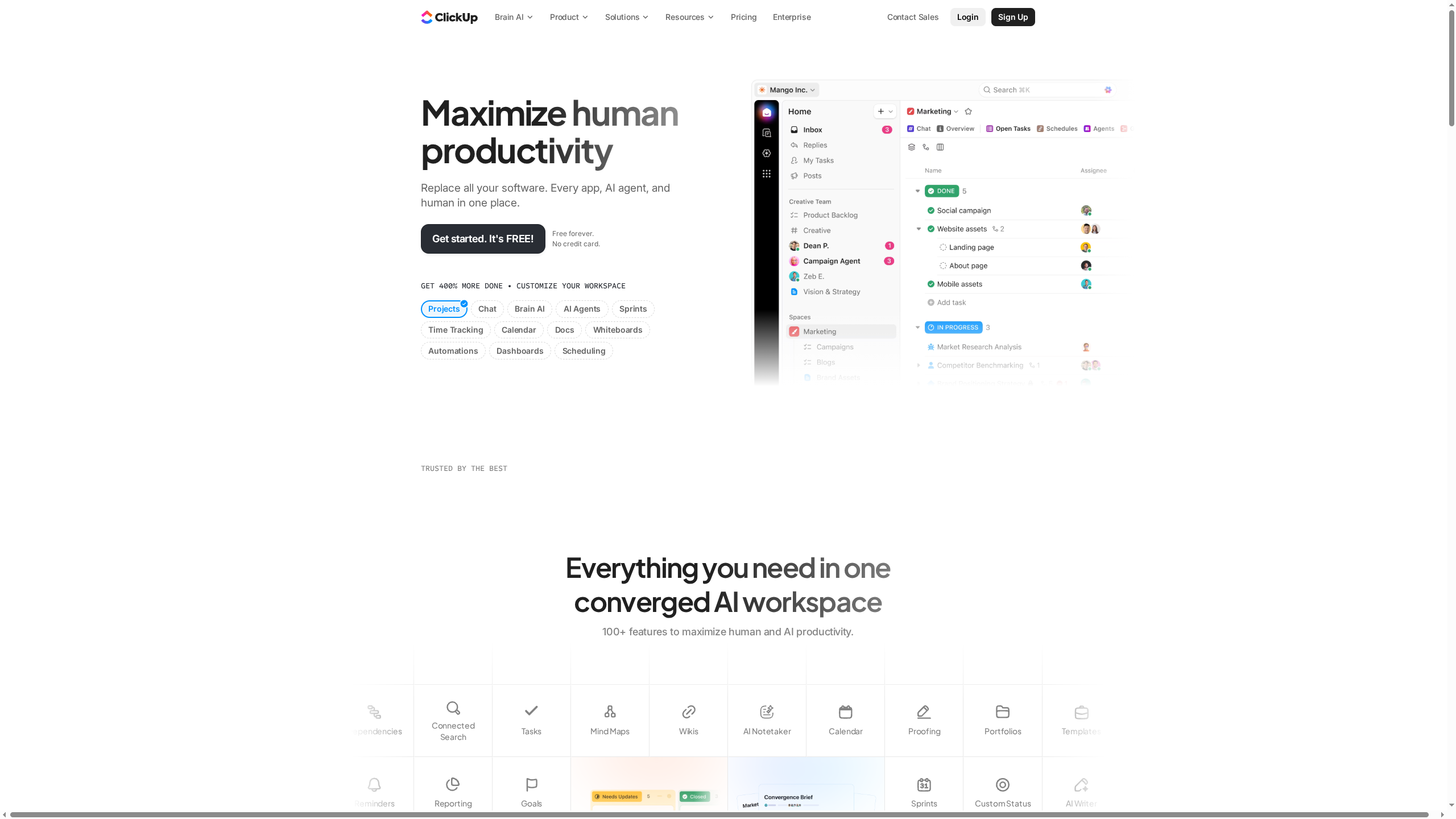
ClickUp is an all-in-one work platform that consolidates tasks, docs, chat, calendars, and goals into a single app to reduce work sprawl and streamline workflows. It’s built to replace multiple tools with one centralized hub and includes AI-powered assistance to speed up routine work. For teams willing to invest time learning its depth, ClickUp can dramatically improve visibility and collaboration. It’s powerful — and sometimes a bit much. Expect a learning curve.
Core Features
ClickUp combines task management, chat, docs & wiki, calendar, and time tracking with advanced views like Gantt charts, roadmaps, timesheets, and automations. These pieces are designed to interconnect: tasks link to docs, calendars sync timelines, and automations reduce repetitive steps. The platform’s AI features augment these capabilities, making content generation and routine decision-making faster while integrations allow ClickUp to sit at the center of your tool stack.
Cut the clutter.
Pros
- Comprehensive all-in-one platform with over 100 features: ClickUp gives teams a single place for project work, reducing the need to jump between specialized apps.
- Customizable views and workflows: You can tailor boards, lists, and Gantt charts to match specific processes rather than forcing your team to adapt to rigid templates.
- Integrates with many third-party tools: The platform connects with external apps so information can flow in and out without manual copying.
- Offers AI-powered assistance: Built-in AI helps with drafting, summarizing, and automating routine tasks to save time.
- Trusted by many leading organizations: The platform’s adoption across varied teams indicates reliability and scalability for bigger projects.
Cons
- Complex interface that can be overwhelming for new users: The sheer number of features and options can make the interface feel crowded and intimidating at first.
- Some features may require learning curve to utilize fully: To benefit from advanced views, automations, and AI, teams must invest time in setup and training.
- Pricing complexity with enterprise options: While basic tiers are clear, higher-tier enterprise offerings introduce complexity that can make cost comparisons harder.
Who It’s For
ClickUp is for teams and organizations that want a versatile, customizable work management platform that consolidates multiple tools into a single hub. If your group juggles projects, documentation, chat, and timelines and wants to reduce tool fragmentation, ClickUp fits well — provided you can tolerate initial setup and training time. Ideal users are teams committed to centralizing workflows for long-term efficiency gains.
Unique Value Proposition
ClickUp’s unique value lies in its breadth: it replaces numerous standalone apps with a single, deeply customizable platform augmented by AI and automation. That combination lets teams standardize processes, keep context in one place, and automate repetitive work — turning scattered work into a cohesive system.
Real World Use Case
A marketing team uses ClickUp to plan campaigns, collaborate on content in docs, track tasks across Gantt charts and calendars, and automate routine handoffs. The result is faster execution, clearer accountability, and improved transparency across creative and execution phases.
Pricing
Starting at $7 per user/month; Free forever plan available, with higher tiers offering additional features and customization.
Website: https://clickup.com
Productivity Apps Comparison
This comprehensive table compares various productivity apps tailored for different user needs, from individual task management to collaborative project oversight.
| Product | Key Features | Pros | Cons | Pricing |
|---|---|---|---|---|
| Optio Station | Student-friendly, color-coded priorities, collaboration tools, Google Calendar sync | Customizable, collaboration support, focused on user feedback | Early-stage development, feature set may evolve based on feedback | Free for early beta users |
| Notion | AI-powered workspace, notes, tasks, databases, flexible project workflows, integrations with Slack & Google Drive | All-in-one platform, AI productivity tools, customizable, strong team collaboration | Can be overwhelming, higher cost for teams, some features in beta | Free tier; Plus from $10/user/month |
| Todoist | Fast task capture, natural language input, calendar integration, shared workspaces | Broad adoption, flexible management, strong integrations | Advanced features require paid plan, may be excessive for simple lists | Free; Pro from $4/month; Business $6/month |
| Trello | Visual task management with boards/cards, drag-and-drop, templates, automation | Easy to use, flexible, powerful automation | Premium features need paid plan, can be cluttered without discipline | Free; Standard $5/month; Premium $10/month |
| mystudylife | Student-focused, smart calendar, focus tools like pomodoro, cross-device sync | Designed for students, family and school support, personalization options | Premium features require an upgrade, effectiveness needs proper setup | Free; Upgrade pricing not specified |
| ClickUp | All-in-one platform for tasks, docs, chat, calendars, AI-powered tools, customizable views | Comprehensive features, customizable workflows, extensive integrations | Complex interface, learning curve, enterprise pricing complexity | Starting $7/month; Free plan available |
Take Control of Your Student Time Management with Optio Station
Struggling to balance your classes, work, and personal projects is a challenge many students face every day. This article highlights how managing multiple priorities effectively is key to success. If you want a simple yet powerful app designed to help young professionals and students like you prioritize, organize, and manage goals effortlessly, then Optio Station is the second-in-command you need. With features like color-coded life aspects and seamless team collaboration, Optio Station reduces the clutter and stress of juggling deadlines.

Ready to elevate your productivity and conquer your tasks? Visit https://optiostation.com to start your journey today. Dive deeper into practical tips and strategies on our CenturionTips page and explore expert insights that align perfectly with your goals on ProductivityThoughts. Your clear path to managing student life starts now with Optio Station.
Frequently Asked Questions
What features should I look for in a student time management tool?
A good student time management tool should include features like task prioritization, calendar integration, and reminders. Evaluate tools that help you break down projects into manageable tasks and allow collaboration with classmates when needed.
How can I effectively compare different student time management tools?
To compare different tools, create a list of your essential features, such as cross-device syncing and automation capabilities. Test the tools for usability over a week to identify which best fits your study and project management style.
What benefits do time management tools provide for students?
Time management tools help students organize workload, set deadlines, and improve overall productivity. Aim to use them consistently to reduce stress and enhance focus, potentially improving your time efficiency by up to 30%.
How can I implement a time management tool into my daily routine?
Start by selecting a time management tool that suits your needs, then dedicate a few minutes each day to update your tasks and schedule. Commit to using the tool for at least 30 days to establish a consistent habit and evaluate its effectiveness.
Are there any free student time management tools available?
Yes, many student time management tools offer free versions with essential features, such as basic task organization and reminders. Look for tools that allow you to upgrade to premium options as your needs evolve without losing access to basic functionalities.
Recommended
- 7 Essential Organization Tools for Students – Optio Station: Best Project Management App for Prioritization
- Understanding the Role of Time Management Tools – Optio Station: Best Project Management App for Prioritization
- Understanding Time Management Trends 2025 – Optio Station: Best Project Management App for Prioritization
