
Remote device management runs on four pieces working together: a mobile device management (MDM) or unified endpoint management (UEM) platform, a device-side agent or native OS management APIs, certificate-based enrollment that establishes trust, and a push notification service like APNs or WNS that wakes the device. Without an active network connection and a completed enrollment, none of those commands can reach the device at all.
TL;DR:
- Active network connection and completed enrollment are essential for any management command to reach the device reliably.
- Push notifications tokens like ChannelURIs expire every 30 days and require renewal to maintain communication with managed devices.
- The reliability of remote commands heavily depends on factors like device battery settings, token validity, and the effectiveness of polling mechanisms.
- Full device control via MDM is suitable for organization-owned hardware, while lighter app-level controls are better for personal devices to protect user privacy.
- Small teams can effectively manage devices using task coordination tools and simple policies without full MDM deployment.
Table of Contents
- Core Technologies: MDM, MAM, EMM, and UEM
- How Commands Reach Devices Through Push and Polling
- Common Remote Actions Administrators Rely On
- Security, Authentication, and Privacy Trade-offs
- Platform Support, Hardware Features, and Practical Limits
- Optiostation’s Perspective: Right-Sized Policies for Students and Small Teams
- The Part of Remote Management Everyone Underrates
- Another Option: Coordinating Device Tasks Without a Full MDM Rollout
- FAQ
- Sources
Core Technologies: MDM, MAM, EMM, and UEM
Mobile device management controls the whole device: wiping it, locking it, pushing configuration profiles. Mobile application management (MAM) works at a narrower level, managing only specific corporate apps and their data, which is why it shows up so often in bring-your-own-device situations. Enterprise mobility management (EMM) and unified endpoint management (UEM) are the umbrella suites. According to NIST’s guidelines for managing mobile device security, EMM platforms typically bundle MDM, MAM, and mobile threat defense into a single console, letting an organization mix full-device control with app-level control depending on who owns the hardware.
None of that works without enrollment. When a device enrolls, it receives a management profile or registers with a management server, and from that point on, an agent or the operating system’s own management APIs sit in the background, listening for instructions. AWS describes this agent as the component that actually receives commands from the server and reports status back, whether that is installed software on Android or built-in Apple and Windows management frameworks.
Identity is the piece that makes any of this trustworthy. Enrollment commonly relies on:
- SCEP or ACME certificate provisioning, which issues a device certificate without anyone typing a password into a public key infrastructure system.
- User authentication, tying the enrollment to a specific person’s directory credentials.
- Device authentication, tying it to the hardware itself, often used for shared or kiosk devices.
- Automated enrollment programs, which let organization-owned devices configure themselves and enter supervised mode during initial setup with minimal manual steps.
Once a certificate and an agent are in place, the management server has a trusted channel. What it still needs is a way to reach the device the moment a command is issued.
How Commands Reach Devices Through Push and Polling
A management server rarely talks to a device directly. Instead, it hands a short message to a push notification service, which forwards a wake-up signal through a token the device registered when it enrolled. On Windows, that token is called a ChannelURI, and according to Microsoft’s documentation on push notifications for Windows MDM, the server must authenticate to the Windows Notification Service before it can use that channel at all.
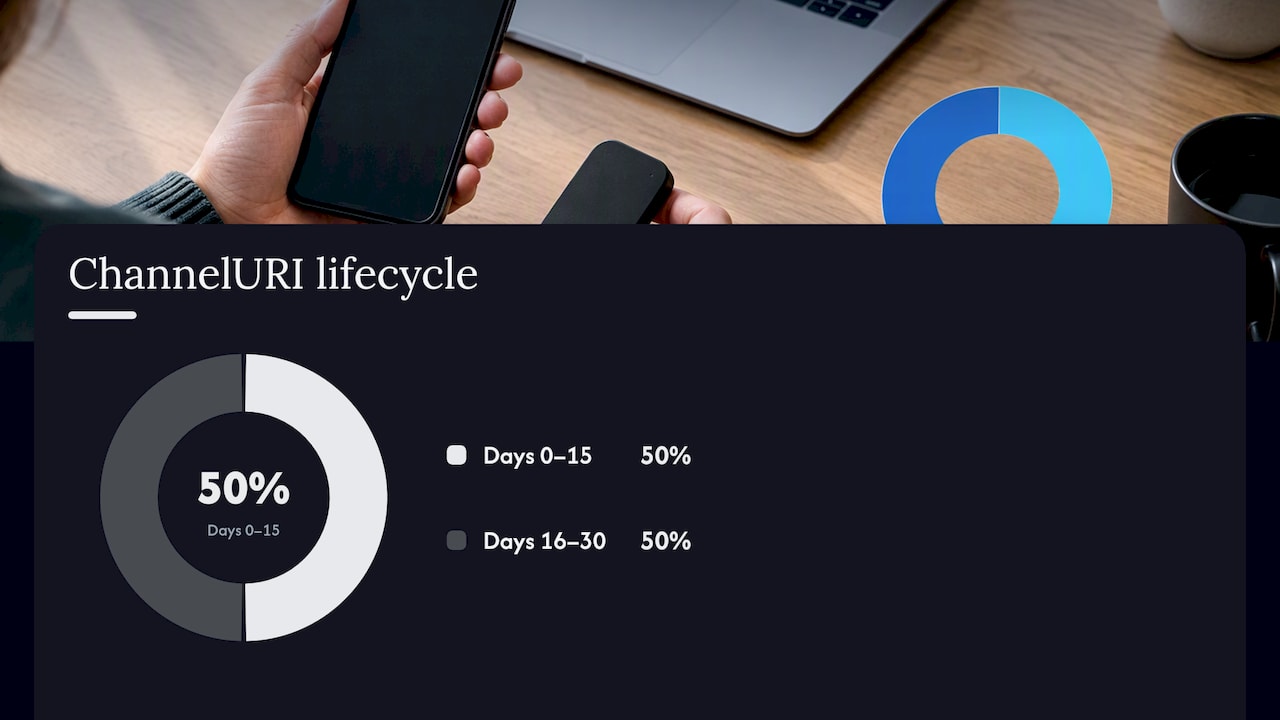
ChannelURIs are valid for 30 days and auto-renew after 15 days, according to Microsoft’s push notification guidance, which means a management system has to track renewal on a schedule rather than assume a token stays good indefinitely.
Push isn’t the whole story, though. A few operational realities shape how reliable that wake-up signal actually is:
- Battery-saver modes and data-saver settings can delay or drop the push message entirely.
- Cached or expired tokens mean the server sometimes sends a wake-up signal into the void.
- Polling fills the gap, with the device checking in on its own schedule even when no push arrived.
Because push delivery isn’t guaranteed, a well-built management system schedules retries and leans on periodic polling as backup, rather than assuming every command lands on the first attempt.
Common Remote Actions Administrators Rely On
Once a device is enrolled and reachable, administrators have a fairly standard toolkit. According to Microsoft Intune’s documentation on remote device actions, the most common commands fall into a few categories:
- Remote lock and wipe. Remote lock only secures a device if a passcode already exists; without one, according to Intune’s remote lock documentation, the action can simply turn off the screen without actually preventing access. Wipe is closer to a reset button, and it typically can’t be undone.
- App and profile deployment. Servers push app installs, updates, and configuration profiles that set up Wi-Fi, VPN, or email settings automatically, often using Apple’s
.mobileconfigformat or an equivalent on other platforms. - Inventory, compliance checks, and troubleshooting. Remote tools can pull a device’s installed apps, OS version, and compliance status, and in many cases collect logs for troubleshooting, though exactly which data is available depends heavily on the platform and ownership model.
Security, Authentication, and Privacy Trade-offs
Trust in remote management starts with the certificate issued during enrollment, and it extends into who is allowed to act on that trust. NIST’s mobile device security guidance recommends tying every management action to an auditable admin role, so a help-desk account can’t accidentally issue a wipe command meant for a senior administrator’s console.
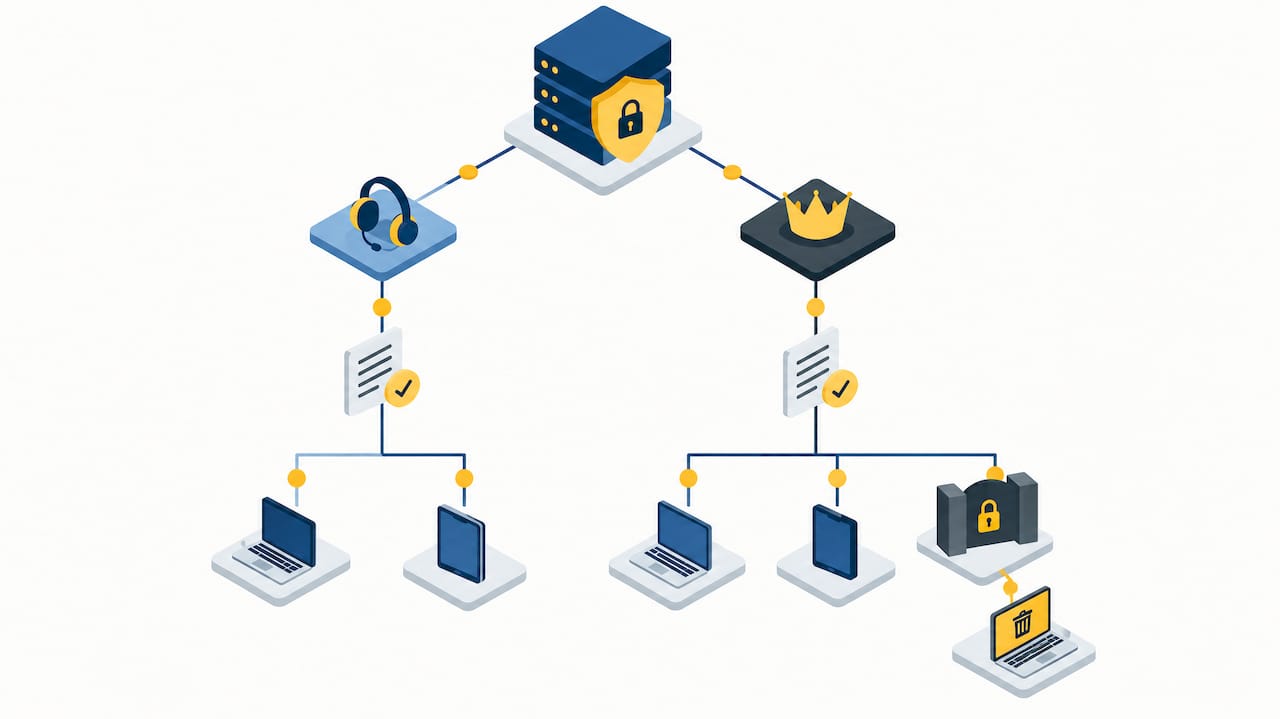
Privacy is where MDM and MAM really diverge. Full device enrollment gives an organization visibility into the whole device, which raises reasonable concerns on personal hardware. NIST notes that MAM is often the better fit for bring-your-own-device situations specifically because it manages corporate apps and data in a container, leaving the rest of the device untouched.
A few practical steps keep the whole system working the way it’s supposed to:
- Monitor certificate expiry so devices do not silently fall out of management when a credential lapses.
- Exclude management agents from aggressive battery optimization, since OS power policies can quietly kill the persistent connection commands depend on.
- Enforce passcodes and multi-factor authentication wherever the platform allows it, since several remote actions are only as strong as the lock screen already in place.
Pro Tip: Check your device’s battery optimization settings for the management agent specifically, since an “optimized” agent is often a silently disconnected one.
Platform Support, Hardware Features, and Practical Limits
Support varies by platform. iOS and iPadOS, Android Enterprise, Windows, and macOS all support MDM, but ownership and supervision status change what’s possible. A personally owned Android phone enrolled in a work profile has far fewer commands available to it than a company-owned, supervised iPad.
- Supervised or organization-owned devices generally unlock the widest range of commands, including remote wipe without additional confirmation steps.
- Hardware-assisted management, like Intel vPro, can reach a device out-of-band even when its operating system is frozen or unresponsive, something software-only MDM simply cannot do.
- Offline devices, aggressive battery savers, and platform-specific command restrictions all limit what remote management can guarantee in practice.
Optiostation’s Perspective: Right-Sized Policies for Students and Small Teams
Full device enrollment makes sense for organization-owned hardware with sensitive data on it. For a student group project or a five-person internship team, app-level controls or simple shared-account policies usually cover the real risk. Incentives like Wi-Fi auto-provisioning on enrollment can nudge adoption without heavy-handed rules. For many small teams, a lightweight coordination tool paired with a couple of sensible device policies gets the job done without the overhead of a full MDM rollout.
The Part of Remote Management Everyone Underrates
Most explanations of remote device management focus on the commands: lock, wipe, push an app. The part that actually determines whether those commands work reliably is the push and polling layer underneath them, and it gets a fraction of the attention it deserves. A management console can look fully configured while silently failing to reach half its fleet because of battery optimization settings or an expired token nobody renewed.
The conventional advice tends to treat MDM as a set-and-forget deployment. It isn’t. Certificates expire, push channels need renewal logic, and devices go offline in ways that have nothing to do with policy design. Anyone learning this space should spend less time memorizing the list of remote actions and more time understanding why a command sent at 2:00 PM doesn’t always arrive at 2:00 PM.
For organizations choosing between MAM and full MDM, the honest answer is that ownership model should drive the decision more than feature lists do. A personally owned phone with a work app container deserves a lighter touch than a company laptop, regardless of what either platform is technically capable of enforcing.
— Optiostation
Another Option: Coordinating Device Tasks Without a Full MDM Rollout
Remote management platforms handle the technical side: locking, wiping, pushing updates. They don’t help a team remember who’s supposed to run the update or confirm the compliance check actually happened. That’s the gap Prioritization Station fills, letting small teams and student groups assign device-related tasks, set reminders, and track who’s handled what.

- Assign a device update or compliance check to a specific teammate with a due date.
- Track completion across a group project or internship team without extra software overhead.
- Pair it with whatever app-level controls already cover the real risk on personal devices.
Check out Prioritization Station to see how it fits alongside the device policies your team already has in place.
FAQ
What allows a mobile device to be managed remotely?
A mobile device is managed remotely through an MDM or EMM platform working with an enrollment process, a device-side agent or OS management API, and a push notification service that wakes the device to deliver commands. All four pieces, plus an active network connection, are needed for a command to reach the device.
MDM, MAM, or UEM: what’s the difference?
MDM manages an entire device, including wipe and lock actions, while MAM manages only specific corporate apps and their data, which makes it common for personally owned devices. UEM and EMM are broader suites that bundle both approaches along with additional capabilities like mobile threat defense into a single console.
What allows a user to connect to another device remotely?
A user connects to another device remotely through a client application that authenticates against the target device or a server, then opens a session over the network using a protocol built for that purpose. For managed devices specifically, that connection typically depends on the same enrollment and push infrastructure used for administrative commands.
What do you need before remote lock or wipe will work?
Remote lock only secures a device effectively if a passcode is already set, according to Microsoft’s documentation on the remote lock action; without one, the screen may simply turn off. Remote wipe additionally requires a completed enrollment and an active connection, since the command has to actually reach the device to execute.
