

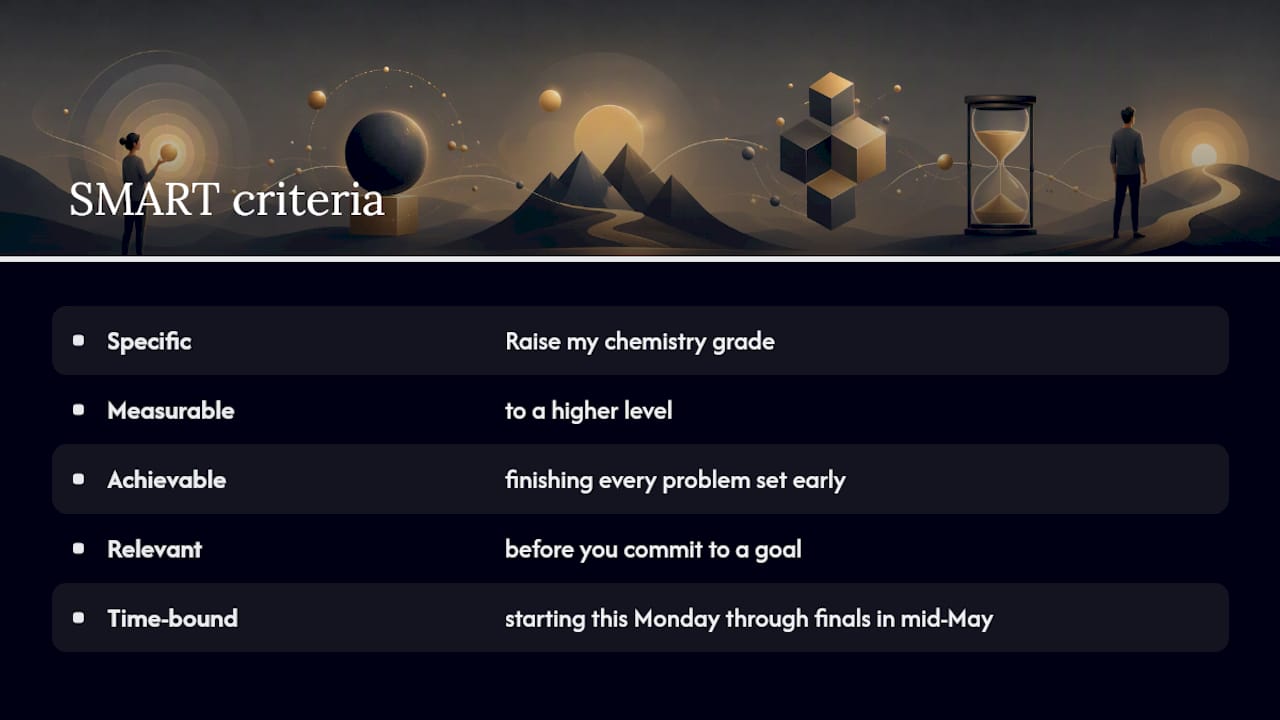
SMART stands for Specific, Measurable, Achievable, Relevant, and Time-bound, and a template forces you to nail down all five before you commit to a goal. A quick example: “Raise my chemistry grade to a higher level by finishing every problem set early, starting this Monday through finals in mid-May.” That single sentence does the job a vague goal never can.
Below you’ll find direct links to ready-to-use downloads: fillable PDFs from Adobe Acrobat and Santa Clara University, plus a table-based worksheet from Smartsheet. Grab the printable version if you’re handwriting goals during a planning session. Use the fillable PDF if you’re typing directly on a laptop or sharing drafts with a manager or advisor.
Key Takeaways
A SMART objective works only when it pairs a specific, measurable target with a real deadline and a realistic path to get there.
| Point | Details |
|---|---|
| Pick the right file format | Use fillable PDFs like Adobe’s for sharing drafts and printable PDFs like SCU’s for formal reviews. |
| Write the outcome first | Start with the result you want, not the activity, then add a baseline before setting a target. |
| Use the one-sentence test | Compress your goal into “[verb] [metric] from [baseline] to [target] by [date]” before calling it done. |
| Set a review cadence | Check in weekly for short goals, monthly for longer ones, and rewrite quarterly if priorities shift; these time management tactics are explained further in practical advice on managing deadlines and stress. |
| Track it as a task | Optiostation lets you turn a written SMART objective into a scheduled task synced to your calendar. |
Where to Download the Templates
- LSSU SMART Goals Worksheet (PDF): best guided worksheet for first-time goal writers.
Table of Contents
- Which Smart Objectives Template Should You Use?
- How Do You Fill Out a SMART Objectives Template?
- Three Copy-Ready SMART Objective Examples
- Is Your Goal Actually SMART? A 30-Second Checklist
- How Often Should You Check In on a SMART Objective?
- Turn Your Smart Objective Into a Tracked Task
- Sources
Which Smart Objectives Template Should You Use?
Not every template fits every situation, and picking the wrong one just adds friction. Here’s how the major free options break down:
- Adobe Express SMART templates — Fillable PDFs built for sharing and collecting responses across a team. Best for managers collecting goals from multiple direct reports, since Adobe recommends the fillable format specifically for collaboration.
- LSSU SMART Goals Worksheet (PDF) — A guided worksheet with prompts for each letter, closer to a workbook than a form. Best for first-timers who need the extra scaffolding while they learn the framework.
How Do You Fill Out a SMART Objectives Template?
Start with the result you actually want, not the activity you plan to do. “Study more” is an activity.
From there, work through each letter in order:
- Specific — Name the exact who, what, and where. Skip “improve sales” and write “increase repeat customer orders in the Midwest region.”
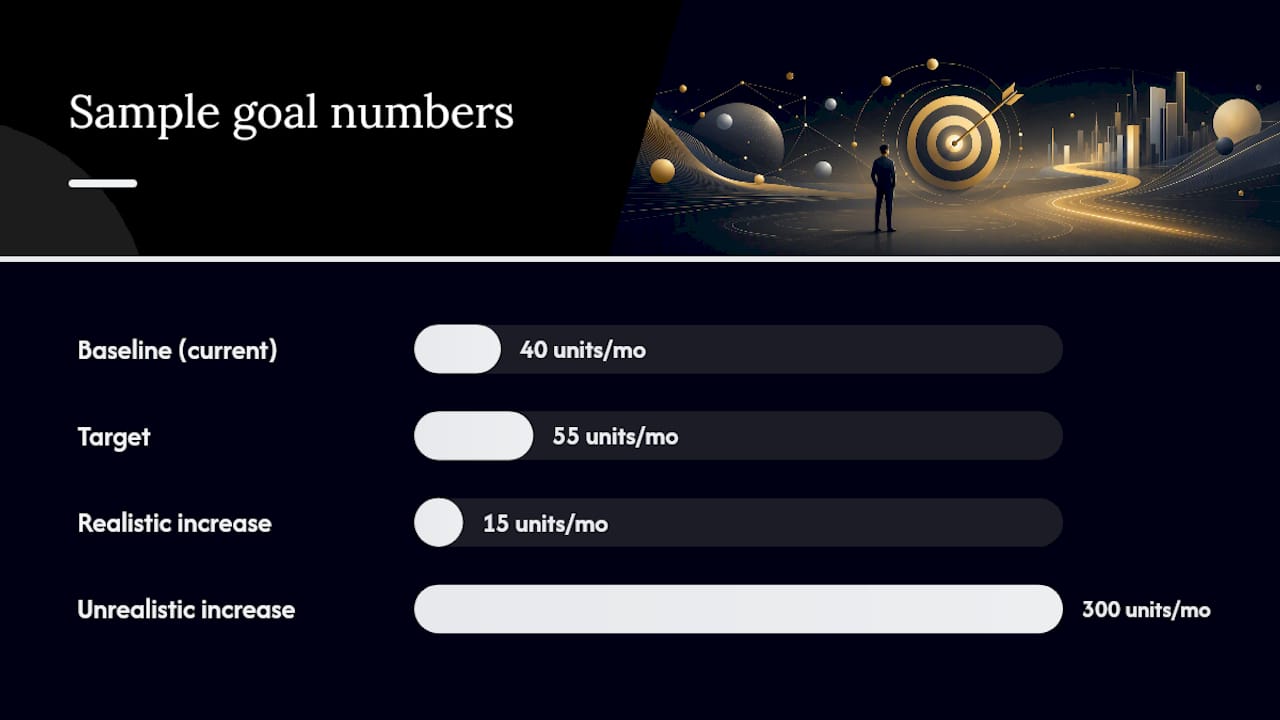
- Measurable — Pick one number: a baseline and a target. If you’re at 40 units a month, write that down before you set the target of 55.
- Achievable — Check whether you actually have the time, budget, or authority to hit this number. A 15-unit jump might be realistic; a 300-unit jump probably isn’t.
- Relevant — Ask whether this goal ties to something that matters, like a team priority or your own semester plan. University HR guidance recommends linking every goal to a department priority for exactly this reason.
- Time-bound — Set an exact date, not “soon” or “this quarter.” Add one or two milestone checkpoints along the way.
Pro Tip: Pick a measurable indicator you can already track today, not one you’d need to build a new report for. If you have to invent a metric before you can start, that’s a sign the goal needs a simpler yardstick.
Three Copy-Ready SMART Objective Examples
Adapt these directly into whichever template you picked, and swap in your own numbers and dates.
- Student: “Raise my statistics course grade from a C plus to a B plus by completing every homework set 48 hours before the deadline, from February 1 through the final exam on May 8.” Specific statistics grade goal, measurable improvement, achievable through early homework completion, relevant for GPA, time-bound to a final exam date.
- Individual contributor: “Increase monthly qualified leads generated from 18 to 25 by publishing two case studies and running one webinar per month, starting March 1 through June 30.” Specific qualified leads goal, measurable growth, achievable via content marketing, relevant to team targets, time-bound to the end of June.
- Manager: “Reduce average project handoff time on the design team from 6 days to 3 days by implementing a shared status board, reviewed weekly, from April 1 through the end of Q2.” Specific project handoff time reduction, measurable improvement, achievable with current tools, relevant to client satisfaction, time-bound to a quarterly period.
Is Your Goal Actually SMART? A 30-Second Checklist
Run your finished statement through these five checks before you file it away:
- Specific: Could a stranger read this and know exactly what you’re trying to accomplish?
- Measurable: Does it include a number, a baseline, and a target, not just a direction like “more” or “better”?
- Achievable: Do you have the time, budget, or authority to realistically hit this in the window you set?
- Relevant: Does this connect to a real priority, like a course requirement or a team objective?
- Time-bound: Is there an exact date, not a vague window like “this year”?
The most common mistake is writing an activity instead of an outcome. “Attend more meetings” tracks effort, not results. Missing baselines and fuzzy deadlines (“eventually,” “by Q3-ish”) are close behind. If you can answer these three questions, your goal is probably solid: What number changes? By when? How will you know you got there?
How Often Should You Check In on a SMART Objective?
Weekly check-ins work best for short, active goals. Log what got done and whether you’re on pace against your milestone.
Monthly reviews suit longer-range objectives, where you’re tracking percent complete or a moving baseline rather than daily tasks. Quarterly is when you decide whether to rewrite the goal entirely, not just extend the date.
- Weekly: log one line on progress and flag any blocker immediately.
- Monthly: recalculate percent complete against your original target.
- Quarterly: rewrite the goal if the underlying priority changed, or extend the deadline if the target itself is still right but the timeline was too tight.
A tool like Optiostation can help turn these check-ins into recurring tasks tied to your calendar instead of relying on memory.
A Practical Note on Using These Templates
Fill out one objective completely before you touch a second one. I’ve seen people try to SMART-ify five goals at once and abandon all five within a week. Track one goal well first, then scale up.
Turn Your Smart Objective Into a Tracked Task
Writing a SMART objective is the easy part. Keeping it visible for the next 90 days is where most people lose the thread. Optiostation was built for exactly that gap: it turns each SMART objective into a task with a real deadline, syncs that deadline to your Google Calendar, and lets you color-code it alongside your classes, work projects, or team deliverables so it never gets buried in a random notes app.

Instead of copying your SMART statement into a document you’ll forget to reopen, drop it into Optiostation as a tracked task with milestones attached. If you’re managing a group project or a team’s goals, the same system lets teammates see progress without a separate status meeting. Check out the complete guide to task management software to see how objective tracking fits into your daily task list, then set up your first SMART objective as a task this week.
Sources
Recommended
- Education SMART Goals Examples for Teachers and Students – Optio Station: Best Project Management App for Prioritization
- SMART Goal Template for Students: 2026 Guide – Optio Station: Best Project Management App for Prioritization
- Academic Goal Setting for Students: A Practical Guide – Optio Station: Best Project Management App for Prioritization
- SMART Goals for HR Students: 5 Trackable Goals to Use Today – Optio Station: Best Project Management App for Prioritization
