

TL;DR:
- A SMART goal template helps students turn vague ambitions into clear, actionable targets using specific criteria.
- Students should set only 1 to 3 goals per semester and review progress every 14 to 21 days to stay on track.
A smart goal template for students is a structured worksheet that turns vague ambitions into clear, trackable targets using the SMART criteria: Specific, Measurable, Achievable, Relevant, and Time-bound. Without this structure, most students confuse wishes with plans and never close the gap between where they are and where they want to be. The SMART framework fixes that by forcing you to define exactly what success looks like, how you will measure it, and when you expect to reach it. Used consistently, a good academic goal template is one of the most reliable tools for raising grades, building habits, and finishing the semester with real results.
What are the five components of a SMART goal template for students?
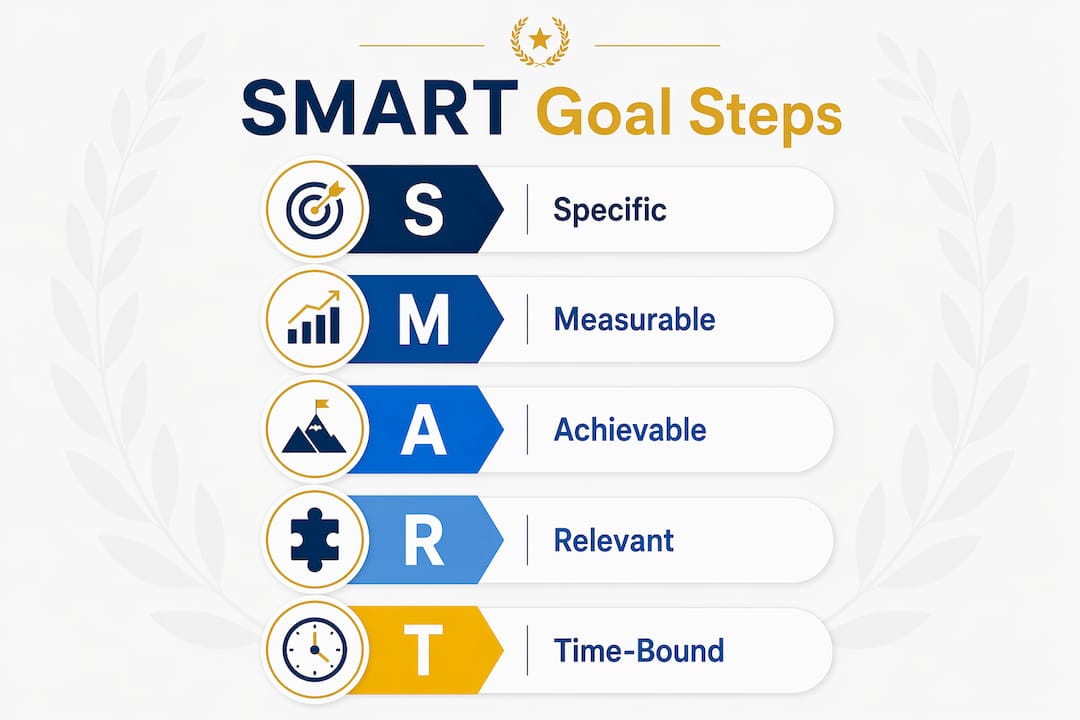
Each letter in SMART carries a specific job. Skip one, and the whole goal weakens.
-
Specific. A specific goal names the subject, the action, and the outcome. “Improve my grade” is not specific. “Raise my calculus midterm score from 68 to 82 by studying two hours every Tuesday and Thursday” is. Specificity removes guesswork and tells you exactly what to do next.
-
Measurable. You need a number, a percentage, or a clear milestone to know whether you are making progress. A common effective formula is: “Increase [metric] from [baseline] to [target] by [deadline] by doing [1–3 key actions].” That formula works because it forces you to name your starting point before you set a target.
-
Achievable. Achievable means stretchable but realistic, not easy or impossible. Setting an impossible goal causes cynicism and stops future goal-setting attempts entirely. A good test: can you reach this goal with consistent effort over the given timeframe, without burning out?
-
Relevant. Relevance is the most overlooked component in student goal setting. A goal must connect to something you genuinely care about, whether that is a career path, a scholarship, or a personal value. Goals that lack this connection lose your interest within weeks.
-
Time-bound. Deadlines create urgency. Without a specific end date, a goal stays on your list indefinitely. Tie every goal to a calendar date, such as “by the last day of midterm week,” to give it real weight.
Pro Tip: Write your SMART goal in one sentence using the formula above before you fill in any template. If you cannot write it in one sentence, the goal is not specific enough yet.
Paper vs. digital: how to use a SMART goal template effectively
Choosing the right format matters more than most students realize. Paper templates work well for quick, one-time planning sessions. Digital templates, however, offer clear advantages for ongoing academic goal tracking.
Digital SMART goal templates support saving progress, sharing with teachers or parents, and replacing paper worksheets entirely. They also take roughly 10 minutes to complete and can be reused in portfolios at the end of the semester. That reuse factor alone makes digital formats worth adopting.
Here is how to work through a standard SMART goal worksheet, whether digital or printed:
- Write your goal in draft form. Start with what you want. Do not worry about format yet.
- Apply each SMART filter. Run your draft through each letter. Revise until every component is satisfied.
- Set your baseline. Record your current performance level before you write your target. A goal without a baseline is just a guess.
- List 1–3 key actions. Name the specific behaviors that will move you toward the target. “Study more” is not an action. “Complete one practice problem set every Sunday evening” is.
- Schedule a review date. Pick a date 2–3 weeks out to check your progress. Add it to your calendar before you close the template.
Pro Tip: Save your completed digital template in a shared folder with your academic advisor or a trusted study partner. Accountability doubles follow-through rates in most student planning contexts.
Making goal setting a regular habit requires a trigger. Attach your goal review to something you already do, such as opening your laptop on sunday evenings or starting a new week in your planner. For more on building this kind of structure, the smart goal format guide at Optiostation covers practical templates and habit-building strategies worth bookmarking.
Common mistakes students make with SMART goals
Most students do not fail at goal setting because they lack ambition. They fail because they make one of four predictable errors.
-
Confusing wishes with goals. A wish sounds like “I want better grades.” A SMART goal sounds like “I will raise my biology quiz average from 71 to 85 by week 12 by reviewing lecture notes within 24 hours of each class.” The difference is specificity and a timeline. Wishes feel good to write. SMART goals actually get done.
-
Setting too many goals at once. Limiting goals to 1–3 per semester improves focus and completion rates. Tracking more than three goals leads to abandoned efforts and lower motivation across the board. Choose fewer goals and finish them.
-
Misjudging achievability. Students regularly set goals that sound reasonable but require more time than they actually have. Before you commit to a goal, subtract all your fixed weekly commitments (classes, work, sleep, meals) from your available hours. What remains is your real working time. Build your goal around that number, not around an ideal version of your schedule.
-
Ignoring relevance. A goal that does not connect to something meaningful to you will not survive week three of the semester. Before finalizing any objective, ask: “Why does this matter to me right now?” If you cannot answer that in one sentence, the goal needs rethinking. For a deeper look at effective goal strategies, Optiostation’s student guide covers how to balance ambition with realistic priorities.
How to break down and monitor SMART goals throughout a semester
Setting a goal is the easy part. Maintaining it across a 15-week semester is where most students lose ground.

Successful students use a nested goal structure: one long-term SMART goal supported by 3–5 smaller weekly SMART action steps. The long-term goal gives you direction. The weekly steps give you something concrete to do today. Breaking goals down this way prevents the paralysis that comes from staring at a big target with no clear next move.
Students often overestimate available time when setting achievable goals. A time audit, where you subtract all non-negotiable hours from your weekly schedule before writing your goal, corrects this. Run this audit once at the start of each semester and again at midterm when your schedule shifts.
The table below compares two approaches to semester-long goal monitoring:
| Approach | How it works | Best for |
|---|---|---|
| Monthly check-in only | Review progress once per month | Students with stable, low-complexity goals |
| Nested weekly steps + biweekly review | Break goal into weekly actions; review every 14–21 days | Students managing multiple deadlines or new habits |
Self-monitoring checkpoints every 14–21 days increase persistence and success rates. These checkpoints let you adjust before a small setback becomes a full failure. If you missed two weeks of study sessions, a biweekly review catches that early. A monthly review often catches it too late.
Schedule your review dates at the start of the semester, not when you remember to. Put them in your calendar the same day you write your goal. Pair each review with a simple question: “Am I on track, and if not, what one thing changes this week?” That question keeps reviews short and useful rather than discouraging. For practical guidance on weekly planning habits, Optiostation’s planning checklist pairs well with this monitoring approach.
Key takeaways
A SMART goal template for students works because it replaces vague intentions with specific targets, measurable milestones, realistic timelines, and built-in review points that keep progress visible all semester.
| Point | Details |
|---|---|
| Use the SMART formula | Write every goal as: “Increase [metric] from [baseline] to [target] by [deadline] by doing [actions].” |
| Limit goals per semester | Set 1–3 goals maximum to maintain focus and avoid abandoned efforts. |
| Run a time audit first | Subtract fixed commitments from your weekly hours before deciding what is achievable. |
| Review every 14–21 days | Biweekly checkpoints let you adjust early before small setbacks become full failures. |
| Connect goals to relevance | Every goal must answer “why does this matter to me now?” or motivation will not last. |
What I have learned from watching students use SMART goal templates
Most students who struggle with goal setting are not lazy. They are working from a format that was never designed to hold up under a real semester. A template printed once in september and forgotten by october is not a planning system. It is a ritual.
What actually works is pairing a well-built SMART goal template with a digital tool that keeps the goal visible every day. When your goal lives in an app alongside your deadlines and tasks, you interact with it constantly. That daily contact is what builds the habit of tracking, not the template itself.
The students who see the biggest gains are the ones who start with one simple goal, finish it, and then build from there. They do not try to fix their GPA, their sleep schedule, and their social life in the same semester. They pick one target, apply the SMART format, and prove to themselves that the system works. That first win changes how they approach every goal after it.
— Optiostation
Optiostation: your second-in-command for SMART goal follow-through
A SMART goal template gives you the plan. Optiostation gives you the structure to execute it.

Optiostation is a mobile task, team, and time management app built for students and young professionals. As your Optio, your second-in-command, it keeps your goals, deadlines, and weekly action steps organized in one place so nothing slips between classes. You can break your long-term SMART goal into weekly tasks, set deadline reminders, and track progress without switching between five different apps. For students ready to move from planning to doing, the task management guide at Optiostation shows exactly how to manage goals and deadlines the way high-performing students do. You can also explore managing tasks effectively for a student-focused walkthrough of the full system.
FAQ
What is a SMART goal template for students?
A SMART goal template for students is a structured worksheet that guides you through writing goals that are Specific, Measurable, Achievable, Relevant, and Time-bound. It replaces vague intentions with a clear formula and a deadline.
How many SMART goals should a student set per semester?
Set 1–3 SMART goals per semester. Tracking more than three goals leads to abandoned efforts and lower motivation across all of them.
What is the difference between a wish and a SMART goal?
A wish is vague, like “I want better grades.” A SMART goal defines the exact metric, baseline, target, timeline, and actions required. The SMART framework forces that specificity.
How often should students review their SMART goals?
Review your goals every 14–21 days. Biweekly checkpoints increase persistence and let you adjust before a small setback becomes a full failure.
Are digital SMART goal templates better than paper ones?
Digital templates are more practical for most students. They take roughly 10 minutes to complete, can be shared with teachers or advisors, and are reusable across semesters as part of an academic portfolio.
Recommended
- Examples of SMART goals to boost academic success – Optio Station: Best Project Management App for Prioritization
- Effective Goal Setting for Students: Achieve Your Dreams – Optio Station: Best Project Management App for Prioritization
- SMART goals for work: practical tips to boost productivity – Optio Station: Best Project Management App for Prioritization
- Command Log – Optio Station: Best Project Management App for Prioritization
