

Set one weekly SMART goal you can finish in seven days, then track your daily progress in a task app. That single habit separates students who drift through a semester from those who finish it with something concrete to show. The SMART framework converts vague intentions like “get better at Excel” into clear, measurable targets you can actually check off. For HR students and early-career professionals, that specificity is the difference between a goal that survives Monday and one that disappears by Wednesday.
Three copyable goals to try right now:
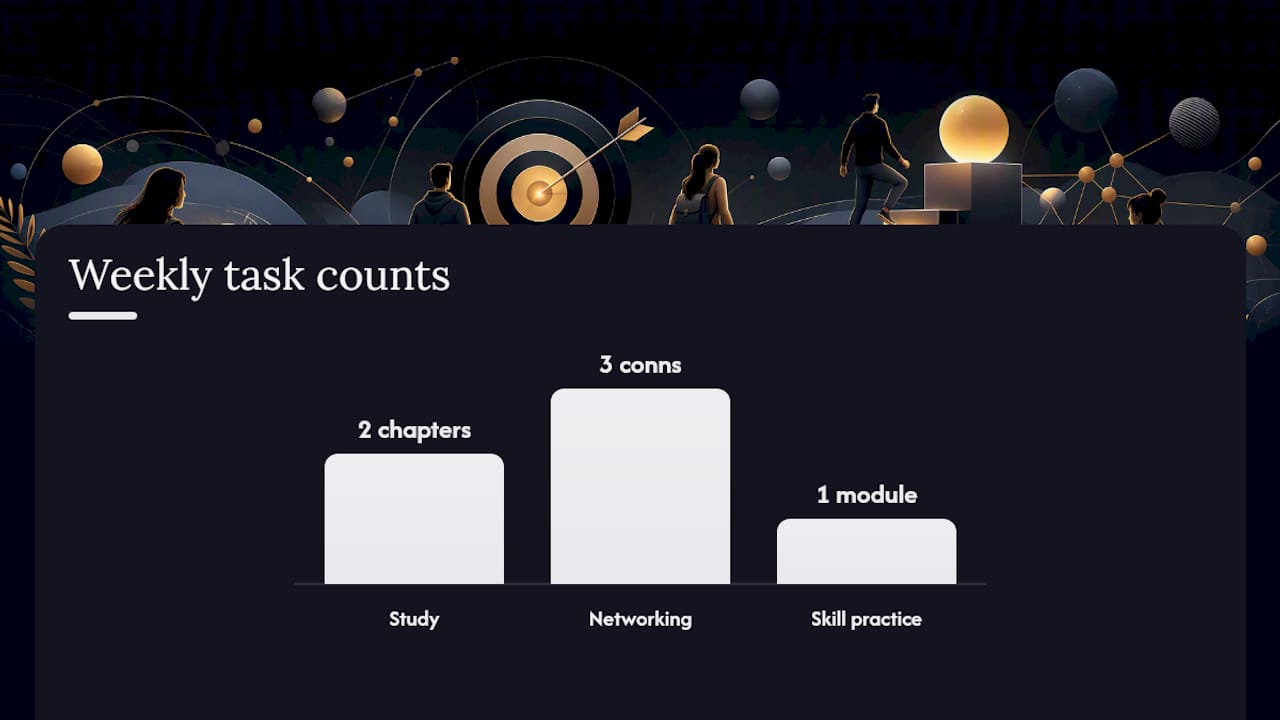
- Study: “Complete two chapters of my HR management textbook by Friday at 9 PM and score at least 80% on the end-of-chapter quiz.”
- Networking: “Send three personalized LinkedIn connection requests to HR professionals this week, each with a note referencing their specific work.”
- Skill practice: “Complete one free SHRM eLearning module on employment law by Sunday and write a 150-word summary of what I learned.”
Start tracking in under five minutes:
- Open your task app and create a new goal with today’s date.
- Add the measurable metric (quiz score, number of connections, word count).
- Set a hard deadline for the end of the week.
- Enable a daily check-in reminder at a time you will actually see it.
Pro Tip: Pick the goal that connects to something you genuinely care about, not just what sounds impressive. Goals tied to real values stick longer.
Key takeaways
SMART goals work for students and early-career professionals when each goal is specific, tied to a personal value, tracked daily in an app, and reviewed every week.
| Point | Details |
|---|---|
| One goal at a time | Keep no more than three active SMART goals to avoid cognitive overload and maintain focus. |
| Value alignment | Connect every goal to a personal value or career aim; goals without that link lose motivation quickly. |
| Daily tracking beats perfect performance | Log progress every day, even a zero entry, to keep the goal visible and build a review data trail. |
| Weekly review is non-negotiable | Every Sunday, decide: keep, adjust, roll forward, or archive each active goal. |
| Optiostation as your second-in-command | Use Optiostation’s student SMART goal template to map each goal letter to an app field and start tracking in under five minutes. |
Table of Contents
- What SMART means and where it came from
- Why SMART goals work for students and where they go wrong
- How to write one solid SMART goal, step by step
- Copyable SMART goal examples for students and early-career pros
- How to track your SMART goals with a weekly app workflow
- When to adjust, roll over, or scale a SMART goal
- Optiostation’s take on why the app-based workflow actually works
- Optiostation makes it easy to start tracking your goals today
- Sources
What SMART means and where it came from
George T. Doran introduced the SMART framework in 1981 as a tool for managers writing annual objectives. Since then it has spread into education, coaching, and personal productivity. The five letters have accumulated variations over the decades (Attainable instead of Achievable, Assignable instead of Specific), but the practical student-friendly version stays consistent:
- Specific: Name exactly what you will do, not a vague direction.
- Measurable: Attach a number, percentage, or clear yes/no outcome.
- Achievable: Stretch yourself, but stay inside what your schedule and resources allow.
- Relevant: Connect the goal to a value or a larger career aim you actually hold.
- Time-bound: Set a hard deadline, not “soon.”
Stick with these five definitions throughout. Variations like SMARTER (adding Evaluate and Re-adjust) are useful later, but they add complexity before you have the core habit built.
Pro Tip: When you write “Achievable,” ask yourself: “Could I do this if nothing unexpected happened this week?” If the honest answer is no, scale it down.
Why SMART goals work for students and where they go wrong
Clarity is the main engine. When a goal is vague, your brain has no clear signal for what counts as progress. SMART goals provide that signal by converting vague intentions into trackable action plans, which reduces decision fatigue and keeps momentum alive between study sessions.
The motivation piece runs deeper than most people expect. The IU Office of Student Life makes a point worth taking seriously:
A goal to “network more” feels hollow. A goal to “build three genuine connections in HR this month because I want to work in talent acquisition” feels worth finishing. That value link is what keeps you logging progress on a Thursday night when you would rather do anything else.
The pitfalls are just as predictable:
- Setting a metric so rigid it punishes you for circumstances outside your control.
- Writing five active SMART goals at once and burning out by week two.
- Confusing a task (“email three recruiters”) with a goal (“secure one informational interview by March 15”).
- Ignoring values entirely and chasing goals that look good on paper but feel empty in practice.
Pro Tip: Before finalizing any goal, write one sentence explaining why it matters to you personally. If you cannot write that sentence, the goal is not ready.
How to write one solid SMART goal, step by step
Start with the outcome. State in one sentence exactly what success looks like when the deadline arrives. Everything else fills in from there.
- Specific: What exactly will you do? (Not “study HR,” but “read Chapter 4 of my compensation textbook.”)
- Measurable: How will you know you succeeded? (A score, a count, a completed deliverable.)
- Achievable: What resources do you have, and what could block you? Name one potential blocker now.
- Relevant: Which personal value or career goal does this serve?
- Time-bound: What is the exact deadline, down to the day?
Once you have those five answers, run this checklist before you save the goal in your app:
- Metric is a number or clear yes/no outcome.
- Measurement frequency is set (daily, weekly, or at completion).
- Resources needed are listed.
- One known blocker is named with a workaround.
- Deadline is a specific date, not a range.
From there, break the goal into three to five weekly milestones and assign each one a due date. Those milestones become your daily tasks. Optiostation’s SMART goal template for students maps each of these five fields directly to app inputs, so you are not translating a framework into a blank text box.
Copyable SMART goal examples for students and early-career pros
Ready-to-use templates cut the friction of starting from scratch. Here are six scenarios with goals you can copy, adjust, and drop into your app today.
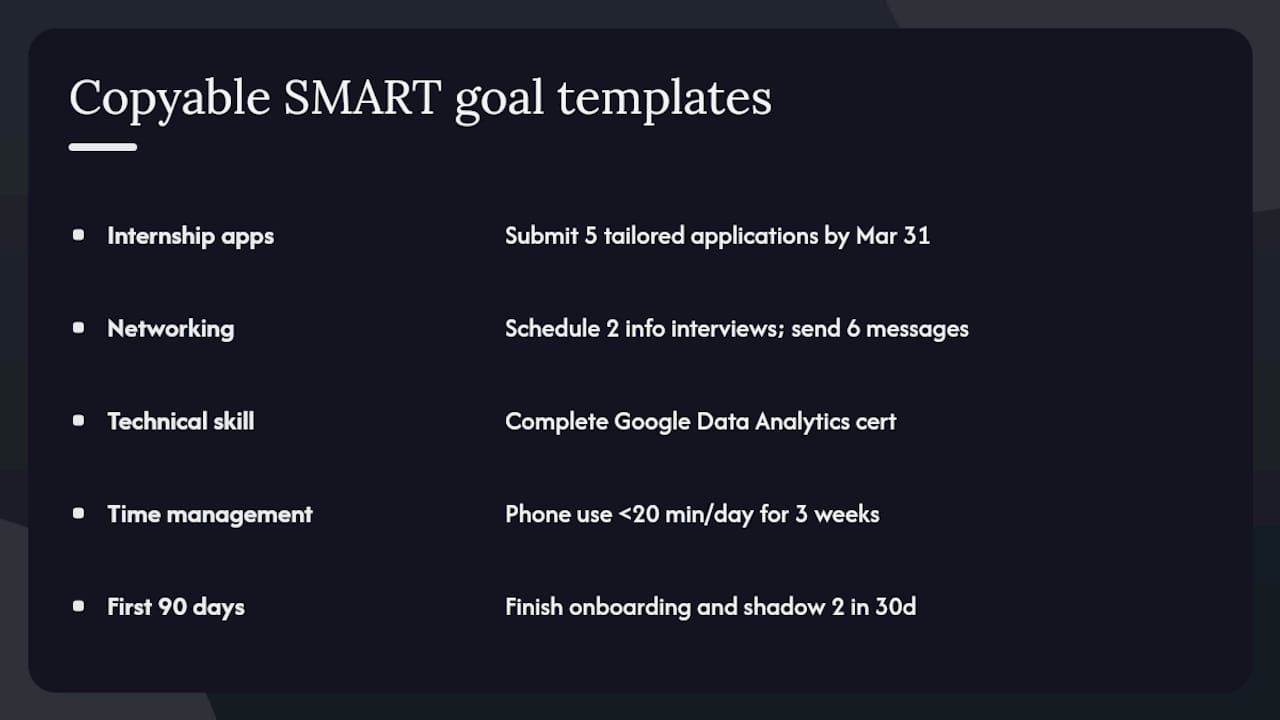
Internship applications: “Submit five tailored HR internship applications by March 31, with each application including a customized cover letter referencing the company’s specific HR initiatives.”
Networking: “Schedule two informational interviews with HR professionals by the end of this month by sending six outreach messages this week.”
Technical skill: “Earn the Google Data Analytics Certificate by completing two modules per week for eight weeks, finishing by May 15.”
Time management: “Reduce unplanned phone use during study blocks to under 20 minutes per day for the next three weeks, tracked with a screen-time app.” More time management SMART goal examples are available if this scenario fits your situation.
First 90 days at a job: “Complete all onboarding training modules and shadow two colleagues in different HR functions within my first 30 days.” For early-career performance goals, practical work-focused tactics can help you adapt these templates to a real job context.
Each of these follows the same structure: one measurable outcome, a clear timeline, and a realistic scope. Adjust the numbers to fit your actual schedule, not an ideal one.
For more student-focused SMART goal examples, Optiostation’s resource library covers academic, career, and skill-building scenarios in one place.
How to track your SMART goals with a weekly app workflow
The goal is written. Now it needs a system, or it will stay in a notes app and go nowhere.
- Create the goal in your task app with the exact outcome statement as the title.
- Split it into weekly milestones and assign each a due date.
- Add numeric fields for your measurable metric (score, count, minutes).
- Set a recurring daily check-in reminder at the same time each day.
- Log actual progress against the target number every time the reminder fires.
- Run a five-minute weekly review every Sunday: did you hit the milestone? Why or why not?
The app features that matter most for this workflow: due dates on every subtask, a numeric progress field, tags to group goals by category (academic, career, personal), recurring task options, and a simple percentage-complete indicator.
Weekly review decisions are simple. Keep the goal if you are on track. Adjust the metric or deadline if something changed. Roll it forward one week if a genuine blocker appeared. Archive it if the goal no longer connects to a value you hold.
Pro Tip: Log progress at the same time every day, even if the entry is just “0 minutes today.” Consistency in logging beats perfect performance every time.
When to adjust, roll over, or scale a SMART goal
Goals are not contracts. They are working documents.
- If you are below 50% progress at the midpoint, identify the specific blocker before changing anything else. Often the goal is fine and the schedule is wrong.
- If you hit 80% of the target before the deadline, add the next milestone rather than coasting. That momentum is worth using.
- If two active goals compete for the same time slot, apply the value-alignment test: which one connects more directly to where you want to be in 12 months?
To scale up: increase the metric (from two modules per week to three) or shorten the deadline by a few days. To roll forward: extend the deadline by one week and convert any missed subtasks to the top of next week’s list.
Keep no more than three active SMART goals at once. Beyond that, the cognitive load of tracking starts to undercut the clarity the framework is supposed to create. Three focused goals outperform seven half-tracked ones every time.
Pro Tip: Review your active goal list every two weeks, not just weekly. Goals that still feel relevant after two weeks are the ones worth finishing.
Optiostation’s take on why the app-based workflow actually works
The gap between writing a SMART goal and finishing it is almost always a tracking problem, not a motivation problem. Students write good goals and then lose them in a notebook or a forgotten notes file. The workflow only works when the goal lives somewhere you check every day.
That is the design logic behind Optiostation. The app is built for students and early-career professionals who need task management that matches how they actually work: short bursts, shifting priorities, and goals that span days rather than quarters. The Roman-themed structure (you are the Centurion; Optio is your second-in-command) is not just aesthetic. It frames the app as a tool that serves your decisions, not one that imposes a rigid system on top of them.
The recurring micro-check feature is the one that moves the needle most. A 90-second daily log entry keeps the goal visible and creates a data trail you can actually learn from during the weekly review.
Optiostation makes it easy to start tracking your goals today
Optiostation gives students and early-career professionals a concrete place to run the exact workflow this article describes: write the goal, break it into milestones, log daily progress, and review weekly. No spreadsheet required.

Three steps to get started: open Optiostation and create your first goal using the outcome statement you wrote today. Add your measurable metric as a numeric field and set milestone due dates for each week. Enable the daily check-in reminder and run your first weekly review on Sunday. The student SMART goal template inside the app maps every SMART letter to a specific field so setup takes under five minutes.
Optiostation is available now. Visit Optiostation to get started with the free plan and your first trackable SMART goal.
Sources
The claims and examples in this article draw from these sources:
- Get SMART about your 2026 goals: Office of Student Life | Indiana University
- SMART Goals
- 31 SMART Goals Examples for Students in 2026
Recommended
- SMART Goal Template for Students: 2026 Guide – Optio Station: Best Project Management App for Prioritization
- SMART goals for work: practical tips to boost productivity – Optio Station: Best Project Management App for Prioritization
- Examples of SMART goals to boost academic success – Optio Station: Best Project Management App for Prioritization
- Goal Setting for Employees: A Manager’s Guide – Optio Station: Best Project Management App for Prioritization
