

TL;DR:
- Each notification hijacks attention for approximately 7 seconds, causing cumulative focus loss.
- Managing notifications by silencing distractions and scheduling focus periods enhances productivity.
- Smarter notification strategies rely on environment design and intentional app control rather than willpower alone.
A single notification hijacks your focus for approximately 7 seconds, even if you never touch your phone. That might sound minor, but multiply that by dozens of alerts per day and you are looking at serious, compounding damage to your concentration. The problem is not just the time lost. It is the mental reset your brain has to perform every single time. For students juggling coursework and young professionals managing deadlines, this invisible drain adds up fast. This article breaks down exactly why notifications are so disruptive, when they actually help, and how you can take back control of your focus starting today.
Table of Contents
- How notifications disrupt your brain and productivity
- The double-edged sword: When notifications help or hurt
- How to take control: Proven strategies for managing notifications
- Real-world impact: Notification management for students and professionals
- Our take: Why notification management beats willpower every time
- Level up: Tools and resources for smarter notification management
- Frequently asked questions
Key Takeaways
| Point | Details |
|---|---|
| Notifications disrupt focus | Even ignored alerts can slow your thinking and reduce productivity for several seconds. |
| Not all alerts are equal | Educational or time-sensitive reminders can help you stay on track when used strategically. |
| Practical control beats willpower | Physical separation or targeted app settings are more effective than simply resisting distractions. |
| Structured management pays off | Smart notification settings translate to real gains in academic and work performance. |
How notifications disrupt your brain and productivity
Your brain is not built for constant interruption. When you are deep in a task, you enter a state of focused thinking that takes real effort to reach. A ping from your phone shatters that state almost instantly. What makes this especially frustrating is that unheard notifications disrupt attention just as much as actually answering a call. You do not even have to respond for the damage to be done.
The frequency of interruptions matters more than total screen time. Getting ten quick alerts spread across an hour is far more damaging to your output than spending thirty focused minutes on your phone. Each interruption forces your prefrontal cortex (the part of your brain that handles complex thinking) to pause, shift, and then slowly rebuild its train of thought. That rebuilding process costs time and mental energy you cannot afford to waste.
Physical separation from your device is more effective than relying on willpower. Keeping your phone in another room during study sessions removes the temptation entirely, rather than depending on self-control every few minutes. For students trying to use micro-tasking for focus or professionals building focus-boosting to-do lists, this is one of the highest-leverage changes you can make.
“The mere presence of a smartphone reduces available cognitive capacity, even when the device is turned face down.” This is not about screen time. It is about mental bandwidth.
Most disruptive notification types, ranked:
- Instant messages and group chats
- Social media likes, comments, and mentions
- Phone calls and missed call alerts
- Breaking news and app promotional alerts
- Email notifications
- Calendar and task reminders (least disruptive when timed well)
| Notification event | Estimated focus recovery time |
|---|---|
| Instant message ping | 7 to 15 seconds |
| Social media alert | 10 to 20 seconds |
| Missed call notification | Up to 25 seconds |
| Email pop-up | 5 to 10 seconds |
| Timed task reminder | 2 to 5 seconds |
The pattern is clear. The more socially loaded the notification, the longer it pulls your brain off track.
The double-edged sword: When notifications help or hurt
Not every notification is the enemy. Context is everything. A well-timed study reminder right before a deadline is a completely different animal than a group chat blowing up while you are trying to write a paper. The key distinction is whether the alert serves your current goal or hijacks it.
Strategic push notifications like study reminders have been shown to boost student engagement and reduce procrastination. When an alert is tied to something you already care about, it reinforces your intention rather than pulling you away from it. That is the difference between a tool and a trap.
Unmanaged alerts, on the other hand, feed procrastination. Every time a random notification pulls you out of a task, you are giving your brain an easy excuse to avoid the hard work. Over time, this trains your attention to expect and even seek out interruptions. Understanding how educational app notifications differ from generic social alerts can help you make smarter decisions about what gets through.
Helpful vs. disruptive notifications in academic and professional settings:
| Helpful notifications | Disruptive notifications |
|---|---|
| Assignment due date reminders | Group chat messages during study time |
| Meeting start alerts | Social media engagement alerts |
| Task completion check-ins | Promotional app notifications |
| Focus session end timers | Breaking news during deep work |
| Scheduled study nudges | Email threads during focused tasks |
Examples by setting:
- Students: A reminder 30 minutes before a class starts is helpful. A friend tagging you in a meme mid-lecture is not.
- Professionals: A calendar alert for a client call keeps you on track. A news app badge during a project sprint kills momentum.
- Both: Scheduled check-in reminders from a productivity app support your goals. Random promotional pings from shopping apps do not.
The role of technology and productivity is not to eliminate all alerts but to make sure the ones that reach you are actually worth your attention.
Pro Tip: Go into your notification settings right now and separate your apps into two categories: goal-supporting and goal-disrupting. Mute or disable the second group during your peak focus hours.
How to take control: Proven strategies for managing notifications
Knowing the problem is not enough. You need a system. The good news is that taking control of your notifications does not require a complete digital detox. It requires intentional design.
“It is not about using your phone less. It is about using it on your terms.”
5-step process to reduce notification overload:
- Audit your apps. Go through every app on your phone and ask: does this app’s alerts serve my goals? If the answer is no, turn them off immediately.
- Group and prioritize. Keep alerts on only for apps tied to work, school, or direct communication with people who matter.
- Schedule focus hours. Block out two to three hour windows each day where Do Not Disturb is on and your phone is out of reach.
- Use context-specific modes. Set up separate notification profiles for studying, working, and resting so your device adapts to your environment.
- Review weekly. Spend five minutes every Sunday checking which apps have snuck back into your notification list and clean them out.
Physical phone separation is consistently more effective than willpower alone. Putting your phone in another room during study blocks removes the cognitive load of resisting it. Pair this with a solid digital organization checklist and you have a repeatable system rather than a daily battle.
For more ways to sharpen your output, explore productivity hacks for students and build habits around managing screen time that actually stick.
Pro Tip: Use your phone’s built-in Focus or Do Not Disturb modes to create automatic notification filters tied to your calendar. When a study block starts, your phone quiets itself without you having to think about it.
Real-world impact: Notification management for students and professionals
Theory lands differently when you see it play out in real life. Imagine a junior marketing analyst who used to leave all Slack and email notifications on during the workday. After switching to scheduled check-ins every 90 minutes and silencing everything else, she cut her average task completion time by nearly a third. No new apps. No radical lifestyle change. Just smarter notification settings.
Or consider a college sophomore who kept his phone on his desk during study sessions. After moving it to a drawer across the room, his reading retention improved noticeably within two weeks. The phone was not even making noise. Its physical presence alone was enough to split his attention.

Unmanaged notifications correlate with increased procrastination and lower self-regulation among college students. That is not a minor inconvenience. That is a measurable academic risk.
Concrete benefits of smarter notification management:
- Fewer missed deadlines because task reminders are actually seen and acted on
- Improved grade performance linked to longer, uninterrupted study sessions
- Reduced stress from not feeling constantly pulled in multiple directions
- Better professional reputation from more focused, higher-quality work output
- Stronger self-regulation habits that carry into every area of life
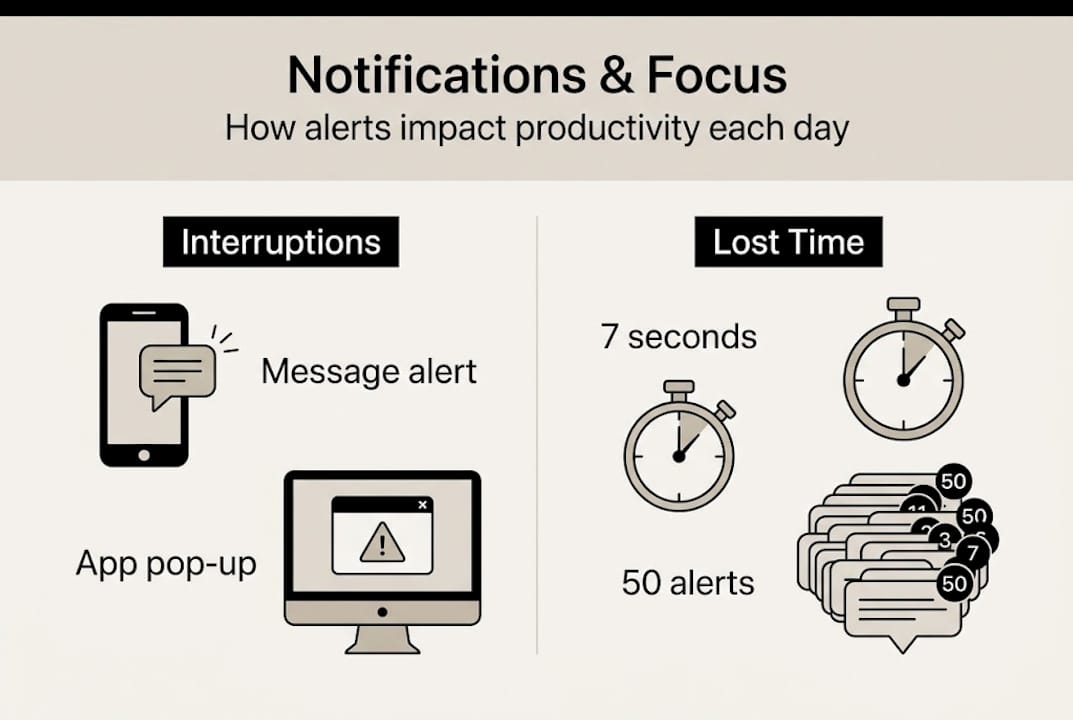
Statistic callout: Each notification costs you 7 seconds of focus. At 50 alerts per day, that is nearly six minutes of pure cognitive disruption, not counting the recovery time after each one.
Avoid the traps outlined in bad time management examples and start treating notification control as a core part of your time management goals. The results compound quickly.
Our take: Why notification management beats willpower every time
Here is the uncomfortable truth most productivity advice skips: willpower is a limited resource, and your notifications are designed by teams of engineers to compete for it. Betting on self-discipline alone is like bringing a plastic fork to a sword fight.
The real secret is not trying harder. It is building an environment where the right behavior is the easy behavior. When your phone is in another room, you do not need willpower to ignore it. When Do Not Disturb activates automatically during your study block, you do not need to remember to turn it on. Structure wins every time.
Most Centurions underestimate the hidden cost of micro-distractions. It is not the 7 seconds. It is the 7 seconds multiplied by 60 alerts, plus the mental residue that lingers after each one. That residue is what makes you feel exhausted at the end of a day where you barely got anything done.
Pro Tip: Automate your notification settings using your phone’s scheduling tools. Set study mode to activate at the same time every day so the habit builds itself.
Take ownership of your screen time management now, before the next semester or the next big project demands it from you.
Level up: Tools and resources for smarter notification management
You have the strategy. Now you need the right tools to make it automatic. Optio is built for Centurions who want their second-in-command to handle the organizational heavy lifting so they can stay in command of their time and attention.

Optio helps you organize tasks, set focused work blocks, and build the kind of structured schedule that makes notification chaos a thing of the past. Explore the top time management apps that pair well with smarter notification habits, and learn how to get better at tracking tasks at work so nothing slips through the cracks. Your focus is your most valuable asset. Protect it with the right systems.
Frequently asked questions
How do notifications actually disrupt focus?
Each notification causes a cognitive slowdown of 7 seconds, even when ignored, forcing your brain to briefly pause and reset its train of thought.
Can any notifications be beneficial for students?
Yes. Study reminders boost engagement and reduce procrastination when timed strategically, making them a genuine productivity tool rather than a distraction.
Is turning off all notifications always the best approach?
Not necessarily. The smarter move is to keep alerts that directly support your goals and silence everything else, rather than going completely dark.
What is a quick way to minimize notification distractions?
Activate Do Not Disturb during focus sessions or physically separate your phone from your workspace, since distance is more effective than relying on willpower alone.
Recommended
- 7 Time Management Goals for Employees Examples to Boost Productivity – Optio Station: Best Project Management App for Prioritization
- 7 Powerful Productivity Hacks for Students to Excel Fast – Optio Station: Best Project Management App for Prioritization
- Why Use Focus Apps: Elevate Productivity and Focus – Optio Station: Best Project Management App for Prioritization
- 7 Examples of Time Management Skills at Work for Centurions – Optio Station: Best Project Management App for Prioritization
- Stress Management for Professionals: Achieve Calm and Focus – Mastering Conflict
- Concentration Meditation Vs Mindfulness Meditation: Key Differences
