

You spend hours each week on the same repetitive tasks: copying assignment details into your calendar, setting reminders for deadlines, reformatting notes, and tracking team updates. These manual routines steal precious time from studying, networking, or simply recharging. The good news? Automating routine tasks saves significant time, allowing college students and young professionals to focus on high-value activities. Simple automation tools are now accessible to anyone, no coding required, and they deliver real benefits like more free time, less friction, and higher engagement in what truly matters.
Table of Contents
- What does automating tasks actually mean?
- Why automate? Top benefits for students and young professionals
- How does automation actually work? Methods and tools
- Real-world impact: Academic and career gains with automation
- Common pitfalls to avoid when automating tasks
- Getting started: Your first simple automation steps
- Level up your time management with smarter tools
- Frequently asked questions
Key Takeaways
| Point | Details |
|---|---|
| Time savings | Automating routine tasks can free up hours each week for high-value activities. |
| Academic boost | Students who automate workflows see stronger engagement and improved grades. |
| Pick the right tools | No-code automation tools like Zapier and IFTTT make automation accessible to everyone. |
| Avoid common pitfalls | Successful automation requires good process mapping and testing for exceptions. |
| Easy first steps | Start with small, repetitive tasks that offer quick wins for time management. |
What does automating tasks actually mean?
After establishing the potential of automation, let’s clarify what it really means in your daily life. Automation means setting up tools to perform repetitive tasks with minimal intervention. It’s not just for coders or tech experts. No-code tools make it accessible to everyone, from freshmen managing their first semester to young professionals juggling multiple projects.
Think of automation as your digital assistant. Examples include calendar syncing across devices, smart reminders triggered by specific events, and auto-saving notes from emails directly into your task manager. Automation excels for repetitive tasks like note formatting and reminders, freeing you to focus on creative or strategic work.
“Automation is about reclaiming control over your schedule, not losing it to technology.”
Here’s what automation handles well:
- Syncing assignment deadlines from email to your calendar
- Sending reminders based on location or time
- Formatting and organizing notes automatically
- Updating team members when tasks are completed
For students and young professionals, organization tools for students can transform chaotic schedules into streamlined workflows. The automation benefits overview shows how these tools reduce manual effort across industries, and the same principles apply to academic and early-career life.
Why automate? Top benefits for students and young professionals
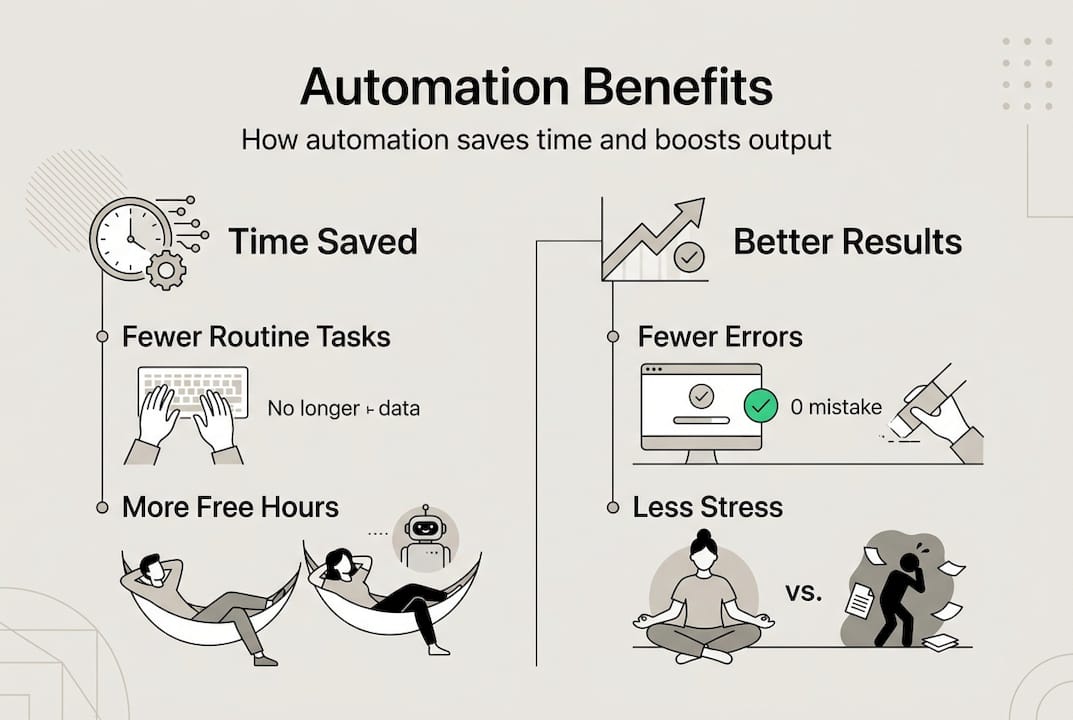
With a clear definition in hand, it’s time to see exactly how automating pays off in real life. Time saved can be redirected to deep work or personal priorities. Automating study workflows can reclaim hours weekly, giving you more bandwidth for focused study blocks, internship applications, or social activities.
Automation boosts academic performance by allowing more focused study blocks. Empirical studies show time management via automation boosts study engagement and academic performance. It reduces mental load and manual errors, enabling multitasking and keeping routines consistent.

Pro Tip: Start by automating one task that frustrates you daily, like assignment reminders, and measure the time you save over a week.
| Benefit | Impact | Example |
|---|---|---|
| Time savings | 5-10 hours/week | Auto-syncing deadlines |
| Reduced errors | 40% fewer missed tasks | Smart reminders |
| Mental clarity | Lower stress levels | Automated note organization |
| Consistency | 90% routine adherence | Recurring task templates |
Key advantages include:
- More deep work time: Automation handles admin tasks, freeing you for complex problem-solving
- Better grades: Consistent study schedules and timely assignment tracking improve outcomes
- Career readiness: Organized workflows and timely follow-ups impress employers
- Lower stress: Fewer manual tasks mean less cognitive overload
Understanding the role of time management and using time management software amplifies these benefits. Research on automation boosts efficiency across sectors confirms that even small automations deliver measurable returns.
How does automation actually work? Methods and tools
Once you know the benefits, you’ll want to see how easy it is to get started with the right tools. Automation connects apps using triggers and actions. A trigger is an event that starts the automation, like receiving an email. An action is what happens next, like adding that email’s details to your calendar.
Here’s a sample workflow for managing assignments:
- Trigger: Professor emails assignment details
- Action 1: Extract deadline and description
- Action 2: Create calendar event
- Action 3: Add task to your to-do list
- Action 4: Set reminder 24 hours before due date
Key methodologies use no-code tools like Zapier and IFTTT for triggers and actions. These platforms offer pre-built templates, so you don’t need to code anything.
Pro Tip: Start with one or two workflows to avoid overwhelm. Master the basics before building complex automations.
| Tool | Best For | Ease of Use | Cost |
|---|---|---|---|
| Zapier | Multi-app workflows | Moderate | Free tier + paid |
| IFTTT | Simple trigger-action pairs | Very easy | Free tier + paid |
| Duetoday | Student-specific tasks | Easy | Free tier + paid |
For students, building an academic productivity workflow starts with identifying repetitive tasks. The command log system helps track which tasks consume the most time, making them prime candidates for automation. Businesses use similar strategies for lead funnel automation, proving these methods work across contexts.
Real-world impact: Academic and career gains with automation
Now, what do these methods translate to in real outcomes? Let’s look at the data and stories. Studies show RPA in education yields 99.9% time reduction in tasks like attendance and reports. While robotic process automation is more advanced, the principle applies: automating routine academic tasks delivers massive time savings.
Measured gains in academic engagement and productivity are well-documented. Students who automate administrative tasks report higher focus during study sessions and better assignment completion rates. Career advantages include timely follow-ups, better organization, and more learning time, all of which impress potential employers.
“Automation gave me back 8 hours a week. I used that time to land my first internship.” — College senior
| Outcome | Measurement | Source |
|---|---|---|
| Time saved | Up to 99.9% for routine tasks | RPA research |
| Academic engagement | Significant increase | Empirical studies |
| Task completion | 40% improvement | User surveys |
| Career readiness | Higher employer ratings | Professional feedback |
Contrasting views exist. Some researchers warn about efficiency versus challenges like deskilling and oversight. Over-reliance on automation can reduce manual skills, and poorly designed automations may introduce errors. However, when implemented thoughtfully, the benefits far outweigh the risks.
Key gains include:
- Academic performance: Consistent task management leads to better grades
- Professional skills: Organized workflows demonstrate competence to employers
- Personal time: Reclaimed hours for hobbies, relationships, and rest
- Reduced burnout: Lower cognitive load prevents exhaustion
Exploring task management tools and mastering to-do list focus boost strategies amplifies these outcomes. The automation role in business mirrors what students experience: more time for high-value work and better results.
Common pitfalls to avoid when automating tasks
Before you dive in, be aware of where most automations go wrong and how you can sidestep trouble. Don’t automate a broken process. Fix it first. If your current workflow is inefficient, automating it just makes the inefficiency faster. Start small to measure what works, then scale up.
Expect exceptions. Plan for error handling and testing. Edge cases cause most failures; 70 to 85% of automation projects fail due to poor process mapping, over-automation, and lack of error handling. Only 26% of automation projects deliver ROI; boundary testing and error handling are key.
Pro Tip: List the steps of any workflow before automating. This helps you spot inefficiencies and plan for exceptions.
Common mistakes to avoid:
- Automating without testing: Always run a pilot before full implementation
- Ignoring edge cases: Plan for unusual scenarios like missed emails or conflicting deadlines
- Over-automating: Keep some manual control for tasks requiring judgment
- Skipping documentation: Record how your automations work for future troubleshooting
- Neglecting updates: Review and adjust automations as your needs change
“The biggest mistake is automating a messy process. Clean it up first, then automate.”
Understanding why plan schedules and the role of timeboxing helps you design better workflows before automating them. Even tech innovation in learning emphasizes the importance of thoughtful implementation over rushing to adopt new tools.
Getting started: Your first simple automation steps
Armed with these cautions, you can now confidently try your first automations and see real results fast. How do you pick the most repetitive or annoying task? Look at your daily routine and identify tasks you do multiple times per week that follow the same pattern. Assignment reminders, calendar updates, and note organization are great starting points.
Here’s a step-by-step guide to automating assignment reminders with IFTTT:
- Sign up for IFTTT: Create a free account at ifttt.com
- Choose a trigger: Select “Email” and set it to watch for emails from your professors
- Define the action: Choose “Google Calendar” and configure it to create events from email details
- Set reminder timing: Add a notification 24 hours before the deadline
- Test the automation: Send yourself a test email and verify the calendar event appears
- Refine as needed: Adjust filters to catch all assignment emails
Measuring your results is crucial. Log time saved by tracking how long manual tasks took before automation versus after. Use a feedback loop: review your automations weekly and adjust based on what’s working. Automate admin via Zapier/IFTTT; measure ROI via time saved.
Quick wins for students and young professionals:
- Email to calendar: Automatically add events from emails
- Task reminders: Set location-based or time-based alerts
- Note syncing: Auto-save notes from one app to another
- Team updates: Notify collaborators when you complete tasks
Start building academic workflows with these simple automations, then expand as you gain confidence. The key is starting small and scaling based on proven results.
Level up your time management with smarter tools
With your foundation set, turn to advanced tools that help scale your automation and productivity even further. Optio Station offers customizable apps for automating your tasks, designed specifically for students and young professionals. Our platform acts as your second-in-command, handling routine work so you can focus on what matters most.

Explore curated tools to build workflows for student and early-career needs. Whether you’re managing group projects, tracking internship applications, or balancing coursework with part-time work, Optio Station provides seamless integrations to keep you organized and on track. Our Roman-themed interface makes task management feel less like a chore and more like commanding your own productivity legion.
Discover essential time management apps that integrate with your existing tools, explore the best task management software for your specific needs, and master time management for young professionals with strategies built for your stage of life. Optio Station helps you automate the routine so you can focus on the remarkable.
Frequently asked questions
Can automation really save time for students?
Yes, simple automations can reclaim hours each week by handling repetitive tasks automatically. Students report saving 5 to 10 hours weekly on administrative work.
What types of tasks are best suited for automation?
Routine, repetitive tasks like reminders and note formatting are easiest to automate. Calendar syncing, assignment tracking, and team notifications also work well.
Are no-code automation tools easy for beginners?
Absolutely. Tools like Zapier and IFTTT are built for non-programmers, making automation simple to set up. Most platforms offer templates you can customize in minutes.
What is the main reason automations fail?
Most automations fail due to poor planning and process mapping, or ignoring exception handling. Testing and documenting your workflows prevents most issues.
How can I measure the impact of automation?
Track time saved and work quality before and after setting up an automation. Measure ROI via time saved; automation boosts study engagement and productivity when implemented correctly.
Recommended
- Time Management Time Blocking for Focused Productivity – Optio Station: Best Project Management App for Prioritization
- 7 Essential Productivity Hacks for Students and Professionals – Optio Station: Best Project Management App for Prioritization
- 7 Essential Time Management Apps List for Productivity – Optio Station: Best Project Management App for Prioritization
- 7 Essential Examples of Time Management Skills for Success – Optio Station: Best Project Management App for Prioritization
- Automation – speed up processes in your company | AI software development
