

TL;DR:
- Honey is a free browser extension owned by PayPal that automatically finds and applies the best coupon codes during checkout. It also tracks prices, compares sellers, and offers a rewards program, making online shopping more convenient and cost-effective. Honey is safe, widely supported, and earns revenue through retailer commissions, not user fees.
The Honey app is defined as a free browser extension and mobile app that automatically scans and applies coupon codes at checkout across more than 30,000 retail websites. Owned by PayPal, it works silently in the background while you shop at stores like Macy’s, Nike, Amazon, and Lowe’s. Beyond discount codes, Honey also tracks prices, compares sellers, and rewards you with points redeemable for gift cards or PayPal cash. This guide covers every major feature, how to set it up, what it costs, and where it falls short.
What is Honey app and how does it find discounts?
Honey’s core job is simple: find and apply the best coupon code at checkout so you do not have to. The extension sits in your browser toolbar and watches for checkout pages on supported sites. When it detects one, it runs through its database of codes automatically.
The process works like this:
- Honey detects you are on a checkout page at a supported retailer.
- It opens a small panel and begins testing available coupon codes one by one.
- It applies the code that saves you the most money.
- If no code works, it tells you so you can move on without wasting time.
One detail most people miss: Honey runs silently in the background and only steps in when it can confidently help. That means you will not see constant pop-ups or interruptions on sites where it has nothing to offer.
Sometimes the automatic detection does not trigger. In that case, you can manually start a scan by clicking the Honey toolbar icon and selecting “Try Anyway.” This is useful on newer or less common retail sites that Honey has not fully indexed yet.
Honey works on Chrome, Firefox, Safari, Edge, and Opera. The mobile experience differs by platform, which matters if you shop on your phone.

Pro Tip: Watch the Honey icon color in your toolbar. Orange means Honey supports the current site. Green means it has found a coupon code ready to apply. If the icon is gray, the site is not in Honey’s network.
What are Honey’s features beyond coupon codes?
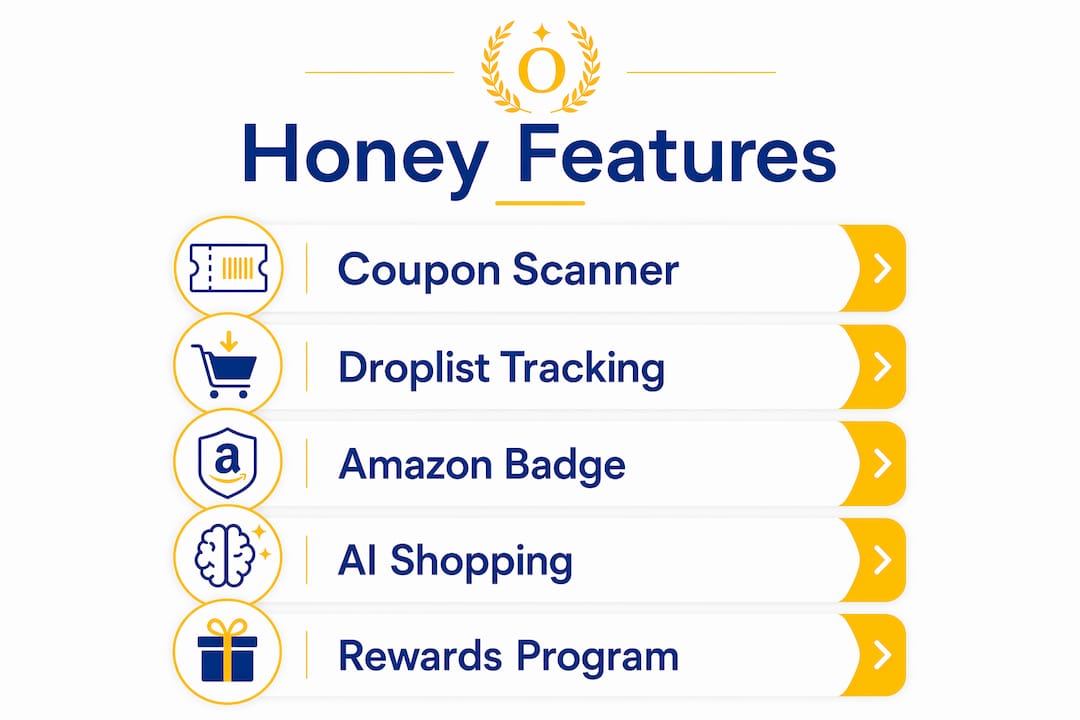
Honey has grown well past simple coupon scanning. Its extended features address two common shopper frustrations: not knowing if a price will drop soon, and not knowing if a better deal exists somewhere else.
Droplist: price tracking made automatic
The Droplist feature lets you add any product to a personal watchlist. Honey monitors the price and notifies you of price drops via email. This is especially useful for big purchases like electronics or furniture where prices shift frequently. You set it, forget it, and buy when the price hits your target.
Amazon Badge: seller price comparison
On Amazon, Honey adds a badge to product pages that compares prices across multiple sellers. The goal is to show you the lowest total cost, including shipping, before you commit to a purchase. This saves the manual work of clicking through each seller listing yourself.
AI-powered shopping intelligence
Honey has evolved into an AI-powered commerce platform that delivers personalized product comparisons and shopping insights. As of 2025, PayPal has integrated Honey’s capabilities into AI chatbot interfaces, meaning you can get deal recommendations and product comparisons through conversational AI tools. That is a meaningful shift from a simple coupon finder to a full shopping intelligence layer.
PayPal Rewards program
Honey’s rewards program, called PayPal Rewards, lets you earn points on qualifying purchases. The standard redemption threshold is 1,000 points for a $10 gift card. You also earn 500 points for each successful referral after the person you referred makes their first qualifying purchase.
| Feature | What it does |
|---|---|
| Coupon scanner | Automatically tests and applies the best available code at checkout |
| Droplist | Tracks product prices and alerts you when they drop |
| Amazon Badge | Compares prices across Amazon sellers before you buy |
| PayPal Rewards | Earns points redeemable for gift cards or PayPal cash |
| AI shopping intelligence | Delivers personalized product comparisons through AI interfaces |
Pro Tip: Add items to your Droplist before major sale events like Black Friday. Honey will confirm whether the “sale” price is actually lower than the historical average, which protects you from fake discounts.
How to set up and use Honey effectively
Getting Honey running takes less than five minutes. Here is the full process:
- Go to joinhoney.com or search “Honey extension” in your browser’s extension store.
- Click “Add to Browser” and confirm the installation prompt.
- Create a free account using your email or PayPal login. You can skip this step, but you will lose access to Droplist and PayPal Rewards.
- Start shopping at any supported retailer. Honey activates automatically when you reach checkout.
- When the Honey panel appears, click “Apply Coupons” and wait a few seconds while it tests codes.
- Accept the best result or close the panel if no savings are found.
Using Honey without an account still applies coupon codes, but you cannot save items to Droplist or accumulate reward points. Creating an account is worth the 60 seconds it takes.
For mobile shoppers, the setup differs by device. iOS users install the Honey Safari extension through the App Store and enable it in Safari settings. Android users download the standalone Honey app because Chrome on Android does not support browser extensions. The Android app has a built-in browser for shopping, which works well but requires you to shop within the app rather than your default browser.
Pro Tip: Link your Honey account to your PayPal account from the start. This makes reward redemption instant and keeps your points from expiring if you switch devices.
Honey’s retailer network exceeds 30,000 partners, which means it covers most major shopping destinations. The more stores you visit with Honey active, the more opportunities it has to find savings across your regular shopping habits.
Is Honey safe, legitimate, and how does it make money?
Honey is owned by PayPal, which acquired it in 2020. PayPal is a publicly traded financial services company regulated under U.S. financial law. That ownership gives Honey a level of institutional credibility that independent browser extensions rarely have.
Honey’s business model is straightforward. It earns commissions from partner retailers when users make purchases through Honey-enabled links. The retailer pays Honey a small percentage of the sale. Honey passes some of that value back to users through the rewards program. You pay nothing directly.
Key facts about Honey’s safety and legitimacy:
- Honey is free for users. There are no subscriptions, hidden fees, or premium tiers.
- PayPal’s privacy policies govern how Honey handles user data.
- Honey collects shopping behavior data to improve its coupon database and personalize offers.
- The extension requests permission to read page content on shopping sites, which is standard for coupon tools.
- Scam versions of Honey exist. Always install from joinhoney.com or your browser’s official extension store.
“Honey reduces the manual effort in searching for discounts by running silently in the background and only intervening when it can confidently save money or offer rewards.” This design means Honey is not constantly harvesting data. It activates on checkout pages, not every page you visit.
The commission model also explains why Honey sometimes promotes certain products or retailers. When Honey earns more from a specific partner, it may surface that partner’s deals more prominently. Knowing this helps you use Honey as one tool among several rather than treating every suggestion as fully neutral.
What are common user experiences and limitations?
Honey works best on large, well-known retailers with active coupon ecosystems. Sites like Amazon, Target, and Walmart have enough coupon activity that Honey finds savings regularly. Smaller or niche retailers may have no codes in Honey’s database at all.
Common experiences users report:
- Honey finds a valid code on roughly half of checkout attempts at major retailers.
- The extension occasionally applies a code that saves only a small amount, like $0.50, which feels anticlimactic on a large order.
- Droplist notifications sometimes arrive after a price has already returned to normal, making the alert less useful.
- The Android app’s built-in browser feels slower than a native browser, which frustrates users who prefer speed.
Pro Tip: After Honey applies a code, check the final price manually before completing your order. Verify discounts carefully when multiple coupon combinations might exist, since Honey picks the single best code rather than stacking multiple discounts.
Mobile functionality is the area where Honey shows its clearest limitation. The iOS Safari extension works well but requires a few setup steps that desktop installation skips. Android users who prefer Chrome will need to adjust their shopping workflow to use the Honey app’s internal browser. Neither option is a dealbreaker, but both require a small habit change.
Honey also does not cover every type of deal. In-store coupons, loyalty card discounts, and price-match guarantees fall outside what the extension can access. Think of Honey as one layer of your savings strategy, not the whole strategy. Pairing it with a store’s loyalty program often produces better combined results than either tool alone. For shoppers interested in how tracking tools improve savings over time, the principle is the same: consistent monitoring beats one-time searching.
Honey’s role in the future of online shopping
Honey started as a coupon finder. It has become something more interesting: a real-time shopping intelligence layer that sits between you and the checkout button. Most people who install it expect to save a few dollars on a promo code. What they get is a tool that also watches prices, compares sellers, and now feeds into AI-driven shopping recommendations.
The AI integration is the part worth paying attention to. PayPal’s push into agentic commerce means Honey’s data, its knowledge of prices, deals, and shopping patterns, is being used to power AI assistants that can recommend products and compare prices conversationally. That is a significant evolution for a tool that started as a simple browser add-on.
My honest take: Honey is most valuable for shoppers who buy frequently from a wide range of retailers. If you buy from two or three stores and already know their sale cycles, Honey adds less. But if you shop across dozens of sites and hate the manual work of searching for codes, Honey removes that friction entirely. The convenience of automated coupon application is the real product. The savings are the proof.
The limitation I keep coming back to is the commission model. Honey is free because retailers pay for it. That is not a scandal, but it is a reason to stay aware. Use Honey’s suggestions as a starting point, not a final verdict. Cross-check big purchases with a price history tool and your store’s loyalty program before clicking “buy.”
— Optiostation
Optiostation: pair smart shopping with smarter task management
Saving money with Honey is one piece of managing your time and resources well. The other piece is knowing how to prioritize what you spend your time on, especially as a student or young professional juggling multiple responsibilities.

Optiostation is built for exactly that. As your second-in-command, it helps you manage tasks, coordinate with your team, and stay on top of deadlines without losing track of what matters most. Whether you are balancing coursework, side projects, or a full work schedule, the right task management software guide gives you a system that keeps everything moving. Pair Honey’s shopping efficiency with Optiostation’s productivity tools and you cover both sides of doing more with less.
Key Takeaways
Honey is a free, PayPal-owned browser extension that automatically applies coupon codes, tracks prices, and rewards shoppers across more than 30,000 retail websites.
| Point | Details |
|---|---|
| Core function | Honey scans and applies the best coupon code automatically at checkout. |
| Rewards program | Earn PayPal Rewards points redeemable for gift cards or cash, starting at 1,000 points for $10. |
| Price tracking | Droplist monitors product prices and alerts you when they drop to your target. |
| Mobile differences | iOS uses a Safari extension; Android requires the standalone Honey app. |
| Business model | Honey is free because it earns retailer commissions, not user fees. |
FAQ
Is the Honey app free to use?
Honey is completely free for shoppers. It earns revenue through commissions paid by partner retailers when users make purchases, so there are no fees or subscriptions for users.
Does Honey app actually save money?
Honey finds and applies valid coupon codes at checkout on major retail sites, which produces real savings when codes are available. Results vary by retailer and shopping category, with larger savings more common at high-traffic stores like Amazon, Target, and Nike.
How do I use Honey on my phone?
iOS users install the Honey Safari extension from the App Store and enable it in Safari settings. Android users download the standalone Honey app and shop through its built-in browser, since Chrome on Android does not support extensions.
Do I need an account to use Honey?
You can use Honey without an account to apply coupon codes at checkout. Creating an account is required to access Droplist price tracking and earn PayPal Rewards points.
What stores does Honey work with?
Honey supports over 30,000 retail websites, including Macy’s, Nike, Amazon, Lowe’s, and J. Crew. Coverage is strongest at major national retailers with active coupon programs.
Recommended
- 7 Essential Time Management Apps List for Productivity – Optio Station: Best Project Management App for Prioritization
- Time-Saving Tips for Professionals That Actually Work – Optio Station: Best Project Management App for Prioritization
- 7 Essential Habit Tracking Tips for Success – Optio Station: Best Project Management App for Prioritization
- Understanding Why Use Calendar Apps for Better Planning – Optio Station: Best Project Management App for Prioritization
