

TL;DR:
- A task is a specific work unit with a clear owner, deadline, and deliverable that advances a project. Proper task definition and hierarchy are essential to prevent delays and ensure effective project progress. Using tools like Optiostation can help manage tasks efficiently and align with project goals.
If you’ve ever stared at a project plan and wondered what exactly a “task” is, you’re not alone. Many students and young professionals confuse what is a task in project management with broader concepts like goals, milestones, or the project itself. That confusion leads to vague plans, missed deadlines, and work that never quite gets finished. This guide cuts through that noise. You’ll walk away knowing exactly how to define, organize, and manage tasks so your projects actually move forward.
Table of Contents
- Key takeaways
- What is a task in project management
- Types of tasks and their impact on scheduling
- How task management fits into project management
- Practical task management for students and young professionals
- What most beginners get wrong about tasks
- Manage your tasks like a pro with Optiostation
- FAQ
Key takeaways
| Point | Details |
|---|---|
| Tasks are specific work units | A task has a clear owner, deadline, and definition of what “done” looks like. |
| Tasks differ from milestones | Milestones mark progress points; tasks are the work that gets you there. |
| Task types affect scheduling | Critical path tasks must finish on time; float tasks offer scheduling flexibility. |
| Prioritize by dependency, not urgency | What blocks other work matters more than what feels most pressing right now. |
| Task breakdowns prevent overwhelm | Splitting large projects into smaller tasks makes complex work manageable and trackable. |
What is a task in project management
A task is a single, defined unit of work with a clear beginning, an end, and a specific deliverable. That’s the short answer. The longer answer is that a task sits inside a project the way a brick sits inside a wall. The wall is the project. The brick is the task. Without properly placed bricks, the wall doesn’t hold.
The definition of task in project management goes further than just “something to do.” Every task needs five things to be functional:
- Owner: One person is responsible. Not a team. One person.
- Deadline: A specific date, not “soon” or “this week.”
- Dependencies: What must happen before this task can start, and what depends on it finishing.
- Deliverable: A concrete output. A document, a decision, a completed design.
- Definition of done: A clear description of what completion looks like.
That last point is more critical than most beginners realize. Unclear “definition of done” is one of the most common reasons projects fail. If you and a teammate disagree on whether a task is finished, you’ve already lost time.
How tasks differ from projects, milestones, and activities
A project is the full scope of work with an overarching goal, like “launch a marketing website.” A milestone is a checkpoint, like “website design approved.” An activity is a broad category of work, like “design phase.” A task is the specific, executable unit beneath all of that: “Create three homepage mockups by Friday.”
Task management focuses on individual work units and who owns them. Project management zooms out to handle constraints, objectives, and risk. You need both operating together. Focusing only on tasks while ignoring the bigger picture is like knowing every brick is perfect but not checking whether the wall is straight.
Types of tasks and their impact on scheduling
Not all tasks carry equal weight. Understanding task types is what separates someone who builds schedules from someone who watches them fall apart.
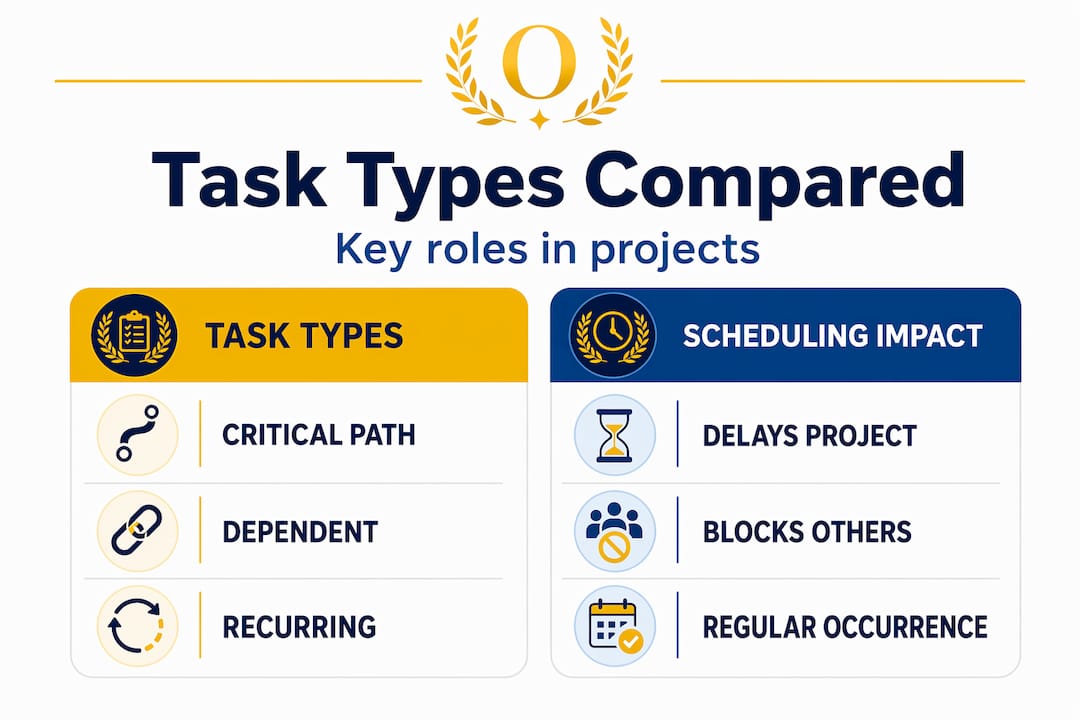
| Task type | Definition | Scheduling impact |
|---|---|---|
| Critical path task | A task whose delay pushes back the entire project end date | Must be monitored daily; no flexibility |
| Float task | A task with slack time that can shift without affecting the final deadline | Can be rescheduled without project impact |
| Dependent task | A task that cannot start until another task finishes | Sequence matters; blocking others is costly |
| Recurring task | A task that repeats on a schedule | Needs automation or standing assignment |
| One-off task | A task that occurs once with no repetition | Needs individual planning and ownership |
Critical path tasks require daily monitoring because a single day’s delay immediately shifts the project’s end date. There’s no buffer. Conversely, tasks with float can be managed flexibly without triggering a cascading schedule crisis. Knowing which category each task falls into tells you exactly where to focus your energy.

Dependent tasks are where most young project managers get tripped up. If Task B can’t start until Task A is done, and Task A is late, Task B is automatically late too. This is called a blocking dependency, and it spreads delays like dominoes.
Pro Tip: When you build your task list, mark every task that blocks another task with a visible flag or color code. Those are your highest-priority items regardless of how urgent other work feels.
How task management fits into project management
Task management is the micro-level control system inside the broader machine of project management. Think of project management as the flight plan and task management as the individual checklists each crew member runs before takeoff. Both need to work. Either one failing alone can ground the whole plane.
Here’s how to connect task management to your project goals in a way that actually works:
- Define your project objective first. Before listing a single task, write down what the finished project looks like. Every task you create should connect back to that outcome.
- Break the project into phases or work areas. Group tasks by stage or department. This gives you a hierarchy rather than a flat, overwhelming list.
- Assign every task an owner and a deadline. Tasks without ownership and realistic deadlines create accountability gaps that kill momentum.
- Map task dependencies before scheduling. Know what blocks what before you set dates. Build the sequence, then add the calendar.
- Track progress in real time. Software tools that compare actual work versus estimates catch delays before they become crises. Manual spreadsheets can’t do this at scale.
Pro Tip: When using project management software, track task assignments and status updates in a centralized location that your whole team can see. Private to-do lists create invisible blockers.
Prioritization of tasks should follow dependency and business impact rather than urgency or visibility. The loudest task is rarely the most important one. What matters is what unblocks other work and what drives the final result. That distinction is what separates reactive task management from real project control.
Real-time visibility into task progress through software is one of the biggest shifts in how modern projects are run. When a task falls behind, good software automatically flags the impact on connected tasks and final deadlines. That early warning system is worth more than any status meeting.
Practical task management for students and young professionals
Knowing the theory is half the battle. Applying it in your coursework, internship, or first job is where it gets real. Here’s how to make task management work for you from day one.
Start with a full task breakdown. Before you touch any actual work, list every action required to complete the project. Breaking large projects into hierarchical tasks prevents the complexity from becoming unreadable. Group related tasks under parent categories. This gives you a structure you can actually navigate.
- Write tasks as actions, not topics. “Draft introduction” is a task. “Introduction” is not.
- Each task should take between 30 minutes and two days to complete. If it’s longer, break it down further.
- Assign one owner per task. Even on solo projects, name yourself explicitly. It creates accountability.
- Set a deadline for every task, not just the final project due date.
- Identify which tasks depend on others and list those dependencies clearly before you schedule anything.
Avoid the most common beginner mistakes. The biggest one is creating tasks that are too vague, like “work on report” or “figure out design.” Vague tasks don’t tell you when they’re done. They sit on your list forever and slowly drain your confidence.
The second mistake is overloading your task list. When you try to track 60 tasks in a flat list without hierarchy, the plan becomes unreadable and you stop using it. Task hierarchies let you collapse complex details into manageable summaries while keeping the specific subtasks accessible when needed.
For students managing academic projects or early-career professionals juggling multiple workstreams, checking out prioritization techniques for student projects can make the difference between staying on top of your work and constantly putting out fires. Good task management for academic balance is a learned skill, not a talent.
What most beginners get wrong about tasks
I’ve watched dozens of students and new professionals build project plans that look organized but fall apart the moment work actually starts. The pattern is almost always the same. They list what they want to accomplish, not what they actually need to do.
In my experience, the single biggest shift that improves project outcomes is forcing yourself to define what “done” looks like for every single task before you start. Not after. Before. When you define completion upfront, you stop doing work that doesn’t move the needle and start doing work that actually closes tasks.
What I’ve found is that most people prioritize tasks based on how stressed they feel about them rather than on logic. They work on visible, urgent things while the tasks that block five other tasks sit untouched. That’s how you end up in a last-minute panic. The fix is simple: every Monday, identify your three tasks that, if left undone, would block the most other work. Those go first.
I also believe task hierarchies are underused by beginners. Keeping everything flat feels easier at the start, but it breaks down fast. When you structure tasks in parent-and-subtask groups, you can zoom in when executing and zoom out when reviewing progress without losing your place. Optiostation was built around exactly this kind of structure because it’s what actually works.
— Optiostation
Manage your tasks like a pro with Optiostation
If the concepts in this guide resonated with you, the next step is putting them into practice with a tool that’s actually designed for how students and young professionals work.
Optiostation is a task, team, and time management app built specifically for Centurions like you. It gives you real-time task tracking, visual progress tools, dependency mapping, and prioritization features without the overwhelming complexity of enterprise software. You can find the right task management software for your workflow in minutes, or browse the top time management apps built for productivity at every stage of your career. If you’re already working and struggling to stay on top of it all, the guide on tracking tasks effectively at work is a practical starting point. Your second-in-command is ready when you are.
FAQ
What is a task in project management?
A task is a single unit of work with a defined owner, deadline, deliverable, and completion criteria. It’s the smallest actionable element inside a project.
How does a task differ from a project?
A project is the full scope of work toward an overarching goal. A task is one specific action within that project. Projects contain many tasks; a task does not contain a project.
What are the types of tasks in project management?
The main types are critical path tasks, float tasks, dependent tasks, recurring tasks, and one-off tasks. Each type affects how you schedule and prioritize work differently.
Why is “definition of done” so important for tasks?
Without a clear definition of done, teams disagree on whether work is finished, leading to wasted effort and delays. Defining completion upfront keeps everyone aligned and focused.
How should students prioritize tasks in a project?
Prioritize based on dependency and impact first. Tasks that block other work or directly affect the final deadline should come before tasks that feel urgent but don’t block anything.
Recommended
- Master project management task list templates in 2026 – Optio Station: Best Project Management App for Prioritization
- Task Management Software: Everything You Need to Know – Optio Station: Best Project Management App for Prioritization
- Best Task Management Software: Complete Guide – Optio Station: Best Project Management App for Prioritization
- Master project manager tasks to boost team success – Optio Station: Best Project Management App for Prioritization
