
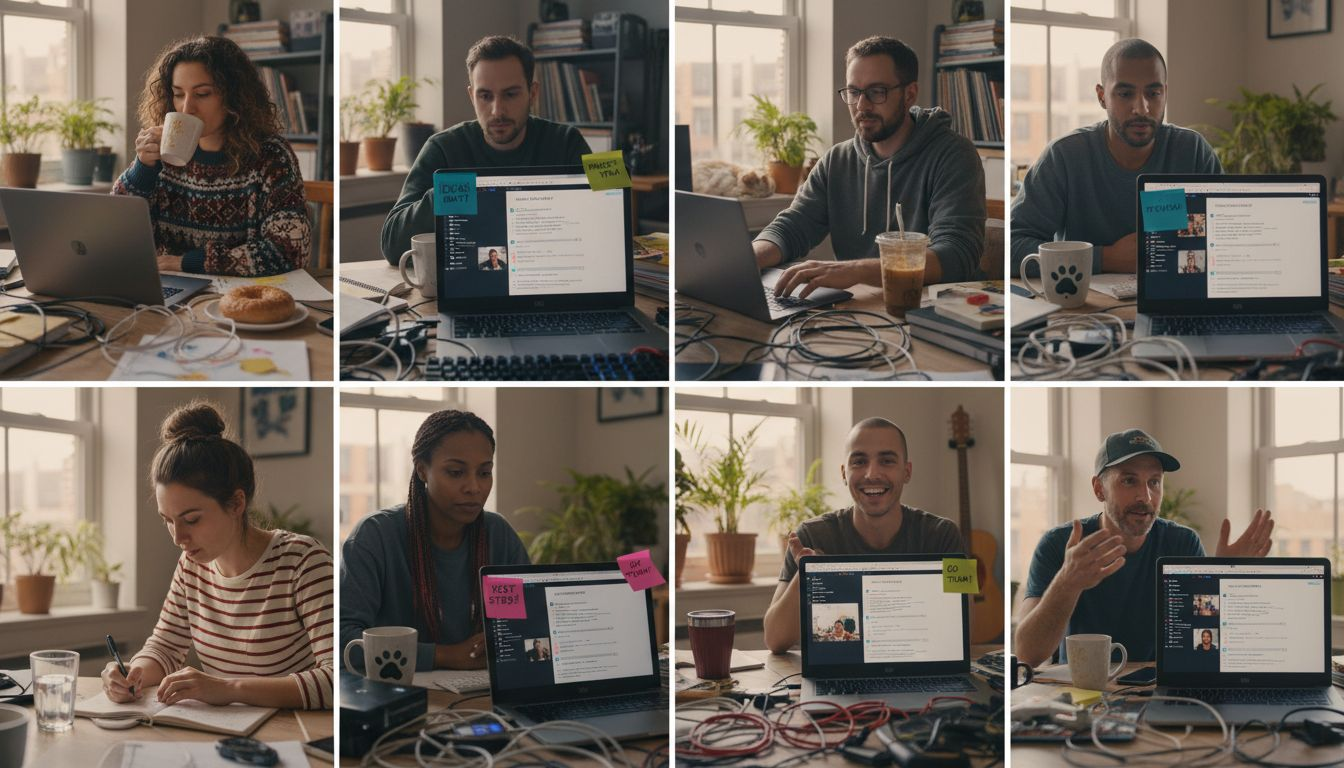
Keeping remote teams connected and productive can feel overwhelming when everyone is scattered across different places. Without the right tools, communication gets messy and project tracking slips through the cracks. The challenge is finding solutions that actually bring your team together and make collaboration simple, not complicated.
This list reveals practical tools and strategies designed to help your remote team work smoothly, communicate clearly, and keep projects organized. You will discover how to use platforms that offer real-time collaboration, easy project tracking, reliable video meetings, and instant messaging.
Get ready for actionable insights that show you which tools deliver flexible workflows, seamless integration, and meaningful connections. You will see how each item can help your team thrive, whether they are working from home, in the office, or anywhere in between.
Table of Contents
- 1. Why Collaboration Tools Matter For Remote Teams
- 2. Streamline Chats With Slack For Fast Communication
- 3. Boost Project Tracking Using Trello Boards
- 4. Share And Edit In Real Time With Google Workspace
- 5. Use Zoom For Simple And Reliable Video Meetings
- 6. Organize Files With Dropbox For Easy Access
- 7. Optio: Your All-In-One Task And Team Organizer
Quick Summary
| Takeaway | Explanation |
|---|---|
| 1. Choose Effective Collaboration Tools | Select tools that enhance communication, task management, and project tracking to support remote team productivity. |
| 2. Utilize Slack for Streamlined Communication | Organize discussions into channels and use direct messaging to improve clarity and reduce email clutter. |
| 3. Leverage Trello for Visual Project Management | Use Kanban boards to create clear workflows and track progress, ensuring transparency among team members. |
| 4. Implement Google Workspace for Real-Time Collaboration | Enable simultaneous document editing and instant sharing to enhance teamwork and prevent version control issues. |
| 5. Ensure Reliable Video Communication with Zoom | Use advanced features like breakout rooms and recordings to facilitate engaging and productive virtual meetings. |
1. Why Collaboration Tools Matter for Remote Teams
Remote work has fundamentally transformed how teams communicate and collaborate across geographic boundaries. As modern organizations increasingly embrace distributed workforces, collaboration tools have become essential infrastructure for maintaining productivity and team cohesion.
The shift to remote work demands more than traditional communication methods. Teams now require sophisticated digital platforms that can replicate the spontaneity and connectivity of in-person interactions. These tools bridge critical gaps by enabling:
- Instant communication across different time zones
- Real-time document sharing and collaborative editing
- Transparent project tracking and progress monitoring
- Virtual meeting spaces with integrated communication features
- Centralized information repositories
Effective collaboration tools are not just technological solutions they are the connective tissue of modern distributed teams.
Unlike traditional office environments where conversations happen organically, remote teams must be intentional about creating communication channels. Collaboration platforms solve this challenge by providing structured yet flexible spaces for team interaction. They transform isolated individual work into synchronized collective effort.
Modern collaboration tools go beyond simple messaging. They integrate task management, file sharing, video conferencing, and workflow tracking into unified ecosystems. This integration reduces context switching and helps remote teams maintain seamless operational continuity.
Pro tip: Select collaboration tools that offer robust integration capabilities and prioritize user-friendly interfaces to maximize team adoption and effectiveness.
2. Streamline Chats with Slack for Fast Communication
In the world of remote work, communication is king and Slack has emerged as a powerful monarch. Team communication platforms have revolutionized how distributed workforces interact, providing instant connectivity that transcends geographic boundaries.
Slack offers more than simple messaging. Its robust platform enables teams to create organized communication channels that reduce email clutter and streamline workplace interactions. Key features include:
- Dedicated topic-based channels for focused discussions
- Instant direct messaging with individuals and groups
- Video and voice call capabilities
- Powerful file sharing and integration options
- Searchable message archives
Effective communication is not about sending messages it is about creating meaningful connections.
Workplace communication efficiency depends on selecting the right tools. Slack addresses this need by providing a comprehensive platform that adapts to various team dynamics. Its intuitive interface allows teams to customize communication workflows that match their specific collaboration needs.
With advanced features like workflow automation and external partner collaboration, Slack transforms how remote teams communicate. Centralized communication platforms eliminate the friction of traditional communication methods, enabling faster decision making and more transparent team interactions.
Pro tip: Establish clear channel guidelines and naming conventions to maximize your team’s Slack communication effectiveness and reduce information overload.
3. Boost Project Tracking Using Trello Boards
Project management in remote teams demands visual clarity and intuitive tracking. Trello transforms complex workflows into simple, digestible boards that make collaboration seamless. Project tracking strategies have evolved dramatically with tools like Trello leading the way.
The platform’s Kanban-style interface allows teams to organize work using customizable boards that provide instant visibility into project progress. Key features that make Trello powerful include:
- Drag-and-drop task management
- Customizable boards for different project types
- Real-time team collaboration
- Easy task assignment and tracking
- Integration with multiple productivity apps
Effective project management is about transparency not just tracking tasks.
Visual project management represents a significant leap from traditional spreadsheet tracking. Trello enables teams to create workflows that match their unique working styles by allowing complete customization of boards, lists, and cards.
Remote teams can leverage Trello’s collaborative features to maintain accountability and transparency. Project progress becomes instantly comprehensible through color-coded labels, due dates, and checklist tracking that keep everyone aligned and informed.
Pro tip: Create template boards for recurring project types to accelerate setup and maintain consistent workflow structures across your team.
4. Share and Edit in Real Time with Google Workspace
Remote collaboration requires seamless document sharing and simultaneous editing capabilities. Collaborative workflow strategies have transformed how distributed teams communicate and produce work together.
Google Workspace emerges as a powerhouse for real-time collaborative productivity. Unlike traditional file sharing methods, this platform enables multiple team members to work on the same document simultaneously. Key features that make Google Workspace exceptional include:
- Instant document sharing
- Real-time collaborative editing
- Cloud-based file storage
- Integrated communication tools
- Comprehensive cross-platform compatibility
Effective collaboration is about removing barriers between team members and their work.
Digital collaboration platforms have revolutionized how remote teams interact. Google Workspace allows you to see edits happening in real time with color-coded cursors tracking each team member’s contributions. This transparency eliminates version control issues and reduces communication overhead.
The platform’s suite of tools goes beyond simple document editing. Integrated communication channels like Google Meet and Chat allow seamless transition from collaborative document work to immediate video discussions or messaging.
Pro tip: Establish clear document naming conventions and folder structures in Google Workspace to maintain organization and ease of access for your entire team.
5. Use Zoom for Simple and Reliable Video Meetings
Video conferencing has become the lifeline of remote collaboration. Virtual team communication strategies have transformed how distributed teams connect and interact across geographic boundaries.
Zoom stands out as a powerhouse for seamless video communication with features that go far beyond basic meeting platforms. Its robust infrastructure supports diverse communication needs for remote teams worldwide. Key capabilities include:
- High-definition video and audio quality
- Easy screen sharing
- Breakout room functionality
- Large participant support
- Recording and transcription options
- Cross-platform compatibility
Effective communication transcends technology it requires human connection.
Digital meeting platforms have revolutionized workplace interactions. Zoom provides intuitive tools that make remote meetings feel almost as engaging as in-person conversations. Its user-friendly interface reduces technical barriers that often frustrate remote workers.
Beyond basic video calls, Zoom offers advanced features like automated captions, AI-powered note-taking, and seamless integration with other productivity tools. Remote collaboration becomes effortless with these sophisticated communication technologies.
Pro tip: Set up a consistent virtual meeting background and test your audio and video settings before important meetings to project professionalism and minimize technical disruptions.
6. Organize Files with Dropbox for Easy Access
File management can make or break remote team productivity. Digital organization strategies are crucial for maintaining smooth collaborative workflows in distributed work environments.
Dropbox provides a comprehensive solution for teams seeking efficient file storage and sharing. Unlike traditional file management systems, it offers robust features that transform how remote teams handle digital documents. Key capabilities include:
- Seamless file syncing across devices
- Cloud storage with advanced security
- Smart content suggestions
- Collaboration via Dropbox Paper
- Integration with productivity tools
- End-to-end encryption for team folders
Effective file management is not about storing data it is about creating accessible knowledge networks.
Cloud storage platforms have revolutionized how teams approach document management. Dropbox enables instant access to files from anywhere while maintaining strict security protocols. Its intuitive interface allows teams to collaborate without worrying about version control or file accessibility.
Modern remote teams require more than simple storage solutions. Intelligent file management systems like Dropbox provide context-aware tools that adapt to your team’s specific workflow, making document retrieval and sharing effortless.
Pro tip: Create a standardized folder naming convention and use Dropbox’s tagging features to ensure your team can quickly locate and reference critical documents.
7. Optio: Your All-In-One Task and Team Organizer
Managing remote teams requires more than scattered tools and disconnected workflows. Task management strategies have evolved to meet the complex needs of modern distributed workforces.
Optio emerges as a comprehensive solution designed specifically for teams seeking integrated productivity. Unlike fragmented platforms, it provides a unified ecosystem that streamlines task tracking, team communication, and project management. Key features include:
- Real-time performance monitoring
- Granular access controls
- Workflow automation
- Personalized content triggers
- Enhanced team analytics
- Multi-industry support
Effective team management is about empowering individuals while maintaining collective momentum.
Integrated productivity platforms transform how remote teams collaborate. Optio’s approach goes beyond traditional task management by providing context-aware tools that adapt to your team’s unique working style. Its upgraded segmentation engine ensures that each team member receives relevant information and tasks.
With strong data privacy controls and deep customer analytics, Optio helps teams not just work together but work smarter. Intelligent task management systems can dramatically increase team efficiency and reduce communication overhead.
Pro tip: Leverage Optio’s customizable dashboards to create role-specific views that provide each team member exactly the information they need to stay productive.
Below is a comprehensive table summarizing the key functionalities, benefits, and best practices of collaboration tools as discussed throughout the article.
| Collaboration Tool | Key Functionality | Benefits | Best Practice |
|---|---|---|---|
| Slack | Organized communication channels, instant messaging, integrations. | Streamlines workplace interactions, enhances connectivity. | Establish clear channel guidelines to minimize clutter. |
| Trello | Kanban-style boards for task tracking, real-time collaboration. | Provides visual clarity on project progress, boosts team coordination. | Create template boards for recurring tasks. |
| Google Workspace | Real-time document editing, cloud storage, integrated tools. | Enables seamless collaboration and reduces version issues. | Use standardized file naming conventions to improve organization. |
| Zoom | HD video meetings, breakout rooms, screen sharing. | Facilitates effective remote interactions, supports large groups. | Test audiovisual setups before meetings to ensure professionalism. |
| Dropbox | Cloud storage, file syncing, collaboration features. | Simplifies file access and sharing while maintaining security. | Implement folder naming conventions for team efficiency. |
| Optio | Integrated task and team management, workflow automation. | Offers a unified platform for enhanced productivity. | Use customizable dashboards for role-specific task visualization. |
Empower Your Remote Team with Optio’s Roman-Inspired Task Mastery
Managing remote teams means overcoming barriers to communication and productivity mentioned throughout the “7 Best Collaboration Tools for Remote Teams Explained” article. Challenges like fragmented workflows, scattered task tracking, and maintaining team cohesion can leave professionals feeling overwhelmed and disconnected. Optio rises as the trusted “second-in-command” for students and young professionals who want to conquer these pain points with clarity and precision.

Discover how Optio unifies task, team, and time management within a single mobile app designed for Centurions who demand seamless control and real-time tracking. Explore practical strategies and insights to sharpen your productivity on our ProductivityThoughts page. Ready to take command and bring harmony to your projects? Visit Optio Station now and experience the power of an all-in-one solution tailored to modern remote teams. Learn more about mastering your team’s potential with tips from CenturionTips and lead your remote work like a true commander.
Frequently Asked Questions
What are collaboration tools for remote teams?
Collaboration tools for remote teams are digital platforms that facilitate communication, project management, and workflow efficiency. They include features like instant messaging, video conferencing, file sharing, and task tracking, which help remote teams stay connected and organized.
How can I choose the best collaboration tool for my remote team?
To choose the best collaboration tool, assess your team’s specific needs, such as project management capabilities or ease of communication. Consider user-friendly interfaces, integration options with existing software, and features that support your team’s workflow. Evaluate your options within a week or two to facilitate a smooth transition.
How do I ensure my remote team adopts a new collaboration tool?
To ensure your remote team adopts a new collaboration tool, provide training sessions and resources that demonstrate its benefits. Encourage team members to share their experiences and establish guidelines for use, which can lead to increased engagement and productivity over time.
What features should I look for in a project management tool?
When selecting a project management tool, look for features like task assignment, progress tracking, document sharing, and customization options. These capabilities will help your team to stay organized and aligned on project goals, ultimately improving project outcomes.
How can video conferencing improve remote team collaboration?
Video conferencing can significantly improve remote team collaboration by providing a platform for face-to-face interactions, fostering stronger relationships. Schedule regular video meetings to discuss projects, brainstorm, or celebrate achievements, enhancing team morale and communication.
What are some best practices for using collaboration tools effectively?
Some best practices for using collaboration tools effectively include establishing clear communication protocols, setting specific project goals, and providing regular updates. Encourage consistent use of the tools across your team, which can help increase accountability and streamline workflows.
Recommended
- Understanding Remote Teamwork Tips for Effective Collaboration – Optio Station: Best Project Management App for Prioritization
- Collaboration Tools Explained: Powering Modern Teamwork – Optio Station: Best Project Management App for Prioritization
- Understanding Effective Virtual Team Tips for Success – Optio Station: Best Project Management App for Prioritization
- Understanding Collaboration Workflow for Teams – Optio Station: Best Project Management App for Prioritization
