

Juggling classes, deadlines, side projects, and team meetings can quickly become overwhelming. Nearly 60% of professionals miss deadlines due to ineffective task management, leading to stress and burnout. Task management tools offer a systematic way to organize, prioritize, and track your work, transforming chaos into clarity. This guide explains what these tools are, how they enhance productivity and collaboration, and how to choose the right one for your needs.
Table of Contents
- Understanding Task Management Tools: Definitions And Core Concepts
- How Task Management Tools Enhance Productivity And Collaboration
- Common Misconceptions About Task Management Tools
- Comparing Leading Task Management Tools: Features, Strengths, And Use Cases
- Practical Implementation Tips For Students And Young Professionals
- Conclusion: Empowering Productivity With Task Management Tools
- Take Control Of Your Tasks With Optio Station
Key takeaways
| Point | Details |
|---|---|
| Task management tools go beyond to-do lists | They organize, prioritize, track, and facilitate collaboration across the entire task lifecycle. |
| Boost productivity and reduce stress | These platforms cut missed deadlines, automate repetitive work, and improve team communication. |
| Tools vary in complexity and focus | Some excel at personal task tracking while others support extensive team collaboration and automation. |
| Common myths hinder effective adoption | Oversimplifying tools as simple lists or assuming AI features require technical expertise limits their potential. |
| Match tool features to your workflow | Selecting a platform aligned with your actual needs and keeping setup simple ensures sustained use and maximum benefit. |
Understanding task management tools: definitions and core concepts
Task management tools are digital platforms designed to help users organize, prioritize, and track tasks from start to finish. Unlike general project management systems that oversee broad initiatives with multiple moving parts, task management zeroes in on individual tasks and their lifecycle. You capture what needs doing, assign priority levels, set deadlines, track progress, and collaborate with teammates all in one place.
Modern platforms integrate AI and automation to optimize workflows. AI-enabled tools improve task prioritization accuracy by over 25%, helping you focus on what truly matters. Cross-platform syncing ensures you can access your tasks from your phone, laptop, or tablet without missing a beat. Whether you’re managing coursework, freelance gigs, or team projects, these tools provide structure and visibility.
Core functions include:
- Task capture: quickly log tasks as they arise
- Prioritization: rank tasks by urgency and importance
- Execution tracking: monitor progress and mark completion
- Collaboration: share tasks, assign ownership, and communicate within the platform
- Reporting: visualize workload and performance metrics
Pro Tip: Start by identifying your specific task needs before choosing a tool to avoid feature overload. A clear understanding of your workflow helps you select a platform that fits rather than complicates your routine. For a deeper dive into selecting the right platform, explore our best task management software guide or check out this task management definition for foundational context. Learn more about AI in task management to see how automation enhances efficiency. Our task management software guide offers additional insights on choosing platforms that match your style.
How task management tools enhance productivity and collaboration
Organized task tracking reduces missed deadlines and mental clutter. When every task has a clear owner, due date, and status, you spend less time wondering what’s next and more time executing. Real-time syncing keeps everyone on the same page, enabling fast updates and transparency across your team.
Automation cuts manual repetition and errors. Set up triggers to move tasks between stages, send reminders, or assign follow-ups automatically. This frees your cognitive energy for strategic thinking rather than administrative busywork. Collaboration features like in-app messaging, file sharing, and group task boards make teamwork seamless, whether you’re coordinating a group presentation or managing a startup project.
60% of professionals struggle with effective task management, leading to missed deadlines and burnout.
Accountability rises when tasks are clearly assigned and visible to the team. You know who’s responsible, what’s due, and where bottlenecks exist. This visibility prevents tasks from slipping through cracks and encourages proactive communication. Real-time collaboration features improve communication and accountability, making it easier to coordinate even when team members are in different locations or time zones.
Key productivity benefits include:
- Reduced cognitive load from trying to remember every task
- Faster decision-making with clear priority rankings
- Lower stress from knowing exactly what’s on your plate
- Enhanced focus by minimizing context switching
- Better time allocation through workload visualization
Pro Tip: Use automation triggers and notifications to stay on schedule and avoid burnout. Setting up reminders for high-priority tasks ensures nothing urgent gets overlooked. For strategies on maintaining productivity without overwhelming yourself, visit our guide on why manage tasks. Dive into task management productivity data to see how others benefit, and explore real-time collaboration advantages for team-focused workflows. Our article on best collaboration tools for remote teams offers additional context for distributed work.
Common misconceptions about task management tools
Many people assume task management simply means making to-do lists. In reality, task management involves planning, prioritization, delegation, tracking, and reporting, not just jotting down items. It’s a full lifecycle process that guides tasks from inception through completion, with accountability and collaboration built in.
Another myth: more features equal better tools. Complexity can overwhelm users and tank adoption rates. High abandonment rates occur when tools have excessive features or poor UI simplicity. The best tool is the one you’ll actually use, which often means favoring simplicity and intuitive design over an exhaustive feature set.
Some believe AI features are only for tech experts. Modern AI tools are designed for everyday users, offering smart prioritization, predictive deadlines, and automated task suggestions without requiring any technical skills. These features learn from your behavior and adapt to your workflow, making task management more efficient for everyone.
- Misconception: Task management equals to-do lists. Fact: It’s a comprehensive process covering planning, delegation, tracking, and reporting across the entire task lifecycle.
- Misconception: More features make a tool better. Fact: Excessive complexity reduces usability and adoption; match tool features to your actual workflow needs.
- Misconception: AI features require technical expertise. Fact: Modern AI tools are accessible and intuitive, boosting prioritization and efficiency for all users regardless of technical background.
Understanding these myths helps you approach tool selection with realistic expectations. You’ll focus on what truly matters: clear task visibility, ease of use, and features aligned with your workflow. For a balanced perspective, review our task management software guide. Learn more about task management misconceptions and see complexity vs usability data for insights on what drives successful adoption.
Comparing leading task management tools: features, strengths, and use cases
Choosing the right platform depends on whether you need personal task tracking or robust team collaboration. Three popular options stand out: ClickUp, Asana, and Todoist. Each excels in different areas, so understanding their strengths helps you match a tool to your workflow.
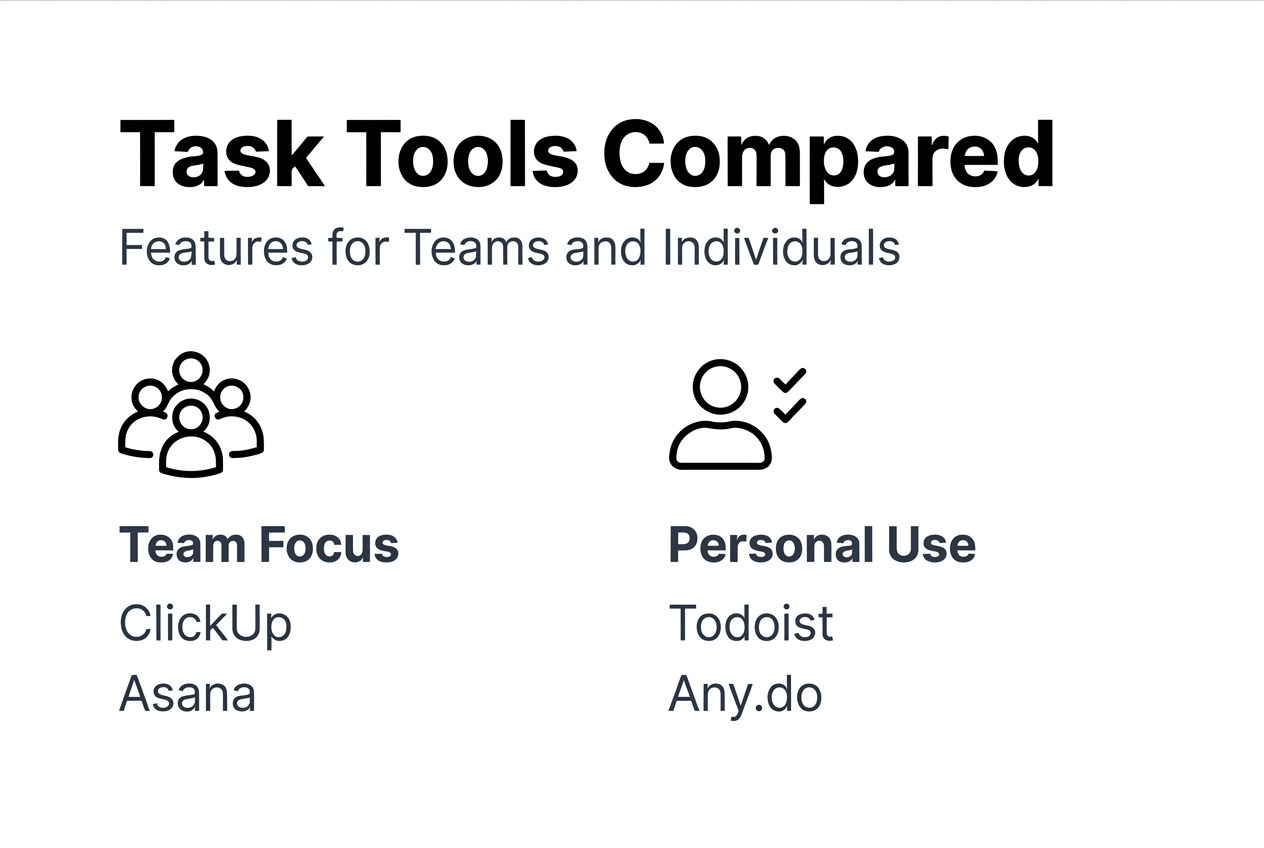
ClickUp scores highly for team collaboration and automation; Todoist excels in personal task management due to simplicity. ClickUp offers extensive integrations, customizable views, and powerful automation rules, making it ideal for teams managing complex projects. Asana provides strong project dependency tracking and timeline visualization, perfect for coordinating multi-step initiatives. Todoist delivers a minimalist interface focused on individual productivity, with natural language input and straightforward task organization.

| Tool | Collaboration | Automation | Interface Simplicity | Best For |
|---|---|---|---|---|
| ClickUp | High | High | Medium | Teams needing extensive integrations and custom workflows |
| Asana | High | Medium | Medium | Teams managing projects with dependencies and timelines |
| Todoist | Low | Low | High | Individuals seeking simple, fast personal task tracking |
For solo users juggling coursework or personal projects, Todoist’s clean design minimizes friction and keeps you focused. If you’re coordinating group assignments, internships, or team startups, ClickUp or Asana provide the collaboration and automation features necessary to keep everyone aligned. Assess your collaboration needs, technical comfort, and workflow complexity before committing to a platform. Our task management software guide offers deeper comparisons, and you can explore leading task management tools comparison for expert reviews.
Practical implementation tips for students and young professionals
Successful adoption starts with intentional setup and consistent use. Follow these steps to integrate a task management tool into your routine and maximize its benefits.
- Identify your workflow needs and task complexity before selecting a tool. Are you managing solo tasks or coordinating with a team? Do you need automation or just simple tracking? Honest assessment prevents choosing a platform that’s either too basic or overwhelmingly complex.
- Choose a tool balancing features and ease of use to avoid overwhelm. Test free trials or freemium versions to see if the interface feels intuitive. If setup takes hours, you’re less likely to stick with it.
- Set up clear projects with task assignments and deadlines for accountability. Break large goals into smaller, actionable tasks. Assign each task an owner and due date so everyone knows what’s expected.
- Use automation and integrations to reduce manual effort. Connect your tool to your calendar, email, or communication platforms. Set up recurring tasks for routine activities and automated reminders for high-priority items.
- Review progress regularly with dashboards and reporting features. Weekly or daily check-ins help you spot bottlenecks, adjust priorities, and celebrate completed tasks. Consistent review turns task management into a habit rather than a chore.
Pro Tip: Integrate your tool with your mobile and desktop apps for seamless access. Switching devices shouldn’t interrupt your workflow. Most platforms offer robust mobile apps that sync instantly, letting you capture tasks on the go and review progress wherever you are.
For hands-on guidance, explore our resources on managing team tasks effectively, download a team task list template to jumpstart your setup, and learn strategies for keeping track of tasks at work that apply equally to academic and professional settings.
Conclusion: empowering productivity with task management tools
Task management tools transform how you handle work by organizing tasks, reducing stress, and enhancing collaboration. They help you meet deadlines, automate repetitive processes, and maintain accountability across solo and team projects. Selecting a platform that matches your workflow complexity and needs is crucial for sustained use and long-term productivity gains.
Whether you’re a student balancing coursework and extracurriculars or a young professional managing multiple projects, the right tool empowers you to stay on top of responsibilities without feeling overwhelmed. Start small, use features strategically, and adapt as you grow more comfortable. With intentional implementation and regular review, task management tools become indispensable allies in achieving your academic and career goals with confidence and clarity.
Take control of your tasks with Optio Station
Managing tasks shouldn’t feel like another task. Optio Station offers a user-friendly platform tailored for students and young professionals who need powerful task management without unnecessary complexity. Our features support task prioritization, automation, and team collaboration to streamline your workflows and keep you focused on what matters most.

Explore our best task management software guide to compare platforms and find your perfect fit. Learn proven strategies for managing tasks effectively and discover how our team collaboration guide can elevate your group projects. Try Optio Station today and transform how you manage your daily tasks and projects with confidence, one task at a time.
Frequently asked questions
What are task management tools?
Task management tools are software platforms that help you organize, prioritize, and track tasks from start to finish. They provide a centralized space to capture tasks, assign deadlines, monitor progress, and collaborate with teammates. These tools go beyond simple to-do lists by offering automation, integrations, and reporting features that enhance productivity and accountability.
What is the difference between task management and project management?
Task management focuses on organizing and tracking individual tasks and their lifecycle, while project management oversees broader initiatives with multiple tasks, timelines, and resources. Task management tools zoom in on day-to-day execution, helping you complete specific actions efficiently. Project management platforms coordinate complex projects with interdependencies, milestones, and team roles, providing a higher-level view of progress.
How do I choose the right task management tool?
Start by identifying your workflow needs and collaboration requirements. If you work solo, a simple tool like Todoist may suffice. For team projects, consider platforms like ClickUp or Asana that offer collaboration and automation features. Test free trials to ensure the interface feels intuitive and doesn’t overwhelm you with unnecessary complexity.
Do I need technical skills to use AI features in task management tools?
No, modern AI features are designed for everyday users without technical backgrounds. These tools learn from your behavior and suggest priorities, deadlines, and next steps automatically. You don’t need to understand algorithms or code; the AI works behind the scenes to make your task management more efficient and personalized.
Can I use task management tools on both mobile and desktop?
Yes, most task management platforms offer mobile and desktop apps with real-time syncing. This ensures you can capture tasks on your phone, review them on your laptop, and update progress from any device without losing data. Cross-platform access keeps your workflow flexible and uninterrupted, no matter where you are.
Recommended
- Best Task Management Software: Complete Guide – Optio Station: Best Project Management App for Prioritization
- Command Log – Optio Station: Best Project Management App for Prioritization
- Task Management Software: Everything You Need to Know – Optio Station: Best Project Management App for Prioritization
- Understanding Why Manage Tasks for Better Productivity – Optio Station: Best Project Management App for Prioritization
- Xolapp – Run your business without admin stress
