

What is a weekly checklist planner, and which types exist?
A weekly checklist planner is a structured tool, either on paper or digital, that lists your tasks, appointments, and priorities for the week so nothing slips through. The core value is simple: instead of carrying your to-do list in your head, you put it somewhere you can see and check off.
The main types available in the US market break down like this:
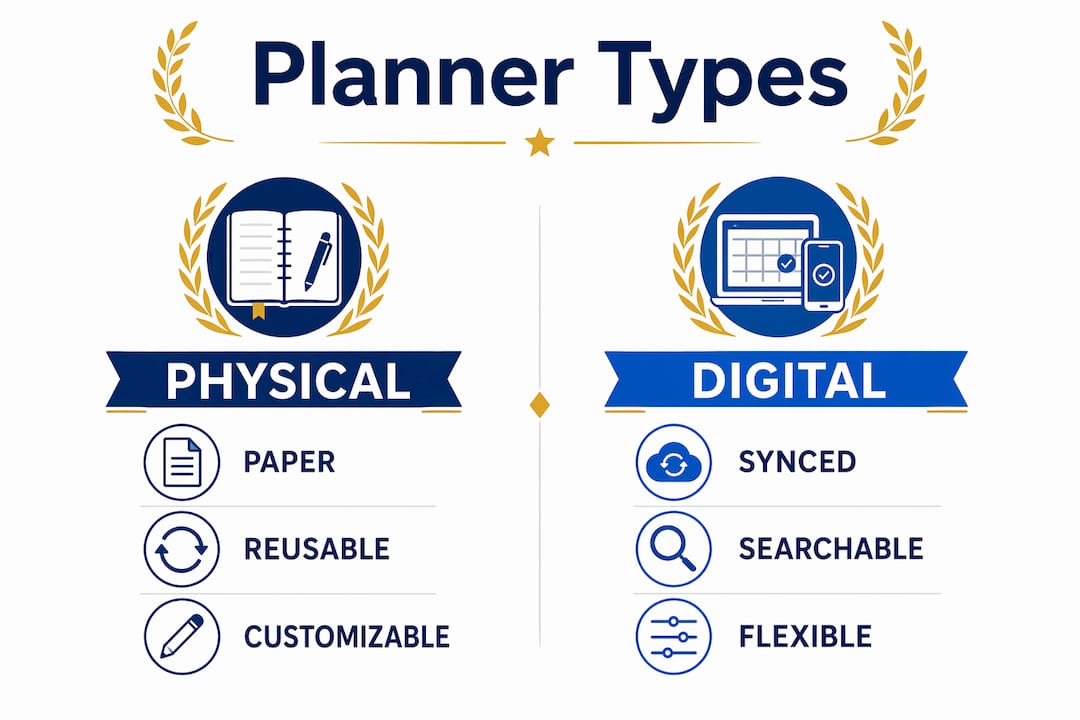
- Paper planners: Physical books or printable sheets with pre-set layouts. Blue Sky and Happy Planner are the dominant names here.
- Printable templates: PDF files you download, customize, and print at home. Canva leads this category with free, editable designs.
- Digital-only planners: Apps and browser-based tools where you type, check off, and sync tasks across devices.
- Hybrid planners: Formats like the Happy Planner that work as both a physical product and a digital download.
- Reusable laminated sheets: Paper templates sealed in plastic so you can write and wipe each week, cutting paper waste entirely.
The format you choose shapes how you plan. Paper keeps you off screens; digital keeps everything searchable and synced.
Popular weekly checklist planners and templates compared
Three brands cover most of what people actually buy or download for a weekly planning checklist in the US.
| Product | Blue Sky Weekly To-Do Planners | Canva Weekly Planner Templates | Happy Planner Checklist Planners |
|---|---|---|---|
| Best for | Notes-heavy personal planning | Customizable digital or printable use | Checklist-focused, decorative paper planning |
| Layout/style | Weekly to-do sections plus majority notes pages | Wide range of editable layouts | Daily vertical boxes with bulleted checklists |
| Format | Paper | Digital and printable | Paper and hybrid |
| Price/availability | Paid, widely available in US retail | Free and paid tiers | Paid, US craft and office stores |
Blue Sky planners give you a physical book built around a weekly to-do section paired with generous notes pages. If you need room to capture context alongside your tasks, that extra notes space is genuinely useful rather than decorative.

Canva’s templates are the most flexible option for anyone who wants to design their own layout. You pick a template, swap colors, add or remove sections, and either print it or use it digitally on a tablet. The free tier covers most needs.
Happy Planner leans hard into the checklist format. The daily vertical boxes with bulleted lists suit people who think in lists rather than time blocks, and the decorative aesthetic makes the planning ritual feel less like admin.
How to choose the right planner layout for your week
Layout choice comes down to one practical question: do you work and plan on weekends?
- 7-day layouts cover Monday through Sunday and work well for personal planning, family schedules, and anyone whose tasks spill into weekends.
- 5-day layouts show only Monday through Friday, but each day gets more writing space per day, making them better for work or school weeks where weekends are handled separately.
- Hourly layouts add time slots for each day, which helps if you have back-to-back meetings or appointments.
- Notes-heavy layouts trade daily detail for a large open section, useful for brain dumps and project context.
Pro Tip: Laminate a paper template and use dry-erase markers. You reuse the same sheet every week, which costs less over time and removes the friction of reprinting.
Experts recommend limiting your weekly outcomes to three high-impact priorities. More than three turns your plan into a wish list that collapses by Wednesday.
How to use a weekly checklist planner for better productivity
A weekly planning session typically takes between 20 and 90 minutes, during which you organize your week to reduce daily decision fatigue and improve focus.
Follow this sequence, drawn from the five-step weekly review:
- Collect every open task, note, and commitment from your inbox, apps, and memory into one list.
- Clean the list by deleting stale items, combining duplicates, and delegating what belongs to someone else.
- Choose three outcomes that would make the week successful. Outcomes are results, not moods: “send the proposal” beats “work on the proposal.”
- Schedule those three priorities into protected calendar blocks before filling remaining time with smaller tasks.
- Prepare Monday’s first action so you can start without friction, even on a low-energy morning.
The key mental shift is separating planning from execution. Planning is “boss mode,” where you decide what matters. Execution is “worker mode,” where you just do the work. Mixing the two mid-week is where most plans fall apart.
Skipping your planning session during a busy week is exactly the wrong call. Busy weeks need planning most, because without it you react to noise instead of moving your real priorities forward.

What features do weekly checklist planners typically include?
Most planners, whether paper or digital, offer some combination of these elements:
- Task checkboxes and priority markers
- Daily or weekly notes sections for brain dumps
- Habit trackers for recurring behaviors like exercise or hydration
- Appointment slots with time columns
- A top three priorities section separate from the full task list
- Meal planning or self-care sections in lifestyle-oriented designs
- Compatibility with digital calendars like Google Calendar or Apple Calendar when using apps like Todoist, TickTick, or Notion
For digital task tracking, apps let you sync your weekly checklist across phone, tablet, and desktop, set recurring tasks, and get reminders without carrying a physical book.
How to prioritize tasks within a weekly checklist
Start with fixed commitments: meetings, deadlines, and appointments that cannot move. Schedule those first, then place your three priority outcomes into the remaining open blocks. Admin, email, and low-stakes tasks fill whatever is left.
A useful filter: ask whether a task moves a priority outcome forward. If it does not, it belongs in a later slot or off the list entirely. Protecting your deep work hours, the blocks where real concentration is possible, matters more than filling every hour.
How to review and adjust your weekly plan efficiently
A strong weekly system closes the previous week before opening the next one. That means reviewing what slipped, what expanded, and what actually worked.
Three checkpoints keep the plan alive after Monday:
- Daily start check (5 minutes): Confirm the day’s top priority and scan your calendar.
- Midweek reset (10 minutes): Check whether your three priorities are still valid and move unfinished work.
- Friday closeout (10 minutes): Capture carryover tasks and write one note about what to adjust next week.
Carryover is not always a failure. Repeated carryover in the same category usually signals a planning mismatch worth fixing at the next weekly session.
Optiostation: a digital alternative worth considering
If paper planners and static PDF templates feel limiting, Optiostation takes a different approach entirely.
Optiostation is a mobile task and time management app built for students and young professionals who need more than a printed checklist. Where Blue Sky gives you notes space and Happy Planner gives you decorative checklists, Optiostation gives you a live system: recurring tasks, team assignments, and progress tracking that updates in real time. Your weekly task management lives on your phone, syncs across devices, and carries your priorities forward automatically when a week ends. For anyone already using a physical planner but losing tasks between sessions, Optiostation fills that gap without replacing the planning habit you already have.
Key Takeaways
A weekly checklist planner works best when you limit priorities to three outcomes, schedule them before anything else, and review the plan at three checkpoints during the week.
| Point | Details |
|---|---|
| Limit weekly priorities | Choose three outcomes per week; more than three turns the plan into a wish list. |
| Plan in two modes | Separate planning (“boss mode”) from execution (“worker mode”) to protect focus. |
| Time your planning session | A weekly session takes 20–90 minutes and saves decision time throughout the week. |
| Match layout to your week | Use a 7-day layout for personal tasks; a 5-day layout gives more writing space for work or school. |
| Optiostation for digital planning | Optiostation extends checklist planning with live task tracking and team features for students and professionals. |
Recommended
- 7 Types of To-Do Lists Every Student Should Use – Optio Station: Best Project Management App for Prioritization
- 7 Steps to a Powerful Weekly Planning Checklist for Success – Optio Station: Best Project Management App for Prioritization
- Master Your Weekly Agenda Setup for Success – Optio Station: Best Project Management App for Prioritization
- Work-Life Balance Checklist: Achieve Optimal Balance Fast – Optio Station: Best Project Management App for Prioritization
