

How do these two methods compare where it counts?
Time blocking tells you when to work. A to-do list tells you what to work on. That single difference explains almost everything about when each method succeeds and when it falls apart.
Research comparing the two methods head-to-head puts some useful numbers on this. Time-blockers completed 83% of planned work compared to 62% for task-list users. Task lists, on the other hand, handled 87% of urgent, unplanned work effectively versus 63% for time-blockers. The hybrid approach stood out with 84% user retention, 79% task completion, and 81% adaptability.
| Method | Planning time required | Flexibility | Planned work completion | Urgent work handling | Stress impact | Creativity impact |
|---|---|---|---|---|---|---|
| To-do list | 8 minutes (daily) | High | 62% | 87% | Moderate stress | High |
| Time blocking | 22 minutes (daily) | Low | 83% | 63% | Lower stress | Moderate |
| Hybrid | 14 minutes (daily) | Balanced | 79% | High adaptability (81%) | Low stress | High |
Advantages of time blocking at a glance:
- Eliminates the “what should I do next?” decision during the workday
- Forces realistic planning by making time limits visible on a calendar
- Protects deep work from being consumed by reactive tasks
- Reduces decision fatigue by front-loading all scheduling choices
Advantages of to-do lists at a glance:
- Captures tasks instantly with almost no setup friction
- Adapts easily when priorities shift mid-day
- Works well for roles with high interruption rates
- Provides the psychological satisfaction of crossing items off
What is time blocking and how does it actually work?
Time blocking means assigning a specific chunk of calendar time to a specific task before the day begins. Monday from 9:00 AM to 10:30 AM is not “work time.” It is “draft the Q2 report” time. The distinction sounds small. In practice, it changes everything about how you execute.

Productivity coach Alexis Haselberger describes it plainly: time blocking is appointments with yourself to do specific work. The calendar block carries the same social weight as a meeting with your manager. You would not skip that meeting because something else came up. The goal is to apply the same logic to your own focused work.
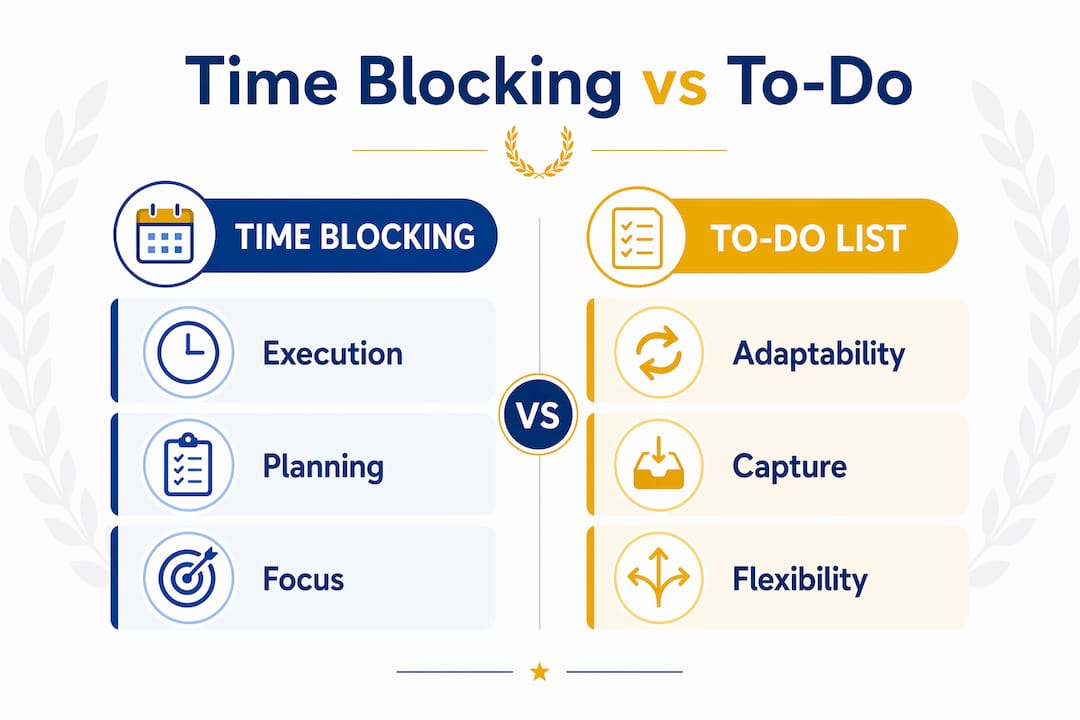
The method also forces a kind of calendar honesty that task lists never do. When you try to block 15 tasks into an 8-hour day, the calendar immediately shows you they do not fit. You cut down to six or seven realistic tasks. You actually finish them. That feedback loop, visible on a calendar rather than buried in a growing list, is one of time blocking’s most underrated benefits for focus.
Time blocking best practices:
- Name the exact deliverable inside each block, not just a vague category like “deep work”
- Schedule your most demanding blocks during your peak energy hours
- Build in transition time between blocks so one overrun does not cascade
- Treat blocks as movable, not deletable. If something disrupts a block, reschedule it rather than abandoning it
- Start with three blocks per day and build the habit before adding more
Typical block types include deep work sessions (writing, coding, analysis), administrative batches (email, messages, scheduling), and deliberate recovery time. The recovery blocks are not wasted time. They are what keep the rest of the schedule from collapsing.
What is a to-do list and why do so many people rely on one?
A to-do list is a collection of tasks you intend to complete, usually ordered by priority or category. No time slots, no calendar, no structure beyond the sequence you choose. Write it down, work through it, cross things off.

The core strength is frictionless capture. A thought arrives, you write it down, and your brain releases it. That mental offloading is genuinely useful. Carrying unwritten tasks in your head consumes working memory that could go toward actual work. A list externalizes that cognitive load.
To-do lists shine in reactive roles where the day’s shape is determined by incoming requests rather than personal planning. Customer support, emergency response, parenting, and client-facing work all share a common trait: the next priority is often decided by someone else. A list lets you track everything without committing to a sequence that will be disrupted anyway. For organizing tasks as a student, the flexibility to reprioritize between classes or around unexpected assignments makes lists a natural fit.
Common to-do list features and practices:
- Daily lists limited to three to six priority items to prevent overwhelm
- Categorized lists separating work, personal, and errands
- Rolling lists that carry incomplete items forward to the next day
- Priority markers (high, medium, low) to guide sequencing
- Capture inboxes that collect everything before triage
The limitation is equally structural. A list tells you what to do but says nothing about when or for how long. Without time constraints, the list grows faster than it shrinks. Research on to-do list behavior suggests that a large share of list items are never completed, not because people are lazy, but because the list creates no forcing function to confront limited time.
Pros and cons of time blocking for productivity
Time blocking’s biggest advantage is execution. When you have already decided at 9:00 AM that 2:00 PM is for writing, you do not spend the afternoon negotiating with yourself about whether to start. The decision is made. That elimination of in-the-moment choice is what drives the higher planned work completion rate.
Realistic planning is the second major benefit. A calendar has a fixed number of hours. When you try to schedule more tasks than the day holds, the conflict is immediately visible. This forces the kind of prioritization that a list never demands. You cannot add a 10th task to a full calendar without removing something else.
The pitfalls are real, though. Blocking 100% of the day consistently leads to failure. Effective time blockers reserve 20–30% of their schedule for reactive tasks and interruptions. A fully packed calendar breaks the moment one meeting runs long or one task takes twice as expected.
Vague block labels are another common failure. A block labeled “work on project” gives your future self no clear target. Specifying exact deliverables per block, such as “write introduction and first two sections of the report,” turns a vague intention into a concrete commitment.
Time blocking pros and cons:
- Pro: Eliminates decision fatigue during execution hours
- Pro: Makes over-commitment visible before the day starts
- Pro: Protects deep work from reactive interruptions
- Pro: Builds realistic self-knowledge about how long tasks actually take
- Con: Requires 22 minutes of daily planning, compared to 8 minutes for a task list
- Con: Rigid schedules collapse under frequent interruptions
- Con: Emotional resistance is common, especially for people who find structure suffocating
- Con: Vague blocks produce vague results
Pros and cons of to-do lists for task management
The to-do list’s greatest asset is adaptability. When a priority shifts at 10:00 AM, you reorder the list. No calendar to restructure, no cascading rescheduling decisions. That low friction is exactly what makes lists the default productivity tool for most people.
Quick capture is the second real strength. A task arrives in your inbox, a thought surfaces during a meeting, a colleague mentions something you need to follow up on. You write it down in seconds. Time blocking cannot match that speed. Adding a task to a blocked calendar requires finding a slot, estimating duration, and deciding what to move. A list just absorbs it.
The structural weaknesses are harder to ignore. Without time constraints, lists tend to grow without bound. Adding a task is effortless; completing one requires effort. The gap between those two rates produces the ever-expanding list that becomes a source of anxiety rather than clarity. Priority inflation compounds this: when everything is on the list, everything feels equally urgent, and the day defaults toward easy or reactive tasks rather than important ones.
Digital distractions hit workers every 11 minutes on average, and 98% of workers face at least 3–4 interruptions daily. For people in those environments, a to-do list handles the chaos better than a rigid calendar. But without some form of time awareness built in, the list can enable procrastination on the hardest, most important tasks.
To-do list strengths and weaknesses:
- Strength: Near-zero setup time and no planning overhead
- Strength: Adapts instantly to changing priorities
- Strength: Works well for small tasks under 15 minutes
- Strength: Psychological satisfaction from crossing items off
- Weakness: No built-in time awareness or duration estimates
- Weakness: Lists grow faster than they shrink without active curation
- Weakness: Defaults toward easy tasks when no time constraint forces prioritization
- Weakness: Procrastination risk on large, complex tasks with no scheduled start time
Which method fits your work style and situation?
The most honest answer to the time blocking vs to-do list question is: it depends on how much of your day you actually control. If your schedule is largely yours to direct, time blocking prevents procrastination and protects the focused work that matters most. If most of your day is shaped by incoming requests from others, a to-do list gives you the flexibility to respond without constantly repairing a broken calendar.
Regaining full focus after a single interruption takes an average of 23 minutes. For workers whose days fragment every hour, a rigid blocked calendar creates more overhead than it solves. Every interruption triggers a rescheduling cascade. The mental energy spent repairing the schedule is energy not spent on actual work.
High performers tend to maintain a menu of techniques, switching between time blocking and task lists as context demands. A founder writing a funding proposal blocks three hours of uninterrupted morning time. The same person switches to a running task list when fielding investor questions in the afternoon. The method serves the work, not the other way around. Students balancing coursework and extracurriculars face a similar dynamic, and adapting time blocking to variable schedules is a skill worth building early.
When to use time blocking:
- Your work involves long-form, complex tasks like writing, coding, or research
- You control most of your daily schedule
- Procrastination or difficulty starting tasks is your primary challenge
- You need to protect creative or strategic work from reactive demands
When to use a to-do list:
- Your role is highly reactive (client services, customer support, healthcare)
- Most tasks are short, under 15 minutes each
- Priorities shift frequently throughout the day
- You are new to a role and do not yet know how long tasks take
When to use both:
- You have a mix of deep work and reactive responsibilities
- You want structure without rigidity
- You are willing to invest 10–15 minutes each morning in planning
Pro Tip: The psychological shift that makes time blocking work is treating each block as a non-negotiable appointment with yourself. You would not cancel a meeting with your manager because you felt like doing something else. Apply the same standard to your own blocked time, and follow-through improves dramatically.
How to implement time blocking and to-do lists together
The most sustainable hybrid system uses a to-do list as the capture inbox and the calendar as the execution engine. The list catches everything. The calendar decides when the important things actually happen.
Here is how the daily workflow runs in practice. Each morning, spend 10–15 minutes reviewing your task list and identifying the two or three items that genuinely must happen that day. Block calendar time for those tasks first, with specific deliverable names inside each block. Everything else stays on the list and gets handled during unblocked time or a dedicated shallow-work batch.
Buffer blocks are not optional. Leave 20–30% of your calendar unscheduled to absorb interruptions, overruns, and the tasks that arrive mid-day. A schedule with zero slack breaks on the first disruption and often gets abandoned entirely. Blocking only 70–80% of your available time is the standard that keeps the system functional across a real workday.
Implementation best practices for time blocking:
- Only block tasks that take 30 minutes or more; shorter tasks belong on the list
- Color-code blocks by work type so your calendar communicates at a glance
- Review and adjust blocks at the end of each day, not mid-morning when you are already in execution mode
- If a block gets disrupted, move it rather than delete it
Implementation best practices for to-do lists:
- Cap your daily active list at three to six items; archive the rest
- Run a weekly review to clear stale items and reprioritize
- Use your list as a capture inbox throughout the day, then triage during your morning planning session
- Separate your master list from your daily list so the full backlog does not create anxiety
Pro Tip: Start with just three time blocks per day and hold that limit for two weeks before adding more. The habit of honoring blocks matters more than the number of blocks. Build the commitment muscle first, then scale.
A weekly planning checklist that combines both methods gives you a structured review rhythm: clear the task list, identify the week’s priority blocks, and build in buffer time before the week starts rather than scrambling to find it mid-week.
Key Takeaways
The most effective time management approach for most people is a hybrid system: a to-do list for capturing tasks and a calendar for committing to when the most important ones actually happen.
| Point | Details |
|---|---|
| Time blocking wins on execution | Time-blockers completed 83% of planned work versus 62% for task-list users. |
| Task lists win on flexibility | Task lists tend to handle urgent, unplanned work more effectively than strict time blocking. |
| Hybrid systems last longest | The hybrid approach achieved 84% retention after 90 days, 79% completion rate, and 81% adaptability, the highest balance among all methods. |
| Planning time is a real trade-off | Time blocking requires 22 minutes of daily planning, compared to 8 minutes for a task list. |
| Buffer time prevents collapse | Blocking only 70–80% of your day keeps the schedule functional when interruptions arrive. |
Put both methods to work with Optiostation
Optiostation is built for students and young professionals who need both structure and flexibility in one place. As your second-in-command, Optio helps you capture tasks, block focused work sessions, and manage your team without switching between five different apps. Whether you are running a to-do list, a blocked calendar, or a hybrid of both, Optiostation keeps everything in one command center.
Explore the essential time management apps that pair well with both methods, or start directly with Optiostation to build the system that fits your actual day.
Recommended
- Time Blocking Time Management for Students and Pros – Optio Station: Best Project Management App for Prioritization
- Time blocking how to: reclaim your day and focus – Optio Station: Best Project Management App for Prioritization
- What Is the Best To Do List App? Complete Guide – Optio Station: Best Project Management App for Prioritization
- Organizing to Do Lists: A Student’s Productivity Guide – Optio Station: Best Project Management App for Prioritization
