

Finding the perfect tool to manage work and daily life can feel like sorting through hundreds of pieces from different puzzles. Some options offer simple checklists for your tasks, while others stack on features for collaboration, automation, and even a touch of AI. Whether you want something that keeps your day tidy on a phone or a full suite that ties your whole team together, each product promises a unique way to make sense of the chaos. The differences might surprise you and could shape how you organize everything from classes to career projects. What features really matter for getting things done? Which experience feels right for your style? One quick look at these choices could change how you plan tomorrow.
Table of Contents
Optio

At a Glance
Optio is a focused mobile productivity app that acts as your second-in-command, designed specifically for students and young professionals who need a single place to manage tasks, teams, and time. Built by a small indie team, it emphasizes simplicity, clarity, and control while evolving through direct user feedback. Currently in beta on Android and select Samsung phones, Optio gives early adopters a clean, lightweight workspace to organize work, school, health, and personal goals. It’s minimalist by design, not by accident.
Core Features
Optio turns big-picture goals into actionable tasks with color-coded life areas (work, school, health), and supports both solo work and collaboration by assigning tasks and tracking progress. You get deadlines with smart reminders and nudges, searchable tasks via hashtags, and a calendar view with day, week, and month layouts that syncs with Google Calendar. Create and assign tasks with project links, due dates, and attachments; view daily tasks, projects, goals, and motivational quotes at a glance; and filter or browse by tags to keep your workflow tidy and fast.
Pros
- User feedback directly influences development: The indie team actively shapes updates based on real user input, so the app evolves to match how Centurions actually work.
- Simplifies life organization across multiple areas: Color-coding and tag filters make it easy to separate classes, work, and personal goals without extra setup.
- Collaboration features built into a mobile-first experience: Assign tasks, add members, set statuses, and attach files to keep group projects moving.
- Google Calendar integration: Sync scheduled meetings and events to your existing calendar for fewer double bookings.
- Early access for beta users: Beta participants get direct influence on features and a head start on new tools.
- Minimalist focus and clarity: The interface removes clutter so you focus on decisions, not on organizing the app itself.
Who It’s For
Optio is ideal for college students juggling classes, group projects, and personal commitments, and for young professionals managing early-career tasks and side projects. If you’re willing to try beta software and provide feedback, you’ll benefit most—especially if you prefer a mobile-first, distraction-light tool that maps tasks to life areas and deadlines.
Unique Value Proposition
Optio’s advantage is its disciplined simplicity combined with collaborative power. Unlike bloated task managers, it concentrates on the core loop students and young professionals use every day: set a goal, break it into tasks, assign dates and people, and get nudges to finish. The Roman-themed identity—Optio as the second-in-command and you as the Centurion—reinforces a workflow that feels authoritative without being heavy-handed. Because development is driven by user feedback, new features are focused and practical rather than experimental. Integration with Google Calendar plus hashtag search and color-coding creates a multi-dimensional, mobile-native way to organize life that feels faster and less noisy than general-purpose project tools. In short: Optio trims the excess and amplifies what actually helps you finish work and meet deadlines.
Real World Use Case
A college student uses Optio to track assignment deadlines, set study milestones, and run group project tasks with teammates. They color-code classes, assign roles in group work, attach project documents, and view a weekly calendar synced with Google Calendar—so nothing slips through between classes, part-time work, and personal routines.
Pricing
As a beta product, Optio’s pricing isn’t finalized; the app is likely free for early access with paid plans possible later. Beta users typically receive free access while features mature.
Website: https://optiostation.com
Slack
At a Glance
Slack is a collaboration platform built to bring people and information together for more productive teamwork. It combines channel-based messaging, file sharing, voice and video huddles, and AI-assisted tools to reduce friction in day-to-day communication. For teams that need deep integrations and enterprise-grade controls, Slack is a reliable choice — but costs and complexity can rise as you scale. Use it when you want a flexible hub that connects people, tools, and external partners.
Core Features
Slack centers on threaded messaging and file sharing across channels and direct messages, supported by audio and video meetings with screen sharing via Slack Huddles. It integrates with over 2,600 third-party apps to automate workflows and extend functionality, and includes AI-powered capabilities such as conversation summaries, improved search, and workflow generation. External collaboration is handled through Slack Connect, enabling secure work with vendors, clients, and partners while maintaining enterprise security and compliance.
Pros
- Extensive integration ecosystem: Slack supports more than 2,600 apps, which makes connecting existing tools and automating routine tasks straightforward for teams.
- Enterprise-grade security and compliance: The platform emphasizes controls and protections that larger organizations need to manage sensitive workflows and regulatory requirements.
- Proven productivity impact: Wide adoption across industries shows Slack’s effectiveness in consolidating communication and reducing email friction for many teams.
- Rich collaboration features: Messaging, file sharing, voice, video, and built-in workflows give teams multiple channels to get work done without constantly switching apps.
Cons
- Can become costly for larger teams: Subscription pricing can add up as organizations scale and require more integrations, message history, or enterprise features.
- Learning curve for new users: Fully leveraging Slack’s advanced features and integrations requires time and training for teams not already familiar with the platform.
- Risk of information overload: Heavy reliance on integrations and AI tools can create distractions or excess notifications if not managed with clear policies.
Who It’s For
Slack is best suited for medium to large organizations and teams that need a flexible, integrated collaboration platform with strong security and automation capabilities. If your work depends on connecting multiple tools, collaborating across company boundaries, or applying AI to summarize and automate conversations, Slack is a practical fit. If you prioritize a lightweight, no-friction tool for very small teams, the overhead may feel heavy.
Unique Value Proposition
Slack’s unique value is its role as a central collaboration hub that pairs a massive integration catalog with enterprise controls and AI features. That combination lets teams unify communication, automate repetitive tasks, and collaborate securely with external partners — all inside a single workspace.
Real World Use Case
Companies such as Rivian and Box use Slack to streamline internal communication, integrate disparate tools into centralized workflows, and apply AI for summarization and productivity gains. In cross-functional projects, Slack Connect enables secure coordination with suppliers or clients without fragmenting communication across email threads.
Pricing
Slack provides a free tier and paid plans including Pro, Business+, and Enterprise+ that add message history, extra integrations, and advanced security controls. Specific pricing varies by plan and organization size; discounts may be available for nonprofits and educational institutions.
Website: https://slack.com
Microsoft Store
At a Glance
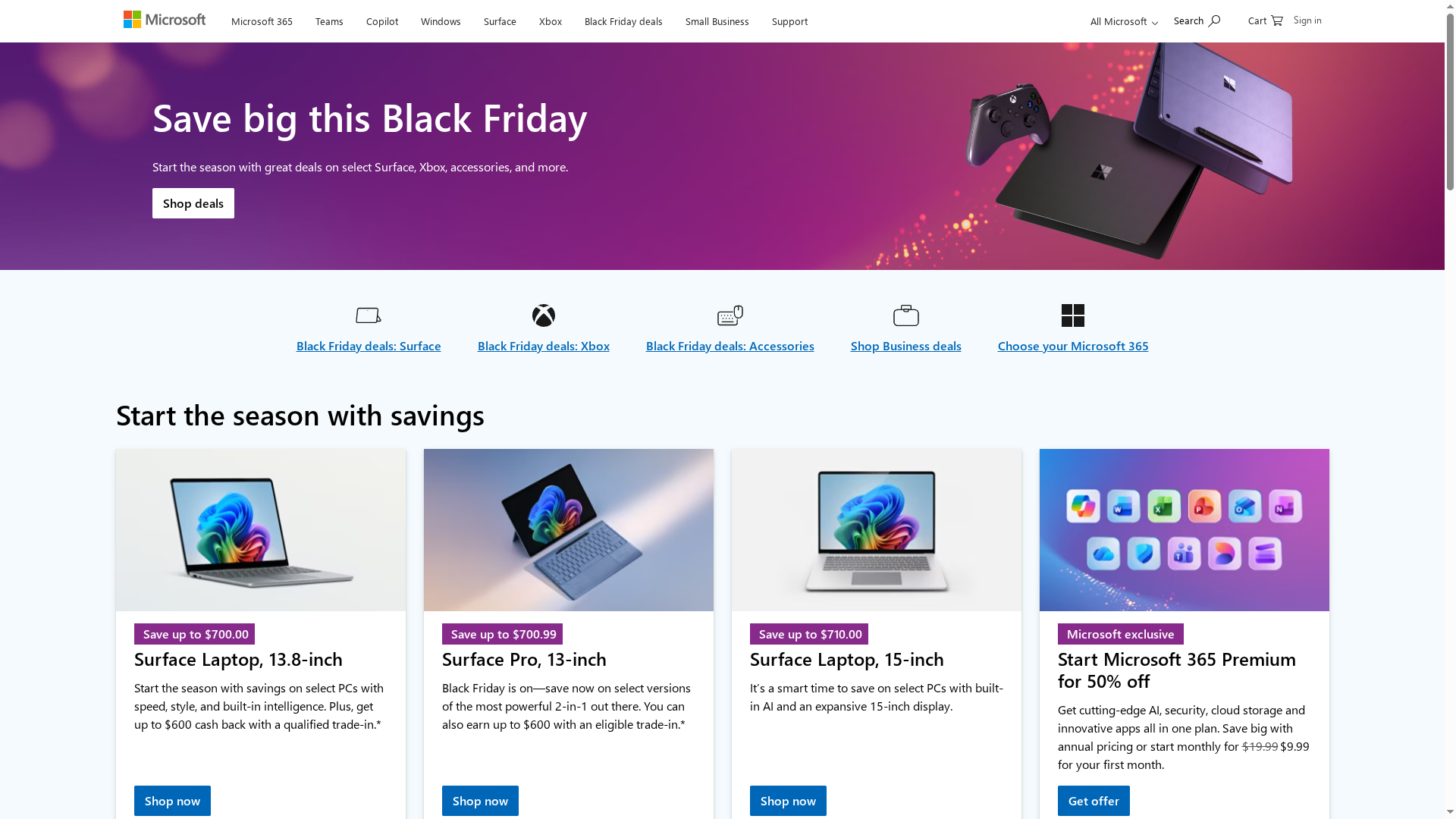
Microsoft Store aggregates hardware, software, and seasonal deals into a single storefront backed by Microsoft’s ecosystem. It’s strong on holiday discounts, trade-in incentives, and bundled offers that lower upfront costs for Surface devices, Xbox consoles, and Microsoft 365. The site also highlights AI-powered additions like Microsoft 365 Copilot and Windows 11 for Business to support hybrid work and developer workflows. Bottom line: it’s a convenient, feature-rich marketplace best suited for buyers who want an all-in-one Microsoft experience rather than a deep product spec comparison.
Core Features
The Microsoft Store presents rotating sales (Black Friday and holiday deals), trade-in programs with cashback incentives, and bundle pricing for hardware plus software. It advertises significant promotions such as Microsoft 365 Premium at 50% off and lists AI capabilities including Microsoft 365 Copilot and Windows 11 for Business tailored to hybrid teams. The site complements purchases with customer support and protection plans for Surface and Xbox, plus gift guides and developer resources that point toward tools for productivity and software creation.
Pros
- Broad product and software selection: The store covers devices, consoles, subscriptions, and developer tools so you can shop hardware and software in one place.
- Attractive seasonal discounts: Black Friday and other holiday deals lower the barrier for students and young professionals looking to buy Surface devices or Xbox consoles.
- Meaningful trade-in incentives: Cash back on trade-ins helps reduce upgrade costs for Surface and Xbox owners who upgrade frequently.
- Integrated AI and cloud features: Built-in offerings like Microsoft 365 Copilot and Windows 11 for Business provide clear paths to boost team productivity and hybrid workflows.
- Support and protection plans available: The presence of protection plans and customer support gives buyers added confidence for higher-cost purchases.
Cons
- Limited detailed product specifications in the scraped content: The available information focuses on deals rather than exhaustive technical specs, which can frustrate detail-oriented buyers.
- Potentially overwhelming array of options for new users: The variety of bundles, promotions, and product lines can be confusing if you’re not already familiar with Microsoft’s ecosystem.
- No consistent, detailed pricing for every item: While some offers are explicit, many product pages lack uniform price transparency outside of promotional highlights.
Who It’s For
Microsoft Store is ideal for consumers who already favor Microsoft ecosystems: students and professionals buying Surface laptops or tablets, gamers shopping Xbox hardware and accessories, and small business owners seeking bundled productivity subscriptions and protection plans. It also fits developers who want easy access to Microsoft 365, Windows 11 for Business, and AI development tools.
Unique Value Proposition
Microsoft Store’s strength is ecosystem consolidation: hardware, software, AI enhancements, and support bundled under one brand with seasonal pricing incentives. That cohesion simplifies procurement and onboarding when your team relies on Microsoft services across devices and cloud services.
Real World Use Case
A small business owner trades in an older Surface, takes advantage of a cashback incentive, subscribes to Microsoft 365 at a promotional rate, and deploys Windows 11 for Business across a hybrid team while experimenting with Copilot for admin automation.
Pricing
Prices vary by product and promotion; Microsoft 365 subscriptions are listed from $9.99 per month, Surface devices and Xbox accessories receive periodic discounts, and bundle pricing shifts during sales.
Website: https://microsoft.com
Discord

At a Glance
Discord is a communication platform built around group chat, voice and video calls, and low-latency streaming that lets communities and casual groups connect across PCs, phones, and consoles. It excels at creating persistent spaces for social interaction with rich customization like emojis and profiles. The learning curve can be noticeable for newcomers, but once set up it delivers versatile communication options for entertainment and coordination.
Core Features
Discord combines group text channels with voice and video chat, plus high-quality, low-latency streaming for shared viewing or gameplay. It supports custom emojis, stickers, and sound effects to personalize interactions, and lets users create custom profiles and statuses to signal availability or mood. Cross-device continuity is a core strength: you can switch seamlessly between PC, phone, and console without losing a session, keeping conversations and streams intact.
Pros
- Versatile communication options: Discord supports voice, video, and text channels so teams and communities can pick the interaction style that fits the moment.
- Supports community building: Server and channel structures make it straightforward to host groups, organize topics, and maintain persistent spaces for ongoing conversations.
- High-quality streaming: Low-latency streaming makes shared experiences like gameplay and watch parties feel immediate and immersive.
- Cross-platform compatibility: Seamless switching between devices keeps conversations continuous whether you’re on a PC, phone, or console.
- Rich customization features: Custom emojis, stickers, profiles, and sound effects let communities develop a distinct identity and reduce communication friction.
Cons
- Initial complexity for new users can be high: The abundance of features and server settings may overwhelm someone opening Discord for the first time.
- Requires stable internet for core features to work well: Voice, video, and streaming depend on a reliable connection, which can disrupt sessions if bandwidth drops.
- Moderation tools are limited for large communities: Without additional moderation resources or bots, managing big servers can become time consuming and error prone.
Who It’s For
Discord is ideal for gamers, community organizers, and casual users who want a single place to chat, stream, and socialize across multiple devices. If you value flexible communication modes, community building, and customization over strictly formal team workflows, Discord fits well. It’s less suited as a sole tool for tightly controlled enterprise communication without supplementary moderation or structure.
Unique Value Proposition
Discord’s strength is that it blends entertainment-grade streaming with persistent community spaces and deep customization. That unique mix makes it not just a chat app but a social hub where communities can form identity, host events, and switch between casual hangouts and focused sessions without changing platforms.
Real World Use Case
A gaming group uses Discord to coordinate sessions, share clips, stream gameplay with low latency, and keep ongoing text channels for strategy and inside jokes, all accessible from PCs, phones, or consoles.
Pricing
Discord is free to download and use, with an optional Nitro subscription available for additional features and enhancements.
Website: https://discord.com
Asana
At a Glance
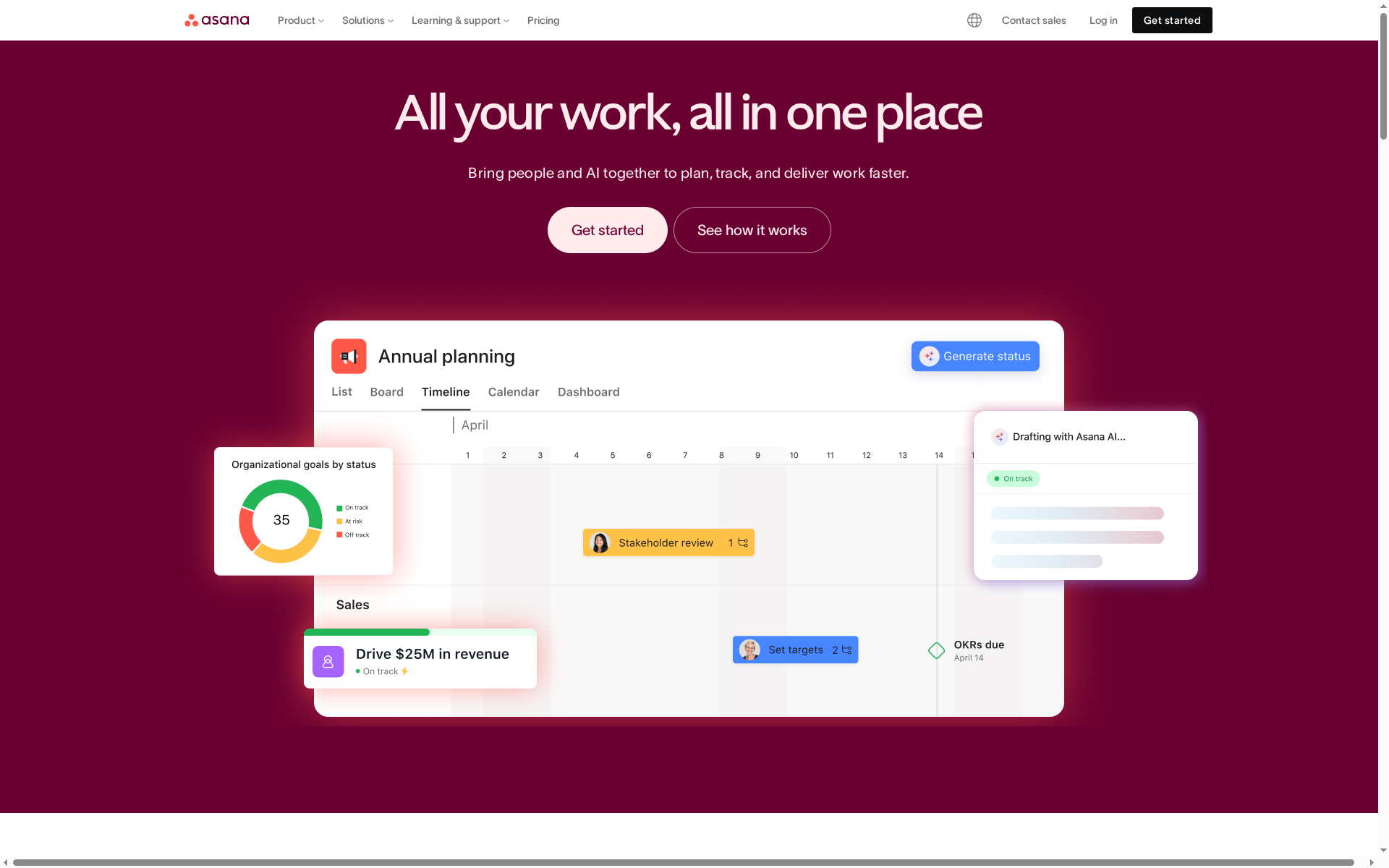
Asana is a comprehensive work management platform designed to help teams plan, track, and deliver work faster using project views, workflows, automation, and AI assistance. It emphasizes clarity, accountability, and efficiency across small teams up to large enterprises. If you need a single hub that scales from simple task lists to complex portfolios, Asana delivers—but it can be costly and complex for some teams.
Core Features
Asana combines multiple project views (list, board, calendar, timeline, Gantt) with workflow automation, goals and reporting, resource management, and AI tools like Smart Assist, Smart Rules, and Smart Summaries. These capabilities let teams visualize timelines, automate routine tasks, monitor capacity and workload, and surface actionable insights from work data without manual overhead.
Pros
- Comprehensive feature set: Asana supports a wide range of work needs from simple tasks to portfolio-level planning, making it useful for multiple team sizes and industries.
- Multiple project views: The availability of list, board, calendar, timeline, and Gantt views gives teams flexible ways to visualize work and switch perspectives quickly.
- Strong integrations: Asana connects with enterprise tools such as Salesforce, Tableau, and Google Workspace, enabling centralized workflows across systems.
- Enterprise-ready security and compliance: Built-in security and compliance options make Asana a viable choice for organizations with strict governance needs.
- AI-assisted productivity: Smart Assist, Smart Rules, and Smart Summaries automate routine work and surface insights to reduce manual effort.
Cons
- Pricing can be high for larger teams: The cost increases substantially as teams move to plans with advanced or enterprise features, which may strain budgets.
- Interface complexity for new users: The broad feature set can make the interface feel complex, and new users may need time to find the right workflows.
- Advanced features require technical setup: Some automation, integrations, and resource tools demand technical knowledge or admin time to configure properly.
Who It’s For
Asana is best for teams and organizations that need a flexible, scalable work management solution—from students managing projects to professional teams handling campaign and portfolio work. It suits teams that value visualization options, automation, and enterprise integrations, and that are willing to invest time or budget to realize those capabilities.
Unique Value Proposition
Asana’s strength is its breadth: a single platform that scales from basic task tracking to strategic portfolio management while embedding AI and automation to reduce friction. That combination of views, integrations, and governance makes it a one-stop work hub for teams that need structure and visibility.
Real World Use Case
A marketing team uses Asana to coordinate campaigns end to end: they map timelines with the Gantt view, automate approval steps with workflows, track capacity across designers with resource tools, and generate reports to tie execution back to strategic goals.
Pricing
Asana offers a free tier for personal use with limited features; paid plans start at $10.99 per user/month billed annually for the Starter plan, with higher tiers adding advanced and enterprise features at increased costs.
Website: https://asana.com
Trello
At a Glance
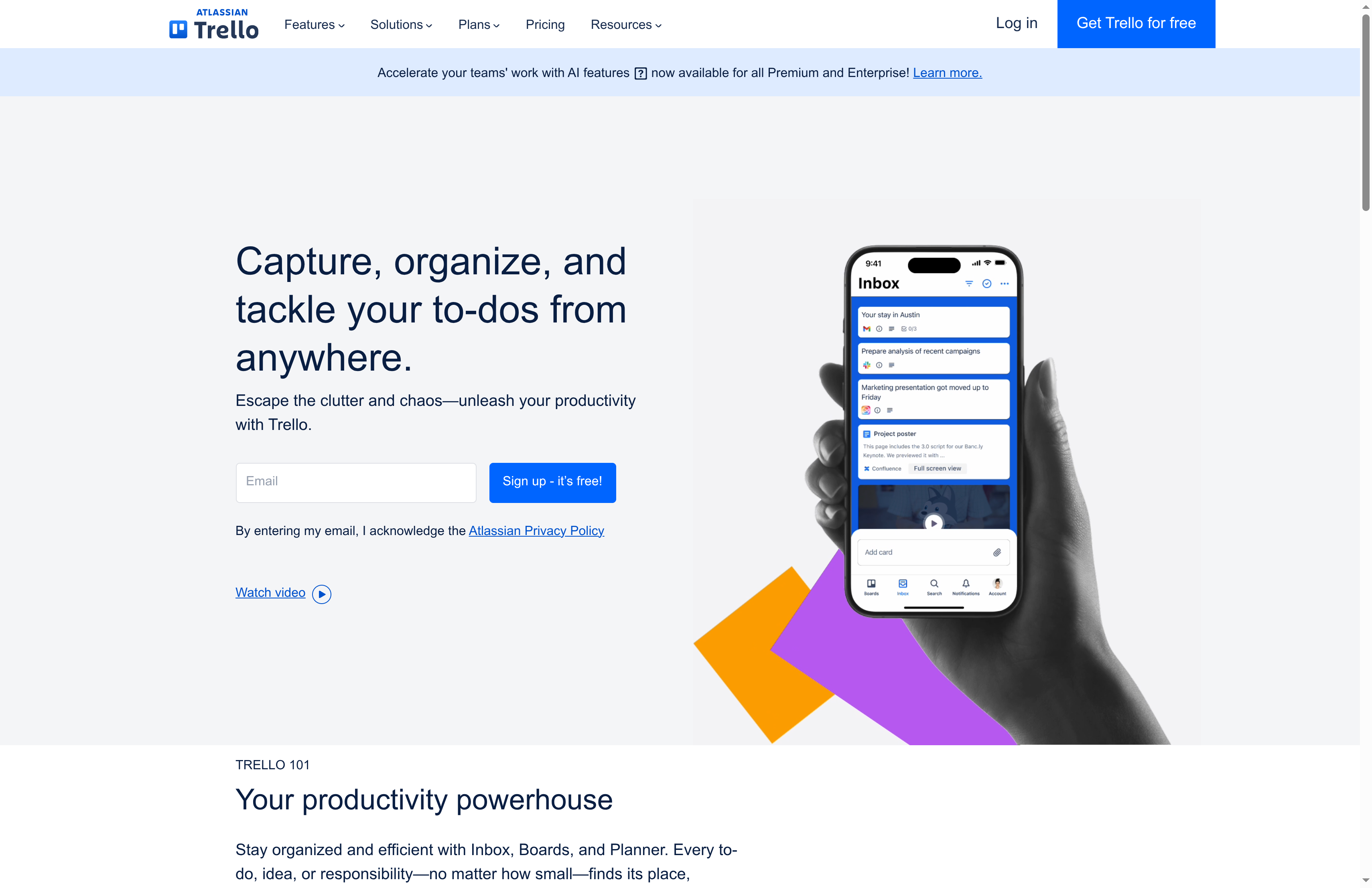
Trello is a visual, board-based collaboration tool that helps teams get work done quickly with minimal setup. Sign up, create a board, and you can start organizing tasks with drag-and-drop ease. Its strength lies in simplicity combined with flexible templates, integrations, and automation that scale from solo users to large organizations. Bottom line: if you want a visual, low-friction way to manage projects and tasks, Trello is a reliable choice.
Core Features
Trello centers on simple sign-up and board creation, giving you task management with a visual layout built around cards and lists. It includes a resource hub for quick information access, project management tools with deadlines and team alignment, and an inbox that captures details from emails and apps. Trello also supports automation and a power-up ecosystem for extending functionality, plus templates and multiple views to adapt boards to different workflows.
Pros
- User-friendly interface and ease of use: Trello’s drag-and-drop boards and clear visual layout make it easy for new users to adopt without lengthy onboarding.
- Highly customizable with templates and integrations: Teams can tailor boards with templates and connect Trello to other tools to centralize work.
- Various plans tailored to team size and needs: Trello offers tiers from free plans for individuals to enterprise options that meet larger organizations’ needs.
- Robust automation and power-up ecosystem: Built-in automation and third-party power-ups let you automate repetitive work and add specialized features.
- Secure platform with enterprise-grade security features: Trello provides security controls suitable for teams that need compliance and admin controls.
Cons
- Advanced features require paid plans: Many of the automation capabilities and advanced workspace features are gated behind paid tiers, limiting power users on the free plan.
- Some integrations and features may have additional costs: Certain power-ups or third-party integrations can carry extra fees beyond Trello’s core plans.
- Learning curve for advanced functionalities: While basic boards are intuitive, mastering complex automations and integrations takes time and experimentation.
Who It’s For
Trello is ideal for teams and organizations that want a flexible, visual collaboration tool for managing projects, workflows, and task lists. It fits students, small teams, creative groups, and larger departments that value low setup friction and visual project tracking. If you prefer clarity over complexity, Trello will suit you.
Unique Value Proposition
Trello’s unique value is its combination of immediate usability and extensibility: anyone can start with a simple board, yet power users can scale functionality with templates, automation, and power-ups. That blend makes it both approachable and adaptable across diverse team sizes and workflows.
Real World Use Case
A marketing team uses Trello to organize campaigns, track content creation, and collaborate with remote members, ensuring deadlines are met and project progress is transparent. Boards hold briefs, asset links, and review checklists so stakeholders see status at a glance.
Pricing
Free for individuals or small teams; Standard at $5 USD per user/month; Premium at $10 USD per user/month; Enterprise at $17.50 USD per user/month (billed annually).
Website: https://trello.com
ClickUp
At a Glance
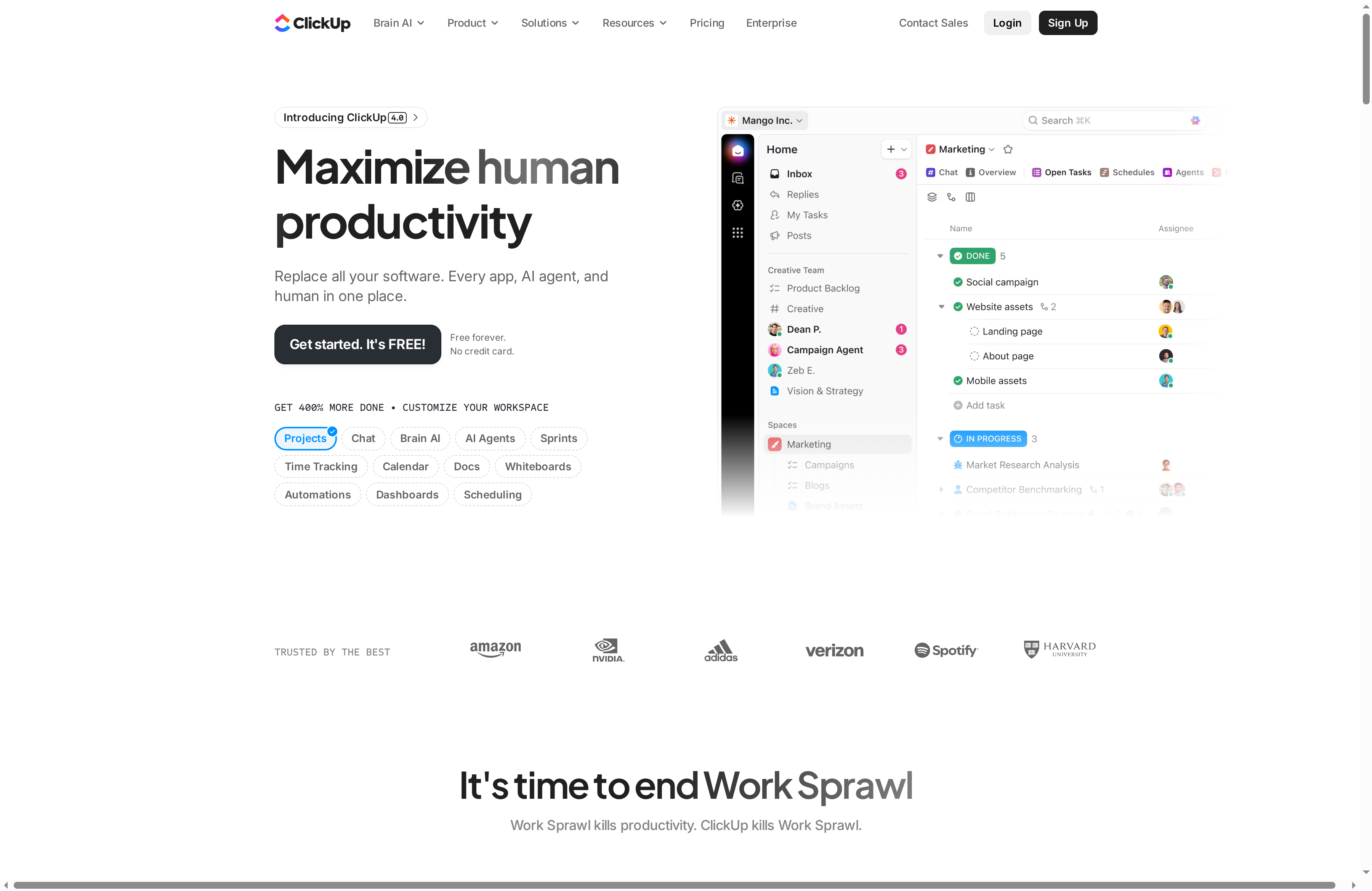
ClickUp is an ambitious productivity platform that consolidates work management, communication, automation, and AI tools into a single workspace. It aims to replace multiple apps by offering projects, docs, goals, chat, automations, and AI agents that help scale processes and reduce context switching. For teams willing to invest time learning the surface, ClickUp can centralize daily work and surface measurable productivity gains; for teams seeking a minimal, out-of-the-box tool, its breadth can feel overwhelming.
Core Features
ClickUp combines core project and task management with collaborative documents, wikis, and whiteboards, alongside time tracking and calendar views for scheduling. The platform supports automations and dashboards for reporting and process efficiency, and it layers AI-powered capabilities—AI chat, AI writers, and AI agents—that assist with task delegation and workflow automation. Customization and security are emphasized so organizations can adapt spaces, permissions, and workflows to varied team needs.
Short. Powerful.
Pros
- All-in-one platform replacing multiple tools: ClickUp brings task tracking, docs, chat, automation, and AI together so teams can reduce tool sprawl and centralize work in one place.
- Highly customizable with numerous integrations: Users can tailor views, fields, and workflows to match different processes, making the tool fit marketing, development, HR, and beyond.
- AI capabilities that improve productivity and automate tasks: Built-in AI chat, writers, and agents help draft content, assign tasks, and scale routine automation without constant manual input.
- Suitable for teams of all sizes: The platform is designed to serve individuals, small teams, and enterprise organizations with enterprise-grade features and security.
- Dedicated support and comprehensive security standards: ClickUp provides support channels and security controls that larger organizations will appreciate when managing sensitive projects.
Cons
- Complexity due to extensive features may require a learning curve: New users can feel overwhelmed by the number of views, settings, and automation options available.
- Pricing can be high for larger teams or enterprise plans: While a free tier exists, costs increase as teams add users and require advanced capabilities.
- Some advanced features are limited to higher-tier plans: Key AI and automation capabilities may be gated behind paid tiers, which can fragment functionality across plans.
Who It’s For
ClickUp suits teams and organizations that want one unified platform to manage projects, collaborate, automate workflows, and leverage AI to boost output. If you lead a small agency, a cross-functional team, or a department inside a larger organization and you value customization and centralized control, ClickUp is a practical choice. If you prefer minimal setups with few options, this may be more than you need.
Unique Value Proposition
ClickUp’s unique strength is its consolidation focus: it replaces several disparate tools with a single, customizable workspace that embeds AI to automate tasks and speed decision-making. That consolidation reduces context switching and gives teams a centralized source of truth for projects, content, and timelines.
Real World Use Case
A marketing team uses ClickUp to plan campaigns, manage content creation, automate notifications and approvals, and track progress with dashboards—keeping briefs, assets, and schedules in one integrated environment so stakeholders see real-time status without chasing updates.
Pricing
Free forever plan available. Paid plans start at $7 per user per month, with enterprise options customizable upon request.
Website: https://clickup.com
Notion
At a Glance
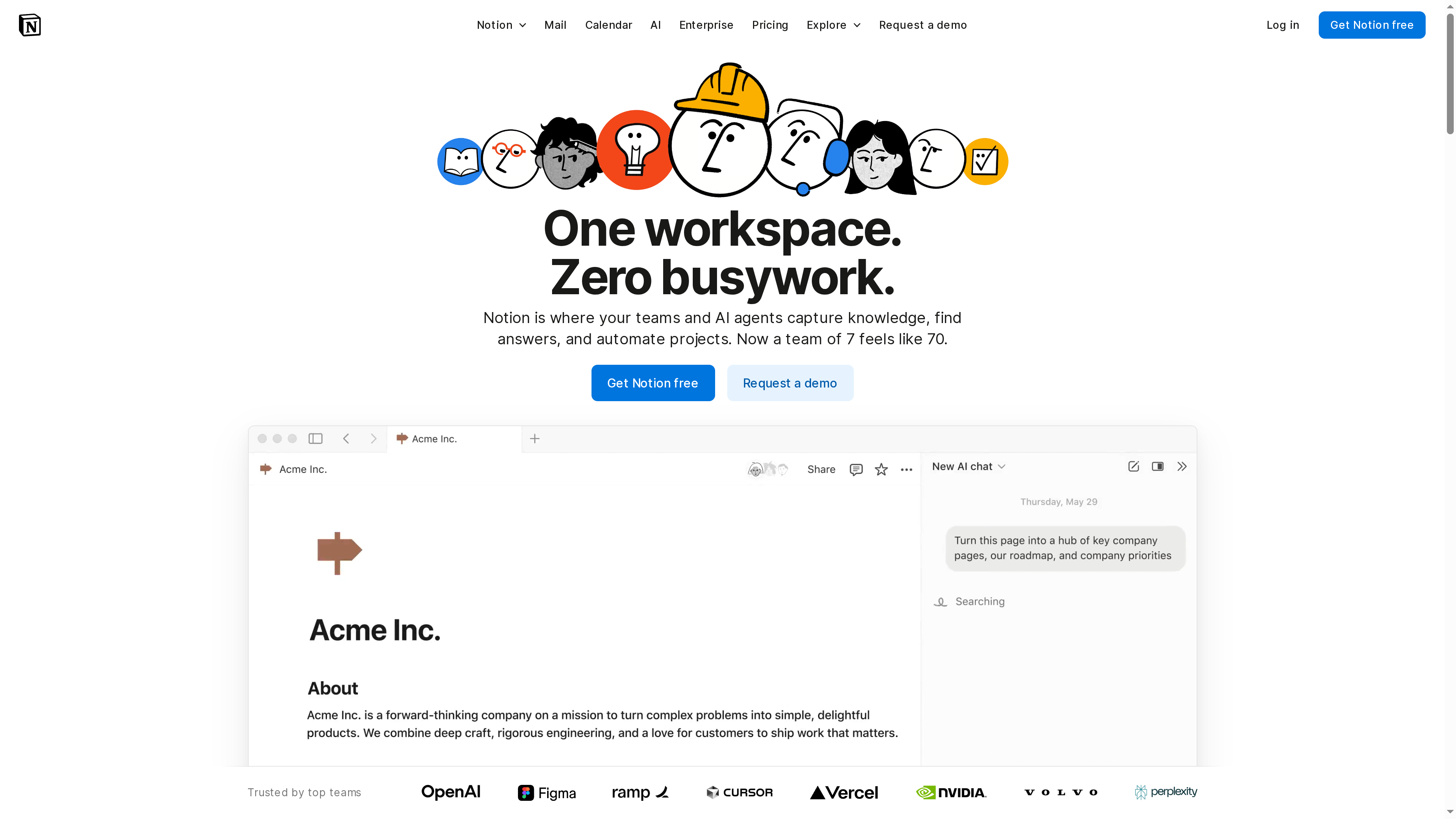
Notion is an all-in-one workspace that blends knowledge management, project tracking, and AI-driven automation into a single platform. Its integrated AI tools reduce repetitive work and speed up finding answers, making it a strong choice for teams that want fewer siloed apps. That power comes with complexity: new users may face a learning curve, and advanced capabilities often sit behind paid plans. Bottom line: great for teams that want customization and automation, but expect onboarding and potential costs as you scale.
Core Features
Notion combines an AI-powered workspace with automated tasks and workflows, a unified platform for notes, tasks, databases, and integrations, plus AI search and enterprise search capabilities. It supports custom templates, teamspaces, and granular permissions control so teams can shape their workspace to specific workflows. Offline mode and data export options add resilience and security for teams that need backup and compliance. These features let you centralize knowledge, orchestrate projects, and automate routine work without stitching together multiple apps.
Pros
- All-in-one consolidation: Notion reduces the need for multiple separate tools by bringing notes, tasks, databases, and integrations into one platform.
- AI that automates busywork: Built-in AI features help automate repetitive tasks and speed up information retrieval, saving team time.
- Highly customizable: Templates, teamspaces, and permission controls make it straightforward to tailor the workspace to different team needs.
- Trusted at scale: Notion is used by many large teams, which suggests maturity and reliability for organizational use.
- Enterprise-grade security: The platform offers security and compliance options appropriate for business needs, including export and offline safeguards.
Cons
- Complex interface for new users: The flexibility and density of features can create a steep learning curve for teams just getting started.
- Costly advanced features: Many of the most powerful capabilities are in paid plans, which can become expensive as member counts grow.
- Limited free-tier storage: The free tier limits storage and capabilities, often forcing teams to upgrade sooner than they expect.
Who It’s For
Notion is aimed at teams and organizations that want a flexible, all-in-one platform to manage knowledge, projects, and workflows with integrated AI. It fits groups that value customization—product teams, operations groups, and cross-functional squads that need a single source of truth and the ability to automate routine workloads.
Unique Value Proposition
Notion’s strength is its blend of deep customizability and AI-driven automation inside a unified workspace. Instead of juggling separate note apps, task trackers, and automation tools, you configure templates and teamspaces that scale with your processes and use AI to handle repetitive work—saving time and reducing friction.
Real World Use Case
A marketing team uses Notion to plan campaigns, store creative briefs, and track assets. They automate repetitive checklist steps with AI agents and keep a centralized knowledge base so new members quickly find brand guidelines and templates.
Pricing
Free for individual use with basic features; paid plans start at $10 per member/month for small teams, with enterprise options available by custom quote.
Website: https://notion.so
Productivity and Collaboration Tools Comparison
The following table provides a comprehensive comparison of various productivity and collaboration tools mentioned in the article. It highlights the key features, pros, cons, and other relevant details to aid in choosing the right tool for your needs.
| Product | Key Features | Pros | Cons | Pricing |
|---|---|---|---|---|
| Optio | Task management, Google Calendar integration, collaboration | Direct user feedback, collaboration features, minimalist design | In beta, limited to Android and Samsung phones | Likely free for beta users |
| Slack | Channel-based messaging, integration with 2,600+ apps, AI tools | Extensive integrations, enterprise-grade security | Can become costly, learning curve for new users | Free tier; paid plans available |
| Microsoft Store | Sales and bundles for hardware/software, AI tools (Copilot), protection plans | Broad selection, seasonal discounts, trade-in incentives | Limited detailed product specs, overwhelming options | Varies by product |
| Discord | Group chat, voice/video calls, low-latency streaming | Versatile communication, community support, high-quality streaming | Initial complexity, requires stable internet | Free with optional subscription |
| Asana | Multiple project views, workflow automation, AI tools | Comprehensive features, strong integrations | High cost for larger teams, complex interface | Free tier; paid plans start at $10.99/user/month |
| Trello | Board-based task management, customization with templates | User-friendly interface, customizable, robust automation ecosystem | Advanced features require paid plans, potential costs for integrations | Free for individuals; paid plans start at $5/user/month |
| ClickUp | All-in-one project management, communication, AI tools | Highly customizable, AI capabilities | High complexity, costs increase with advanced features | Free tier; paid plans start at $7/user/month |
| Notion | Knowledge management, project tracking, AI-driven automation | All-in-one consolidation, highly customizable | Complex interface, costly advanced features | Free for individual use; paid plans start at $10/member/month |
This table summarizes key aspects of each tool, helping users to compare features and select the most appropriate solution for their needs.
Boost Your Team Communication with Optio
Effective team communication is the backbone of any successful project. If you find yourself overwhelmed by juggling multiple apps or struggling to keep tasks, time, and teams aligned as highlighted in the “Expert team communication apps comparison – 2025 Guide” then Optio offers a focused, mobile-first solution designed just for you. By acting as your second-in-command, Optio helps Centurions like you conquer task management, deadlines, and collaboration with simplicity and clarity.
Discover how Optio’s thematic Roman approach and smart features can reduce distractions, enhance productivity, and keep your entire life organized across work, school, and personal goals. Explore more insights and practical tips in our ProductivityThoughts and CenturionTips categories to see how Optio supports your journey each step of the way.
Ready to take command of your projects and communicate with confidence Start your mission at Optio Station now and see how the second-in-command can help you win the day
Frequently Asked Questions
What features should I look for in team communication apps?
Look for key features such as channel-based messaging, file sharing, video calls, and integration capabilities. Evaluate how well the app supports collaboration, reduces communication friction, and enhances workflow efficiency within your team.
How can I evaluate the best team communication app for my needs?
Begin by identifying your team’s size, project complexity, and specific communication needs. Create a comparison chart of potential apps that includes features, ease of use, and pricing to aid your decision-making process.
Are there mobile options available for team communication apps?
Yes, many team communication apps offer mobile versions to ensure accessibility on-the-go. Test app functionalities and user experience on mobile devices to ensure your team remains productive from anywhere.
What are the security considerations for team communication apps?
Consider features such as end-to-end encryption, compliance with data protection regulations, and user authentication methods. Implement security evaluations of potential apps to determine the best choice for confidential communications.
How long does it typically take to train a team on a new communication app?
Training duration may vary, but generally, teams can become proficient within 30 to 60 days with consistent practice and support. Encourage team members to use the app regularly and provide resources for troubleshooting and tips to enhance their skills.
Can team communication apps integrate with project management tools?
Most team communication apps offer integration with popular project management tools. Check for specific integration capabilities to streamline your workflow, ensuring that deadlines and tasks are easily tracked within a unified environment.
Recommended
- Understanding Remote Teamwork Tips for Effective Collaboration – Optio Station: Best Project Management App for Prioritization
- How to Improve Teamwork for Success in College and Work – Optio Station: Best Project Management App for Prioritization
- Understanding Effective Virtual Team Tips for Success – Optio Station: Best Project Management App for Prioritization
- Understanding Collaboration Workflow for Teams – Optio Station: Best Project Management App for Prioritization
- Employee Retention Solutions | Reduce Turnover | OpenElevator
