

Project task list templates are quietly turning average American teams into high performers. With over 60 percent of American businesses struggling to finish projects on time, having a clear and actionable system has never mattered more. These templates offer a reliable way to organize complex work and eliminate confusion, making it easier for every team member to know their next step and keep projects moving forward.
Table of Contents
- What A Project Task List Template Means
- Variations And Template Formats
- How A Task List Template Really Works
- Key Elements Every Template Needs
- Avoiding Common Template Pitfalls
Key Takeaways
| Point | Details |
|---|---|
| Purpose of the Template | A project task list template organizes complex workflows into manageable tasks, enhancing project tracking and accountability. |
| Key Elements | Essential components include task descriptions, assignees, deadlines, and status indicators, which provide visibility into project progress. |
| Template Variations | Choose between spreadsheet, digital platforms, or specialized software based on team size and project complexity for optimal efficiency. |
| Maintenance is Crucial | Regular updates and evaluations of the template are necessary to ensure ongoing relevance and prevent confusion among team members. |
What A Project Task List Template Means
A project task list template is a strategic organizational tool designed to transform complex project workflows into manageable, trackable action items. Essentially, it serves as a comprehensive roadmap that breaks down large projects into specific, actionable tasks with clear responsibilities and timelines. Project management experts at GeeksforGeeks define it as a document that meticulously outlines all tasks required for successful project completion.
At its core, a project task list template provides a structured approach to tracking work by capturing critical details about each task. These typically include task descriptions, assigned team members, start and end dates, priority levels, current status, and potential dependencies. By creating a centralized view of project components, teams can easily monitor progress, identify potential bottlenecks, and ensure nothing falls through the cracks. The template acts like a visual dashboard that keeps everyone aligned and accountable.
The primary purpose of a project task list template extends beyond mere documentation. It serves as a dynamic communication tool that helps teams visualize project progression, allocate resources efficiently, and maintain clear expectations. Effective templates enable quick identification of potential delays, facilitate real-time collaboration, and provide a bird’s-eye view of project health. Whether you’re managing a small team project or a complex organizational initiative, a well-designed task list template becomes your strategic ally in achieving consistent and predictable outcomes.
Pro Tip: Create a template with flexible sections that allow for easy updates and real-time tracking, ensuring your project management remains agile and responsive to changing requirements.
Variations And Template Formats
Project task list templates demonstrate remarkable flexibility, with multiple design variations available to suit different organizational needs. These templates range from minimalist designs focusing on core task tracking to comprehensive systems that incorporate advanced project management features. The primary variations typically include spreadsheet-based templates, digital project management platforms, and specialized software solutions tailored to specific industry requirements.
The core structural variations of task list templates often include different levels of complexity and customization. Basic templates might feature simple columns like task name, assignee, due date, and status. More advanced templates expand to include additional elements such as task priority levels, estimated time requirements, resource allocation, dependencies between tasks, and progress percentage. Some sophisticated templates even integrate visual tracking mechanisms like color-coded labels, Gantt chart representations, and interactive progress bars to enhance project visualization.
Organizations can select template formats based on their specific workflow demands. Small teams might prefer lightweight, easily navigable templates with minimal complexity, while large corporate projects could require intricate templates with multiple layers of task tracking and reporting capabilities. The key is choosing a template that balances detailed information capture with user-friendly design, ensuring that team members can quickly update and interpret project progress without feeling overwhelmed by excessive documentation.
Here’s a comparison of common project task list template formats and their best use cases:
| Template Format | Typical Use Case | Advantages |
|---|---|---|
| Spreadsheet (Excel, Google Sheets) | Small teams or simple projects | Easy to set up and customize |
| Digital Platforms (Trello, Asana) | Medium-sized, collaborative teams | Real-time updates and sharing |
| Specialized Software (MS Project, Jira) | Large, complex or technical projects | Advanced tracking and automation |
Pro Tip: Choose a template format that matches your team’s technical proficiency and project complexity, allowing for seamless adoption and minimal learning curve.
How A Task List Template Really Works
A task list template fundamentally operates as a dynamic organizational system that transforms project management through structured task tracking. At its core, the template functions by breaking down complex projects into granular, manageable tasks that can be systematically monitored and completed. By providing a clear framework for task assignment, prioritization, and progress tracking, these templates create a comprehensive roadmap that guides teams from project initiation to successful completion.
The operational mechanism of a task list template revolves around several key functional components. First, it establishes a centralized repository where all project tasks are documented with critical metadata such as task descriptions, assigned team members, estimated durations, priority levels, and current status. This approach enables real-time visibility into project progress, allowing team leaders to quickly identify potential bottlenecks, redistribute resources, and maintain project momentum. Each task becomes a trackable unit with clear accountability, ensuring that no critical activities slip through the cracks.

Moreover, task list templates work by introducing a standardized workflow that facilitates seamless communication and collaboration. By creating a single source of truth, these templates eliminate confusion, reduce redundant communication, and provide a transparent view of individual and collective responsibilities. Advanced templates incorporate additional features like dependency mapping, which helps teams understand how different tasks interconnect and impact overall project timelines. This systematic approach transforms project management from a chaotic, reactive process into a strategic, proactive methodology that empowers teams to anticipate challenges and optimize performance.
Pro Tip: Implement a weekly review process where team members update their task statuses, ensuring your template remains a living document that accurately reflects current project dynamics.
Key Elements Every Template Needs
Building an effective task list template requires careful consideration of core components that enable comprehensive project tracking and management. According to project management experts, the fundamental elements transform a simple list into a powerful organizational tool. The most critical elements include detailed task descriptions, clear assignment of responsibilities, precise deadlines, priority classifications, and current status indicators that collectively provide a holistic view of project progression.
A robust task list template typically incorporates several key columns that capture essential project information. These include a task description field that provides specific details about each activity, an assignee column identifying the responsible team member, a deadline section for setting precise completion timeframes, a priority ranking to help teams understand task importance, and a status tracker that shows current progress. Additional valuable elements might include estimated time requirements, resource allocation details, task dependencies, and space for critical notes or comments that provide context and additional insights into each project component.
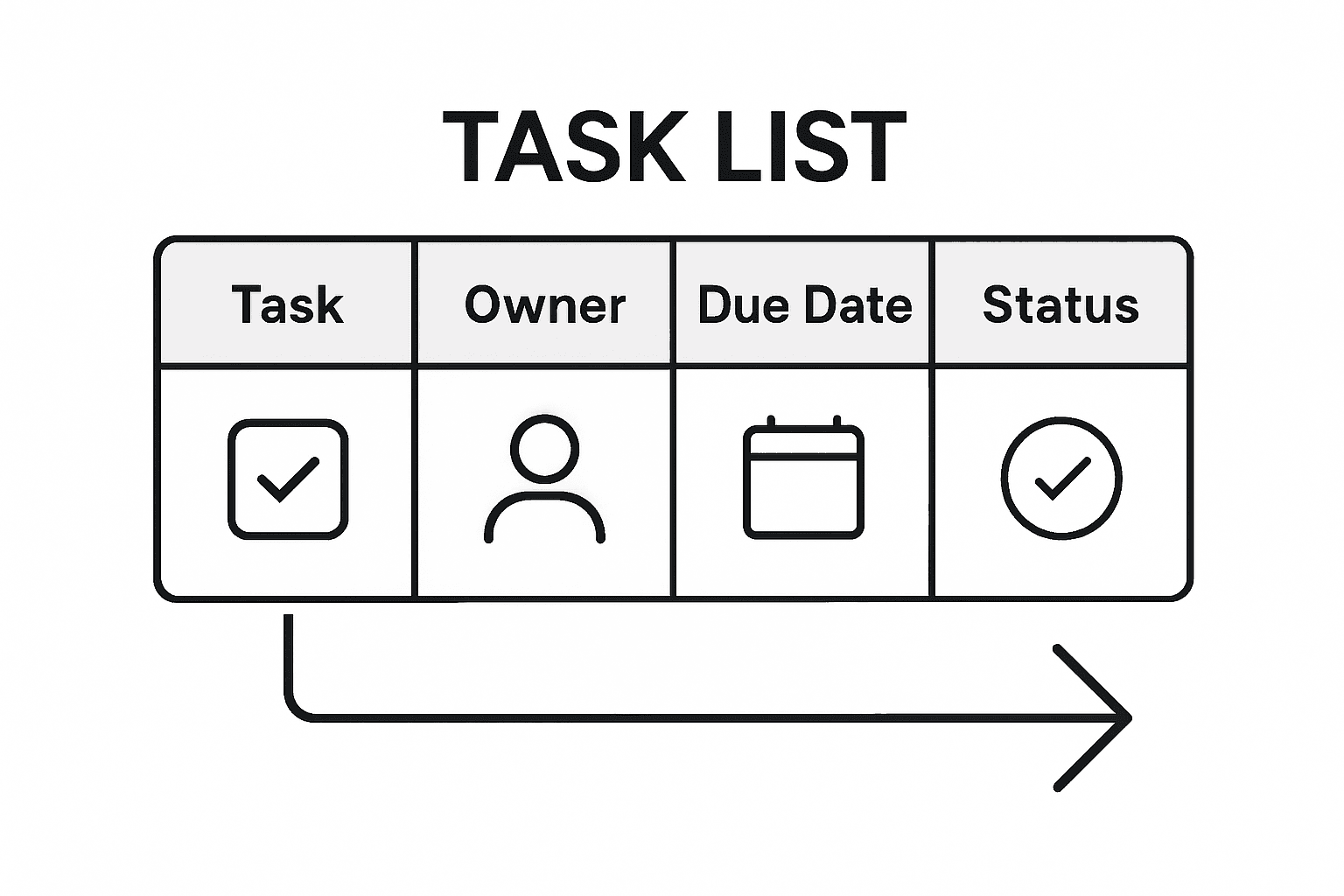
Below is a quick reference for essential elements to include in any effective task list template:
| Element | Purpose | Sample Entry |
|---|---|---|
| Task Description | Clarifies activity details | “Design login page” |
| Assignee | Assigns responsibility | “Sarah Lee” |
| Deadline | Sets completion date | “03/25/2024” |
| Priority | Indicates task importance | “High” |
| Status | Shows current progress | “In progress” |
Advanced templates go beyond basic tracking by integrating strategic elements that enhance team collaboration and project visibility. These might include visual indicators like color-coded priority levels, percentage completion metrics, interdependency mapping, and real-time update mechanisms. By creating a dynamic, information-rich template, teams can transform task management from a passive documentation exercise into an active project optimization strategy. The most effective templates strike a delicate balance between comprehensive information capture and user-friendly design, ensuring that team members can quickly update and interpret project progress without feeling overwhelmed by excessive complexity.
Pro Tip: Design your template with flexibility in mind, allowing for custom columns and adaptable structures that can evolve alongside your project’s changing requirements.
Avoiding Common Template Pitfalls
Project task list templates can quickly become ineffective when teams fail to implement strategic review and refinement processes. The most critical mistake is treating the template as a static document rather than a dynamic tool that requires ongoing maintenance and adaptation. Teams often create elaborate templates but neglect the essential practice of regular evaluation, which leads to outdated task lists that do not reflect current project realities or organizational objectives.
Common pitfalls in task list template management include over-complication, inconsistent updating, and lack of clear ownership. Many teams burden their templates with excessive columns and granular details that create more confusion than clarity. This complexity leads to reduced team engagement, as members become overwhelmed by the sheer volume of information required to maintain the template. Equally problematic are templates with ambiguous task assignments, where responsibilities are not explicitly defined, resulting in tasks falling through the cracks and creating accountability gaps.
Successful template management requires a disciplined approach to ongoing maintenance and strategic simplification. This means periodically removing completed or irrelevant tasks, reassessing priority levels, and ensuring that every listed item directly contributes to current project goals. High-performing teams develop a culture of template hygiene, where regular review meetings are scheduled to validate task relevance, redistribute workloads, and eliminate potential bottlenecks. By treating the task list template as a living document that evolves with the project’s changing landscape, teams can transform it from a passive tracking tool into an active project management instrument.
Pro Tip: Schedule a monthly template audit where team members collectively review and streamline the task list, removing outdated items and realigning priorities to maintain maximum productivity.
Take Command of Your Projects with Optio Station
Managing complex project tasks and maintaining clear priorities can feel overwhelming. This article highlights how a well-structured project task list template helps you track progress, assign responsibility, and avoid common pitfalls like outdated or overcomplicated task lists. If you are looking for a solution that turns these insights into action, Optio Station is designed to be the second-in-command for students and young professionals who want to boost productivity through smart task and time management.

Discover how Optio Station empowers you, the Centurion, with powerful tools inspired by Roman discipline to organize your work effortlessly. Visit ProductivityThoughts for expert advice, then experience firsthand how our app transforms your approach to task management at Optio Station. Don’t let your project tasks get lost or overwhelming when the Optio app can help you prioritize and conquer today.
Frequently Asked Questions
What is a project task list template?
A project task list template is an organizational tool that breaks down projects into manageable tasks, detailing specific responsibilities and timelines to help teams track progress effectively.
How can I effectively use a project task list template?
To use a project task list template effectively, include detailed task descriptions, assign responsibilities, set deadlines, and regularly update the status of each task to ensure ongoing project alignment.
What elements should I include in my task list template?
Essential elements for a task list template include task descriptions, assigned team members, deadlines, priority levels, and current status indicators to provide a comprehensive view of project progression.
What are the common pitfalls to avoid when using a task list template?
Common pitfalls include over-complicating the template with excessive details, inconsistent updating of tasks, and unclear ownership of responsibilities. Regular review and simplification are key to maintaining an effective template.
Recommended
- Understanding Why Use Task Lists for Better Productivity – Optio Station: Best Project Management App for Prioritization
- Team Task List Template: Everything You Need to Know – Optio Station: Best Project Management App for Prioritization
- How to Organize Daily Tasks at Work for Maximum Productivity – Optio Station: Best Project Management App for Prioritization
- How to Manage Multiple Tasks Easily for Better Results – Optio Station: Best Project Management App for Prioritization
