

You might think grabbing a project management portfolio template guarantees success. It doesn’t. Templates can improve project success rates by 15-20%, but only when paired with solid management practices and thoughtful customization. Many students and young professionals struggle to juggle multiple projects at once, leading to missed deadlines and mounting stress. This guide breaks down what project management portfolio templates actually are, why they matter, and how to use them effectively to boost completion rates and reduce delays.
Table of Contents
- What Is A Project Management Portfolio Template?
- Why Project Management Portfolio Templates Matter For Students And Young Professionals
- How To Choose And Customize Your Project Management Portfolio Template
- Digital Tools And Software To Support Your Project Management Portfolio
- Explore Top Tools And Templates With Optio Station
- Frequently Asked Questions
Key takeaways
| Point | Details |
|---|---|
| Templates boost completion | Project completion rates increase by 20-30% when using structured portfolio templates. |
| Delays drop significantly | Organizations report 15-25% fewer project delays with template-based management. |
| Customization is essential | Templates must be adapted to fit specific project types, team sizes, and timelines to deliver real value. |
| Skills still matter most | Templates serve as frameworks, but success requires strong planning, communication, and execution skills. |
| Regular updates improve results | Reviewing and refining templates after each project phase captures lessons and boosts efficiency. |
What is a project management portfolio template?
A project management portfolio template is a standardized format that helps you organize and track multiple related projects in one centralized system. Unlike single project templates that focus on individual tasks and milestones, portfolio templates give you a bird’s eye view of all your projects, making it easier to spot resource conflicts, prioritize work, and monitor overall progress.
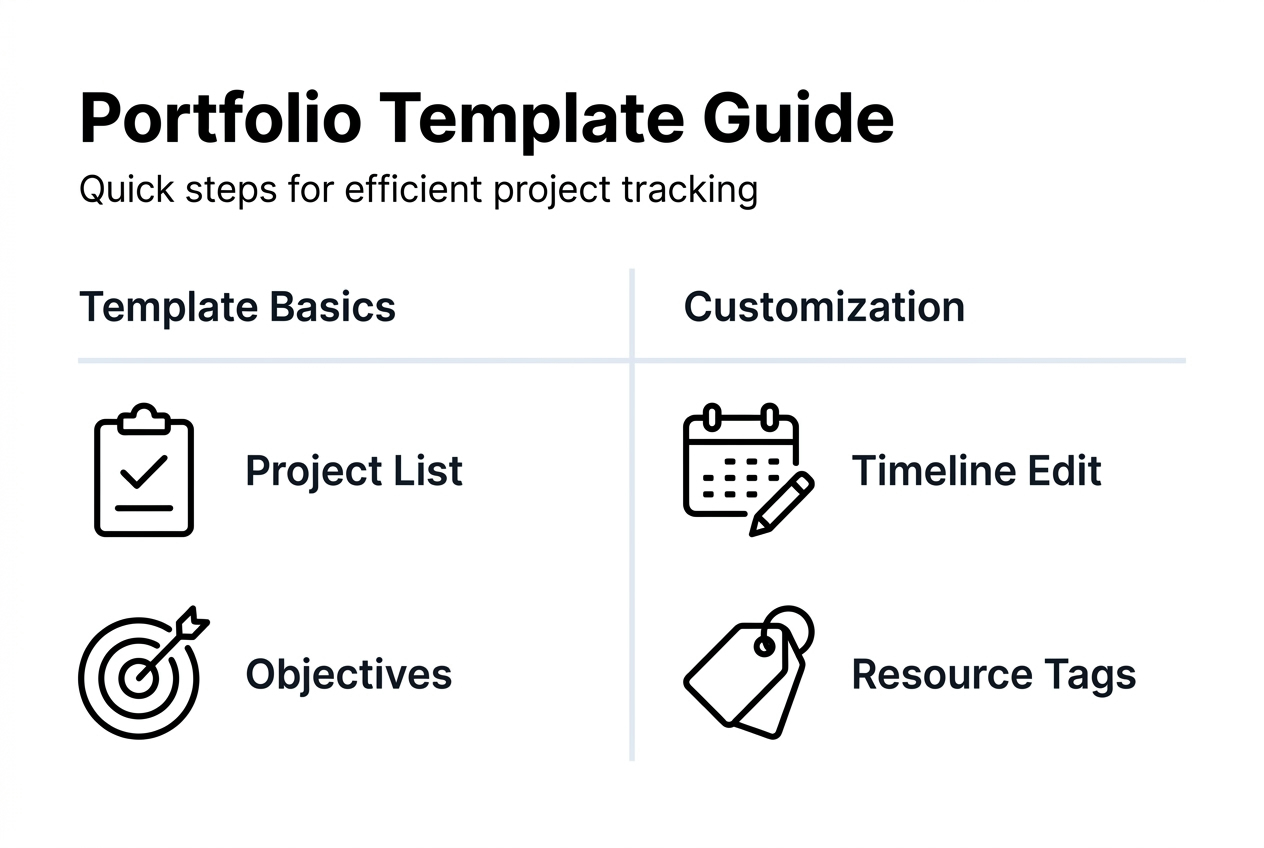
These templates typically include sections for project names, objectives, timelines, resource allocations, status updates, risk assessments, and priority rankings. Some also track dependencies between projects, team member assignments, and budget constraints. The goal is to create a unified dashboard that answers critical questions: Which projects are on track? Where are bottlenecks forming? How should you reallocate resources?
Project management professional (PMP) training courses emphasize that these templates enhance organization and efficiency in academic and work-related projects. They serve as frameworks that standardize how you collect and present information, making it faster to spot patterns and make decisions.
Here’s what effective portfolio templates typically contain:
- Project identification details like names, codes, and owners
- Clear objectives and deliverables for each initiative
- Timeline views showing start dates, milestones, and deadlines
- Resource allocation tracking to prevent overcommitment
- Status indicators using color coding or percentage completion
- Risk registers highlighting potential obstacles
- Priority rankings to guide resource decisions
- Budget tracking and cost projections
The key insight is that templates are tools, not magic solutions. You still need to input accurate data, update information regularly, and make smart decisions based on what the template reveals. A project portfolio template success depends entirely on how you use it.
Why project management portfolio templates matter for students and young professionals
If you’re managing a group project, internship deliverables, and a side hustle simultaneously, you know the chaos firsthand. Deadlines blur together, tasks fall through cracks, and you waste energy remembering what needs attention. This scattered approach leads to missed opportunities and unnecessary stress.
The data tells a compelling story. Studies show 20-30% increases in project completion rates when students and young professionals use portfolio templates. The same research reveals 15-25% reductions in project delays. These aren’t minor improvements. They represent the difference between constantly playing catch-up and staying ahead of your commitments.
Templates matter because they externalize your mental load. Instead of holding all project details in your head, you capture them in a structured format that frees up cognitive space for creative problem solving and strategic thinking. This becomes especially valuable during high-pressure periods like final exams or product launches when your brain needs to focus on execution, not remembering task lists.
Beyond completion rates, templates deliver several practical benefits:
- Clearer communication with team members and stakeholders
- Faster identification of resource conflicts before they cause problems
- Better prioritization based on objective criteria rather than gut feel
- Reduced anxiety from having a trusted system tracking everything
- Improved learning through structured reflection on what worked
The project management checklist template approach helps you build consistency across projects, making it easier to spot patterns in what succeeds and what fails. Over time, this structured approach builds genuine project management skills that transfer across academic and professional contexts.
Pro Tip: Start using templates on smaller, lower-stakes projects first to build familiarity with the format before applying them to critical deadlines. This practice run reduces the learning curve when pressure is high.
For students balancing coursework with extracurriculars or young professionals managing client work alongside internal initiatives, project plans templates guide resources provide frameworks that scale with growing complexity.
How to choose and customize your project management portfolio template
No single template fits every situation. A template perfect for tracking software development sprints will frustrate someone managing event planning projects. Templates should be customized to fit specific project requirements because context matters enormously.

Start by analyzing your actual needs rather than downloading the first template you find. Ask yourself what information you actually need to make decisions. If you’re managing academic projects, you likely care more about submission deadlines and grade weights than profit margins. If you’re coordinating volunteer initiatives, tracking volunteer hours and engagement metrics matters more than billable rates.
Here’s a systematic approach to choosing and adapting templates:
- List all projects you currently manage or plan to start in the next three months.
- Identify common data points you need across all projects like deadlines, team members, and deliverables.
- Note unique requirements for specific project types that don’t apply universally.
- Search for templates that match your common requirements and allow easy customization.
- Test the template with one or two projects before rolling it out across your entire portfolio.
- Gather feedback from team members or collaborators on what works and what creates friction.
- Refine the template based on real-world use, removing unused fields and adding missing elements.
Customization goes beyond just filling in fields. You might need to adjust timeline granularity based on project length. A semester-long research project needs weekly milestones, while a weekend hackathon needs hourly checkpoints. Similarly, risk categories that matter for product launches differ from those relevant to academic presentations.
Regularly review your template every four to six weeks. Projects evolve, your responsibilities shift, and what worked last month might create inefficiencies today. Treat your template as a living document that improves through iteration.
Pro Tip: Keep a “template improvement” note where you jot down frustrations or ideas as they occur during actual project work. Review this list during your regular template updates to make targeted improvements based on real pain points.
The schedule management plan template and project management timeline template resources offer starting points you can adapt to your specific workflow and project types.
Digital tools and software to support your project management portfolio
Manual tools like Excel spreadsheets work for simple portfolios, but they quickly become overwhelming as project count and complexity grow. When HIS transitioned from Excel to advanced project portfolio management systems, they gained better portfolio visibility and control over complex initiatives.
Modern project portfolio management software automates repetitive tasks, updates statuses in real time, and creates visual dashboards that reveal patterns invisible in spreadsheet rows. These tools also enable collaboration, allowing team members to update their tasks while you maintain oversight of the entire portfolio.
Here’s a comparison of popular tools suited for students and young professionals:
| Tool | Best For | Key Features | Pricing |
|---|---|---|---|
| Asana | Team collaboration | Timeline view, task dependencies, mobile app | Free for basics, $10.99/user/month premium |
| Trello | Visual kanban boards | Card system, power-ups, simple interface | Free for individuals, $5/user/month standard |
| Monday.com | Customizable workflows | Automations, multiple views, integrations | Free for individuals, $8/user/month basic |
| ClickUp | All-in-one solution | Docs, goals, time tracking, dashboards | Free forever plan, $7/user/month unlimited |
| Notion | Knowledge management | Databases, wikis, templates, flexibility | Free for students, $8/user/month plus |
When evaluating software, consider integration capabilities with tools you already use. If your team lives in Slack or Google Workspace, choose a solution that connects seamlessly rather than creating another silo. Look for mobile apps if you often update projects on the go between classes or meetings.
Most platforms offer free trials or freemium tiers. Take advantage of these to test the interface with real projects before committing. Pay attention to how easily you can generate reports or dashboards, as these become crucial for communicating progress to stakeholders or advisors.
Pro Tip: Avoid feature overload. Choose a tool that handles your current needs well rather than one packed with advanced features you might someday use. You can always migrate to more powerful software as your portfolio grows in complexity.
The best project management software students 2026 guide and project management software overview provide detailed comparisons to help you make informed choices.
Explore top tools and templates with Optio Station
Managing multiple projects gets easier when you have the right resources and frameworks supporting your workflow. Optio Station serves as your second-in-command, offering curated guides on project templates, productivity tools, and collaboration strategies designed specifically for students and young professionals.

Explore our best task management software guide to find tools that integrate seamlessly with your portfolio templates, automating routine updates and freeing your focus for strategic decisions. Our essential time management apps roundup helps you protect the time needed to execute on your project commitments.
When projects involve teams, our team collaboration guide provides frameworks for coordinating work across multiple contributors while maintaining portfolio visibility. Visit Optio Station today to access practical resources that transform project chaos into organized execution.
Frequently asked questions
What is the difference between a project management template and a portfolio template?
Project management templates focus on planning and executing single initiatives, tracking tasks, milestones, and deliverables for one project at a time. Portfolio templates manage multiple projects collectively, providing comparative views of timelines, resources, and priorities across your entire project landscape. They serve complementary roles: individual project templates help you execute well, while portfolio templates help you choose what to execute and allocate resources wisely.
How often should I update my project management portfolio template?
Update your portfolio template after each project phase or whenever significant changes occur like scope adjustments, timeline shifts, or resource reallocations. Regularly review and update templates based on project outcomes and lessons learned to maintain accuracy and capture evolving best practices. Stagnant templates quickly lose value as they diverge from reality, making weekly or biweekly review cycles ideal for active portfolios.
Can I use free templates, or should I invest in paid software?
Free templates work effectively when you customize them thoughtfully and maintain update discipline. They’re perfect for individual contributors managing smaller portfolios without complex dependencies. Paid software adds automation, real-time collaboration, integration with other tools, and advanced reporting that becomes valuable as project count and team size grow. Start with free templates to build good habits, then upgrade to paid solutions when manual updates consume too much time or coordination friction slows your team.
How many projects should I include in a single portfolio template?
Include all projects competing for your time and resources, typically between three and fifteen initiatives for most students and young professionals. The exact number matters less than ensuring every project tracked genuinely requires your attention and resources. If you manage more than twenty active projects, consider creating separate portfolio views for different categories like academic, professional, and personal to maintain clarity and focus.
What metrics should I track in my project management portfolio?
Track metrics that directly inform your resource allocation and prioritization decisions. Essential metrics include completion percentage, days until deadline, current status, assigned team members, and priority ranking. Consider adding risk level, budget variance, or stakeholder satisfaction for more complex portfolios. Avoid tracking metrics you won’t actually use for decisions, as they create maintenance burden without delivering value.
Recommended
- Project Portfolio Template: Streamline Team Success – Optio Station: Best Project Management App for Prioritization
- Project Management Timeline Template: Boost Group Efficiency – Optio Station: Best Project Management App for Prioritization
- Project Management Checklist Template for Success – Optio Station: Best Project Management App for Prioritization
- How to Organize Multiple Projects for Maximum Productivity – Optio Station: Best Project Management App for Prioritization
- Print Design by Cloudfusion
