

Juggling classes, part-time work, extracurriculars, and social commitments leaves many college students and young professionals drowning in tasks. Without a clear system, important deadlines slip through the cracks while stress piles up. This guide shows you exactly how to create and maintain effective to-do lists using mobile apps, proven to increase task completion and slash stress levels in 2026.
Table of Contents
- Why Mastering To-Do List Creation Matters For Students And Young Professionals
- Preparing To Create Your To-Do List: Tools And Techniques That Set You Up For Success
- Step-By-Step Guide To Creating An Effective To-Do List On Your Mobile App
- Maintaining Your To-Do List For Sustained Productivity And Stress Reduction
- Explore Optio Station For Mastering Task Management In 2026
Key takeaways
| Point | Details |
|---|---|
| Mobile apps boost completion | Task completion rates increase 20-30% when using structured digital to-do lists. |
| Focus features enhance concentration | Focus mode functionality raises focused work time by 40%, blocking distractions effectively. |
| Stress reduction matters | Organized task systems reduce stress levels by 15-25% compared to mental tracking alone. |
| Simple systems win | Starting with basic features prevents overwhelm and builds consistency over complex setups. |
| Daily reviews sustain gains | Regular list updates maintain momentum and keep priorities aligned with changing demands. |
Why mastering to-do list creation matters for students and young professionals
You know the feeling. Three assignments due this week, a group project meeting tomorrow, work shifts to cover, and somewhere in there you need to eat and sleep. When everything lives in your head, the mental load becomes crushing.
Procrastination thrives in chaos. Without clear visibility into what needs doing and when, your brain defaults to easy tasks while critical deadlines creep closer. The anxiety builds as you realize you’ve forgotten something important again.
Research backs up what you’ve experienced. Studies demonstrate that mobile to-do list apps increase task completion by 20-30% while simultaneously cutting stress. The simple act of externalizing tasks from your mind to a structured system frees mental energy for actual work rather than remembering what to work on.
Mobile apps offer specific advantages for busy students and professionals:
- Instant access wherever you are, whether in class, at work, or commuting
- Real-time updates sync across devices so nothing falls through cracks
- Reminder notifications catch time-sensitive tasks before they become emergencies
- Visual progress tracking motivates continued momentum
The stakes matter more than you might think. Academic success depends on meeting deadlines consistently. Career advancement requires demonstrating reliability and organizational skills. Your mental health suffers when disorganization creates constant background stress.
Effective task management isn’t about being perfect. It’s about building systems that work with your brain instead of against it.
The right to-do list approach transforms overwhelming chaos into manageable chunks. Instead of a vague sense of too much to do, you see exactly what needs attention and when. This clarity alone reduces anxiety significantly, letting you focus energy on execution rather than remembering.
Preparing to create your to-do list: tools and techniques that set you up for success
Before diving into list creation, smart preparation prevents frustration later. The app you choose shapes your entire productivity system, so selection matters.
Start by identifying your work style honestly. Do you prefer minimalist interfaces with zero clutter? Do you need robust project management features for complex group work? Does collaboration matter for team assignments? Your answers guide app selection.
Different to-do list apps serve different preferences and needs. Some excel at simple capture and basic reminders. Others offer advanced features like subtasks, recurring items, project views, and team sharing. Neither approach is inherently better; what matters is alignment with how you actually work.
Key features to evaluate include:
- Quick capture speed for dumping tasks rapidly
- Reminder flexibility for time-based and location-based alerts
- Categorization options like tags, projects, or folders
- Platform availability across your devices
- Offline functionality for spotty campus Wi-Fi
Combining your to-do list app with basic time management techniques amplifies effectiveness dramatically. Time blocking assigns specific hours to tasks, preventing procrastination. The Pomodoro Technique breaks work into focused 25-minute intervals with short breaks, making daunting projects feel manageable.
| Preparation Step | Why It Matters |
|---|---|
| Charge device fully | Ensures uninterrupted setup and initial use |
| Download 2-3 apps to test | Direct comparison reveals best personal fit |
| Watch quick tutorial | Speeds learning curve for core functions |
| Set notification preferences | Prevents alert fatigue from excessive pings |
Start simple. Complexity kills adoption faster than anything else. Even the most feature-rich app won’t help if you abandon it after three days because it feels overwhelming. Begin with basic task capture and completion tracking. Add advanced features gradually as you build the habit.

Pro Tip: Test each app for 2-3 days with real tasks before committing. Paper comparisons miss how tools feel in actual daily use. The app that seems perfect on review sites might frustrate you in practice, while a simpler option could click immediately.
Explore our best to-do list app guide for detailed comparisons tailored to student and professional needs.
Step-by-step guide to creating an effective to-do list on your mobile app
With your app selected and ready, follow this proven process to build a to-do list that actually gets used.
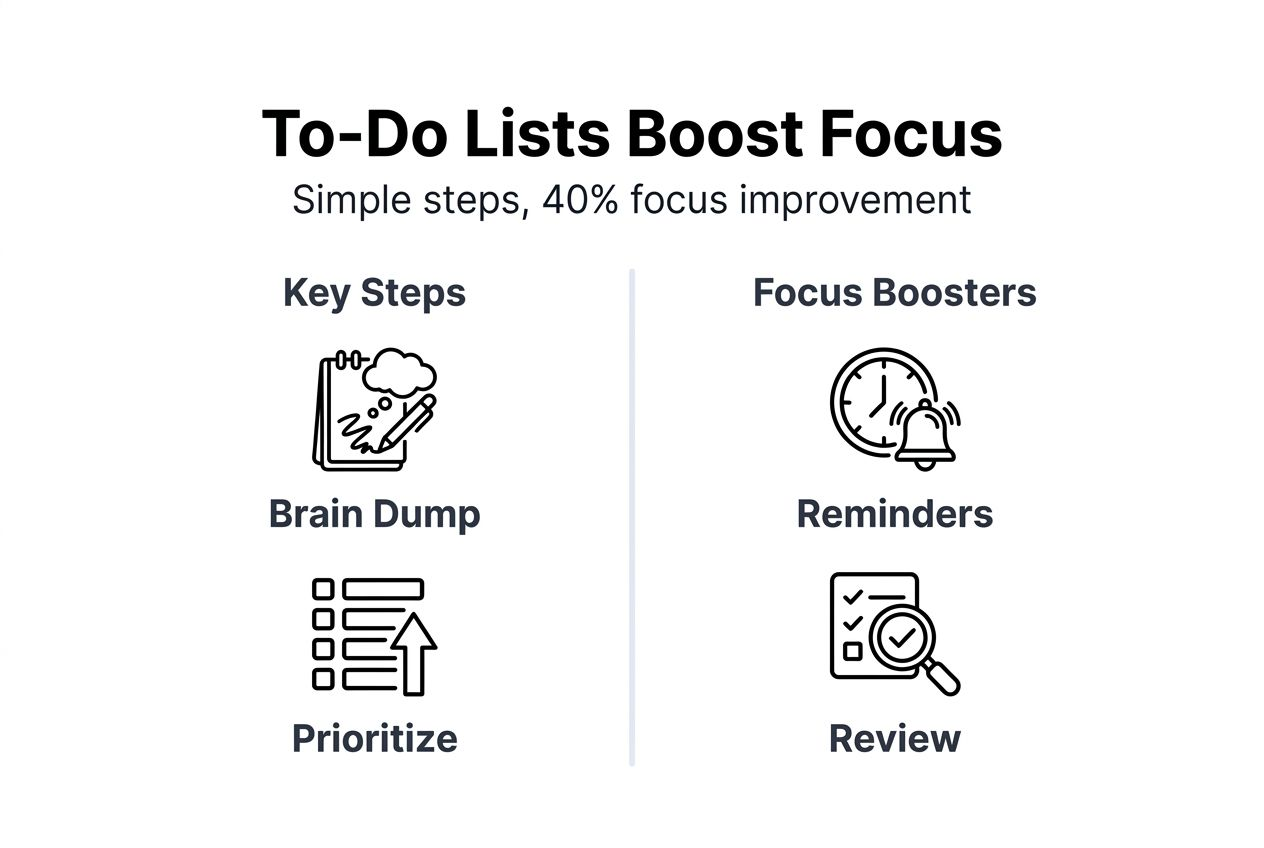
Step 1: Brain dump everything
Open your app and capture every task floating in your head without filtering or organizing. Assignment due Friday? Add it. Need to email your professor? Add it. Laundry piling up? Add it. This initial dump clears mental clutter and ensures nothing gets forgotten. Spend 10-15 minutes getting it all out.
Step 2: Categorize and group
Once everything is captured, create logical groupings. Common categories for students include classes, work, personal, and social. Professionals might use projects, clients, admin, and development. The exact categories matter less than having a system that makes sense to you. Group related tasks together so you can tackle similar items in batches.
Step 3: Prioritize ruthlessly
Not all tasks carry equal weight. Use frameworks like the Eisenhower Matrix to separate urgent-important tasks from everything else. Mark must-do items for today, should-do items for this week, and nice-to-do items for when time allows. Be honest about what actually matters versus what feels busy.
Step 4: Add deadlines and reminders
Every task needs a due date, even artificial ones. Open-ended tasks linger forever. Set reminders strategically: 24 hours before major deadlines, morning-of for time-sensitive meetings, and recurring alerts for regular commitments. Don’t over-remind yourself or you’ll start ignoring notifications.
Step 5: Activate focus mode
Many apps now include focus mode features that boost productivity significantly. When activated, these modes silence non-essential notifications and minimize distractions. Research shows focus features increase concentrated work time by 40%, making them invaluable for deep work sessions. Pair focus mode with Pomodoro timers for maximum effectiveness.
Common pitfalls to avoid:
- Adding every tiny task creates overwhelming lists that paralyze rather than motivate
- Skipping deadlines turns to-do lists into wish lists with no urgency
- Ignoring context prevents efficient batching of similar tasks
- Over-categorizing wastes time on organization instead of execution
| List Type | Completion Rate | Stress Level | Best For |
|---|---|---|---|
| Simple unorganized | Low | High | Quick capture only |
| Prioritized with deadlines | Medium-High | Medium | Daily task management |
| Organized with focus mode | Highest | Lowest | Deep work and complex projects |
Pro Tip: Review your list every morning and adjust for the day ahead. Your 8am priorities often shift by noon based on emails, messages, or unexpected developments. A quick 5-minute review keeps you aligned with reality instead of yesterday’s plan.
Explore 7 types of to-do lists to discover specialized formats for different goals and work styles.
Maintaining your to-do list for sustained productivity and stress reduction
Creating a great to-do list means nothing if you abandon it after a week. Sustained productivity comes from consistent maintenance habits.
Schedule specific review times daily and weekly. Morning reviews let you prioritize the day ahead based on energy levels and available time. Evening reviews help you plan tomorrow and celebrate what you accomplished today. Weekly reviews on Sunday evenings set you up for success across the coming week.
Marking tasks complete delivers more than organizational value. That satisfying check provides dopamine hits that motivate continued effort. Watching your completion rate climb builds momentum. Track your progress visually to see patterns in your most productive times and common obstacles.
Adjust your system when friction appears. If you constantly ignore a category, it might not serve you. If certain tasks always get pushed back, they might need breaking into smaller pieces. If you feel overwhelmed opening the app, you’ve added too much complexity. Simplify ruthlessly.
Combining to-do lists with time management techniques creates synergy. Block calendar time for your highest-priority tasks so they actually happen. Use the two-minute rule: if something takes under two minutes, do it immediately rather than adding it to your list. Batch similar tasks together to minimize context switching.
Celebrating small wins matters more than you think. Completed that difficult assignment? Acknowledge it. Cleared your inbox? Give yourself credit. Finished a challenging work project? Recognize the achievement. These micro-celebrations reduce stress and build positive associations with productivity.
Key maintenance practices:
- Delete or archive completed tasks weekly to prevent clutter
- Reassess priorities when major deadlines shift or new opportunities arise
- Integrate your to-do list with calendar apps for seamless scheduling
- Sync with note-taking apps to link tasks with reference materials
- Set boundaries on how many tasks you commit to daily
Pro Tip: Integrate your to-do list with your calendar and note-taking apps for a unified productivity system. When tasks link directly to meeting notes or reference documents, execution becomes frictionless. You spend less time hunting for information and more time actually working.
Studies confirm that structured to-do list systems boost completion rates 20-30% compared to informal tracking while cutting stress substantially. The key is building habits around regular maintenance rather than sporadic use.
Learn more about managing tasks effectively with proven frameworks and strategies.
Explore Optio Station for mastering task management in 2026
You’ve learned how to create, organize, and maintain effective to-do lists using mobile apps. Now take the next step in mastering productivity with resources built specifically for students and young professionals.

Optio Station serves as your second-in-command for task and time management, offering comprehensive guides and tools designed for Centurions like you. Discover our complete best task management software guide to find the perfect platform for your needs in 2026. Explore proven strategies to manage tasks effectively across academic and professional contexts. Check out our curated list of 7 essential time management apps that complement your to-do list system for maximum productivity.
FAQ
What is the best way to start creating a to-do list on mobile?
Begin with a complete brain dump of every task in your head, using your app’s inbox or main list. Then categorize these tasks into logical groups and prioritize based on urgency and importance. Start simple with basic features before adding complexity.
How can focus mode features in to-do list apps help me stay productive?
Activating focus modes minimizes distractions by blocking notifications and limiting app access during work sessions. Research demonstrates these features increase focused work time by up to 40%, making them essential for deep concentration. Pairing focus modes with Pomodoro timers creates powerful productivity sessions.
What are common mistakes to avoid when creating to-do lists?
Avoid overloading your list with excessive tasks or features that create overwhelm rather than clarity. Don’t skip daily reviews, which keep priorities current and relevant. Keep your system simple initially and adjust gradually as you discover what works for your specific needs and work style.
How often should I review and update my to-do list?
Review your list every morning to prioritize the day ahead and every evening to plan tomorrow. Conduct a deeper weekly review on Sunday evenings to assess progress and set priorities for the coming week. These regular check-ins maintain momentum and prevent tasks from becoming stale or irrelevant.
Recommended
- 7 Types of To-Do Lists Every Student Should Use – Optio Station: Best Project Management App for Prioritization
- Command Log – Optio Station: Best Project Management App for Prioritization
- Micro-Tasking: Boosting Focus for Busy Students – Optio Station: Best Project Management App for Prioritization
- Understanding Why Use Task Lists for Better Productivity – Optio Station: Best Project Management App for Prioritization
