

Pick two observable behaviors, set three channel rules, and run them on a 30-day cadence with a five-minute weekly check on progress. That is the whole strategy compressed into one sentence, and if you do nothing else from this article, do that.
Most attempts to fix team communication fail because leaders try to change everything at once: culture, tools, meeting structure, and trust, all in the same week. Pick one behavior, like ending every meeting with a one-line summary of who owns what, and practice it until it is automatic before adding a second. That approach, focused practice on a narrow, observable behavior rather than a vague push for “better communication,” is what actually produces measurable improvement.
Here is the short list to bring into your next team meeting:
- Set two channel rules: one for urgent items (chat, respond within an hour) and one for everything else (async doc, respond within a day).
- Pick one meeting default: every meeting ends with a 30-second recap of decisions and owners.
- Add one feedback move: ask “what’s one thing I could do differently?” at the end of every one-on-one.
- Start a shared decision log with three fields: decision, owner, next step and date.
- Run a five-minute pulse check every Friday asking how safe people felt raising concerns that week.
Copy this into your team channel today:
- This week we’re testing two new habits: and.
- We’ll check in on Friday for two minutes to see what’s working.
- Nobody gets graded on this. We’re just trying it.
Key Takeaways
Teams improve fastest when they pick one or two observable behaviors, set clear channel and meeting norms, and track a small number of leading metrics on a fixed weekly cadence.
| Point | Details |
|---|---|
| Start narrow | Choose two observable behaviors, like meeting-end recaps, and practice them before adding more. |
| Set channel rules now | Copy the two-rule template from this guide into your team chat before your next meeting. |
| Log decisions immediately | Use a three-field decision log (decision, owner, next step) starting this week. |
| Track one metric first | Begin with meeting action completion rate and review it every two weeks. |
| Use a visible hub | A tool like Optiostation keeps task ownership and decisions visible without extra meetings. |
Table of Contents
- What Do Teamwork and Communication Actually Mean at Work?
- What Are the Best Strategies to Improve Teamwork and Communication?
- How Do You Practice and Measure Teamwork Improvement?
- What Does a 30-Day Teamwork and Communication Plan Look Like?
- What Pitfalls Derail Teamwork Improvement Efforts?
- Which Tools and Templates Support Better Teamwork?
- How Long Does It Take to Build Better Teamwork Habits?
- How Does Diversity and Inclusion Strengthen Team Communication?
- What Team-Building Activities Actually Strengthen Teamwork?
- How Does Non-Verbal Communication Affect Team Interactions?
- What Is Leadership’s Role in Building Better Teamwork?
- How We Coach Teams to Build These Habits
- How Optiostation Helps Teams Sustain These Habits
- Sources
What Do Teamwork and Communication Actually Mean at Work?
Teamwork is the coordinated effort of people working toward a shared outcome, and it depends on communication, the exchange of information through verbal conversations, written messages, visual documentation, and digital channels. That sounds obvious until you watch a team where everyone is technically communicating and nothing is actually landing: messages sent, meetings held, and decisions still unclear three days later.
The distinction matters because teams often confuse activity with effectiveness. A team that holds five meetings a week isn’t necessarily communicating well; a team that holds one focused meeting and documents every decision often outperforms it. Effective communication in a workplace context means the right information reaches the right person, in a format they can act on, with enough context to avoid follow-up questions.
The cost of getting this wrong is measurable. Workers spend an average of 3.2 hours per week trying to decode poorly communicated information from coworkers, which is close to half a workday lost every week to confusion that better norms could have prevented. Multiply that across a ten-person team and you are looking at 32 hours a week, roughly a full-time employee’s worth of effort, spent untangling messages that should have been clear the first time.
Better teamwork and communication show up in outcomes leaders actually track:
- Faster decisions, because fewer people need to loop back for clarification.
- Fewer rework cycles, because handoffs include the context needed to do the job right the first time.
- Higher engagement, since managers who communicate clearly and consistently account for a large share of the variance in how engaged their teams feel.
- Stronger retention, because ambiguity and friction are two of the fastest ways to burn out good people.
What Are the Best Strategies to Improve Teamwork and Communication?
Improving how a team works together comes down to five interlocking themes: communication norms, role clarity, active listening and feedback, psychological safety, and async discipline. Treat each as a checklist, not a philosophy.
Communication norms. These are the explicit rules that replace the guessing game of “should I message them or email them?”
- Define which channel is for what: chat for quick questions, email for external or formal communication, a shared doc for anything that needs a permanent record.
- Set expected response times per channel, and write them down somewhere everyone can see.
- Agree on a default for “who needs to know this,” so updates don’t get buried in one person’s inbox.
- Establish a norm for meeting-free blocks so people can protect focus time.
Role clarity and handoffs. Confusion about who owns what is one of the most common reasons projects stall.
- Every recurring task should have one named owner, not a group.
- Handoffs include context: what was done, what’s left, and what could go wrong.
- Decisions get logged the moment they’re made, not reconstructed from memory a week later.
Active listening and feedback. This is a trainable skill, not a personality trait. Coursera’s research on core teamwork abilities treats listening, clear expression, and follow-through as skills that improve with targeted practice, the same way a golf swing improves with drills.
- Paraphrase what you heard before responding, especially in disagreements.
- Ask one clarifying question before offering a solution.
- Give feedback on behavior, not character. (“The report was late” beats “you’re disorganized.”)
Psychological safety and conflict. Teams that feel safe to disagree openly outperform teams that avoid friction, because unspoken disagreement doesn’t disappear, it just resurfaces later as passive resistance or missed deadlines.
- Name disagreements out loud in meetings instead of letting them fester in side conversations.
- Reward people who flag mistakes early, publicly, not just privately.
- Separate the idea from the person when debating a decision.
Async and tooling. Distributed teams need to replace the hallway conversation with something deliberate. Remote and hybrid teams that thrive tend to build intentional structures, like standing check-ins and shared documentation, to replace the coordination that used to happen by accident in an office.
Pro Tip: Pick behaviors that are observable, not aspirational. “Be a better communicator” can’t be measured. “End every meeting with a one-line action summary” can be checked in five seconds, and that’s the difference between a habit that sticks and one that dies in week two.
How Do You Practice and Measure Teamwork Improvement?
You measure teamwork improvement through leading indicators, not vague sentiment. Track decision lead time, handoff clarity, meeting follow-through, and a quick pulse on psychological safety, then review them on a fixed weekly or biweekly cadence.
Practicing new behaviors works best through low-stakes rehearsal formats rather than a single training session and a hope for the best.
- Meeting-end summaries. End every meeting with one person restating decisions and owners out loud. This alone catches half the misunderstandings before they leave the room.
- Role plays for tough conversations. Before a difficult feedback conversation, rehearse the opening line with a peer. It sounds awkward, and it works.
- Reflective communication checks. Once a week, ask the team: “What’s one thing that was unclear this week?” Log the answers. Patterns show up fast.
A handful of metrics tell you whether any of this is actually working:
- Decision lead time: how long from “we need to decide” to “we decided.”
- Clarified handoffs: how often someone has to ask a follow-up question after receiving a task.
- Meeting action completion rate: the percentage of action items actually finished by the stated deadline.
- Perceived psychological safety: a one-question weekly pulse, scored 1 to 5, asking how safe people felt raising a concern.
Given that workers already lose 3.2 hours a week to unclear communication, even a modest drop in that number, tracked through fewer clarifying questions per handoff, is a fast, visible win worth reporting to your team.
Implementation checklist:
- Choose two metrics from the list above.
- Set a baseline this week before changing anything.
- Introduce one new behavior.
- Review the metrics every two weeks for six weeks.
- Keep what moved the needle, drop what didn’t.
What Does a 30-Day Teamwork and Communication Plan Look Like?
A 30-day plan works because it forces a team to practice a small number of behaviors long enough for them to become automatic, rather than trying everything at once and abandoning it by week two. Guided reflection after structured practice tends to lock in the gains that a single training session never does.
Week 1: Establish norms. Introduce channel rules and the meeting-end summary habit. Daily standups stay under ten minutes and end with one line: what’s blocking you. No solutioning in the standup itself.
Week 2: Build the decision log. Start logging every meaningful decision with owner and next step. In one-on-ones, ask each person to name one strength they used well that week, a practice that Gallup’s research links directly to stronger engagement.
Week 3: Layer in feedback. Add the “what’s one thing I could do differently?” question to every one-on-one. Run your first Friday pulse check on psychological safety.
Week 4: Retrospective and adjust. Hold a 30-minute retrospective: what worked, what didn’t, what to keep. This is the step most teams skip, and it’s the one that determines whether the habits survive past day 30.
Templates worth pasting directly into your tools:
Meeting agenda snippet:
“1. Decisions needed today. 2. Updates (async where possible). 3. Blockers. 4. One-line recap of owners and next steps.”
One-on-one prompt:
“What’s one thing that went well this week? What’s one thing I could do differently to support you?”
Decision log entry:
“Decision: [what was decided]. Owner: [name]. Next step: [action], due [date].”
Minimal tracking fields to record anywhere your team already works, whether that’s a shared doc or a dedicated hub like Optio Station’s tools for developing teamwork skills:
| Week | Primary Focus | Daily/Weekly Action | What to Track |
|---|---|---|---|
| 1 | Norms | Channel rules, meeting-end summaries | Baseline decision lead time |
| 2 | Decision logging | Start decision log, name strengths in one-on-ones | Number of logged decisions |
| 3 | Feedback | Add feedback question, run first pulse check | Pulse score, clarified handoffs |
| 4 | Retrospective | 30-minute review, decide what to keep | Action completion rate |
What Pitfalls Derail Teamwork Improvement Efforts?
Micromanaging, unclear ownership, and meeting overload are the three fastest ways to undo every habit you just built. Each one has a quick fix, but only if you catch it early.
- Micromanaging. Checking in on every task erodes the trust you’re trying to build. Fix: shift to outcome check-ins instead of task-by-task oversight, and trust the decision log to surface problems.
- Unclear ownership. When a task belongs to “the team,” it belongs to no one. Fix: name one owner per task, even if three people contribute.
- Too many channels. Five tools for five kinds of updates guarantees something gets missed. Fix: consolidate to one channel per purpose and enforce it for thirty days before adding anything new.
- Meeting overload. Recurring meetings that outlive their purpose eat focus time without adding value. Fix: audit every standing meeting and kill any that hasn’t produced a decision in the last month.
- Ignoring time zones and focus time. Scheduling every sync meeting in one region’s morning quietly punishes everyone else. Fix: rotate meeting times or default to async updates for anything that doesn’t require real-time discussion.
Clear roles, agreed processes, and psychological safety aren’t nice extras bolted onto a functioning team. They’re what separates a group of individuals sharing a task list from an effective team that actually performs under pressure.
Watch for these early warning signs that a team is slipping: decisions getting revisited repeatedly because nobody remembers who made them, people going quiet in meetings where they used to speak up, and status updates that increasingly say “still working on it” without a stated blocker.
Which Tools and Templates Support Better Teamwork?
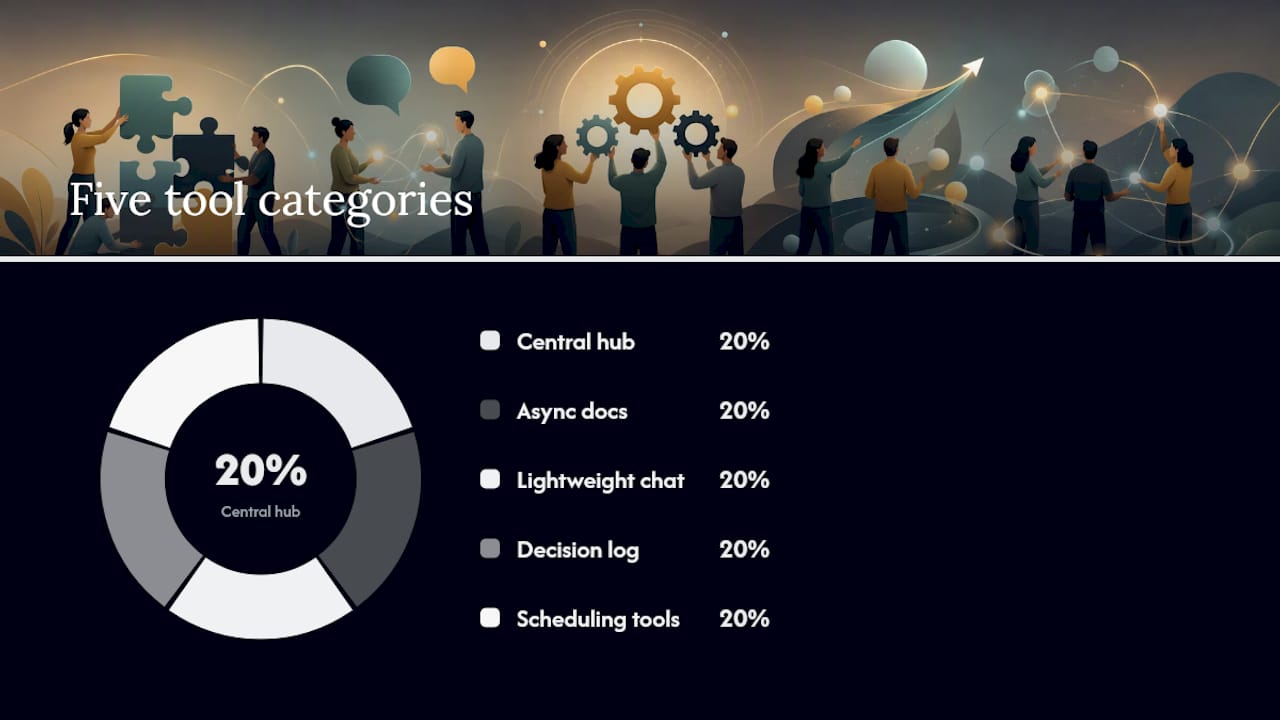
You need five categories of tools, not one all-purpose app: a central task hub, async documentation, lightweight chat, a shared decision log, and a scheduling tool that respects time zones. Trying to force all five functions into a single chat app is one of the more common, and avoidable, mistakes teams make.
- Central hub or project workspace: where tasks, owners, and deadlines live so nobody has to ask “what am I supposed to be doing?”
- Async docs: for anything that needs context preserved beyond a single conversation, like project briefs or onboarding notes.
- Lightweight chat: for quick questions and social connection, not for decisions that need a paper trail.
- Shared decision log: a running record of what was decided, by whom, and what happens next.
- Scheduling and availability tools: especially for distributed teams juggling multiple time zones.
Pro Tip: Before picking a tool, ask three questions: can I search old decisions in under ten seconds, does it show me who owns what without a follow-up message, and can it talk to the other tools my team already uses? If the answer to any of those is no, you’ve found the gap.
Here are three vendor-neutral templates you can paste into any platform your team already uses:
| Template | Format | Use Case |
|---|---|---|
| Decision log | Decision, owner, next step, date | Recording any meaningful choice made in a meeting or thread |
| Meeting agenda | Decisions needed, updates, blockers, recap | Structuring any recurring team meeting |
| One-on-one prompt | What went well, what could I do differently | Weekly or biweekly manager check-ins |
Tools that centralize task ownership and surface decisions in one place, rather than scattering them across five apps, tend to make these habits easier to sustain, as outlined in this breakdown of how collaboration tools reduce friction for distributed teams.
How Long Does It Take to Build Better Teamwork Habits?
Quick wins show up in two to four weeks, real stability takes two to three months, and genuine culture shift takes six to twelve months. Anyone promising a faster culture change is selling something.
The effort required is modest but consistent: expect roughly 15 to 30 minutes of check-in time per week per person, plus 30 to 60 minutes of leader coaching time per team member per month if you’re serious about individual growth. Cost buckets scale with ambition. A lean rollout costs nothing beyond time: templates, a free document, and disciplined meetings. A more resourced rollout might include a few hours of facilitation for a workshop, a paid collaboration tool subscription, and a half-day retrospective session once a quarter.
| Phase | Timeframe | What to Expect |
|---|---|---|
| Quick wins | 2 to 4 weeks | Channel rules stick, meeting-end summaries become routine |
| Stability | 2 to 3 months | Decision log is used without prompting, pulse scores stabilize |
| Culture shift | 30 days | New hires absorb norms without formal training, psychological safety becomes visible in how freely people disagree |
- Budget more coaching time in month one; it drops sharply once habits are automatic.
- Facilitation for a single kickoff workshop is often the highest one-time cost, and the easiest to skip if your team is small.
- Paid tools are optional in the early phase; free shared docs and a spreadsheet decision log work fine for teams under fifteen people.
How Does Diversity and Inclusion Strengthen Team Communication?
Diverse teams communicate better when leaders actively create space for different perspectives, not simply when the roster becomes more varied. A team with a wide range of backgrounds, functions, and working styles brings more ideas to the table, but only if the loudest voice in the room isn’t the only one that gets heard.

Inclusion in practice means rotating who speaks first in meetings, actively soliciting input from quieter team members before a decision is finalized, and being explicit that disagreement is welcome regardless of tenure or title. Teams with people from different functional backgrounds, engineering and sales, for instance, often catch blind spots that a homogenous team would miss entirely, but that only works if the communication norms make room for those different vantage points to surface.
Leaders should watch for one specific failure mode: mistaking politeness for agreement. A team where everyone nods along in meetings and then raises objections privately afterward isn’t inclusive, it’s just quiet. Real inclusion shows up in a decision log where the debate that happened before the decision is visible, not erased.
What Team-Building Activities Actually Strengthen Teamwork?
The exercises that work are the ones that require people to solve a real or realistic problem together, not generic icebreakers that feel disconnected from the actual work. A trust fall builds a funny story; a structured problem-solving exercise builds a habit of relying on each other.
Effective options include:
- Strengths mapping sessions, where each team member shares what they do best and the team discusses how those strengths complement each other on real projects.
- Cross-functional shadowing, where team members spend an hour observing a colleague in a different role to understand their daily pressures.
- Structured retrospectives, run after any project, not just failed ones, to reinforce that reflection is normal practice rather than a post-mortem for problems.
- Low-stakes problem-solving challenges, like a timed puzzle or planning exercise, that reveal how the team communicates under mild pressure without any real consequence.
The common thread across all of these: they generate a shared experience the team can reference later. “Remember how we solved that puzzle by splitting into two groups?” becomes a useful shorthand months later when a real project needs the same kind of division of labor. For more structured options, this collection of team-building exercises offers formats that scale from small teams to larger departments.
How Does Non-Verbal Communication Affect Team Interactions?
Non-verbal cues, tone, facial expression, posture, and even response delay, carry a substantial share of the meaning in any interaction, which is exactly why so much gets lost in text-only communication. A message that reads as curt in Slack might have been perfectly warm if said aloud, and teams that ignore this distinction end up managing conflicts that never needed to happen.
Nonverbal signals make up a large portion of everyday communication, which means teams should be deliberate about matching the channel to the complexity of the message. A quick status update is fine over chat. A piece of critical feedback, a disagreement about direction, or anything emotionally loaded deserves a video call or an in-person conversation, where tone and expression can do the work that text alone can’t.
Remote teams face a specific version of this problem: without hallway conversations or body language to read, small misunderstandings compound faster than they would in person. The fix isn’t complicated. Default to video for anything sensitive, and build in a habit of checking tone before sending a message that could be read multiple ways. A simple gut check, “would this sound harsh if I said it out loud?”, catches more problems than any policy document.
What Is Leadership’s Role in Building Better Teamwork?
Leaders set the ceiling for how well a team communicates, because managers alone account for a large share of the variance in team engagement. A team can want to communicate better, but if the leader doesn’t model the behavior, model in this case meaning actually doing it visibly, the habits never take root.
That looks like specific, repeatable actions: a leader who ends their own meetings with a one-line recap teaches the team that recaps matter. A leader who admits a mistake publicly in a retrospective gives everyone else permission to do the same. A leader who protects focus time on their own calendar, rather than just telling others to protect theirs, sends a signal that’s worth more than any policy memo.
The leader’s most underused lever is naming strengths out loud. Pointing out specifically what someone did well, and connecting it to a real outcome, does more for engagement than generic praise ever will. It also does something quieter but just as important: it tells the team that someone is paying attention, which is often the actual thing people mean when they say they want “better communication” from leadership.
How We Coach Teams to Build These Habits
At Optiostation, coaching a team through this shift always starts with the same three-part checklist: establish a rhythm before anything else, name strengths out loud in every check-in, and get a decision log running in week one, even if it’s a single shared document.
The rhythm matters more than the content of any individual meeting. We’ve seen teams try to fix communication by adding more meetings, more tools, and more process, when what they actually needed was a predictable, short check-in they could count on. One team we worked with cut their standing meetings from several per week to fewer, added a Friday five-minute pulse check, and saw their number of “wait, who owns this?” messages drop within the first month, not because the tool changed, but because the rhythm did.
The second lesson is that naming strengths isn’t a soft, feel-good exercise. It’s information. When a manager says “you’re the person who catches edge cases before they become bugs,” that’s a functional statement about how to divide future work, not just a compliment. Teams that build this into their regular check-ins waste less time figuring out who should own what.
If you want templates to run this yourself, our guide on developing teamwork skills over 30 days walks through the same structure we use in workshops, and it pairs well with a tool that keeps ownership and decisions visible without requiring a separate meeting just to find out who’s doing what.
How Optiostation Helps Teams Sustain These Habits
Every habit in this guide depends on one thing: making ownership and decisions visible without adding another meeting to check on them. That’s the exact gap a central task hub is built to close, and it’s the specific advantage Optiostation offers over trying to track all of this in scattered chat threads and memory.

Optiostation gives every team member, or as the app calls them, every Centurion, a second-in-command that keeps tasks, deadlines, and priorities visible in one place instead of buried across five tools. The task visibility features map directly to the role clarity and decision-logging habits covered above: instead of a decision log living in a separate doc nobody checks, ownership and next steps sit right where the work is happening. That’s the difference between a habit you have to remember to maintain and one that maintains itself because it’s built into the tool you already open every day.
If your team is trying to fix the “wait, who owns this?” problem this guide keeps coming back to, start by seeing how to manage team tasks effectively inside a single hub, then bring Optiostation into your next team check-in as the place where this week’s decisions and owners actually live.
Sources
- How to Improve Teamwork and Build High-Performing Teams – Gallup CliftonStrengths
- 12 tried-and-true ideas to improve team communication – HubSpot
- Teamwork skills: 10 essential abilities and how to develop them – Coursera
- Teamwork Skills: 10 essential abilities and how to develop them – Leading Beat
Recommended
- How to Improve Teamwork and Collaboration at Work – Optio Station: Best Project Management App for Prioritization
- How to Improve Teamwork for Success in College and Work – Optio Station: Best Project Management App for Prioritization
- Benefits of Teamwork – Keys for Global Student Success – Optio Station: Best Project Management App for Prioritization
