

TL;DR:
- Employee vacation tracking software automates leave requests, approvals, and payroll integration, replacing manual spreadsheets. It helps organizations scale efficiently by managing multiple regions, policies, and leave types with real-time data and audit trails. The key to successful adoption relies on trust, proper configuration, and seamless workflow integration.
Employee vacation tracking software is a digital system that automates how businesses record, approve, and report employee leave, replacing error-prone spreadsheets with real-time, centralized workflows. HR professionals managing paid time off tracking software know the cost of getting it wrong: payroll errors, schedule conflicts, and compliance gaps that compound as headcount grows. The industry standard for dedicated leave management software starts at roughly $3 per user per month, with free tiers available for small teams. This guide covers what the software actually does, which features matter most, and how to implement it without the common pitfalls.
How does employee vacation tracking software automate leave management?
Employee vacation tracking software replaces manual leave logs with automated workflows that handle requests, approvals, and balance updates in real time. The shift matters because manual formula calculations for pro-rated leave and statutory compliance waste significant admin time every week. Automation removes that burden entirely.

The core workflow works like this: an employee submits a time off request through the app or web portal. The system routes it to the correct manager based on pre-set approval hierarchies. The manager receives a notification, approves or declines, and the employee’s leave balance updates automatically. No emails. No spreadsheet edits. No back-and-forth.
Key automation features include:
- Automated PTO accrual: The system calculates balances based on tenure, hours worked, or policy rules without manual input.
- Multi-type leave tracking: Sick leave, vacation, parental leave, and unpaid time off each follow separate rules, all managed in one place.
- Calendar integration: Approved absences sync to shared team calendars, giving managers instant visibility into coverage gaps.
- Audit trails: Every request, approval, and change is logged, which supports compliance reviews and dispute resolution.
- Real-time balance updates: Employees see their remaining leave the moment an approval is recorded, eliminating the “how many days do I have left?” question.
Pro Tip: Set up automatic notifications for managers when a team member’s leave balance drops below a threshold. This flags potential burnout risks before they become retention problems.
The elimination of manual records for approved requests is one of the clearest wins. When every approval is captured automatically, HR spends less time reconciling data and more time on workforce planning.
What features should you look for in leave management software?
The right absence tracking software does more than log days off. It connects leave data to payroll, respects local labor laws, and gives managers the visibility they need to plan effectively.
-
Customizable leave policies. US PTO rules differ significantly from UK statutory leave entitlements. Software must be configurable to handle these regional differences, including accrual rates, carryover limits, and blackout periods. A single rigid policy template fails any organization with employees in multiple states or countries.
-
Payroll integration. HR platforms that sync leave data with payroll directly reduce payroll errors caused by manual data entry and communication gaps between HR and finance. When leave balances flow automatically into payroll calculations, the risk of overpaying or underpaying disappears.
-
Approval hierarchies and access controls. Configuring N+1 manager approval flows ensures team leaders see relevant data while HR retains full compliance oversight. Access controls also prevent employees from viewing colleagues’ sensitive leave histories.
-
Analytics and reporting. A good staff vacation planner generates reports on leave usage patterns, peak absence periods, and policy compliance. This data supports workforce planning decisions, like hiring seasonal contractors before a predictable surge in vacation requests.
-
Mobile and cloud access. Remote and hybrid teams need a time off management tool that works from any device. Mobile apps let employees submit requests and managers approve them without logging into a desktop system.
Pro Tip: Before signing a contract, test the payroll integration with your existing HR system using a sample pay cycle. Integration failures discovered post-launch cost far more to fix than those caught during evaluation.
Workforce planning benefits directly from integrated leave data, which enables better resource allocation and reduces the risk of understaffing during critical periods.
Why does manual vacation tracking fail at scale?
Manual tracking works for a five-person team. It breaks down fast as organizations grow. Spreadsheets limit scalability and introduce errors as headcounts increase, because every new employee adds complexity that formulas and shared files cannot handle reliably.
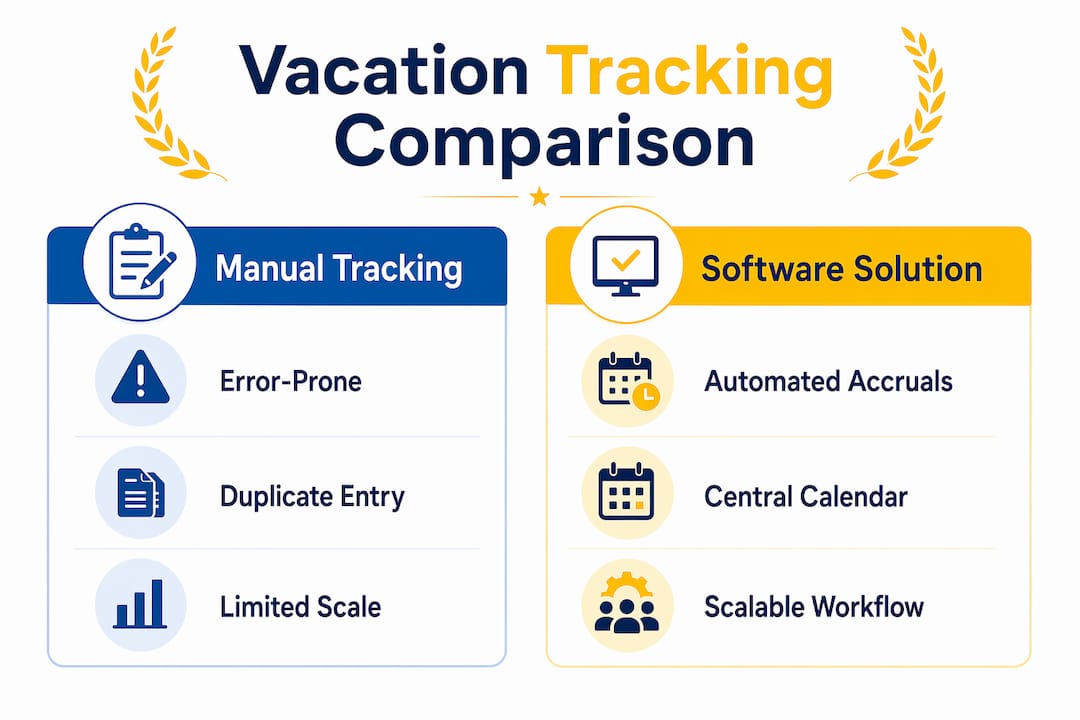
The table below shows where manual methods fail and what software does instead.
| Challenge | Manual tracking | Software solution |
|---|---|---|
| Pro-rated leave calculations | Error-prone manual formulas | Automated accrual engine |
| Schedule conflicts | No real-time visibility | Shared team calendar with conflict alerts |
| Payroll accuracy | Manual data entry between HR and finance | Direct payroll integration |
| Audit compliance | Scattered email chains | Centralized, timestamped audit log |
| Scalability | Breaks down past 20–30 employees | Handles hundreds of users with no added admin |
Duplicate data entry is the single largest cause of payroll errors for employees with complex accrual systems. When HR manually transfers leave data into payroll software, even a one-day error can trigger incorrect pay. Software eliminates that transfer entirely.
Double-booking is another common failure. Without a centralized calendar, two employees on the same small team can both approve vacation for the same week, leaving a project understaffed. Centralized digital calendars prevent this by flagging conflicts before approvals go through.
The tipping point for most organizations is when leave approvals and pro-rated entitlements become a weekly administrative burden. At that point, the cost of staying on spreadsheets exceeds the cost of switching to dedicated software.
Best practices for implementing a vacation request system
A successful rollout depends on preparation before the software goes live, not after.
- Engage stakeholders early. HR, finance, and department managers all interact with leave data differently. Bring them into the configuration process before launch so the system reflects how your organization actually operates.
- Configure leave types accurately. Map every leave category your company uses, including sick leave, bereavement, jury duty, and parental leave, to the correct policy rules in the system. Gaps here cause confusion and manual workarounds later.
- Set up approval hierarchies before go-live. Properly configured approval hierarchies and access rights are non-negotiable for audit compliance. Define who approves what, and test every workflow with real scenarios before employees start submitting requests.
- Train managers first. Managers are the approval bottleneck in most organizations. If they do not understand the system, requests pile up and employees lose confidence in the tool. Run manager training at least one week before the employee-wide launch.
- Integrate with payroll on day one. Delaying payroll integration creates a manual reconciliation gap that is hard to close later. Successful implementations connect leave tracking directly to payroll from the start.
- Review usage data quarterly. Pull reports on leave patterns every quarter. Look for teams with unusually high absence rates, unused leave balances that create year-end liability, and approval bottlenecks that slow down the workflow.
Managing student employees adds another layer of complexity, since their schedules and leave entitlements often differ from full-time staff. A configurable employee leave tracker handles these edge cases without requiring separate manual processes.
Key Takeaways
Effective leave management requires software that automates approvals, integrates with payroll, and supports customizable policies for every region and employee type your organization manages.
| Point | Details |
|---|---|
| Automation eliminates manual errors | Automated accrual and approval workflows remove the formula errors that plague spreadsheet-based tracking. |
| Payroll integration is non-negotiable | Direct leave-to-payroll sync prevents duplicate data entry, the leading cause of payroll errors. |
| Policy customization matters | Software must handle US PTO, UK statutory leave, and other regional rules without workarounds. |
| Approval hierarchies protect compliance | N+1 manager flows and access controls create the audit trail HR needs for regulatory reviews. |
| Quarterly data reviews improve planning | Regular usage reports reveal absence patterns and help HR allocate resources before gaps appear. |
What I’ve learned about vacation tracking that most guides skip
Most articles on leave management software focus on features. The real problem is adoption, and it almost always comes down to trust.
Employees do not use a vacation request system they do not trust. If they submit a request and hear nothing for three days, they go back to texting their manager. The software becomes shelfware. The fix is not a better interface. It is configuring approval deadlines and escalation rules so that every request gets a response within 24 hours, automatically.
The second overlooked issue is access control. HR teams often set up software with everyone having read access to everyone else’s leave calendar. That feels transparent, but it creates friction. Employees become reluctant to log sensitive leave types like mental health days or medical appointments when they know colleagues can see the details. Granular access controls, where employees see their own data, managers see their team’s data, and HR sees everything, build the trust that drives actual usage.
Policy customization is also underestimated. Organizations with employees in multiple states or countries often assume one policy template will work everywhere. It will not. The software’s value comes from its ability to apply different accrual rates, carryover rules, and statutory minimums to different employee groups simultaneously. That capability is worth paying for.
— Optiostation
Optiostation and your time management workflow
Managing leave is one piece of a larger workforce coordination challenge. When vacation approvals, task assignments, and team schedules live in separate systems, things fall through the cracks.
Optiostation is built for exactly this kind of coordination. As your second-in-command, it helps you track tasks, manage team workloads, and stay on top of deadlines, all from a mobile app designed for professionals who move fast. Whether you are an HR manager juggling leave requests or a team lead keeping projects on track, Optiostation gives you the visibility to act before problems compound. Explore the best task management software guide to see how Optiostation fits into your workflow, or check out the time off tracking overview for a deeper look at how leave and task management work together.
FAQ
What is employee vacation tracking software?
Employee vacation tracking software is a digital system that automates leave requests, approvals, balance calculations, and payroll integration. It replaces manual spreadsheets with real-time, centralized workflows.
Is there a free employee vacation tracker for small teams?
Free plans exist for small teams and cover basic leave tracking features. Paid tiers, which typically start around $3 per user per month, add payroll integration and advanced reporting.
How does leave management software reduce payroll errors?
Leave data syncs directly into payroll calculations, eliminating the manual data entry that causes most payroll errors. This is especially important for employees with complex accrual systems.
When should a company switch from spreadsheets to dedicated software?
The right time to switch is when leave approvals and pro-rated entitlement calculations become a recurring weekly burden for HR or managers. Spreadsheets break down reliably past 20–30 employees.
Can vacation tracking software handle multiple countries and leave policies?
Yes. Configurable software applies different accrual rates, carryover limits, and statutory minimums to different employee groups simultaneously, covering US PTO, UK statutory leave, and other regional requirements in one system.
Recommended
- Paid Time Off Tracker: Best Tools for Professionals – Optio Station: Best Project Management App for Prioritization
- Vacation Tracker for Teams: Top Tools and Features – Optio Station: Best Project Management App for Prioritization
- Employee Productivity Tracking Software for Managers – Optio Station: Best Project Management App for Prioritization
- Best time off tracking software to boost productivity – Optio Station: Best Project Management App for Prioritization
