
Balancing class schedules or meeting project deadlines gets tricky when your team is scattered across cities or even continents. Whether you are collaborating with classmates or launching your first tech startup, clear team structure and purpose-built task management tools help remote groups perform like unified teams. This guide delivers practical steps to define roles, organize workflows, and select the right digital systems so your remote projects stay synced and productive, no matter where everyone logs in.
Table of Contents
- Step 1: Assess Needs And Define Remote Team Structure
- Step 2: Set Up Collaborative Task Management Systems
- Step 3: Assign Roles And Distribute Clear Responsibilities
- Step 4: Monitor Progress And Address Workflow Issues
- Step 5: Verify Outcomes And Optimize Remote Processes
Quick Summary
| Main Insight | Explanation |
|---|---|
| 1. Clearly Define Team Roles | Establish specific roles and responsibilities to enhance remote productivity and reduce confusion among team members. |
| 2. Implement Task Management Tools | Use digital collaboration platforms to track tasks, communicate, and foster accountability across the remote team effectively. |
| 3. Monitor and Optimize Workflows | Regularly review performance metrics and gather feedback to identify bottlenecks and improve team processes continuously. |
| 4. Establish Communication Protocols | Design clear communication structures that define how team members interact, ensuring everyone remains aligned and informed. |
| 5. Foster a Culture of Improvement | Encourage an organizational mindset that focuses on ongoing refinement of processes and collaborative problem-solving among team members. |
Step 1: Assess needs and define remote team structure
Defining the right remote team structure starts with a comprehensive evaluation of your organization’s specific workflow requirements and digital collaboration potential. Mapping out how different roles and responsibilities can function effectively in a virtual environment will set the foundation for a high-performing distributed team.
To build a strategic remote team framework, start by analyzing team capabilities across several key dimensions:
- Identify remote-compatible roles: Determine which positions can deliver consistent results without in-person supervision
- Assess skill requirements: Define technical and soft skills necessary for successful remote performance
- Evaluate communication needs: Design clear communication protocols and digital collaboration channels
The most successful remote teams develop robust structures that balance individual autonomy with integrated team dynamics. Focus on creating transparent performance metrics and establishing consistent communication rhythms that keep everyone aligned and accountable.
As you design your remote team structure, consider the global talent landscape and potential timezone variations. Select team members who demonstrate strong self-management skills and can seamlessly integrate into your organizational culture.
A well-defined remote team structure transforms geographic diversity into a strategic competitive advantage.
Pro tip: Create detailed role descriptions that explicitly outline remote work expectations, communication protocols, and key performance indicators to set clear expectations from the start.
Step 2: Set up collaborative task management systems
Establishing an effective collaborative task management system is crucial for keeping remote teams synchronized and productive. The right digital infrastructure will help your team track progress, communicate seamlessly, and maintain accountability across different locations and time zones.
Start by implementing project collaboration tools that support comprehensive workflow management. These systems should offer features that enable:
- Real-time communication channels
- Task assignment and tracking capabilities
- Progress monitoring dashboards
- Integrated file sharing options
Choose platforms that align with your team’s specific workflow requirements. Consider tools like Slack, Trello, or Microsoft Teams that provide flexible collaboration features and can be customized to match your team’s unique communication and project management needs.
Ensure your chosen system supports multiple integration points, allowing team members to connect various work streams and maintain a centralized information hub. Standardize communication protocols and establish clear expectations about how and when team members should use different communication channels.
Here’s how common remote collaboration tools compare on key features:
| Tool | Strengths | Best Use Case |
|---|---|---|
| Slack | Instant messaging, integrations | Quick team communication |
| Trello | Visual task boards, simplicity | Project tracking for small teams |
| Microsoft Teams | Video, chat, file sharing | Enterprise collaboration |
| Asana | Task assignments, reporting | Managing complex workflows |
Effective task management systems transform scattered workflows into streamlined, collaborative experiences.
Pro tip: Conduct a brief training session to ensure all team members understand how to effectively use the selected task management platform and its key features.
Step 3: Assign roles and distribute clear responsibilities
Creating a well-defined structure for remote team roles is essential to maximize productivity and minimize confusion. When team members understand their specific responsibilities, they can work more efficiently and confidently in a distributed environment.

Defining team roles and workflows requires a strategic approach that goes beyond simple job descriptions. Implement a comprehensive framework that clearly outlines each team member’s core responsibilities, decision-making authority, and performance expectations.
Utilize established methodologies like the RACI matrix to clarify roles:
- Responsible: Who performs the actual work
- Accountable: Who makes final decisions
- Consulted: Who provides input
- Informed: Who needs to be updated on progress
Each team member should have a written role description that specifies:
- Primary job responsibilities
- Key performance indicators
- Reporting structure
- Communication expectations
- Decision-making boundaries
Regularly review and adjust role assignments to ensure they remain aligned with evolving project needs and individual team member strengths. Maintain flexibility while preserving clear accountability.
Clarity in roles transforms potential chaos into synchronized team performance.
Pro tip: Schedule quarterly role review sessions to reassess team member responsibilities and ensure ongoing alignment with project goals and individual capabilities.
Step 4: Monitor progress and address workflow issues
Effective remote team management requires a proactive approach to tracking performance and identifying potential bottlenecks before they escalate. Establishing a robust monitoring system helps maintain team productivity and quickly resolve emerging challenges.
Monitoring remote team activities demands a strategic focus on outcomes and clear performance indicators. Develop a comprehensive tracking approach that balances accountability with team autonomy:
- Implement performance dashboards to visualize real-time progress
- Define clear key performance indicators (KPIs)
- Schedule regular check-in meetings
- Use productivity tracking tools
- Create transparent reporting mechanisms
Establish a systematic review process that allows team members to:
- Self-report progress and challenges
- Highlight potential workflow obstacles
- Suggest process improvements
- Request additional support when needed
- Demonstrate individual and collective achievements
Approach monitoring with a collaborative mindset, focusing on support and improvement rather than punitive oversight. Create an environment where team members feel comfortable discussing challenges openly and proactively.
Effective monitoring transforms potential obstacles into opportunities for team growth and optimization.
Pro tip: Rotate responsibility for weekly progress reviews among team members to encourage shared accountability and diverse perspectives.
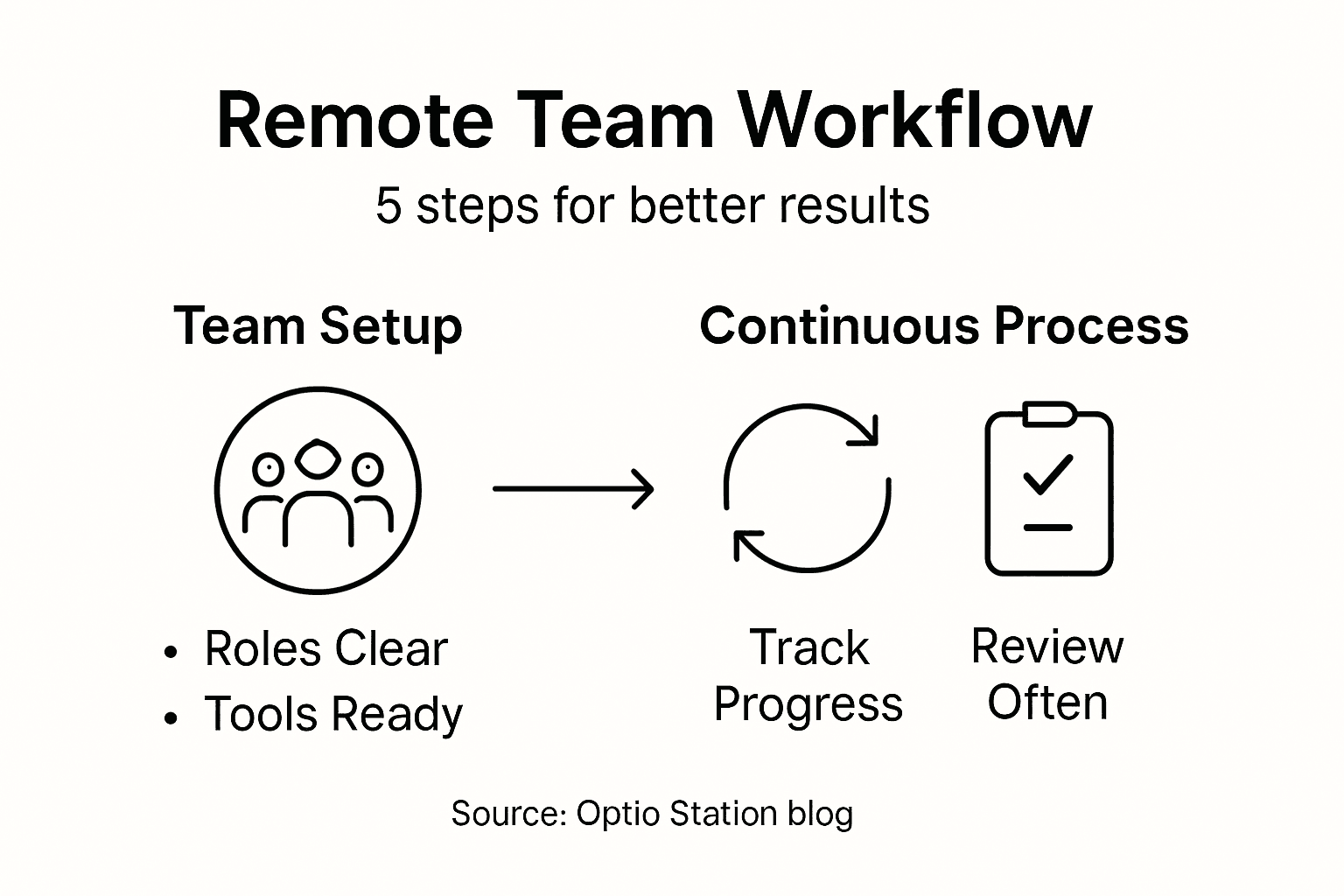
Step 5: Verify outcomes and optimize remote processes
The final stage of remote team management involves critically analyzing performance, identifying improvement opportunities, and continuously refining your workflow strategies. This step transforms data into actionable insights that drive team effectiveness and organizational growth.
Optimizing remote work practices requires a systematic approach that balances employee preferences with strategic organizational objectives. Develop a comprehensive evaluation framework that goes beyond surface-level metrics:
- Conduct performance analysis using quantitative and qualitative data
- Gather team member feedback through structured surveys
- Compare actual outcomes against initial project goals
- Identify systemic workflow bottlenecks
- Implement targeted process improvements
Establish a continuous improvement cycle that includes:
- Comprehensive performance review
- Detailed feedback collection
- Data-driven process refinement
- Strategic adjustment of team workflows
- Validation of implemented changes
Focus on creating a dynamic and adaptive workflow that can quickly respond to emerging challenges and opportunities. Encourage an organizational culture that views optimization as an ongoing, collaborative process.
The table below summarizes steps for ongoing remote team optimization:
| Step | Primary Goal | Example Action |
|---|---|---|
| Performance Review | Assess results versus goals | Monthly KPI analysis |
| Feedback Collection | Identify improvement areas | Team satisfaction surveys |
| Process Refinement | Address workflow bottlenecks | Update standard procedures |
| Validation | Confirm impact of changes | Post-implementation review |
Continuous improvement is not about perfection, but persistent, incremental progress.
Pro tip: Schedule quarterly retrospective meetings where team members can openly discuss what worked well, what didn’t, and propose concrete improvements for future workflows.
Master Remote Team Coordination with Optio Station
Coordinating remote teams workflow is a complex challenge that demands clear role assignments, seamless communication, and robust task management. If you are striving to overcome issues like scattered workflows or unclear responsibilities highlighted in the article, Optio Station is designed to be your trusted second-in-command. Our Roman-themed app empowers students and young professionals, your own Centurions, to take charge with precision and confidence.

Discover how Optio Station supports your mission by providing intuitive tools for task prioritization, team collaboration, and time management. Equip your team with transparent performance tracking and streamline communication to conquer geographic and timezone challenges. Explore expert insights and practical tips in our ProductivityThoughts and get ready to optimize your workflow today. Start commanding your projects more effectively now at Optio Station.
Frequently Asked Questions
How can I assess my team’s needs for remote work?
To assess your team’s needs for remote work, start by evaluating which roles can effectively perform without in-person supervision. List the specific skill sets and communication requirements necessary for each position to ensure smooth collaboration.
What tools can help manage tasks in a remote team?
Implement project collaboration tools that facilitate real-time communication, task assignment, and progress tracking. Popular options include platforms that allow for integrated file sharing and performance dashboards to streamline workflow management.
How do I clearly define roles and responsibilities for my remote team?
Utilize frameworks like the RACI matrix to delineate who is Responsible, Accountable, Consulted, and Informed for each task. Develop clear role descriptions that outline primary responsibilities and communication expectations to reduce confusion and enhance accountability.
What methods are effective for monitoring remote team progress?
Establish performance dashboards, schedule regular check-in meetings, and apply productivity tracking tools to monitor your remote team’s activities. This balanced approach allows for transparency and enables quick identification of any challenges.
How can I continuously improve my remote team’s workflow?
To continuously improve your remote team’s workflow, conduct regular performance reviews and gather feedback from team members. Use the insights gained to identify bottlenecks and implement targeted process improvements, creating a cycle of ongoing enhancement.
Recommended
- Understanding Collaboration Workflow for Teams – Optio Station: Best Project Management App for Prioritization
- Understanding Remote Teamwork Tips for Effective Collaboration – Optio Station: Best Project Management App for Prioritization
- How to Improve Teamwork for Success in College and Work – Optio Station: Best Project Management App for Prioritization
- Understanding Effective Virtual Team Tips for Success – Optio Station: Best Project Management App for Prioritization
