

TL;DR:
- Standard to-do lists lack structure for managing complex, deadline-sensitive projects requiring responsibility and priority tracking.
- Key features of effective project management templates include task name, deadline, priority, status, and responsible person.
- Building and regularly updating customized templates improves accountability, reduces missed deadlines, and enhances project flow.
You pull up a blank to-do list for your group project, jot down a few tasks, and feel organized for about 48 hours. Then deadlines blur, responsibilities overlap, and nobody knows who owns what. Sound familiar? A plain to-do list was never designed for the kind of multi-layered, deadline-sensitive work that college students and young professionals face every day. Project management to-do list templates solve that problem by adding structure, accountability, and clarity to any project, whether you’re writing a thesis, launching a product, or leading a team for the first time.
Table of Contents
- Why standard to-do lists aren’t enough for projects
- What makes a project management to-do list template effective
- How to build and customize your own project management template
- Applying templates: Maximizing results in school and work
- Why most productivity advice misses the mark
- Accelerate your productivity with advanced templates
- Frequently asked questions
Key Takeaways
| Point | Details |
|---|---|
| Templates enhance clarity | Project management templates ensure tasks, deadlines, and responsibilities are clearly defined and visible. |
| Customization boosts productivity | Customizing a template to fit specific project needs improves efficiency and workflow. |
| Templates support teamwork | Structured templates help groups coordinate, track progress, and meet project goals together. |
| Professional tools accelerate success | Accessing advanced templates and software can significantly improve organization and results. |
Why standard to-do lists aren’t enough for projects
A simple to-do list is great for grocery shopping. For a semester-long research paper or a six-week client deliverable, it falls apart fast. Here’s why: basic lists treat every task as equal. There’s no way to signal that one item is urgent and another can wait two weeks. There’s no column for who’s responsible, no field for the due date, and no status indicator to show whether a task is in progress, blocked, or complete.
When tasks carry the same visual weight, you end up doing whichever ones feel easiest first. That’s a natural human tendency, but it’s also how critical work gets delayed until the last minute. In a group setting, the problem compounds. Without clear ownership, two people might duplicate the same work while a third task sits untouched because everyone assumed someone else had it.
Missing project details don’t just cause minor inconvenience. They create real confusion and delay:
- No deadlines: Team members set their own timelines, which rarely align
- No priority markers: Urgent tasks get buried under low-impact busywork
- No status tracking: It’s impossible to tell at a glance what’s done vs. what’s stalled
- No owner assignment: Accountability disappears when tasks belong to “everyone”
- No context fields: Notes, dependencies, and linked resources get lost in group chats
“A task without a deadline is just a wish. A task without an owner is just a hope. Templates turn both into commitments.”
A structured project management checklist template fixes these gaps by giving every task a dedicated row with fields that force clarity upfront. Instead of guessing, you know exactly what needs to happen, when, and who’s driving it. For students juggling four courses and a part-time job, and for professionals managing client expectations alongside internal deadlines, that structure isn’t a luxury. It’s survival. The good news is that organization tools for students have evolved significantly, making it easier than ever to adopt a system that scales with your workload rather than collapsing under it.
What makes a project management to-do list template effective
Recognizing the shortcomings of basic lists, let’s look at what features make templates truly effective.
Not all templates are created equal. A template stuffed with 20 unnecessary columns is just as frustrating as a blank page. The goal is the right amount of structure, not maximum structure. Effective project management templates share a core set of fields that transform a list into an actual project plan.
The five essential sections every template needs:
- Task name: A clear, action-oriented description (not “research” but “compile three competitor case studies”)
- Deadline: A specific date, not “soon” or “end of week”
- Priority level: High, Medium, or Low so team members know what to tackle first
- Status: Not Started, In Progress, Blocked, or Complete
- Responsible person: One name, not “the team”
When you include all five fields, every row on your template tells a complete story. Anyone glancing at the document can understand the full picture in seconds. That’s exactly what separates functional task list templates from ones that look impressive but collect digital dust.

Beyond the core fields, template format matters. Here’s a comparison of the three main types:
| Template type | Best for | Biggest advantage | Biggest limitation |
|---|---|---|---|
| Digital (spreadsheet) | Solo or small teams | Easy to update and sort | Requires software access |
| Printable (PDF/paper) | Quick planning sessions | No tech needed | Hard to update in real time |
| Collaborative (app-based) | Teams with remote members | Live updates and notifications | Learning curve for new users |
For most students and young professionals, digital or collaborative templates win because projects evolve. A static printed list becomes outdated the moment someone changes a deadline or adds a task. Collaborative formats keep everyone synchronized without requiring a status update meeting every Monday morning.
Pro Tip: Choose templates that scale. A solo class assignment and a five-person team project have different needs, but your core template structure should handle both with minor adjustments. Look for templates built around project portfolio templates principles so your system grows with your ambition rather than breaking when complexity increases.
How to build and customize your own project management template
With effective features in mind, here’s how you can create and tailor your own template.
Building your own template sounds intimidating, but it’s one of the most valuable investments you can make in your productivity workflow. A template you build yourself fits your actual work style far better than a generic one downloaded from the internet. The process takes about 20 to 30 minutes upfront and saves hours of confusion over the course of a semester or project cycle.
Step-by-step process to build your first project management template:
- Define your task categories. Start by listing every type of work your project involves. For an academic paper, that might be research, outlining, drafting, editing, and citations. For a workplace project, it might be planning, design, development, review, and launch.
- Set up your core columns. Add the five essential fields from the previous section: task name, deadline, priority, status, and owner. These are non-negotiable.
- Add context fields based on your project. Academic projects often need a “source or reference” column. Workplace projects often need a “client-facing or internal” tag and a “budget impact” field.
- Build a progress section at the top. A simple summary row showing total tasks, completed tasks, and percentage done gives you an instant health check without reading every row.
- Test it on a real project. Use your template immediately. You’ll notice missing fields within the first day of actual use.
Here’s a simple data table showing how the same base template adapts across two different contexts:
| Field | Academic project example | Workplace project example |
|---|---|---|
| Task name | Write literature review | Draft client proposal |
| Deadline | March 15 | April 3 |
| Priority | High | High |
| Status | In Progress | Not Started |
| Owner | You | Marketing lead |
| Notes | Use APA format | Needs legal review first |
This side-by-side view illustrates how one template structure handles radically different environments. You can build this in a spreadsheet using Excel project management templates as a starting framework, then customize columns to match your specific workflow. For more complex projects that require phased planning, studying well-structured project management plan PDFs can show you how professionals organize multi-stage deliverables without losing track of individual tasks.
Pro Tip: Schedule a weekly five-minute template review. Projects change constantly. Deadlines shift, tasks get added, and priorities evolve. A template that you update regularly becomes a living document. One you set up once and ignore becomes useless noise within two weeks.
Applying templates: Maximizing results in school and work
Once your template is ready, here’s how to put it to work for maximum effect.
Having a template is step one. Using it consistently and strategically is where real productivity gains appear. The most common failure point isn’t creating the template. It’s abandoning it after the first week when the initial motivation fades. Here are concrete ways to build your template into your daily and weekly workflow so it actually sticks.
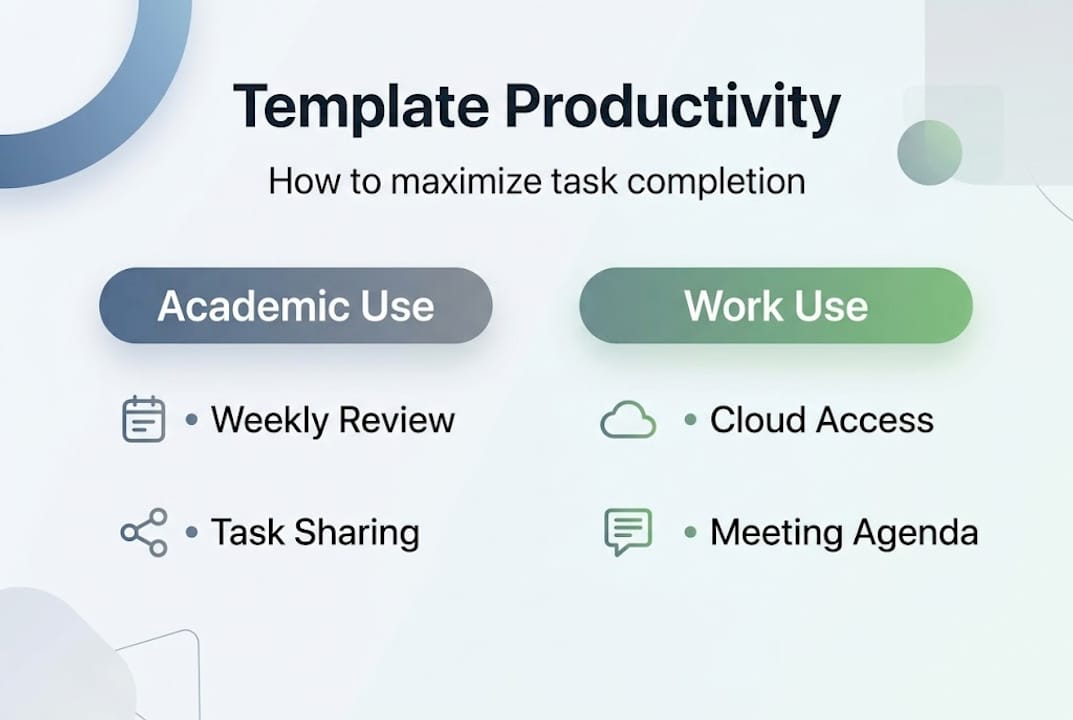
For individual academic projects, open your template every Sunday evening for a 10-minute review. Identify which tasks are due in the next seven days, update statuses from the previous week, and flag anything that’s at risk of slipping. This one habit alone dramatically reduces the panic of discovering a major deadline 48 hours out.
For group academic projects, share the template in a cloud folder that every team member can access and edit. Designate one person as the “template keeper” who’s responsible for ensuring the document stays current. Rotate this role each week so no single person carries the administrative burden throughout the entire semester.
For workplace projects, the same principles apply with one additional layer: use your template to communicate upward. When a manager asks for a status update, your template is the answer. It shows progress, flags risks, and demonstrates that you have command over your own workload. That kind of visible organization builds professional credibility faster than almost anything else.
Common mistakes to troubleshoot and how to fix them:
- Missed deadlines: Usually caused by tasks with no specific date. Fix: require a date on every single row before the project begins.
- Unclear responsibilities: Often caused by listing “team” as the owner. Fix: every task must have one person’s name attached.
- Stale status updates: Usually caused by reviewing the template too infrequently. Fix: build the review into a recurring calendar event.
- Template abandonment: Often caused by too much complexity upfront. Fix: start with just the five core fields and add columns only when a real need arises.
Using a well-built project management timeline template alongside your to-do list template creates a powerful combination. The timeline shows the big picture of when major milestones land, while the to-do list template manages the daily and weekly task level. Together, they give you both the forest and the trees. For more advanced projects, exploring project plans templates can help you layer in dependencies, meaning you can see which tasks must be completed before others can begin.
Pro Tip: Use your template as your team meeting agenda. Instead of running status update meetings from memory, project the template and walk through it row by row. This cuts meeting time significantly and ensures that action items are documented in real time rather than lost in someone’s notebook.
Why most productivity advice misses the mark
Here’s something the standard productivity advice circuit rarely admits: most tips about getting things done are completely divorced from the reality of project work. “Write your top three priorities every morning” is useful for a freelancer with one client. It fails instantly when you’re managing a team project with 40 tasks, rotating deadlines, and shared responsibilities.
Generic productivity content focuses on mindset and habits while skipping the structural systems that make habits possible. A motivated person with a blank list is still a motivated person with a blank list. Structure is what converts motivation into measurable progress. Templates don’t just organize tasks. They create accountability by making every commitment visible to everyone involved. When your name is next to a task with a deadline, the social pressure alone improves follow-through.
The real lesson, learned by students and professionals who actually run complex projects, is that consistently updated templates outperform static systems every single time. A template you update every Tuesday beats a perfect system you set up once and never touch. Following your command log regularly keeps your Centurion mindset sharp, your priorities clear, and your projects moving forward without chaos. The templates themselves are just the structure. Your commitment to maintaining them is what makes the difference.
Accelerate your productivity with advanced templates
Ready to take your productivity to the next level? Here’s how Optio Station can help.
Optio Station was built specifically for students and young professionals who are done settling for tools that weren’t designed for them. Every resource on Optio Station connects to real project scenarios, from semester schedules to workplace launches. You can explore curated time management apps that integrate with your template workflow, or study our task management software guide to find the right digital platform for your work style.

When you’re ready to see how real-world templates perform under pressure, browse our library of project tracker templates built for Centurions who need their second-in-command to help them move fast and stay organized. Your command starts here.
Frequently asked questions
What is a project management to-do list template?
A project management to-do list template is a structured document that organizes tasks with fields for deadlines, priorities, statuses, and responsible parties, giving every project a clear and trackable framework.
How can using a template improve productivity?
Templates reduce decision fatigue and missed tasks by making priorities, deadlines, and responsibilities visible at a glance, which directly improves how consistently students and professionals complete their projects on time.
Are there free project management templates available online?
Yes, many free templates are available in formats like Excel and PDF, covering everything from academic assignments to professional project plans, and Optio Station offers guides to help you find and customize the best ones.
Can a template be used for both individual and group projects?
Absolutely. Project management templates are designed to be flexible, and the core structure of task name, deadline, priority, status, and owner works just as well for a solo assignment as it does for a five-person team deliverable.
Recommended
- 7 Essential Types of To Do Lists for Better Productivity – Optio Station: Best Project Management App for Prioritization
- Command Log – Optio Station: Best Project Management App for Prioritization
- 7 Project Tracker Examples for Boosting Productivity – Optio Station: Best Project Management App for Prioritization
- What Is the Best To Do List App? Complete Guide – Optio Station: Best Project Management App for Prioritization
