
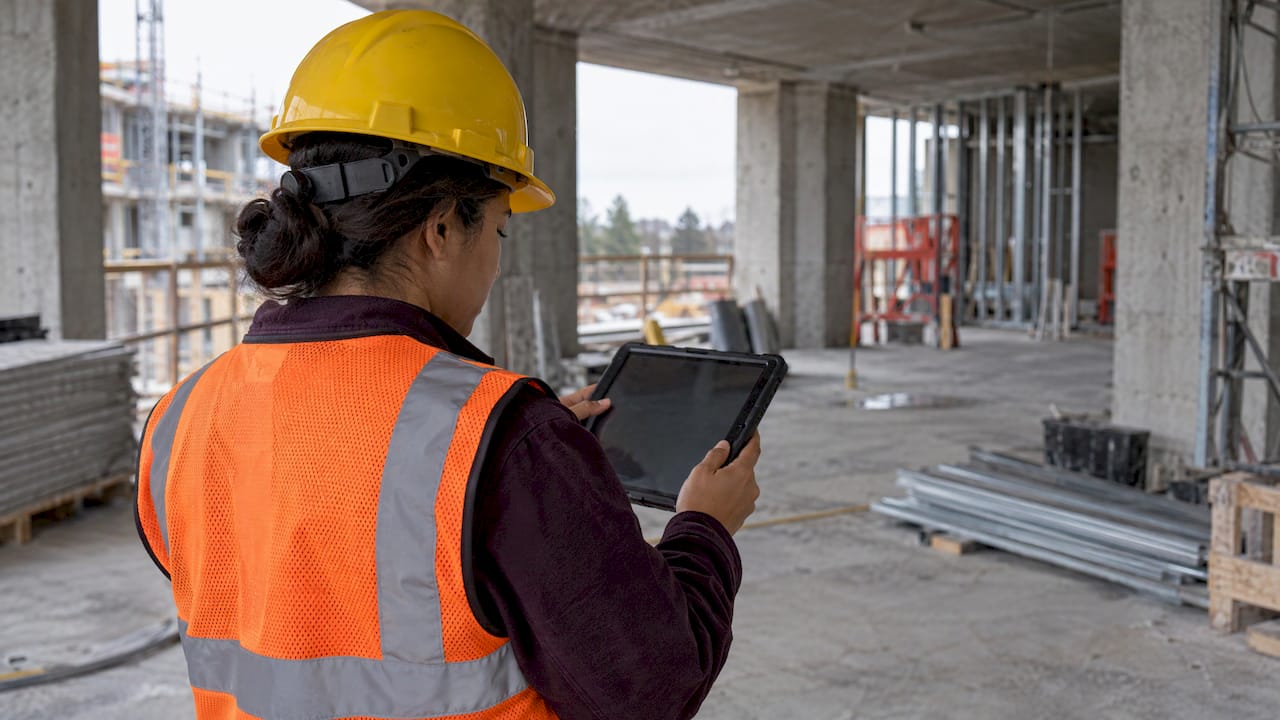
Construction management software is a set of digital tools, usually cloud-based with a mobile app, that puts a building project’s schedule, budget, documents, field reports and communication in one place. Office staff, site crews, subcontractors and owners all work from the same current information instead of scattered emails, spreadsheets and paper drawings. This guide explains what it does, who uses it, which features matter and how to pick a tool, and it shows where a personal task app fits for students and young professionals entering the field.
TL;DR
- Construction management software connects scheduling, budgets, documents, daily reports and team communication for a construction project in one system.
- It is built for construction work (RFIs, submittals, change orders, punch lists, job costing), which general task tools do not cover out of the box.
- Industry surveys link it to fewer schedule delays and lower overhead, though results depend on how well teams adopt it.
- Choose by must-have features, mobile and offline performance, integrations, pricing at your team size and ease of use.
- Students and early-career project coordinators can build the underlying habits (prioritizing, time tracking, team follow-up) with a mobile task app like ours.
Table of Contents
- What construction management software actually is
- Who uses it and for what
- Core features you will see
- What the evidence says about benefits
- How it differs from general project management tools
- How the market looks
- How to choose construction management software
- Where students and young professionals fit in
- Perspective
- Try the personal layer with Optio
- FAQ
- Sources
What construction management software actually is
Think of it as the control room for a building project. Capterra describes it as software that streamlines and organizes a project from planning and design through completion, including timelines and scheduling, allocation of materials and resources, and tracking of budgets and expenses.
A project involves dozens of moving parts: drawings that get revised, subcontractors who need instructions, inspections, change orders that alter cost, and daily conditions on site. Without a shared system, each of those lives in a different inbox or binder. Software pulls them into one record that everyone can open.
L.E.K. Consulting frames it as centered on organizing, coordinating and overseeing the construction process: timeline management, scheduling, budgeting and financial management, resource allocation, communication and supervision of activity on site. It also separates it from BIM (building information modeling), which is more focused on design and planning. In practice the two often sit side by side: BIM describes what will be built, and management software tracks how the work gets done.
What it is not
It is not a digital filing cabinet, and it is not a design tool. It does not replace the architect’s model, the estimator’s takeoff expertise or the superintendent’s judgment. It records, routes and surfaces information so people can make those decisions with current facts.
Who uses it and for what
Every role touches a different slice of the same data. According to Capterra’s overview, the users include project managers, design teams, architects, engineers, subcontractors and business owners. Project managers communicate with stakeholders and schedule assigned tasks. Subcontractors review plan sheets, upload submittal packages and RFIs, and see job site conditions in near real time.
Here is how a typical day looks across roles:
| Role | What they do in the software |
|---|---|
| Project manager | Assigns tasks, tracks RFIs and submittals against the schedule, approves changes, reviews budget and timeline reports |
| Superintendent | Opens the latest drawing set on a tablet, checks the day’s work, flags issues |
| Foreman | Logs daily reports, photos and weather, often with timestamps and location data |
| Subcontractor | Receives task assignments, punch list items and inspection notices; uploads documents |
| Owner or client | Follows progress, approves selections or changes, reviews cost updates |
| Accountant | Matches change orders, contracts and invoices to what was actually built |
The common thread is one version of the truth. When the superintendent and the office look at the same drawing revision, a whole category of expensive mistakes disappears: building from outdated plans.
Core features you will see
No two products are identical, but the category has a recognizable core. SelectHub’s requirements research groups the top needs as document management, field and communication management, financial management and accounting, mobile capabilities, platform capabilities, pre-construction management, project management, reporting and dashboards, safety management, and scheduling and calendar management.
SoftwareReviews lists a similar set: communication and collaboration, analytics and dashboards, project management and scheduling, compliance and safety, resource and equipment management, document and drawing management, workflow management and budget management.
Scheduling and planning
Gantt charts, task dependencies and resource allocation let a team see the critical path, the sequence of tasks that determines the finish date. When one trade slips, the schedule shows who is affected next.
Document control
Version control keeps the newest drawings, specifications, RFIs and submittals in front of the crew. Older versions stay archived for reference. This is usually the first feature that teams point to when they describe the value of switching.
Budgeting and cost control
Live budget views compare committed costs with actual spending and show the effect of change orders as they happen, so overruns surface early rather than at month end.
Field management
Daily logs, photos, punch lists and inspections are captured on a phone or tablet from the site. Offline access matters here because many jobsites have weak connectivity, so check that the mobile app can store entries and sync later.
Reporting and integrations
Dashboards summarize status for leadership, and integrations connect the tool to accounting, estimating and drawing software, so data is entered once.
What the evidence says about benefits
Vendors promise a lot, so it helps to look at independent surveys and research.
- A Dodge Construction Network study from 2021 found that 93% of civil contractors see a medium or higher impact from field and project management software on reducing schedule delays, and 65% believe it reduces the risk of cost overruns.
- A 2025 survey of more than 1,100 owners and contractors reported that 83% saw overhead costs fall by 5% or more, and 76% cut project delays by five days or more on average.
- An academic study of a lean construction tool found that 86.3% of participants noticed better schedule compliance and 100% reported improved stakeholder collaboration.
These are self-reported results from specific groups, so treat them as signals about direction rather than guarantees for your own project. The pattern is consistent, though: shared, current information means less rework, fewer disputes about what was agreed and faster decisions.
How it differs from general project management tools
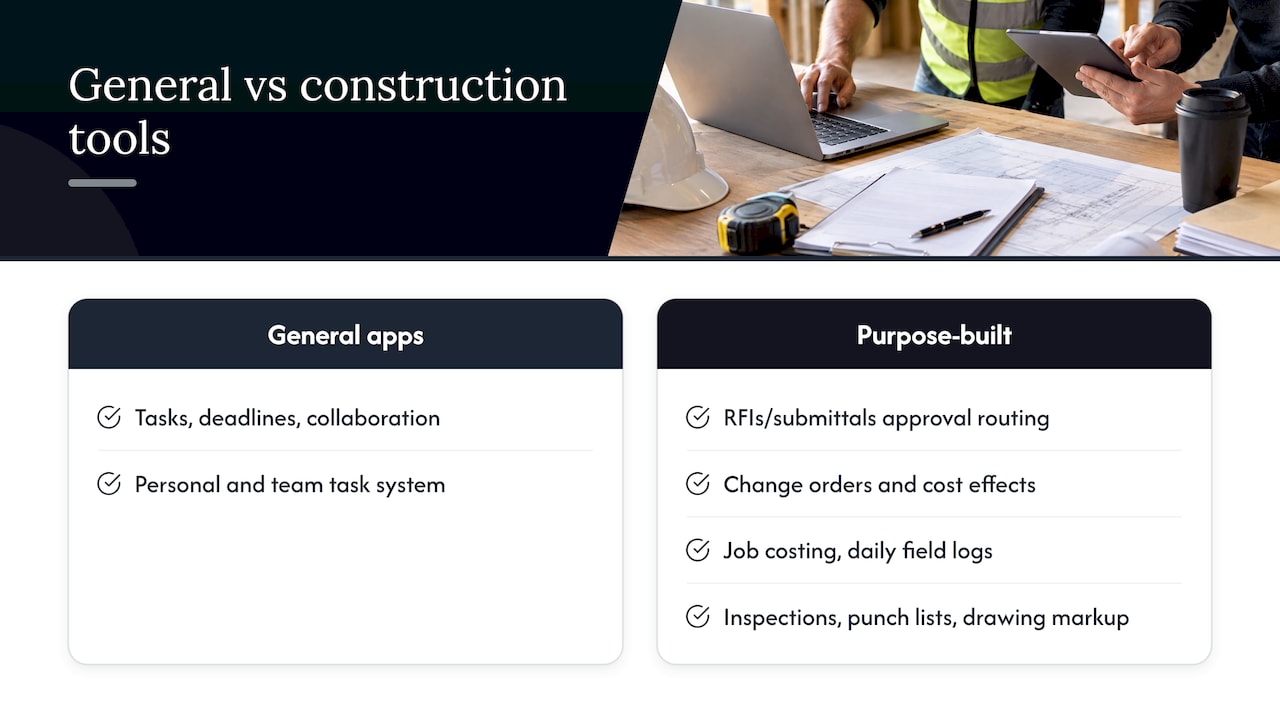
General project management apps handle tasks, deadlines and collaboration well. Construction work adds layers they do not cover by default: RFIs and submittals with approval routing, change orders and their cost effects, job costing, daily field logs, inspections and punch lists, plus drawing markup tied to specific sheets.
That is why construction teams usually choose a purpose-built platform for the project record. It also explains why the general-purpose layer, the personal and team task system, still matters. A project manager’s own day involves far more than what the project platform tracks: emails to answer, a coworker to follow up with, a certification to study for, a site visit to schedule. Our guide on what project management software is covers the broader category if you want the fundamentals first.
How the market looks
The category is large and growing. Research and Markets reports that the global construction management software market grew from $11.6 billion in 2025 to $12.63 billion in 2026, with a forecast of $17.64 billion by 2030. North America was the largest region in 2025, and Asia-Pacific is expected to grow fastest.
For a student or young professional, that growth has a practical meaning: familiarity with these tools is becoming a baseline skill for assistant project managers, field engineers and coordinators. L.E.K. notes that the software is becoming a staple that also supports paperless operations and efficient use of resources.
How to choose construction management software
A good selection process starts with your work, not the feature list.
- Define the type of work. A residential remodeler, a civil contractor and a commercial general contractor need different depth in estimating, job costing and document control.
- List must-haves versus nice-to-haves. Typical must-haves are scheduling, document control with versioning, daily logs, and budget tracking. Dashboards and advanced analytics can wait.
- Test the mobile experience. The people who use the tool most work outdoors on phones and tablets. Look at offline mode, photo capture and how quickly someone can log a report.
- Check integrations. The tool should connect to your accounting system and to drawing or estimating software you already use.
- Compare pricing at your real team size. Plans vary by per-user fees, project volume or flat tiers. Ask each provider for current pricing, since it changes.
- Plan adoption. The best tool fails if the foreman will not open it. Pick one pilot project, assign a champion, and keep the first rollout to the three or four features that solve your biggest pain.
For a deeper look at what to compare, see our construction management software guide.
Examples of software-supported coordination
Looking at neighboring industries helps you see the pattern. Service businesses use digital work order workflows to assign jobs to staff or teams, track time and monitor progress, which mirrors how site tasks are assigned and followed up in construction. The principle is the same: every job has an owner, a status and a time record.
Where students and young professionals fit in
Most people do not start by buying a construction platform. You start as a student planning a capstone project, an intern shadowing a superintendent or a junior coordinator juggling several jobs. The habits that make you valuable in that platform are personal ones:
- Deciding what to do first when everything feels urgent.
- Breaking a project into phases with realistic durations.
- Tracking where your hours go.
- Following up with teammates before something slips.
If you are practicing construction planning, our sample construction project planning and scheduling plan walks through the logic. To understand the role you may be heading toward, read about construction project manager responsibilities. And if time is your biggest constraint, our piece on project time management is a good next step.
Perspective
We built Optiostation for college students and young professionals who run on deadlines, group projects and too many open loops. Construction management platforms handle the project record. What we see in our community is that people still need a place for the work around that record: what to tackle today, who owes whom an update, and where the week’s hours went.
That is the job of a second-in-command, which is how we think of Optio. Our app combines task and project organization, time tracking, goal setting, color-coded life aspects, smart reminders, hashtag-based search and Google Calendar integration, so a Centurion can keep coursework, an internship and a team assignment in view together.
We are an indie-built app and we actively use feedback from our users to shape it. We aim for simplicity and flexibility, because a tool you will open every day beats a powerful one you avoid. If you are learning to manage projects, build your prioritization and time habits now, and the construction-specific tools will be much easier to master later.
Optiostation
Try the personal layer with Optio
If you are studying construction management or starting out as a coordinator, Prioritization Station gives you a mobile home for tasks, team collaboration, time tracking and goals. Set up color-coded areas for classes, work and personal life, add smart reminders, and sync with Google Calendar so deadlines sit next to your schedule.
Our core features are free to use, with advanced capabilities planned behind a paid subscription. See Prioritization Station and start organizing your next project today. If you are still deciding how to set priorities, our guide to prioritization techniques is a quick way to start.
FAQ
Is construction management software the same as project management software?
Not quite. Project management software covers tasks, timelines and collaboration for any kind of work. Construction management software adds construction-specific tools such as RFIs, submittals, change orders, job costing, daily logs, inspections and punch lists. Many construction teams use a purpose-built platform for the project record and a general task app for personal organization.
Who uses construction management software?
Project managers, superintendents, foremen, subcontractors, architects, engineers, owners and accountants all use it, each for a different slice of the same project data. Capterra’s overview lists project managers, design teams and subcontractors among the main users. Students and interns increasingly meet it during internships and capstone projects.
What features should I look for first?
Start with scheduling, document control with version history, daily field logs, budget tracking and a mobile app that works with weak connectivity. SelectHub’s requirements list is a helpful checklist. Add integrations and dashboards once the basics are working for your team.
How do I choose the best construction management software for my team?
The best option depends on your type of work, team size and budget. Define your must-haves, compare current pricing at your real user count, check mobile performance and integrations, and roll out on one pilot project first. Our construction management software guide goes deeper on the comparison.
Sources
- What is Construction Management Software? (Capterra)
- The Dynamic Evolution of Construction Management (L.E.K. Consulting)
- The Top 10 Construction Management Software Requirements (SelectHub)
- Construction Management 2026 (SoftwareReviews)
- Digital Tools Drive Improved Project Outcomes for Civil Contractors (Dodge Construction Network)
- New study on project management software for construction owners and contractors (Business Wire)
- Embracing the Future with Leanbuild Software (IGLC paper)
- Construction Management Software Market Report 2026 (Research and Markets)
