

TL;DR:
- A good daily routine centers on a few reliable anchor habits, such as consistent wake time and evening shutdown. Routines reduce decision fatigue and stabilize circadian rhythms, enhancing mood and focus throughout the day. Using flexible blueprints and templates helps people sustain habits even on challenging days.
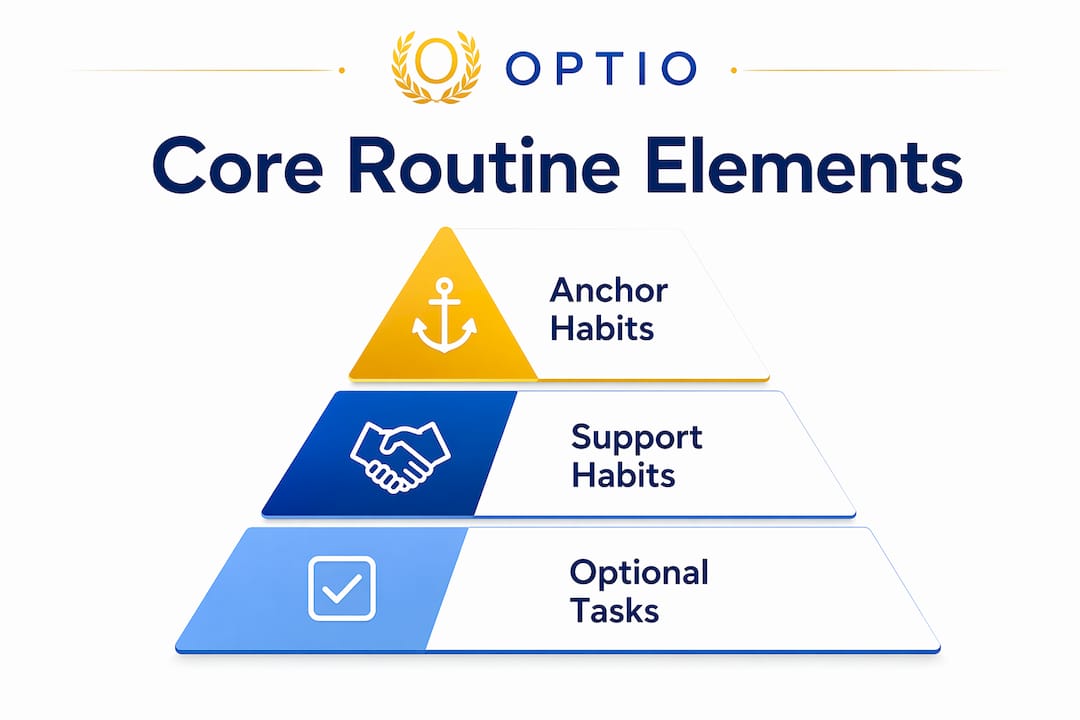
A good daily routine is a small set of anchor habits, not a packed schedule. At its core: a consistent wake time, natural light within 30 minutes of waking, a brief morning orientation, two or three focused work blocks with breaks, and a defined evening shutdown. That’s the blueprint. Everything else is support.

Circadian rhythm research backs the wake-time anchor as the single most evidence-supported routine behavior for sleep and mood stability. The Optio app by Optiostation is built around exactly this logic: anchor-first design, flexible blocks, and a minimum viable version for hard days.
The five essential anchors:
- Consistent wake time (same time daily, including weekends)
- Morning light exposure within ~30 minutes of waking
- Brief planning session (5–10 minutes to set the day’s top task)
- Focused work blocks (60–90 minutes each, with scheduled breaks)
- Evening shutdown (a hard stop time, plus a 5-minute next-day prep)
Pro Tip: Define your “minimum viable version” before you need it: a 3-minute morning sequence, one 60-minute focus block, and a 10-minute shutdown. Commit to this on your worst days so the routine never fully collapses.
Table of Contents
- Why do routines actually work?
- What should a good daily routine include?
- How do you build a routine you’ll actually keep?
- Sample routines for students and young professionals
- What breaks a routine, and how do you recover fast?
- How do you track a routine without overcomplicating it?
- How Optiostation turns this blueprint into ready-to-use templates
- Key Takeaways
- A word from the Optiostation team
- Optiostation gives you a guided start, not a blank page
- Useful sources and further reading
Why do routines actually work?
Routines reduce decision fatigue and lower anxiety by cutting the number of choices your brain has to process before noon. Every decision you automate, from what time to wake up to when to stop working, preserves cognitive resources for the work that actually matters.
Three mechanisms drive this:
- Circadian stabilization: A consistent wake time regulates your body clock, which in turn steadies mood, energy, and sleep quality.
- Reduced prediction error: When your brain knows what comes next, it spends less energy on anxiety and more on execution.
- Behavioral activation: Completing even small routine tasks early in the day builds momentum that carries through harder work later.
Routines also work best when treated as flexible blueprints rather than rigid schedules. Perfectionism about the schedule is one of the fastest routes to abandoning it entirely.
What should a good daily routine include?
The table below maps each core component to its function and flags whether it’s an anchor (non-negotiable) or a support habit (valuable but flexible).
| Component | Why it matters | Type |
|---|---|---|
| Consistent wake time | Stabilizes circadian rhythm and mood | Anchor |
| Morning light (~30 min) | Sets the circadian clock for the day | Anchor |
| No phone on waking | Reduces morning reactivity, supports focus | Anchor |
| Protein + fiber breakfast | Regulates energy and supports steady morning focus | Support |
| Brief planning (5–10 min) | Reduces decision load for the rest of the day | Anchor |
| 60–90 min focus blocks | Protects deep work time | Anchor |
| Movement (20–30 min) | Moderate morning exercise boosts daytime energy | Support |
| Hydration throughout day | Prevents fatigue and cognitive dips | Support |
| Evening shutdown | Signals rest, preps next day | Anchor |
| Social/downtime windows | Supports mental health and recovery | Support |
| Weekly review (15 min) | Catches friction before it compounds | Support |
A realistic time budget for a standard weekday typically includes blocks for waking, morning routines, focused work, breaks, meals, and evening shutdown, adapted to fit individual needs.
| Block | Time | Duration |
|---|---|---|
| Wake + light exposure | Morning period shortly after waking | Approximate duration varies |
| Morning anchor (plan + breakfast) | Morning routine includes planning and breakfast | Duration varies |
| Focus work blocks | Scheduled deep work periods | Duration varies |
| Break and movement periods are important for recovery and energy, with duration adapted individually. | ||
| Focus work blocks | Scheduled deep work periods | Duration varies |
| Afternoon work or classes fill a significant part of the day, with timing depending on personal schedule. | ||
| Evening shutdown and preparation routines help signal rest and ready the mind for the next day. |
How do you build a routine you’ll actually keep?
Start with anchor-first design: pick one or two non-negotiables, then add one support habit every two to four weeks. Trying to overhaul everything at once is the most common reason routines fail.
- Choose your wake time. Pick one you can hold seven days a week, not just weekdays.
- Set your morning anchor. Step outside or open a window for light, skip the phone for the first 20 minutes, and spend five minutes writing your top task for the day.
- Block your focus time. Schedule two 60–90 minute blocks in your calendar before anything else fills those slots.
- Set a firm shutdown time. Treat it like a meeting you cannot cancel.
- Define your minimum viable version. Three minutes of morning prep, one focus block, ten-minute shutdown. That’s the floor.
Habit-stacking speeds adoption considerably. Attach new behaviors to reliable cues: after you brew coffee, do your two-minute planning ritual. After you brush your teeth at night, write tomorrow’s top task. The cue does the triggering so you don’t have to rely on willpower.
Pro Tip: The night before matters more than the morning itself. Write your single most important task for tomorrow before you close your laptop. Morning friction drops to almost nothing when the decision is already made.
For students managing class schedules, organizing your study blocks around fixed class times is the fastest way to apply anchor-first design to an academic calendar.
Sample routines for students and young professionals
Pick the template closest to your current schedule and adjust from there.
Student weekday
| Block | Time | Notes |
|---|---|---|
| Wake + light | 7 AM | No phone for 20 min |
| Breakfast (protein + fiber) | 7:20 AM | 20 min |
| Study block 1 | 8–9:30 AM | Hardest subject first |
| Break + short walk | 9:30–9:50 AM | |
| Classes / study block 2 | 10 AM–— | |
| Afternoon classes | 1:30–4 PM | |
| Movement | 5 PM | 20–30 min |
| Evening shutdown | 9:30 PM | Next-day prep, 10 min |
Young professional (hybrid day)
| Block | Time | Notes |
|---|---|---|
| Morning anchor | — | Plan, breakfast |
| Deep work block 1 | 8–9:30 AM | Before meetings |
| Meetings / collaborative work | 10 AM–12 PM | |
| Deep work block 2 | 1–2:30 PM | |
| Admin / email | 3–4 PM | |
| Shutdown | 5:30 PM | Hard stop |
Low-energy maintenance day (minimum viable version)
Wake at your normal time, get five minutes of light, eat something with protein, complete one 60-minute focus block, and do a 10-minute shutdown. That’s it. Keeping the minimum viable routine on hard days is what separates people who sustain habits from people who restart from scratch every few weeks.
If you’re building routines around online classes or a remote schedule, the advice on acclimating to online learning is worth a read for structuring self-directed study blocks.
What breaks a routine, and how do you recover fast?
Expect disruption. Design for recovery before it happens.
The most common pitfalls:
- Too many rituals stacked into the morning, making the whole thing feel like a chore
- Rigid timing that collapses when one block runs over
- Checking your phone immediately on waking, which raises morning reactivity and fragments focus
- Skipping the evening shutdown, which bleeds work stress into sleep
- Ignoring hydration and meals until energy crashes mid-afternoon
When the routine breaks, the recovery sequence is short:
- Drop back to the minimum viable version immediately
- Restore your wake time the next morning, even if you slept poorly
- Run a five-minute weekly review to find the friction point
- Remove one habit, not add a new one
Pro Tip: Give yourself a two-day reset window. One missed day is not a broken routine. Two days in a row is a pattern worth addressing. Frame disruption as temporary and the reset as the plan, not a failure.
Burnout from over-scheduling is a real risk, especially during exam season or project crunches. The guidance on avoiding burnout while studying applies well beyond language learning.
How do you track a routine without overcomplicating it?
Brief weekly reviews outperform complex tracking systems for routine durability. Four metrics are enough:
- Wake time consistency — did you hit your target time most days?
- Top-task completion — did you finish your one most important task each day?
- Focus block count — how many 60–90 minute blocks did you complete?
- Sleep quality — a simple 1–5 self-rating each morning
The weekly review takes 15 minutes. Check your four metrics, note the biggest friction point, and make one small tweak for the coming week. A one-line daily log in a notes app or a calendar block labeled “done” is all the tracking infrastructure you need. Optiostation’s checklist features and daily tasking tools handle this without adding a separate system.
If progress stalls, the fix is almost always subtraction: reduce the habit count, return to the minimum viable version, and rebuild from there.
How Optiostation turns this blueprint into ready-to-use templates
Optiostation converts the anchor-first blueprint into pre-built templates that users can activate in minutes. The Optio app includes wake-time anchors, focus block scheduling, shutdown workflows, and a nightly review task, all mapped to the structure in this guide.
Here’s how to get started inside the app:
- Open Optiostation and select a routine template (student, professional, or maintenance).
- Set your wake time as the primary anchor.
- Schedule two focus blocks in the task board, protecting them from other tasks.
- Enable the nightly shutdown reminder and add tomorrow’s top task before closing the app.
- At the end of the week, run the built-in weekly review checklist to identify one friction point.
The app’s time management tools are built around exactly this logic: fewer decisions, protected focus time, and a minimum viable mode for low-energy days. Optiostation calls its users Centurions, and the Optio app positions itself as the second-in-command: it handles the structure so you can focus on the mission.
Pro Tip: Use the habit reminder feature to stack your morning anchor onto your alarm. The moment the alarm fires, the app surfaces your top task and morning checklist. Zero friction, zero decision-making before coffee.
Key Takeaways
A good daily routine works because it replaces daily decisions with reliable anchors, protecting your sleep, focus, and recovery without requiring a perfect schedule.
| Point | Details |
|---|---|
| Anchor-first design | Pick a consistent wake time and shutdown time before adding any other habits. |
| Morning light and no phone | Get natural light within 30 minutes of waking and skip the phone to reduce morning reactivity. |
| Focused work blocks | Schedule two 60–90 minute blocks daily; protect them before anything else fills the slot. |
| Minimum viable version | Define a 3-step fallback routine before you need it to prevent total abandonment on hard days. |
| Optiostation templates | Optiostation’s Optio app maps these anchors and blocks into ready-to-activate routine templates. |
A word from the Optiostation team
The conventional productivity advice is to build a morning routine packed with journaling, cold showers, meditation, and a workout before 7 AM. That works for exactly the kind of person who already has their life together. For everyone else, it’s a setup for feeling like a failure by 8 AM.
What the research actually supports is simpler: protect your wake time, get some light, know your one most important task, and stop work at a defined hour. The rest is optional. The work-life balance research consistently shows that recovery time is not a reward for productivity. It’s a precondition for it.
The Centurion framing inside Optiostation exists for a reason. A Roman Optio didn’t micromanage every soldier’s movement; they held the line and kept the structure intact under pressure. That’s what a good routine does. It doesn’t optimize every minute. It keeps the structure intact when things get hard.
Optiostation gives you a guided start, not a blank page
Most people don’t fail at routines because they lack discipline. They fail because they start with a blank calendar and no floor to fall back on. Optiostation solves that with ready-made templates for students and young professionals, built around the anchor-first blueprint in this guide.

Activate a sample routine inside the Optio app in under five minutes, or use the task management guide to map your routine directly onto your daily task workflow. The app handles the reminders, the weekly review, and the minimum viable mode so you don’t have to rebuild from scratch every time life gets busy.
Useful sources and further reading
- The Importance of Creating Habits and Routine — PMC / NCBI
- The optimal morning routine, according to science — BBC Science Focus
- The Mental Health Benefits of Daily Routine — Simply Psychology
- Daily Routine Checklist for Adults — Emphasis Life
- Healthy Habits to Strengthen Your Daily Routine — Northwestern Medicine
- 10 Healthy Habits to Follow Every Day — Cleveland Clinic
Recommended
- What Is the Best Daily Routine for Students and Pros – Optio Station: Best Project Management App for Prioritization
- Daily planning benefits: boost productivity in 2026 – Optio Station: Best Project Management App for Prioritization
- Work routine ideas that actually fit your busy life – Optio Station: Best Project Management App for Prioritization
- How to Manage Daily Tasks Effectively for Success – Optio Station: Best Project Management App for Prioritization
