

TL;DR:
- Prioritization involves distinguishing between urgent tasks that demand immediate attention and important ones that impact long-term goals. Using the Eisenhower Matrix helps organize tasks into four quadrants, promoting effective time management and reduced overwhelm. Regularly reviewing and adjusting priorities, along with strategic delegation, enhances productivity and balances academic and professional responsibilities.
Every semester, the same thing happens. You have a full week to finish a research paper, but you spend Monday replying to “urgent” emails that could have waited until Friday. By Thursday, you’re panicking. This is not a time management problem. It’s a prioritas problem. Understanding the difference between what feels urgent and what actually matters is the single skill that separates students and young professionals who feel in control from those who constantly feel behind. This guide will show you exactly how to fix that, using a framework trusted by high-performers across every field.
Table of Contents
- Understanding the concept of prioritas: urgency vs importance
- How to use the Eisenhower Matrix to organize your workload
- Common pitfalls and expert tips for effective prioritization
- Applying prioritization to balance college and work commitments
- Tools and methods to enhance your prioritization system
- Rethinking prioritization: what most people miss about managing tasks
- Enhance your task management with Optio Station tools
- Frequently asked questions
Understanding the concept of prioritas: urgency vs importance
Most people treat every task on their list as roughly equal, varying only by deadline. That’s the first mistake. Urgency and importance are two completely different qualities, and confusing them is what keeps you busy without ever feeling productive.
An urgent task demands your attention right now. It has a deadline, a notification, or someone waiting on the other end. An important task, by contrast, directly affects your long-term goals, your grades, your career trajectory, or your wellbeing. The catch? urgent tasks are not always important, and important tasks are not always urgent.
Think about it this way. A classmate texting you for notes feels urgent. Finishing the chapter you need to understand before next week’s exam feels less pressing in the moment. But which one actually moves your academic performance forward? That’s the core of understanding prioritization techniques.
Here’s what this distinction looks like in practice:
- A professor’s last-minute schedule change: urgent, but low importance to your long-term goals
- Building a portfolio project for future job applications: high importance, rarely feels urgent
- A group chat blowing up before a deadline: feels urgent, often neither important nor actionable
- Reviewing your semester goals every Sunday: not urgent at all, but one of the highest-impact habits you can build
The Eisenhower Matrix is the framework that takes this distinction and turns it into a decision system. It sorts every task you face into four quadrants based on two axes: urgency and importance. Once you see your workload through this lens, the noise starts to quiet down.
How to use the Eisenhower Matrix to organize your workload
The Eisenhower Matrix divides tasks into four quadrants by urgency and importance to guide decisions: Do now, Schedule for later, Delegate, or Delete. Named after President Dwight D. Eisenhower, who reportedly used this method to manage the demands of military command and the presidency, it is as practical for a college sophomore as it was for a five-star general.
Here is how each quadrant works:
| Quadrant | Description | Action |
|---|---|---|
| Q1: Urgent and important | Deadlines, crises, last-minute emergencies | Do immediately |
| Q2: Important, not urgent | Long-term projects, skill-building, planning | Schedule a specific time |
| Q3: Urgent, not important | Interruptions, some meetings, others’ requests | Delegate if possible |
| Q4: Neither urgent nor important | Scrolling, low-value busywork | Minimize or delete |
Most students live almost entirely in Q1 and Q4. They lurch from crisis to crisis, then decompress with distractions. The professionals who actually get ahead spend the majority of their time in Q2. That is where growth happens.
Here is how to prioritize assignments using the matrix in a real week:
- Q1 example: Your internship report is due tomorrow and you haven’t started. Do it now, no negotiation.
- Q2 example: You want to apply for a summer research grant. Deadline is six weeks out. Block two hours on Saturday morning this week and every week until it’s done.
- Q3 example: A friend needs help formatting a presentation. It feels pressing because they’re asking. But it’s not your deadline. Offer 15 minutes and redirect.
- Q4 example: Reorganizing your notes folder for the third time this month. It feels productive. It is not. Cut it.
Pro Tip: Color-code your task list by quadrant every Sunday night. Q1 gets red, Q2 gets blue, Q3 gets yellow, Q4 gets gray. A visual scan of your week tells you instantly whether you are building toward something or just reacting to noise.
Common pitfalls and expert tips for effective prioritization
Knowing the framework is not the same as using it well. The most common mistake is simple: letting urgent tasks steal the calendar space that should belong to important ones. You tell yourself you’ll get to the Q2 work after the fires are out. But there are always more fires.
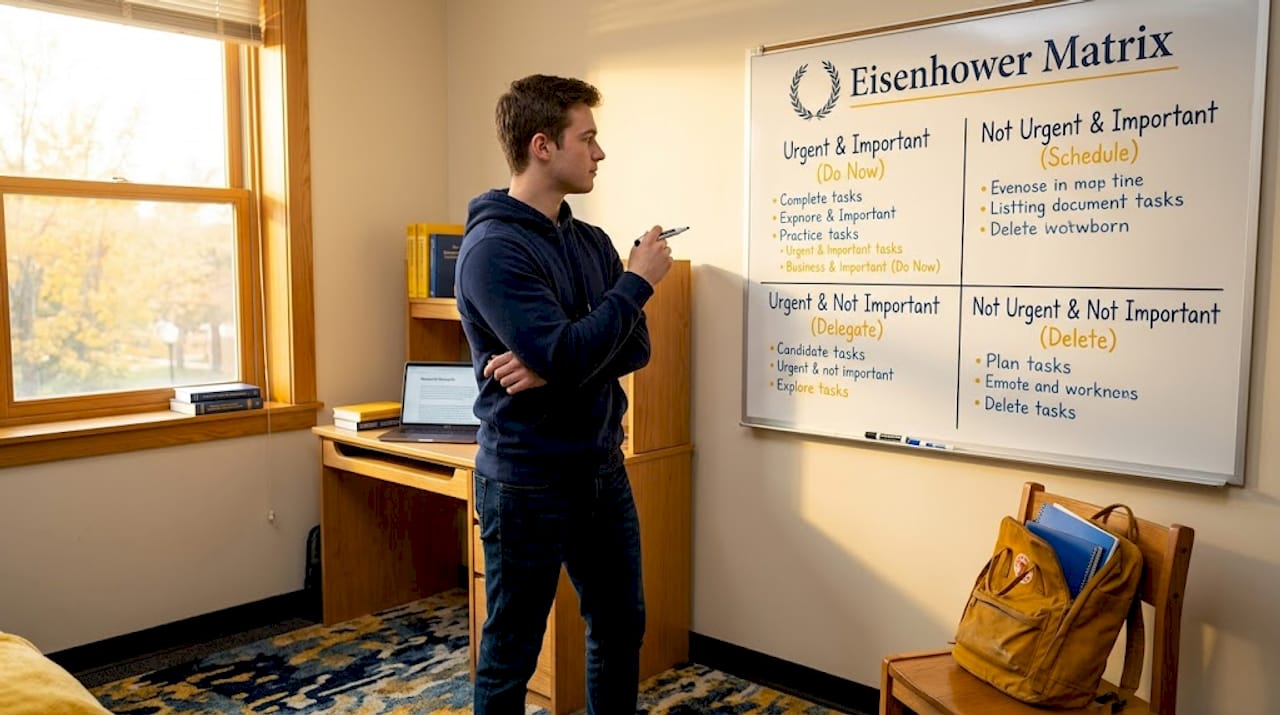
Locking important tasks into calendar blocks reduces the risk of crisis escalation. When Q2 work has a reserved time slot, it stops being invisible. This is the single most effective habit shift for students managing both coursework and professional responsibilities.
Watch out for these specific traps:
- Treating all deadlines as equal: A quiz worth 5% of your grade is not the same as a final project worth 40%. Urgency should scale with actual importance.
- Delegating nothing: Many students feel like asking for help is a weakness. It is not. It is what your task delegation skills will look like in every workplace you enter.
- Never reviewing your list: Priorities shift. A task that was Q2 three days ago might be Q1 today. A weekly 15-minute review catches this before it becomes a crisis.
- Letting Q1 grow unchecked: If more than 30% of your week is Q1 work, you have a planning problem, not just a time problem.
Pro Tip: Set a recurring 10-minute calendar block every Friday afternoon labeled “Priority audit.” Use it to move tasks between quadrants, reschedule missed Q2 work, and delete anything that has lost relevance. Do not skip it, even if the week felt manageable.
Applying prioritization to balance college and work commitments
The real test of setting priorities comes when you are running two systems simultaneously: a full course load and a part-time job, internship, or side project. Both environments generate tasks with their own urgency cues, and without a deliberate system, they blur together into one overwhelming pile.
Here is a practical sequence for managing both:
- List all commitments across both contexts. Do not separate “school tasks” from “work tasks” mentally. Your time is one resource. Treat it that way.
- Assign each task to an Eisenhower quadrant. Be honest. That work Slack message at 9 PM might feel like Q1, but is it really?
- Block calendar time for Q2 items first. Study blocks, project drafts, and skill-building sessions go in before everything else. These are your non-negotiables.
- Use a single digital tool to track both environments. Switching between a paper planner for school and a notes app for work creates friction and blind spots.
- Review your full task list every Sunday for 15 minutes. Deadlines shift. New tasks appear. Scheduled important tasks get crowded out if you don’t actively protect them each week.
The reason this matters is not just productivity. Students who run on reactive mode, always in Q1, report significantly higher stress and lower GPA outcomes. The importance of priorities is not abstract. It shows up in your grades, your sleep, and your professional reputation. Using productivity apps for task management designed for both academic and work contexts makes this much easier to sustain.
Tools and methods to enhance your prioritization system
The Eisenhower Matrix gives you a mental model. Tools give you the infrastructure to make it stick. Used alone, any framework eventually fades under the pressure of a busy week. Paired with the right system, it becomes automatic.
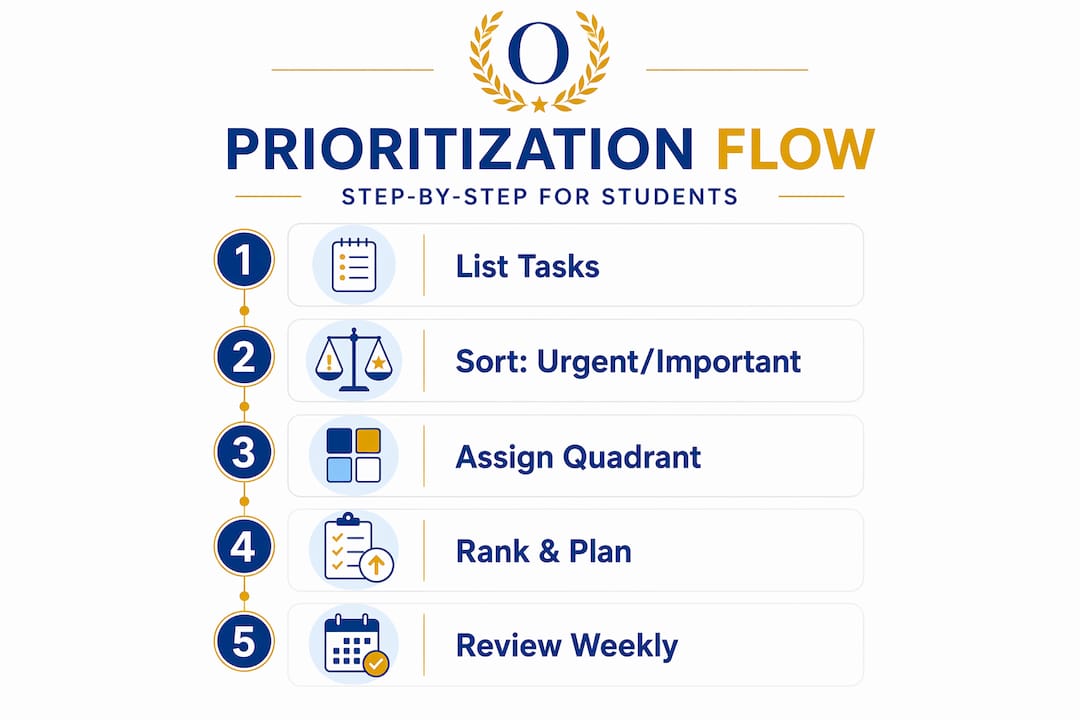
One technique worth combining with the matrix is the ABCD method. Once you’ve sorted tasks into quadrants, rank every Q1 and Q2 task as A (must do), B (should do), C (nice to do), or D (delegate). This prevents the common problem of having five “urgent and important” tasks with no clear starting point.
Pairing the Eisenhower Matrix with ABCD and time-blocking and regular review leads to a more stable prioritization system and helps filter out daily noise.
Here are tools and methods that support a real prioritization practice:
- Calendar blocking: Schedule Q2 tasks the same way you schedule class. Give them a start time, a duration, and a location. Make them concrete.
- Color-coded task apps: Visual separation of task types reduces decision fatigue when you open your task list at 7 AM.
- Weekly review ritual: Not just “what’s due this week” but “what matters this week and what can I drop or delegate?”
- Productivity apps with priority flagging: Look for apps that let you set urgency and importance independently, not just a single priority level.
| Method | Best for | Time investment |
|---|---|---|
| Eisenhower Matrix | Weekly task sorting | 10-15 min/week |
| ABCD ranking | Daily task ordering | 5 min/day |
| Time-blocking | Protecting Q2 work | 15 min/week setup |
| Weekly review | Adapting to change | 15 min/week |
Combine agile prioritization techniques with these methods and you have a system that adapts as your semester evolves, rather than breaking down at midterms.
Pro Tip: If you use a task management app, create a recurring weekly task called “Move Q2 to calendar.” The act of physically blocking that time is what separates people who intend to work on important things from people who actually do.
Rethinking prioritization: what most people miss about managing tasks
Here is the uncomfortable truth most productivity guides skip. People often mistake prioritization for merely listing tasks instead of managing decision processes to balance urgent and important demands in real time.
A to-do list is not a prioritization system. It is an inventory. Calling your list “prioritized” because you sorted it by deadline is like calling a pile of groceries a meal. The cooking, the sequencing, the active choices about what to do with your limited time, that is where prioritization actually lives.
The students and professionals who seem to “have it together” are not working longer hours. They are making better decisions about what not to do. Every time you say yes to a Q3 or Q4 task, you are saying no to something in Q2. Most people never make that trade-off consciously. It happens by default, driven by whoever shouts loudest or whatever notification arrives first.
The deeper shift is treating your prioritization techniques as a living system, not a one-time setup. Your priorities next Monday will not look the same as your priorities today. The goal is not to find the perfect list and stick to it. The goal is to develop the judgment to recalibrate quickly when things change, because they always do.
Delegation and elimination are just as important as execution. Not every task on your list deserves your energy. Some deserve to be handed off. Others deserve to be dropped entirely without guilt. Recognizing that is not laziness. It is how to prioritize at a level most people never reach.
Enhance your task management with Optio Station tools
Now that you know the theory and practical steps, here is how a purpose-built tool helps you act on it without the friction. Optio Station is designed specifically for students and young professionals managing the dual demands of academic and professional life.

As your second-in-command, Optio helps you sort and color-code tasks by urgency and importance, block calendar time for Q2 work, delegate to teammates, and manage tasks effectively across both school and work in one place. Whether you’re trying to find the best task management software for your workflow or just need a system to keep track of tasks at work and campus, Optio Station gives you the command structure to stop reacting and start leading your own schedule. Your Centurion rank demands nothing less.
Frequently asked questions
What is the difference between urgent and important tasks?
Urgent tasks require immediate attention and have deadlines, while important tasks contribute to long-term goals but may not need immediate action. Confusing the two is the most common reason people stay busy but never feel productive.
How does the Eisenhower Matrix help with prioritization?
The matrix organizes tasks into four categories based on urgency and importance, guiding you on what to do now, schedule for later, delegate, or delete, which reduces overwhelm and sharpens your daily focus.
How can students balance academic and work priorities effectively?
By scheduling important but non-urgent tasks first on your calendar, using a single platform to track both environments, and doing a weekly priority review, you create structure that holds even when both worlds get busy simultaneously.
Why is it important to regularly review and adjust priorities?
Priorities shift as projects evolve and new demands emerge, so regular review prevents urgent distractions from permanently crowding out the work that actually moves your goals forward.
Can delegating tasks improve my productivity?
Yes. Delegating tasks that don’t require your specific skills frees your time for higher-impact responsibilities and, in team contexts, helps others develop capability, which makes the whole group more effective over time.
Recommended
- 7 Best Time Management Goals Examples for Centurions – Optio Station: Best Project Management App for Prioritization
- Master to-do list creation: 40% focus boost for students – Optio Station: Best Project Management App for Prioritization
- Command Log – Optio Station: Best Project Management App for Prioritization
- How to Prioritize Assignments Effectively for Success – Optio Station: Best Project Management App for Prioritization
