

TL;DR:
- Regular structured reviews help turn activity into meaningful progress and reduce errors.
- Using a single, integrated tool with timers supports consistent reflection and goal setting.
- Prioritizing specific, measurable goals during reviews enhances focus and long-term growth.
You download the app, color-code your tasks, set your reminders, and still end the week feeling like you ran in circles. Sound familiar? The problem isn’t the tools. It’s the absence of a structured review that turns raw activity into actual progress. Most productivity apps help you capture tasks, but without a deliberate review process, you’re just maintaining a very organized to-do list. This guide gives you a clear, replicable framework to review and strengthen your productivity using mobile tools, covering everything from preparation and execution to common mistakes and how to verify that your system is actually working.
Table of Contents
- Why a productivity review changes everything
- Tools and apps you’ll need to get started
- How to run a step-by-step productivity review
- Avoid common pitfalls and make it stick
- What most people miss about productivity reviews
- Take the next step: Powerful tools for ongoing progress
- Frequently asked questions
Key Takeaways
| Point | Details |
|---|---|
| Structured reviews boost results | A weekly productivity review turns planning into measurable progress with less stress. |
| Tools matter for consistency | The right app setup can automate your review and keep you on track. |
| Avoid common pitfalls | Stay consistent and keep goals specific to maximize the benefits of your reviews. |
| Flexibility trumps perfection | Adapt your process as you learn, rather than sticking rigidly to any one system. |
Why a productivity review changes everything
A productivity review isn’t the same as checking off tasks. Checking off tasks tells you what you did. A review tells you why it went well or poorly, and what to change. That distinction is what separates Centurions who grow week over week from those who stay stuck in the same patterns.
Think of it this way: a surgeon doesn’t just perform operations. They debrief after each one. Athletes review game footage. Pilots run post-flight checks. A productivity review is your debrief, and it’s one of the highest-leverage habits you can build.
Here’s what structured reviews actually deliver:
- Fewer errors because you catch repeated mistakes before they compound
- Better focus because you clarify what truly matters before the week begins
- Measurable progress because you track outcomes, not just effort
- Reduced anxiety because uncertainty gets replaced with a clear plan
“Time blocking and focus timer methods integrated with digital planners maximize productivity by turning intention into structured action.”
Research consistently supports the value of regular reviews. Weekly planning sessions, when combined with techniques like Pomodoro time blocks, help students and professionals align their energy with their priorities rather than reacting to whatever feels urgent. Learning to review weekly progress is one of the most underutilized habits in student life, yet it has an outsized impact on performance.
Here’s a quick comparison showing the difference a review creates:
| Approach | Outcome | Focus quality | Error rate |
|---|---|---|---|
| Task list only | Reactive | Low | High |
| Task list + weekly review | Proactive | High | Low |
| Integrated review + timer | Strategic | Very high | Very low |
Productivity reviews don’t replace your daily planning. They make your daily planning smarter. If you’re building an academic productivity workflow, a weekly review is the mechanism that keeps the whole system calibrated and honest.
Tools and apps you’ll need to get started
If a review is powerful, what do you actually need to run one? Gather these essentials before you try to follow any framework.
The core toolkit for a mobile-based productivity review includes:
- A digital planner or task manager to log commitments and outcomes
- A focus timer app to run Pomodoro-style work sessions during the week
- A calendar app to map fixed commitments and deadlines
- A note-taking app for reflections, patterns, and improvement ideas
Not all apps are equal. Basic to-do list apps work fine for simple tracking, but they fall short when you need to see patterns, set recurring reviews, or link tasks to time blocks. Time blocking methods require a planner that can handle both scheduling and task management in one place.
Mapping fixed commitments in a planner and pairing them with focus timers is one of the most effective ways to build a productivity workflow that actually holds up under a real student or professional schedule.
Here’s how different tool types compare:
| Tool type | Strengths | Weaknesses |
|---|---|---|
| Basic to-do apps | Simple, fast setup | No time context or review features |
| Calendar apps | Great for scheduling | Poor for task detail or reflection |
| Integrated platforms | Combines tasks, time, and review | Slight learning curve |
| Paper planners | Tactile, distraction-free | Hard to search or sync |
If you prefer analog options, a paper planner paired with a digital timer app is a solid hybrid. Write your plan on paper and use your phone for timers and reminders. Just make sure your analog notes get transferred to a searchable format at least once a week.
Pro Tip: Always choose apps that sync across your phone, tablet, and laptop. If your review lives only on one device, you’ll skip it the moment that device isn’t nearby. Consistency requires zero friction, and cross-device sync is how you get there.
For habit-building and deeper focus, exploring focus-boosting rituals alongside your app setup will help you create the right environment to actually use these tools well.
How to run a step-by-step productivity review
Once you’ve got your tools, here’s the step-by-step review workflow to put them into action. Block 20 to 30 minutes, ideally at the end of each week or the start of a new one.
Step 1: Review last period’s commitments and outcomes
Open your planner and look at every task, event, or goal from the past week. Mark what was completed, what was missed, and what carried over. Be honest. Example entry: “Finished 3 of 5 readings. Missed Tuesday study session due to unplanned group call.” This step surfaces patterns you’d never notice otherwise.
Step 2: Identify 3 key priorities for the next period
Don’t list 15 things. Pick 3. These are your anchors. For students, this might be a major assignment, an exam prep block, and one non-academic goal. For professionals, it could be a project milestone, a team deliverable, and a skill-building task. Also note the interruptions or challenges from last week so you can plan around them.

Step 3: Map your time blocks and assign focus sessions
Assigning Pomodoro sessions and integrating them into your daily plan drives both focus and completion. Take your 3 priorities and assign specific time blocks in your calendar. Then attach Pomodoro-style focus sessions to each block. Example: “Thursday 2pm to 4pm: 4 Pomodoros on research paper outline.”
Step 4: Set one measurable improvement goal
Not “study more.” Instead: “Complete 2 Pomodoros before checking my phone each morning.” Linking it to a behavior makes it trackable. Use daily productivity reviews mid-week to check in on this goal without waiting for the next full review.
Routine reviews are linked to 26% higher focus rates among students who practice them consistently. That’s not a small edge. That’s the difference between a B and an A, or between meeting a deadline and missing it.
Pro Tip: Integrate your timer app and planner before you sit down to review. If they’re not already connected, you’ll spend your review time setting up instead of reflecting. Prep the tools the night before.
For deeper reflection, try journaling two or three sentences about what surprised you that week. This habit feeds directly into better goal reflection methods over time and makes your weekly planning checklist sharper each cycle.
Avoid common pitfalls and make it stick
Even effective systems fall apart without the right habits. Watch out for these common traps that trip up even motivated Centurions.
The biggest review killers:
- Skipping the reflection step and jumping straight to scheduling
- Setting goals that are too vague to act on (“be more productive” is not a goal)
- Using three different apps inconsistently instead of committing to one workflow
- Treating the review as optional instead of a fixed weekly commitment
- Letting one missed review turn into three missed reviews
“Reviewing weekly and refining your process leads to fewer errors and sharper focus, far more effectively than occasional marathon planning sessions.”
The fix for most of these pitfalls is simple: schedule your review like a class or a meeting. Give it a specific time slot, set a reminder, and treat canceling it as seriously as you’d treat skipping a group project meeting.
If the process starts to feel overwhelming, cut it down. A 10-minute review that happens every week beats a 60-minute deep dive that happens once a month. Shorter, consistent reviews build stronger habits and surface patterns faster.
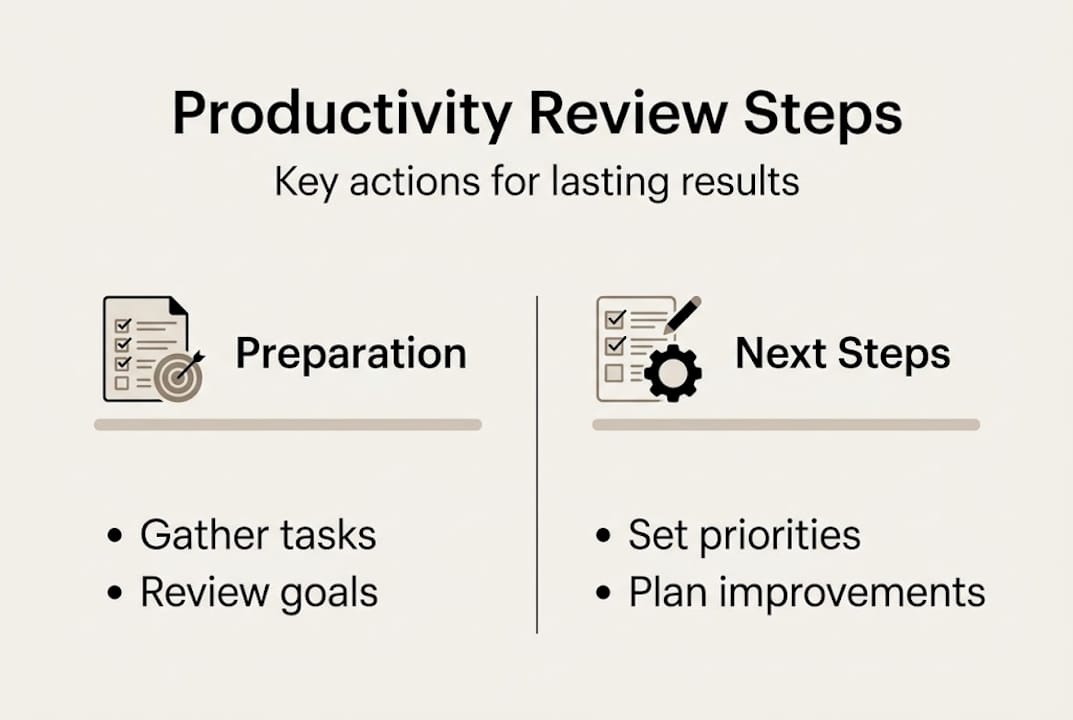
You can also involve an accountability partner. Share your 3 priorities with a classmate or colleague at the start of each week. Knowing someone else will check in makes it far more likely you’ll complete the process.
Understanding why reviews matter for your long-term growth is part of staying motivated. And if your review reveals you’re struggling to sequence your workload, getting sharper at prioritizing assignments is the natural next step to complement this process.
What most people miss about productivity reviews
Stepping back, here’s what most guides won’t tell you: rigid checklists are the enemy of sustainable reviews. Most templates feel empowering the first time and suffocating by week three.
Real progress happens when you treat the framework as a starting point, not a rulebook. That means reviewing not just your tasks, but your tools and the process itself. Ask yourself: is this review format actually working for me, or am I just going through the motions?
Brief, honest self-critique is more valuable than perfect adherence to a system. Young professionals and students who improve fastest aren’t the ones who never miss a step. They’re the ones who notice when something isn’t working and adjust it quickly. That adaptability is a skill, and it lives inside the review itself.
Building productivity rituals around your review, like a specific playlist, a favorite coffee spot, or a consistent time of day, makes it feel like a reward rather than a chore. Small rituals drive big consistency. Don’t underestimate them.
Take the next step: Powerful tools for ongoing progress
Ready to make your step-by-step review a lasting habit? Get more support here.
Building a review process is just the beginning. The right tools make it faster, more consistent, and a lot less overwhelming. Optio, your second-in-command, is built specifically for Centurions like you who want to manage tasks, time, and teams without switching between five different apps.

Explore our task management software guide to find the tools that best fit your workflow. If you’re managing multiple responsibilities, our guide on tracking tasks at work shows you exactly how to stay on top of everything. And for a broader system, check out our breakdown of effective task management that ties it all together.
Frequently asked questions
What is a productivity review?
A productivity review is a structured process where you evaluate your recent achievements, setbacks, and schedule to improve planning and focus each week. Time blocking and review sessions clarify priorities and deliver the focus needed to move forward intentionally.
How often should I do a productivity review?
Weekly reviews are ideal for most students and young professionals, but shorter daily check-ins help maintain momentum between full reviews. Weekly and daily planning and reviews consistently drive sustained performance over time.
Which apps work best for productivity reviews?
Integrated digital planners with timer and task-tracking features offer the strongest support for regular reviews. Digital planners combined with focus timers maximize both structure and the flexibility to adapt as your needs change.
What is the biggest mistake to avoid when starting productivity reviews?
The most common mistake is skipping the reflection step or setting goals that are too vague to act on. Skipping regular review reflection consistently undermines productivity gains, no matter how good your other habits are.
Recommended
- Why Review Productivity Matters for Centurions – Optio Station: Best Project Management App for Prioritization
- 7 Types of Productivity Techniques Every Centurion Should Know – Optio Station: Best Project Management App for Prioritization
- 7 Essential Productivity Hacks for Students and Professionals – Optio Station: Best Project Management App for Prioritization
- Work efficiency tips: proven strategies for students – Optio Station: Best Project Management App for Prioritization
