

TL;DR:
- Planning, goal-setting, and prioritization significantly enhance productivity and well-being.
- Proven methods like Pomodoro, Time Blocking, and micro-productivity are widely used by high performers.
- Personal self-knowledge and ongoing adjustment are key to sustainable work efficiency.
Endless to-do lists, back-to-back classes, side projects, and the constant ping of notifications. Sound familiar? Feeling buried under competing demands isn’t a personal failure. It’s a structural problem, and the solution isn’t working harder. Research spanning over 100 studies confirms that the right strategies, not raw effort, separate high performers from the rest. This article cuts through the noise and delivers evidence-based work efficiency tips built specifically for college students and young professionals who want results without burning out.
Table of Contents
- Set the foundation: Planning, goal-setting, and prioritization
- Tactics in action: Top work efficiency methods explained
- Tech and tools: Leveraging automation, apps, and AI safely
- Next-level mastery: Delegation, logs, and cognitive buffers
- Why one-size-fits-all efficiency is a myth: An editorial take
- Boost your productivity with the right tools
- Frequently asked questions
Key Takeaways
| Point | Details |
|---|---|
| Prioritize essential tasks | Planning and prioritization boost efficiency and help avoid unnecessary stress. |
| Choose tailored techniques | Tips like Pomodoro, Time Blocking, and micro-productivity suit different work styles. |
| Leverage tech wisely | Apps and AI can save time, but pick tools that truly fit your workflow. |
| Experiment and adapt | Personalize your strategy—no single method works for every person or situation. |
Set the foundation: Planning, goal-setting, and prioritization
Before you can optimize how you work, you need to understand what you’re working toward. Planning, goal-setting, and prioritization are high-impact strategies that enhance productivity, well-being, and performance across 107 studies. That’s not a soft claim. It’s a pattern so consistent that ignoring these basics is like skipping warmups before a sprint.
A simple daily planning routine takes less than 10 minutes. Each morning, write down your top three tasks for the day. Each Sunday, spend five minutes reviewing the week ahead and identifying your “big three” goals. These aren’t just nice-to-haves. They’re your anchors when distractions hit.
Goal-setting frameworks give your planning structure. SMART goals (Specific, Measurable, Achievable, Relevant, Time-bound) are the most widely taught for good reason. They force clarity. Instead of “study more,” a SMART goal says “review 30 flashcards every morning before 9 a.m. for two weeks.”
Prioritization is where most people stumble. The Eisenhower Box splits tasks into four quadrants: urgent and important, important but not urgent, urgent but not important, and neither. Most students spend too much time in the “urgent but not important” zone, reacting instead of building. The 4Ds method (Do, Delegate, Defer, Delete) is a faster filter for your inbox and task list.
Here are quick-win habits to build better organization:
- Write tomorrow’s tasks the night before
- Group similar tasks together to reduce mental switching
- Keep a running “someday” list to capture ideas without cluttering today’s plan
- Review your productivity hacks weekly to see what’s working
- Block your most important task as the first thing you do each day
Pro Tip: Start every week with a 5-minute “big three goals” review. Write them somewhere visible. When your week gets chaotic, those three goals become your compass.
Consistent time management strategies don’t require a perfect system. They require a system you’ll actually use.
Tactics in action: Top work efficiency methods explained
Once you’ve laid your foundation, it’s time to choose proven techniques that fit your work style. The good news is that data now tells us what most people actually use and what delivers results.
According to usage data, the Pomodoro Technique leads at 34% adoption, followed by Time Blocking at 28%, GTD (Getting Things Done) at 19%, and the Eisenhower Matrix at 15%. Micro-productivity, the practice of breaking large tasks into small focused bursts, is used by 78% of high performers. These aren’t trends. They’re battle-tested systems.
| Method | Best for | Key benefit | Watch out for |
|---|---|---|---|
| Pomodoro | Deep work, studying | Prevents mental fatigue | Interruptions break flow |
| Time Blocking | Scheduling, meetings | Protects focused time | Requires calendar discipline |
| GTD | Complex projects | Clears mental clutter | Setup takes time |
| Eisenhower Box | Prioritization | Cuts low-value tasks | Needs honest self-assessment |
| Micro-productivity | Short windows | Builds momentum | Risk of fragmented thinking |
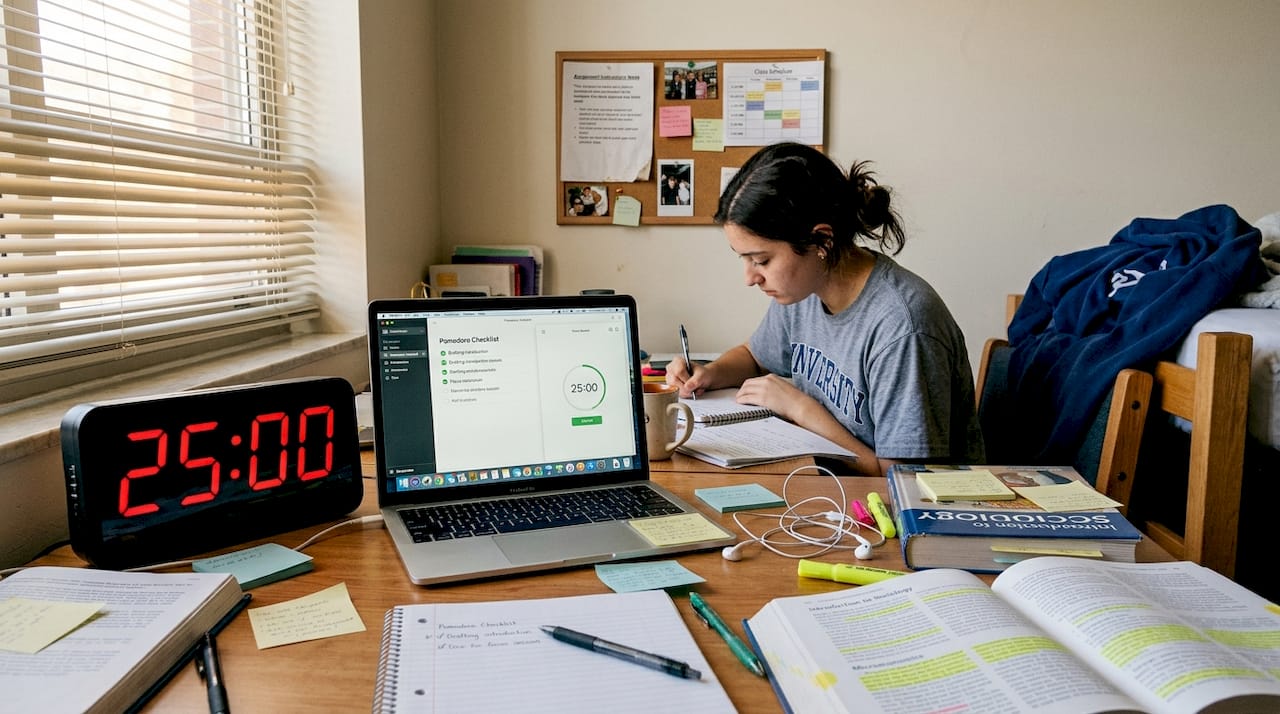
Choosing the right method isn’t about what’s most popular. It’s about what fits your cognitive style. If you’re easily distracted, Pomodoro’s 25-minute sprints create urgency. If you manage multiple projects, Time Blocking protects your calendar from chaos. Build your academic productivity workflow around one primary method before layering in others.
Here’s how to adopt a new method in one week:
- Pick one method from the table above based on your biggest pain point
- Test it for three full workdays without modifying it
- Note what felt natural and what created friction
- Adjust one variable (session length, task size, etc.) on day four
- Decide by day seven whether to keep, swap, or combine methods
The 4Ds method pairs well with any of these techniques as a daily filter. And if you’re evaluating task management tools to support your method, look for simplicity first.
Tech and tools: Leveraging automation, apps, and AI safely
With a technique in mind, the next step is finding the right tools without falling into common tech traps. The data here is striking. AI tools used daily by 83% of high performers correlate with a 52% increase in output. That’s a significant edge. But the same data flags a real risk: over-automation erodes personal judgment.
The smartest approach is to match tools to specific needs rather than collecting apps. Here’s a breakdown:
Must-have features:
- Task creation and deadline tracking
- Calendar integration
- Simple mobile access
Nice-to-have features:
- AI-assisted scheduling
- Team collaboration views
- Progress dashboards
Risky features (use with caution):
- Auto-prioritization without your input
- AI-generated responses sent on your behalf
- Tools that replace your thinking instead of supporting it
| Task or need | Recommended tool type |
|---|---|
| Daily task tracking | Dedicated task app (e.g., Optio) |
| Focus sessions | Pomodoro timer app |
| Team coordination | Shared project board |
| Note-taking and capture | Lightweight notes app |
| Calendar blocking | Native calendar or time-blocking app |
The impact of AI on workplace productivity is real, but it works best when you stay in control of decisions. Use AI to draft, sort, and suggest. Never let it decide what matters most to you.
Explore organization tool picks designed for students, or read more about technology’s role in productivity before committing to a stack. If you’re still deciding whether apps are worth it, why use productivity apps breaks it down clearly.
Pro Tip: Start every tool on a free trial. Only upgrade after it has visibly improved your workflow for at least two weeks. Feature bloat is a productivity killer.
Next-level mastery: Delegation, logs, and cognitive buffers
If you’ve mastered core methods, it’s time to implement strategies that high performers use to sustain their edge. The biggest leap from good to great isn’t a new app. It’s learning to protect your cognitive energy.
Delegation is one of the most underused tools in a student’s or young professional’s toolkit. Most people avoid it because it feels like giving up control. But effective delegation isn’t about offloading. It’s about matching tasks to the right person or resource so you can focus where you add the most value.
The 4Ds method gives you a clean framework:
- Do it now if it’s urgent, important, and only you can handle it
- Delegate it if someone else can do it equally well or better
- Defer it if it matters but doesn’t need to happen today
- Delete it if it adds no real value to your goals
“Time logging for delegation, protecting time, cognitive audits to avoid overload, and capability meetings over one-on-ones are recommended productivity boosters.” Harvard Business Review
Time logs are the unsung hero of efficiency. Most people track what they do. Fewer track how they work. Logging not just your tasks but your energy levels, focus quality, and interruptions reveals patterns you’d never notice otherwise. Use a simple Command Log to build this habit without overcomplicating it.
Cognitive audits, reviewing which tasks drain you versus which energize you, help you schedule demanding work during peak hours and routine work during low-energy windows. This isn’t soft advice. It’s how you prevent the slow creep of burnout before it arrives.
Pro Tip: Track not just what you completed, but how you felt while doing it. Over two weeks, patterns emerge that tell you more about your peak performance windows than any productivity quiz ever could.
Pair delegation with accountability by reviewing your productivity strategies regularly and adjusting based on what your logs reveal.
Why one-size-fits-all efficiency is a myth: An editorial take
Here’s something most productivity content won’t tell you: the best method is the one that fits your brain, not the one with the most research behind it. We’ve covered Pomodoro, Time Blocking, GTD, and AI tools. All of them work. None of them work for everyone.
High-energy people often burn through Pomodoro sessions and need longer deep-work blocks. People managing anxiety may find rigid time blocking creates more stress than it relieves. Over-delegation can hollow out your skill development if you’re early in your career. Over-automation can make you dependent on tools that disappear or change overnight.
The uncomfortable truth is that sustainable efficiency comes from self-knowledge, not system adoption. You need to experiment, log your results, and build a personal workflow that reflects how you actually think and work, not how a productivity guru thinks you should.
Efficiency isn’t a destination. It’s an ongoing calibration. The Centurions who thrive long-term aren’t the ones who found the perfect system. They’re the ones who kept refining it.
Boost your productivity with the right tools
Ready to put these strategies to work in your day? The gap between knowing a strategy and actually using it consistently comes down to having the right support structure.

Optio is built for exactly this. As your second-in-command, it helps you track tasks, manage your time, and coordinate with your team using a system designed for the pace of student and professional life. Start with our task management guide to find the right setup, then learn how to manage tasks effectively with proven frameworks. When you’re ready to level up, explore tracking tasks at work to build accountability into your daily routine. Your campaign starts now.
Frequently asked questions
What is the most effective work efficiency tip for college students?
Planning and prioritization consistently top the list, backed by research across 107 studies showing strong links to performance and well-being. Start there before adding any other strategy.
Are productivity apps or classic methods more effective?
Classic techniques like Pomodoro (34% usage) and Time Blocking (28%) have strong track records, while AI tools at 83% daily use show a 52% output boost. Using both together delivers the best results.
How do I avoid burnout while trying to be more efficient?
Set clear boundaries, use time logging and cognitive audits to identify overload early, and build routines that protect your mental recovery time.
What does micro-productivity mean?
Micro-productivity means breaking large tasks into smaller, focused pieces. It’s a strategy used by 78% of high performers to maintain momentum across fragmented schedules.
Is delegating tasks safe for young professionals?
Yes, when done with intention. Use the 4Ds framework, track delegation with logs, and ensure tasks match each person’s strengths. Delegation with time logging is consistently recommended for sustainable productivity.
Recommended
- 7 Best Time Management Goals Examples for Centurions – Optio Station: Best Project Management App for Prioritization
- Command Log – Optio Station: Best Project Management App for Prioritization
- Step-by-step guide to work-life balance for students – Optio Station: Best Project Management App for Prioritization
- 7 Time Management Goals for Employees Examples to Boost Productivity – Optio Station: Best Project Management App for Prioritization
