

Nearly 90 percent of people admit they waste time every day at work or school. Finding ways to manage your schedule can feel overwhelming, yet the clock keeps ticking no matter what. Time management software has quickly become a smart solution for anyone who wants to make smarter choices, tackle tasks efficiently, and turn busy days into moments of real progress.
Table of Contents
- Defining Time Management Software and Its Purpose
- Types of Time Management Tools and Solutions
- Key Features and How They Work
- Popular Uses for Students and Professionals
- Benefits, Drawbacks, and Common Pitfalls
Key Takeaways
| Point | Details |
|---|---|
| Optimized Time Allocation | Time management software enhances productivity by allowing users to track and allocate time efficiently across tasks and projects. |
| Diverse Tool Types | Various time management solutions, including scheduling apps and productivity dashboards, cater to different workflow preferences and productivity needs. |
| Enhanced Performance Tracking | Key features like progress monitoring and analytics provide users with insights that help prioritize tasks and improve overall effectiveness. |
| Mindful Usage | While beneficial, users should avoid over-reliance on software and recognize its role as a supportive tool in their productivity strategy. |
Defining Time Management Software and Its Purpose
Time management software represents a digital solution designed to help individuals and teams optimize how they allocate, track, and utilize their most precious resource: time. According to TechTarget, time management fundamentally involves “the coordination of tasks and activities to maximize the effectiveness of an individual’s efforts.”
At its core, time management software transforms traditional productivity approaches by providing sophisticated digital tools that go beyond basic scheduling. These applications enable users to break complex workflows into manageable components, track time spent on specific tasks, prioritize activities, and generate insights about personal or team productivity patterns. As CSUSB explains, such tools help individuals “manage time so that time is used to your advantage” while giving you control over how you invest your most valuable resource.
The primary purposes of time management software typically include:
- Tracking time spent on individual tasks and projects
- Generating productivity reports and performance analytics
- Creating visual representations of work allocation
- Identifying potential efficiency bottlenecks
- Helping users prioritize tasks based on importance and urgency
Understanding how to leverage time tracking tools can dramatically improve personal and professional productivity by providing clear, data-driven insights into how time is actually being utilized.
Types of Time Management Tools and Solutions
Time management software comes in diverse formats, each designed to address specific productivity challenges and personal workflow preferences. According to Oxford Home Study Center, there’s “no single magic formula for productivity” – different professionals require different approaches tailored to their unique needs.
Modern time management tools typically fall into several key categories. Scheduling tools help users plan and allocate time across tasks, while tracking applications monitor actual time spent on specific activities. Wikipedia highlights time blocking as a particularly effective technique, where “a period of time is divided into smaller segments or blocks for specific tasks,” which can help eliminate distractions and discourage unproductive multitasking.
The most common types of time management solutions include:
Here’s a summary comparing common types of time management tools and their main functions:
| Tool Type | Main Purpose | Typical Features |
|---|---|---|
| Task Management Platforms | Organize and track tasks | Task lists Prioritization Progress tracking |
| Calendar & Scheduling Apps | Plan and schedule time slots | Event reminders Recurring tasks Shared calendars |
| Time Tracking Software | Monitor time spent on activities | Timers Automatic logging Report generation |
| Productivity Dashboards | Visualize work and productivity | Analytics Charts Custom widgets |
| Goal & Prioritization Tools | Set and rank goals | Milestone tracking Priority flags Checklists |
| Project Management Systems | Coordinate teams and projects | Task assignment Collaboration File sharing |
- Task Management Platforms
- Calendar and Scheduling Applications
- Time Tracking Software
- Productivity Dashboards
- Goal Setting and Prioritization Tools
- Project Management Systems
Choosing the right productivity app depends on understanding your specific workflow, preferred productivity techniques, and personal work style. Some tools focus on granular time tracking, while others prioritize broader project coordination and strategic planning.

Key Features and How They Work
Time management software provides a sophisticated digital toolkit designed to help individuals optimize their productivity and workflow. Wikipedia emphasizes that effective time management involves managing “demands relating to work, social life, family, hobbies, personal interests and commitments” by providing tools that give users more choices in managing their activities.
The core functionality of these tools typically revolves around several key tracking and planning mechanisms. One particularly innovative approach is timeboxing, which Wikipedia describes as allocating “a maximum unit of time to an activity” – a technique that can help curb perfectionist tendencies and enhance focus by creating a sense of urgency.
Key features of time management software often include:
- Detailed task tracking and logging
- Customizable project and goal dashboards
- Real-time progress monitoring
- Automated time allocation recommendations
- Integration with calendar and scheduling systems
- Productivity analytics and performance reporting
- Collaboration and team coordination tools
Choosing the right time management apps list requires understanding how these features can be tailored to individual workflow needs, transforming complex time management challenges into manageable, strategic processes.
Popular Uses for Students and Professionals
Time management software has become an essential tool for both students and professionals seeking to maximize their productivity and achieve their goals. TechTarget highlights that these tools are crucial for “assigning meaning to time” and helping individuals “make the most of their time” across various personal and professional contexts.
For students, time management software serves as a critical support system for academic success. These tools help track assignment deadlines, manage study schedules, balance extracurricular activities, and develop critical organizational skills. Professionals, on the other hand, use these applications to streamline project workflows, track billable hours, and optimize team collaboration. CSUSB emphasizes that time management is “an endless series of decisions” that gradually transform one’s life and work approach.
Common use cases across different contexts include:
- Academic project planning and tracking
- Freelance and contract work time logging
- Personal goal setting and progress monitoring
- Team collaboration and task allocation
- Performance analytics and productivity improvement
- Stress reduction through structured planning
- Balanced workload management
Understanding time management for young professionals can be transformative, providing a strategic approach to navigating complex personal and professional responsibilities with greater confidence and efficiency.
Benefits, Drawbacks, and Common Pitfalls
Time management software presents a powerful toolkit for improving personal and professional productivity, but understanding its nuanced landscape requires careful consideration. TechTarget emphasizes that good time management skills help individuals “deliver quality work and meet their goals effectively” while providing managers insights into team capabilities.
The benefits of these tools are significant, yet they come with potential drawbacks that users must navigate carefully. CSUSB notes that time management is “a skill that can be learned” involving techniques for “prioritizing activities and using time effectively while eliminating disruptions.”
Key considerations include:
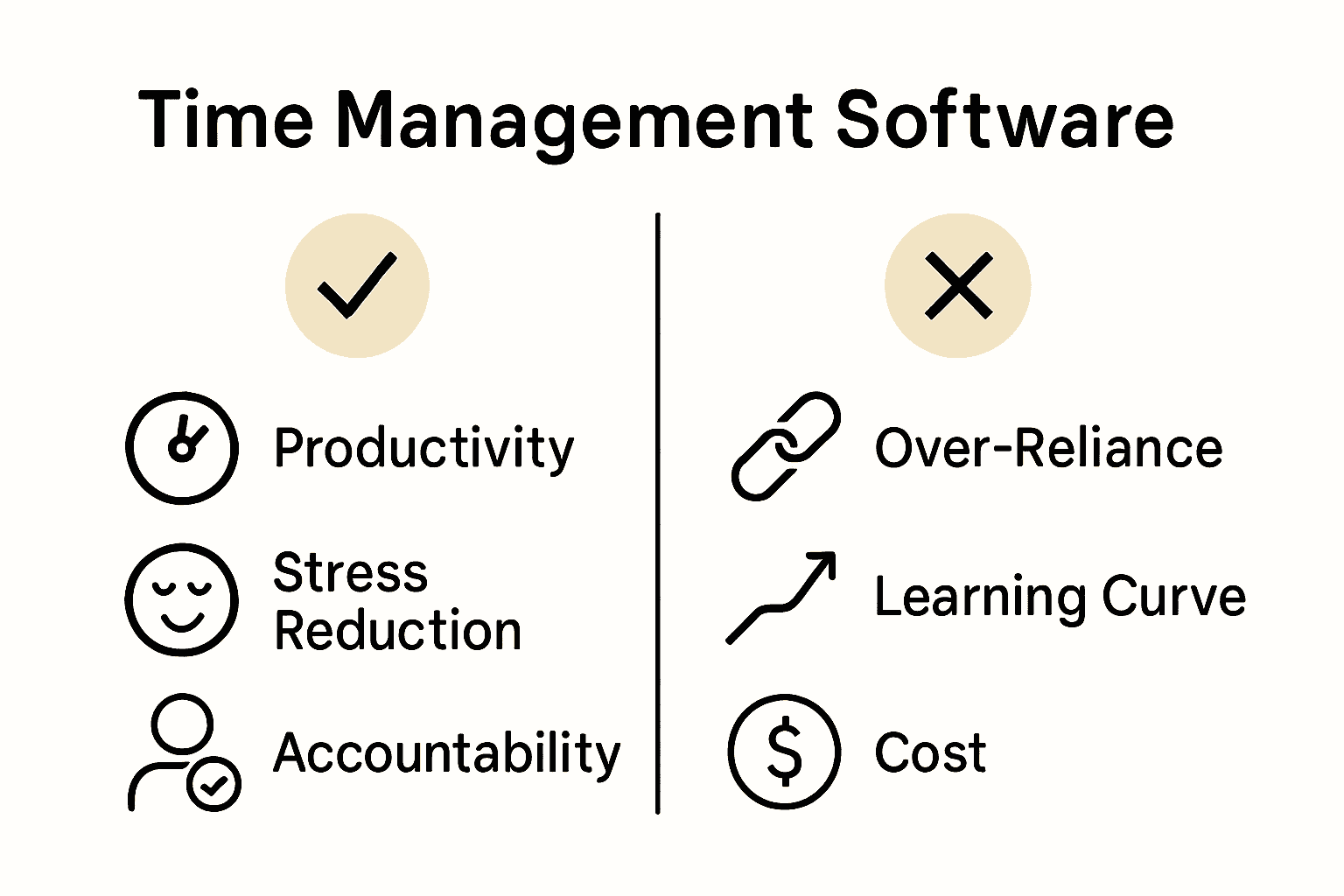
Benefits:
- Increased personal productivity
- Enhanced task prioritization
- Reduced stress through structured planning
- Clear performance tracking
- Improved accountability
Potential Drawbacks:
- Over-reliance on software
- Potential for analysis paralysis
- Learning curve for complex tools
- Privacy and data security concerns
- Subscription costs
Common pitfalls often emerge when users treat time management software as a magical solution rather than a supportive tool. Learn more about avoiding these challenges in our work goal examples guide, which provides practical strategies for meaningful productivity.
Take Command of Your Time with Optio Station
Time management software can feel overwhelming when you try to master every task, priority, and deadline all at once. The challenge lies in turning complex project plans and time-blocking techniques into simple daily actions you can control. You deserve a powerful yet user-friendly companion that acts as your second-in-command to help you stay organized and focused.

Discover how Optio Station supports students and young professionals like you by bringing Roman discipline to your daily workflow. With features designed for task, team, and time management, this mobile app helps you prioritize effectively and reduce stress. Start building your own productivity empire today by visiting Optio Station. For insights on improving focus and prioritization, explore our expert tips in ProductivityThoughts and sharpen your skills with practical advice from CenturionTips. Take control of your time now to transform your goals into victories.
Frequently Asked Questions
What is time management software?
Time management software is a digital solution that helps individuals and teams optimize their time allocation, tracking, and utilization to enhance productivity.
What are the main features of time management software?
Common features include task tracking, customizable dashboards, automated time allocation recommendations, real-time progress monitoring, productivity analytics, and collaboration tools.
How can students benefit from using time management software?
Students can use time management software to track assignment deadlines, manage study schedules, balance extracurricular activities, and develop organizational skills for academic success.
What are some common types of time management tools?
Common types include task management platforms, calendar and scheduling apps, time tracking software, productivity dashboards, goal setting tools, and project management systems.
Recommended
- Understanding the Role of Time Management Tools – Optio Station: Best Project Management App for Prioritization
- Understanding Time Management for Young Professionals – Optio Station: Best Project Management App for Prioritization
- Understanding Time Management Trends 2025 – Optio Station: Best Project Management App for Prioritization
- 7 Essential Time Management Apps List for Productivity – Optio Station: Best Project Management App for Prioritization
